3D learning world · Babylon.js
A 3D world for teaching anything.
Three stations, one guide mascot, and a one-minute World Tour. Each station shows an idea in action. The first world teaches three habits for using AI in everyday life.
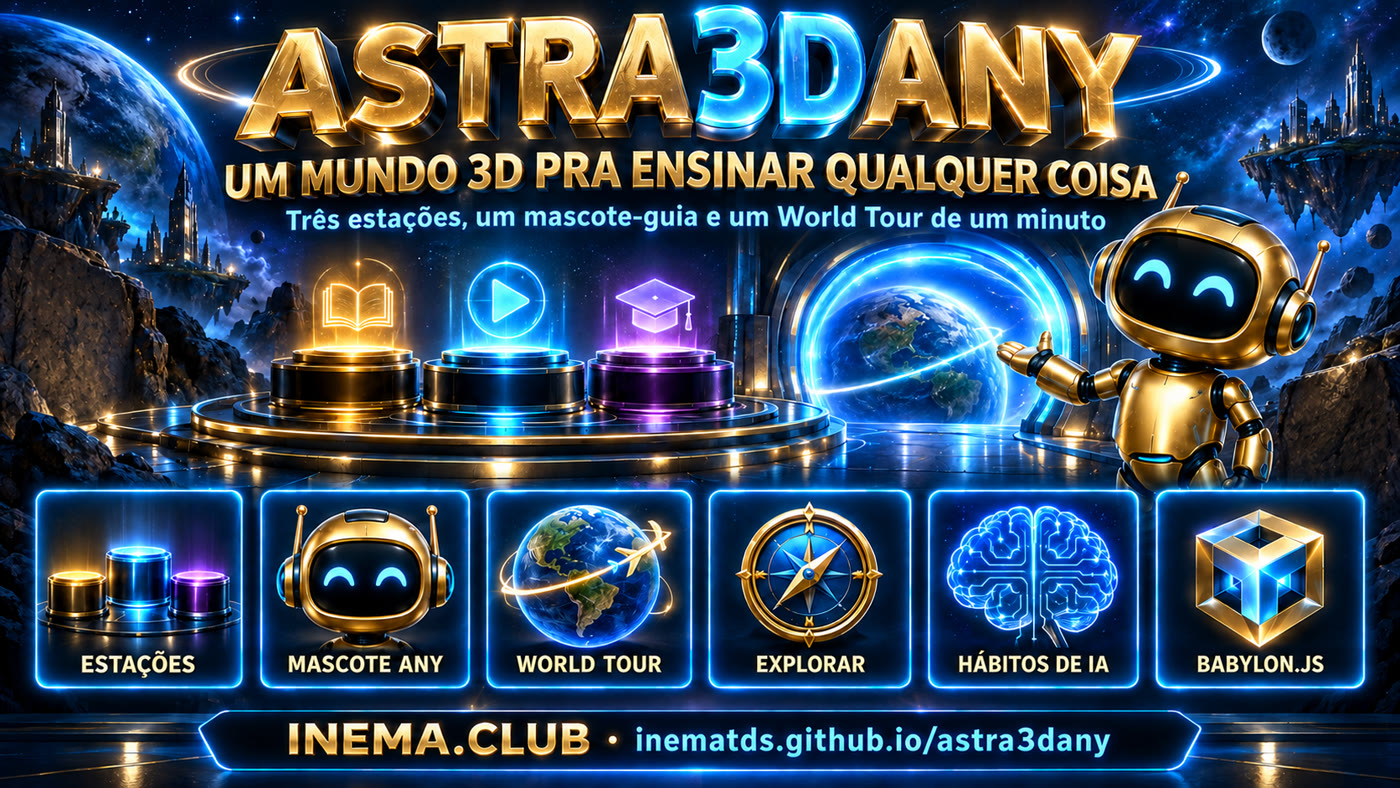
Three stations, one guide mascot, and a one-minute World Tour. Each station shows an idea in action. The first world teaches three habits for using AI in everyday life.
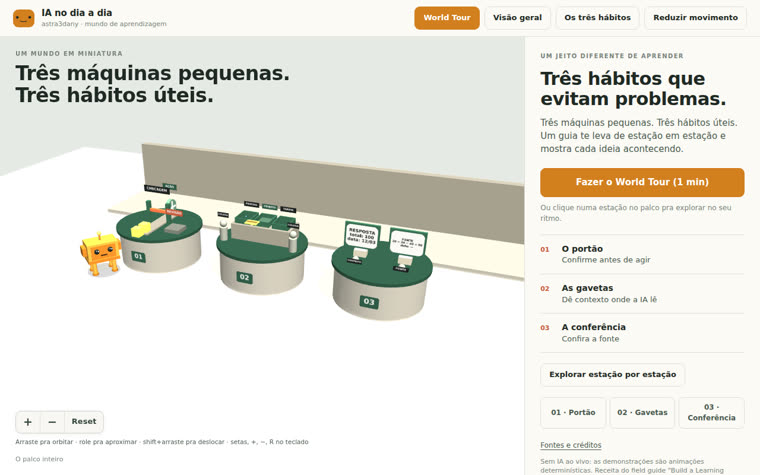
It’s not a video or a slide: it’s a miniature stage in the browser. The learner walks around, clicks a pedestal, watches the machine work, and reads alongside it what’s happening and what to remember.
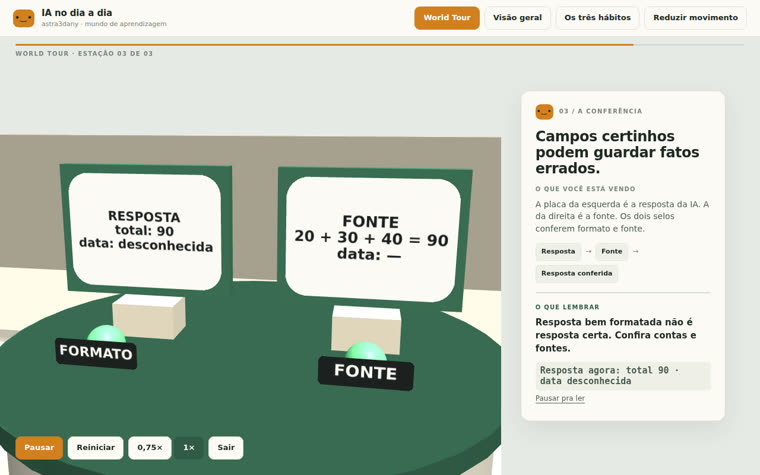
One-minute guided tour: arrive (3 s) → move closer (3 s) → demonstrate (6 s) → hold on the result (5 s) at each station, with a card synced to the action. Pause, restart, change the speed, exit.
Orbit, zoom in, pan, reset. Click a pedestal to open the station, run and replay the demonstration at your own pace. Keyboard, mouse, and touch.
All the text and stations live in a single configuration file. Teaching something else means editing that file; the camera, cards, and tour stay the same.
Follow the field guide recipe Build a Learning World (Mark Kashef, Early AI Adopters): six parts, a fixed camera pace, and an acceptance checklist. The current world teaches three habits:
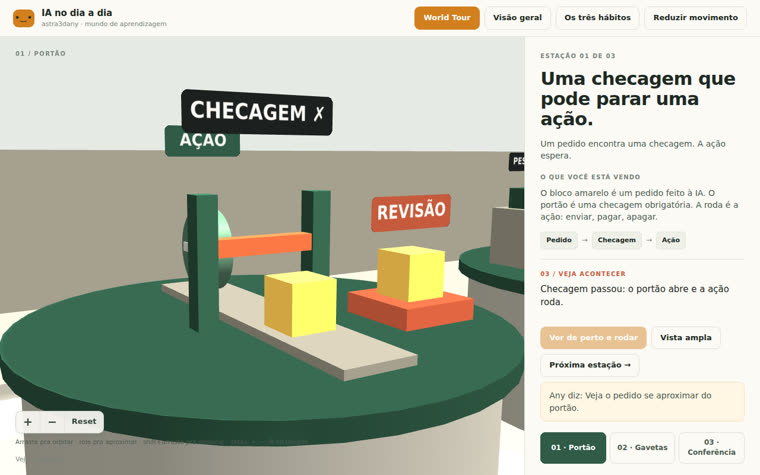
A request arrives at a closed gate and goes for review. The second one passes the check: the gate opens and the wheel (the action) turns. Ask the AI to confirm before sending, paying, or deleting.
An instruction card goes into the project drawer, and the two colleagues stay connected. Keep the instructions in one place; everyone, including the AI, reads the same thing.
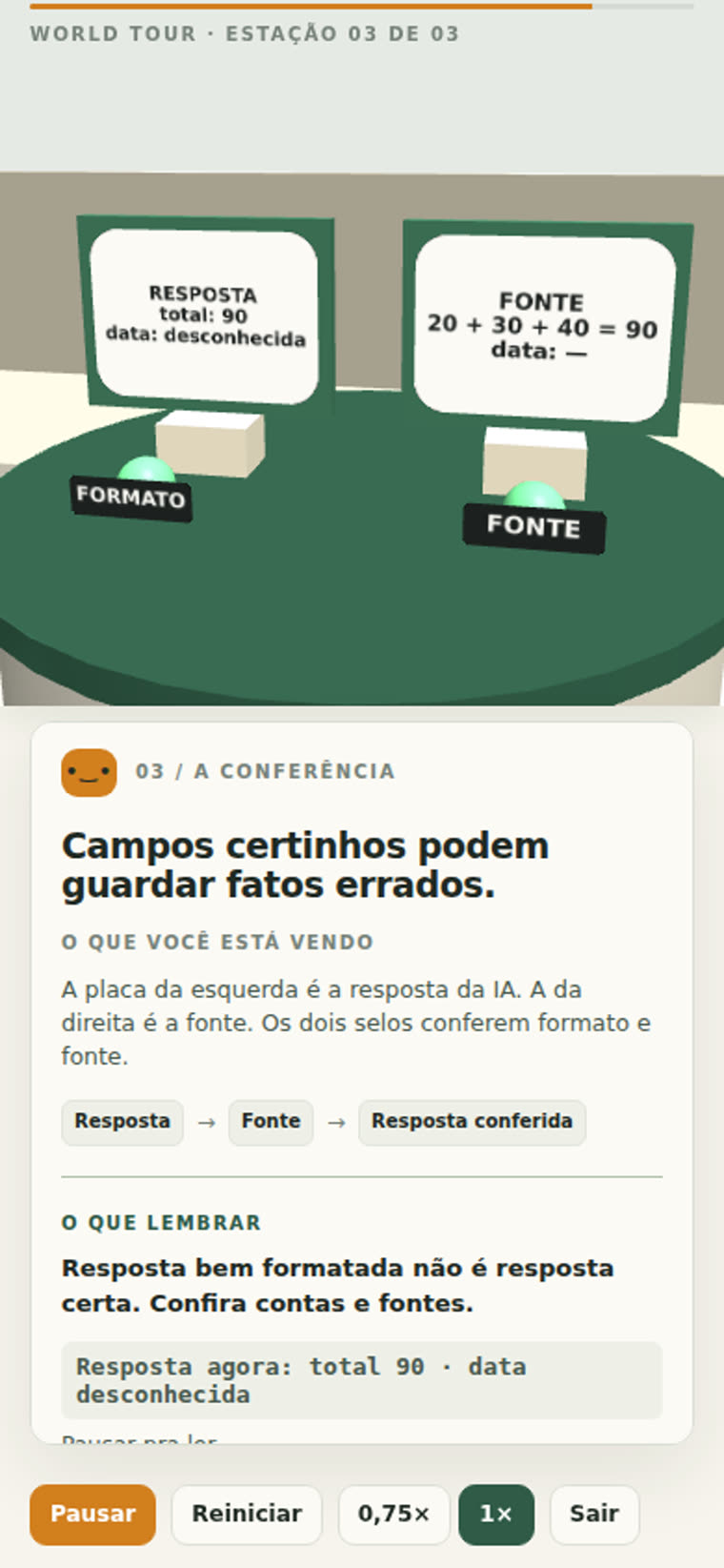
The response format checks out, but the source says 20 + 30 + 40. The total is 90, and the date remains open without a source. A well-formatted answer isn’t necessarily a correct answer.
The site is 100% static. There’s no backend, API key, database, or Blender involved.
Chrome, Edge, Firefox, or Safari 15+. A dedicated GPU isn't required, but it helps. Works on mobile.
# open the published world
https://inematds.github.io/astra3dany/app/
Just to run locally or change the topic. Developed and tested with Node 24.
node -v   # v20 or newer
npm -v
To clone the repository. The Vite and Babylon.js versions are pinned in the package-lock.
git clone https://github.com/inematds/astra3dany.git
Steps 1 and 2 are for anyone who just wants to visit. From step 3 on, they’re for anyone who wants to run it locally or teach something else.
Open the world and click the orange button World Tour. In one minute, the camera visits the three stations, runs each demonstration, and holds on the result while the card explains it. At the end, the recap with the three habits appears.
https://inematds.github.io/astra3dany/app/ # Pause/Resume · Restart · 0.75× · Exit (or Esc)
Click a pedestal (or buttons 01/02/03). Take a closer look and run it moves the camera closer and runs the demonstration; Replay run it again; Wide view backs away. Outside the tour, the camera is free:
| Action | Mouse | Keyboard | Touch |
|---|---|---|---|
| Orbit | drag | arrow keys | one finger |
| Zoom in / out | scroll wheel, + and − buttons | + / − | pinch |
| Pan | shift + drag, right-click | — | two fingers |
| Return to framing | Reset | R | Reset |
Add ?diagnostics to the URL to see FPS and resolution. The button Reduce motion replace the camera animations with hard cuts (and respect the system preference).
Clone, install the locked versions, and start the development server.
git clone https://github.com/inematds/astra3dany.git
cd astra3dany/game
npm ci            # Vite 8.2.2 + Babylon.js 9.25.0, exactly as in the lockfile
npm run dev       # http://127.0.0.1:43220
Edit game/src/mundo.config.js: title, intro, audience, mascot, and the three stations (name, principle, explanation, sequence, per-second demonstration notes, takeaway, and camera poses). All site text comes from there.
// game/src/mundo.config.js — one station
{
  id: 'portao', demo: 'portao', x: -3,
  principio: 'Confirme antes de agir',
  titulo: 'Uma checagem que pode parar uma ação.',
  sequencia: ['Pedido', 'Checagem', 'Ação'],
  observacoes: [[1.5, 'O pedido se aproxima…'], [2.8, 'Checagem falhou…'], [6, 'Checagem passou…']],
  takeaway: 'Peça pra IA confirmar antes de agir: enviar, pagar, apagar.',
  camera: { wide: {…}, closeStart: {…}, closeEnd: {…} },
}
Need a new mechanic? Create a module in game/src/estacoes/ with { reset(), update(demoTime), foco, pick } and register it in DEMOS in the main.js. The three existing ones serve as templates.
The tests read the config and check the duration, the 5 s hold, and the phrases for each phase. Then check in the browser: wide view, close-up, halfway through the demonstration, and the result, on desktop and mobile.
npm test          # 7 timeline and caption tests (node --test)
npm run build     # generates ../app/ (static, relative paths)
npm run preview   # http://127.0.0.1:43221 — inspect the build that will go live
Commit the folder app/ and push. GitHub Pages serves from the root of the main branch; the same build runs on Vercel, Netlify, or Here.Now by pointing to app/.
git add app && git commit -m "build" && git push
# app:  https://inematds.github.io/astra3dany/app/
# guide: https://inematds.github.io/astra3dany/guia/
Inspection screenshots (desktop 1280 px and mobile 390 px). The full report is at evidence/revisao.md in the repository.
So you don’t find out at the wrong time.
Blender wasn't available on the build machine, so Any is generated procedurally. A GLB made in Blender can be plugged in through the config (legs Perna1..4 get the upper level).
1.2 MB compressed, because of Babylon.js. The first load on 4G takes a few seconds; there is no code-splitting yet.
Desktop and mobile were inspected in Chromium without a GPU. No physical device, Safari, Firefox, or real touch gestures have been tested yet; the measured fps don't represent a real device.
The demonstrations are deterministic animations. Voice, music, and questions are planned for a future version.
Texts in Portuguese, in the config. There’s no i18n; translating means copying the config.
Keyboard-navigable buttons and panels, tour card in aria-live, reduced-motion. The 3D scene itself has no description beyond the cards.
In the order that matters to learners.