Ata records the call on two tracks (what you hear and what you say), transcribes on your own machine with GPU or CPU, and delivers a note with every line attributed to a speaker, a summary, decisions and action items. No bot in the call, no account, no paid API.

Open INEMA project (MIT), inspired by the ideas of CrunchLog by Christian Landsteiner. It is an independent implementation: none of his code was used. What sets it apart is first-class Portuguese, English and Spanish, Linux as the main platform, GPU use, local summaries and a live mode with no paid service.
The sound output (Meet, Zoom, Teams) and the microphone are recorded separately. Everything that comes from the microphone is "Me"; the gate removes the speaker echo and speaker separation only works on the other side.
Engine, filler-word cleanup ("né", "tipo"; "um", "uh"; "este", "o sea"), note, summary, demo and prep all follow the meeting language. Labels: Eu / Pessoa 2, Me / Speaker 2, Yo / Persona 2.
Transcription (NeMo-Speech.cpp on the GPU or onnx on the CPU), summary (Ollama), search and live mode run on your machine. Claude or Codex through your subscription are optional and only receive text, never audio.
Each meeting becomes a folder (the ata/1 bundle) with far.wav, mic.wav and meta.json. Everything that comes after (words, turns, summary, note, index) is derived and can be redone.
Linux: PipeWire (pw-record, with track alignment by echo). Windows: WASAPI loopback. macOS 14.2+: Swift helper with process tap (source code included).
Main: NeMo-Speech.cpp (Parakeet v3, Nemotron 3.5 streaming and Nemotron 3 Diarization; CUDA on the DGX Spark/GB10, Metal on the Mac). Fallback: onnx-asr + sherpa-onnx on the CPU. If the main engine fails, it falls back and records that in the note.
CrunchLog recordings (bundle_version: 2) are read and processed as a copy, without touching the original. Useful for migrating and for comparing results.
Python 3.12 comes through uv. For local summaries, Ollama; for recording on Linux, PipeWire.
Python manager from Astral.
# Linux / macOS curl -LsSf https://astral.sh/uv/install.sh | sh # Windows (PowerShell) powershell -c "irm https://astral.sh/uv/install.ps1 | iex"
The default is qwen3.6:35b-a3b; you can change it in config.toml.
ollama pull qwen3.6:35b-a3b ollama pull qwen3-embedding:0.6b
ffmpeg (import mp3/mp4), Piper (demo voice), Claude Code or Codex logged in (summary through your subscription).
which pw-record ffmpeg piper claude codexReal commands from Ata 0.1.0.
The extras bring the MCP server, live mode and the CPU engine. Use ".[all]" for everything, including Windows capture.
git clone https://github.com/inematds/ata && cd ata uv tool install --python 3.12 ".[mcp,live,onnx]" ata --version # ata 0.1.0
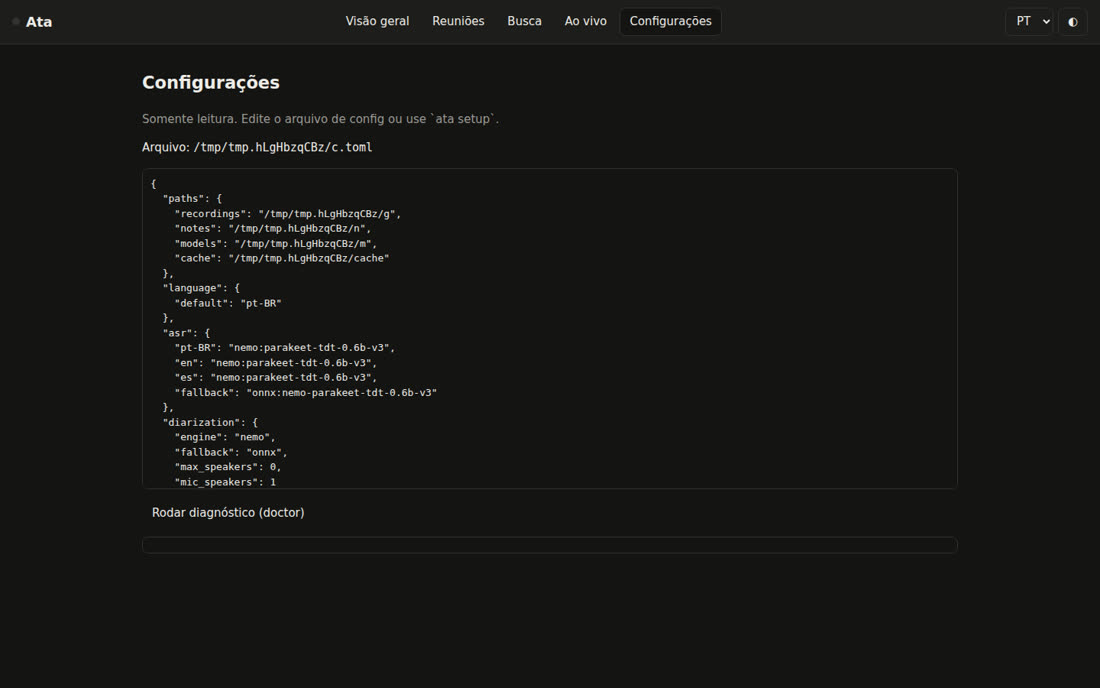
Default language, folders and who writes the summary. Choosing claude or codex turns on privacy level 1 and warns that the text leaves the machine.
ata setup --lang pt-BR --summary ollama # default folders: ~/Ata/gravacoes and ~/Ata/notas · config: ~/.config/ata/config.toml
install detects the hardware: cuda13 on the GB10, metal on the Mac, cpu elsewhere. The engine runs only on 127.0.0.1 and, on Linux, with a memory cap.
ata engine install --dry-run # shows what will be downloaded ata engine install --allow-unverified # 0.1.0: hashes not pinned yet ata engine start ata engine status ata doctor # [ok]/[warn]/[fail] per item; exit 0 = ready
A made-up meeting, with its own script in each language (3 people, numbers, one decision, two action items and one open question), goes through the real pipeline. With Piper, the voices are synthesized; with --no-tts, the audio is synthetic and works for testing without a model.
ata demo --lang pt-BR ata demo --lang en --no-tts # note: ~/Ata/notas/2026-10-05-2111-revisao-do-mare-app-de-hortas.md
Bind ata toggle to a key (GNOME/KDE, PowerToys/AutoHotkey, macOS Shortcuts, Stream Deck). On Linux, for other sound cards: ATA_FAR_TARGET and ATA_MIC_TARGET with the node.name from wpctl status.
ata toggle # start ata toggle # stop and write the notes ata start --title "Kickoff Acme" --speakers 3 --lang pt-BR ata status --json
Audio or video in any format (goes through ffmpeg) becomes a meeting with only the "far" track. CrunchLog recordings can be imported too.
ata import entrevista.mp4 --lang es --title "Entrevista Lucía" ata process --dry-run ~/CrunchLog/recordings/2026-10-05-1642-demo # bundle crunchlog/2 lido: 2 tracks, offsets={"far": 0.0, "mic": 0.0}
Give names, reprocess with the right number of people, export subtitles. Your own notes go in the my-notes.md of the meeting folder and feed into the summary.
ata speakers latest "Speaker 2=Ana" "Speaker 3=Bruno" ata process latest --speakers 4 ata rerender latest ata export latest --format srt # srt|vtt|txt|json|md|csv
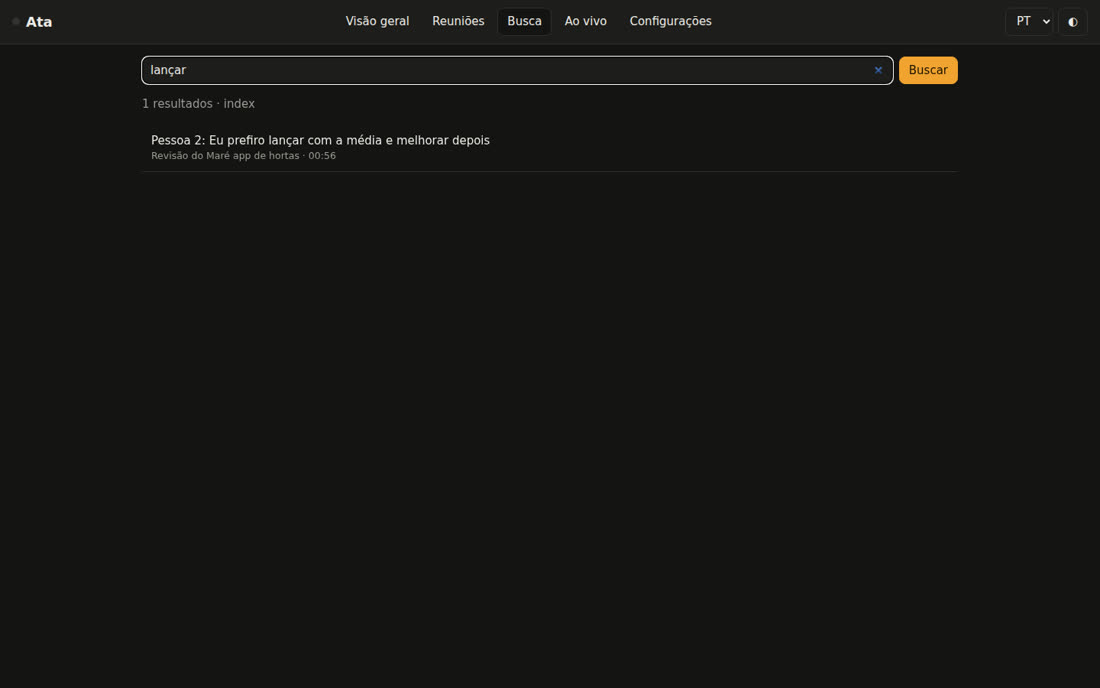
The SQLite index combines keyword search (FTS5) and search by meaning (Ollama vectors). Each excerpt comes with [meeting, mm:ss].
ata search "launch date" --since 30d ata ask "what did we decide about the launch?" # [Revisão do Maré app de hortas, 01:00] Eu: ...ficou definido que lançamos a versão dois no dia 14 de novembro ata actions --owner Ana # open action items across meetings ata actions --done <id> # marks as done (id from --json)
The agenda gathers open action items, decisions and questions from the meetings with that client. The (qN) items check themselves off when the next meeting answers them, including live.
ata prep "acme" --calendar "Thu 2pm, Ana and Bruno" # ~/Ata/notas/2026-10-06-acme-preparacao.md
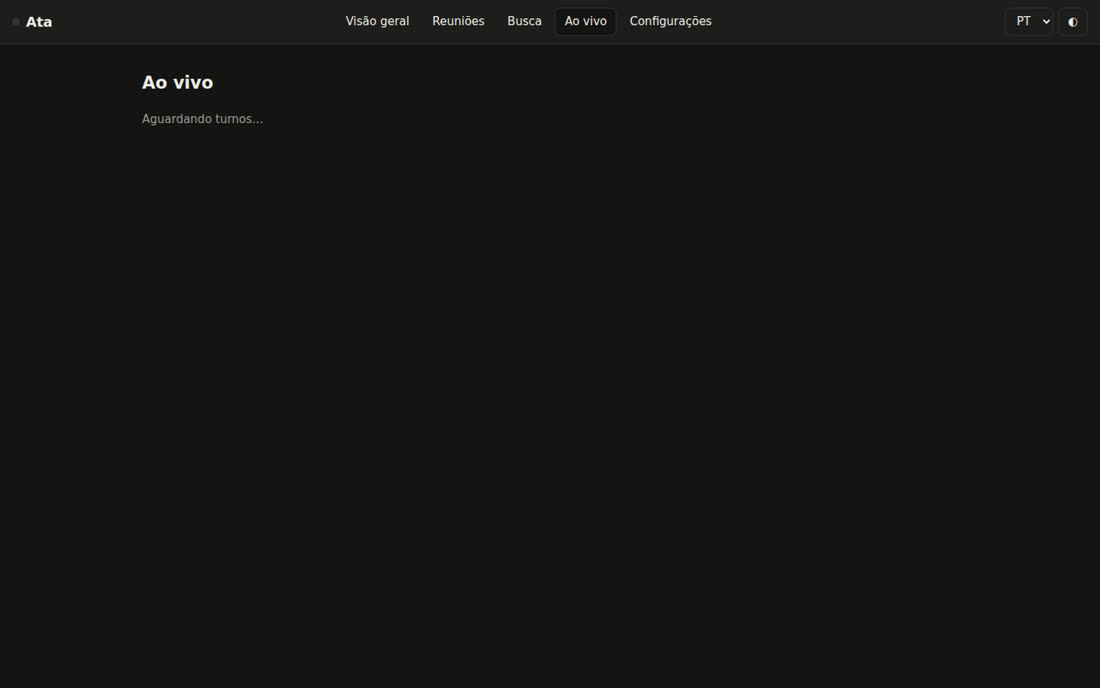
During recording, it transcribes both tracks in real time with the local Nemotron 3.5 streaming, writes the turns to live/turns.jsonl and checks off the agenda. No paid service.
ata start --title "Acme weekly" ata live start ata live tail # shows the turns as they arrive
Off by default, because voice is biometric data. With [voices] enabled = true, enroll a voice and "Speaker 2" becomes "Ana" in later meetings. It stays only on your machine and can be deleted.
ata voices enroll Ana latest "Speaker 2" ata voices list ata voices forget --all
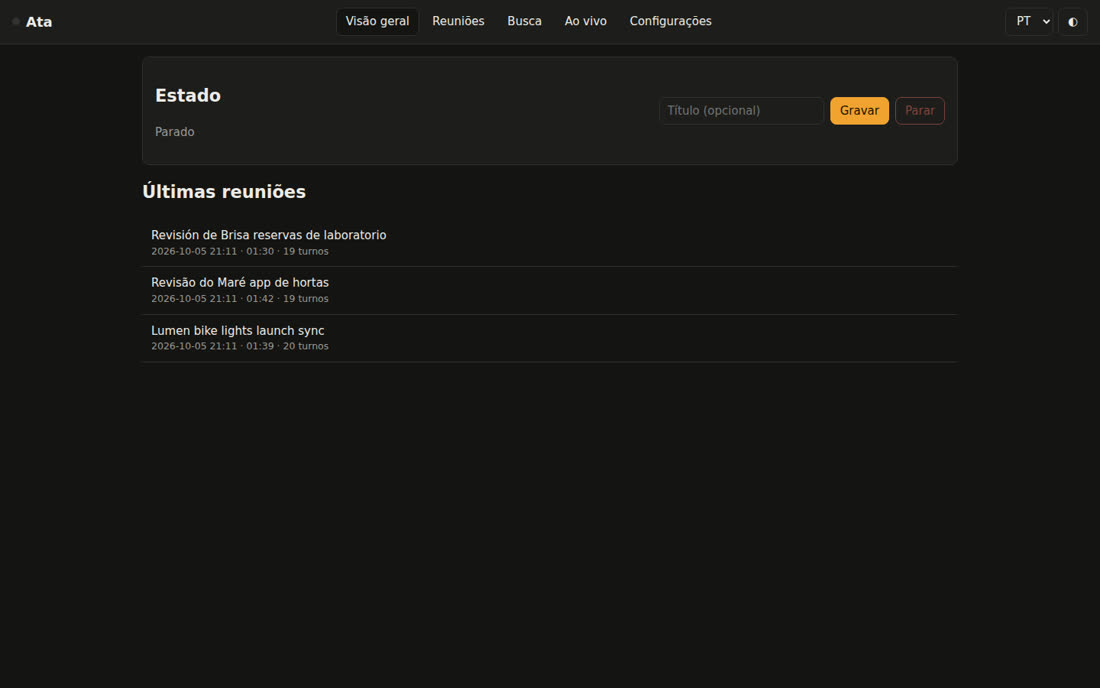
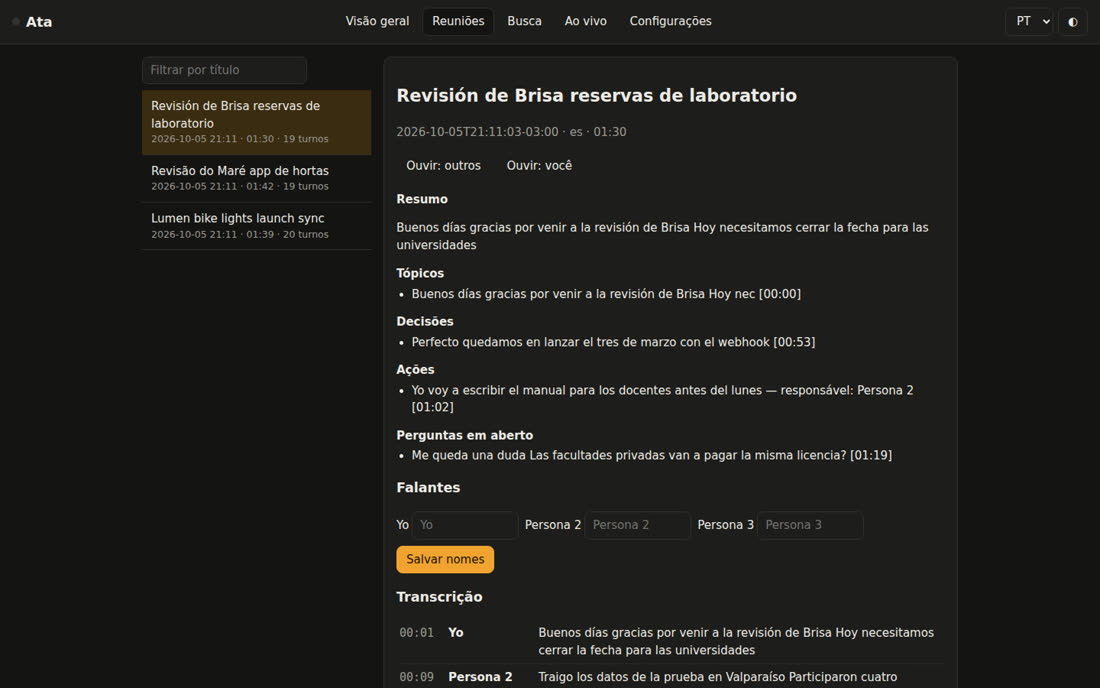
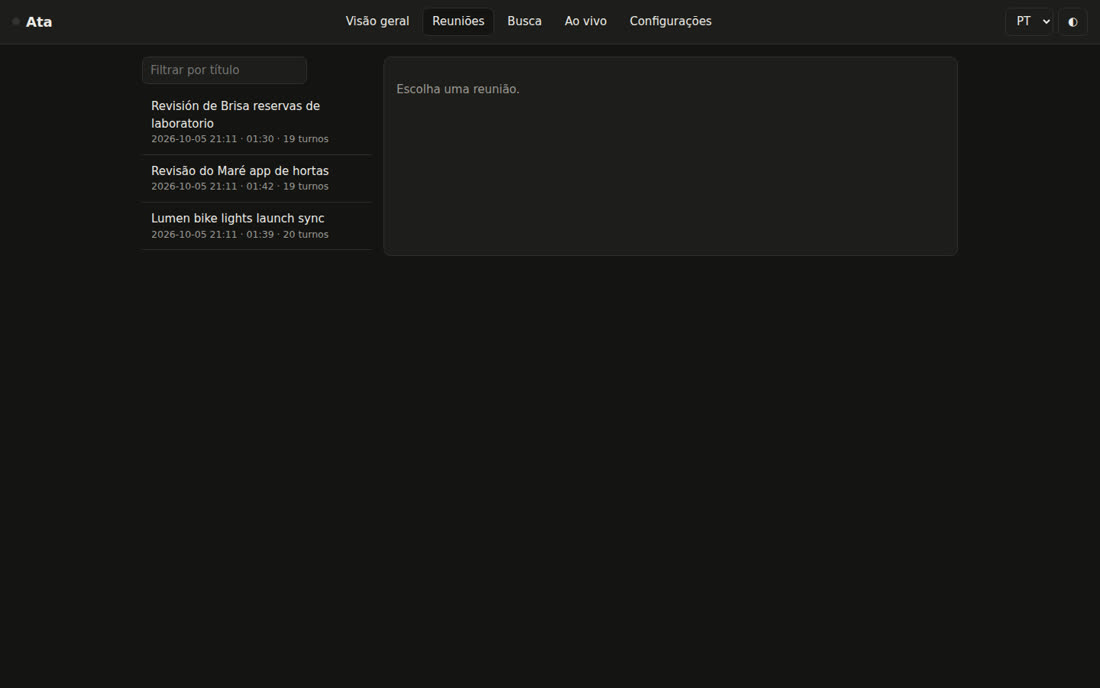
Record and stop, listen to the tracks, clickable transcript, rename speakers, search and live mode, in PT, EN or ES. It only listens on 127.0.0.1; the first visit uses the link with the token.
ata dashboard # http://127.0.0.1:47530/
Ata was designed for agents: the MCP server, the skills and Markdown are first-class interfaces.
ata_status, ata_list, ata_read, ata_search, ata_ask, ata_actions, ata_decisions, ata_prep, ata_person, ata_record_start/stop/toggle, ata_process, ata_job, ata_rename_speakers, ata_export, ata_reindex, ata_doctor, ata_action_done.
claude mcp add --scope user ata -- ata mcpEach meeting becomes fontes/AAAA-MM-DD-slug.md (type source, subtype meeting) and decisions go into decisoes/registro.md. Files you edited are never overwritten.
ata connect cerebro --dir ~/meu-cerebro ata connect obsidian --vault ~/Obsidian
Five skills for Claude Code and Codex: meeting-notes, action-items, meeting-prep, ask-meetings, meeting-to-wiki. The plugin is in .claude-plugin/. Jack Roberts' Agentic OS is also supported (optional).
ata connect agentic-os --dry-runScreenshots from version 0.1.0 with the three demo meetings (pt-BR, en, es).


Transparency about version 0.1.0.