AI video ยท open source

Your website becomes your brand's film

Point it at a URL. filmarca reads the site's colors, fonts, logo, text and screenshots, writes the script, animates the scenes and delivers the MP4 in 16:9, 9:16 and 1:1, in Portuguese, English and Spanish.

Banner: website becomes a film
In short

filmarca is a free tool that turns a company or product website into a short brand video. You give it the address; it picks up the site's colors, fonts, logo and copy, and AI writes the script and builds the animated scenes. It is for anyone who needs a video for social media or their own site and has no video editor. It runs on your computer and needs Node.js plus a Claude Code or Codex subscription, with no API fees.

What it is

A product-film director that runs on your computer

A command-line tool that turns a website into a brand presentation video. The AI writes the script and the code for each scene; filmarca checks every scene before accepting it and renders everything locally with HyperFrames.

Reads the site, AI script, animated scenes, validation, 3 formats, PT EN ES

๐Ÿ”‘ No API key

Uses the AI from your subscription: Claude Code (claude -p) or Codex (codex exec) already logged in on your machine. No key is read or sent.

๐Ÿ›ก๏ธ A scene only gets in if it passes

Each AI scene is checked in the browser in all three formats: no network, no clock, no text outside the frame, no split words. If it fails, the AI fixes it once; if it fails again, a template scene is used.

๐ŸŒŽ Three formats, three languages

The same scene code works in 16:9, 9:16 and 1:1 (frame-relative measurements). Text lives outside the code, so translating to EN/ES swaps only the sentences.

How it works

From URL to MP4 in five steps

Each step writes files to the film folder (marca.json, roteiro.json, cenas/, renders/), so you can redo just one of them.

Site DNAโ†’ Script (director)โ†’ Scenes (AI, 3 at a time)โ†’ Validation + repairโ†’ Text translationโ†’ HyperFrames render
1

Site DNA

Playwright's Chromium opens the site and measures: background, text and button colors, font families (downloads the files), logo, headings, paragraphs, numbers, and takes screenshots of the top, three bands and the mobile version. With no image logo, it generates a text wordmark.

2

Script and scenes

The director writes the concept and the scenes (opening, title, number, screenshot, list, free, call to action) using only facts from the site. Then each scene becomes HTML + CSS + GSAP, written by the AI following a strict contract.

3

Checks and render

Each scene runs on its own in the browser in all three formats. Once approved, they become one HyperFrames composition per language and format, pass hyperframes lint and come out as MP4.


Prerequisites

What you need on your machine

Linux, macOS or Windows (WSL). The first run downloads Playwright's Chromium.

Node.js 22+ and FFmpeg

HyperFrames requires Node 22 or newer and FFmpeg on your PATH.

node -v   # v22 or newer
ffmpeg -version

Claude Code or Codex logged in

The AI runs through your subscription. Either one working in the terminal is enough.

claude -p "say ok"
# or
codex exec "say ok"

filmarca

Clone, install and download the browser once.

git clone https://github.com/inematds/filmarca
cd filmarca && npm i
npx playwright install chromium
User guide ยท step by step

From first film to final version

All commands run from inside the filmarca folder. Without --out, the film goes to ~/projetos/output/filmarca/<site>-<data>.

1

Make your first film (draft)

One command does it all. --rascunho renders fast so you can review; it takes about 3 minutes for a 30 s film.

node bin/filmarca.mjs fazer https://seusite.com --out ~/filmes/seusite --duracao 30 --rascunho
# 1/4 DNA da marca โ†’ 2/4 roteiro โ†’ 3/4 cenas (c1 โœ“ aprovada โ€ฆ) โ†’ 4/4 render
2

Tell it what the film should say

--pedido guides the director (audience, emphasis, tone). --motor codex uses Codex instead of Claude.

node bin/filmarca.mjs fazer https://seusite.com --pedido "annual plan launch, for people who already know the brand" --motor codex
3

Review the scenes

Open revisao.html in the film folder: each scene appears in 16:9 and 9:16, with its text, direction, version, and whether it was written by the AI or is a template scene.

xdg-open ~/filmes/seusite/revisao.html   # on macOS: open
4

Change a scene with text (and undo if you don't like it)

The change goes through the same checks. Each version is saved in cenas/c3.vN.json.

node bin/filmarca.mjs editar ~/filmes/seusite c3 "the number counts up as it appears and a ring closes around it"
node bin/filmarca.mjs voltar ~/filmes/seusite c3 1   # go back to version 1
5

Translate to English and Spanish

Only the text is translated; the scene code is the same. At render time, each scene is checked again in that language (a longer sentence can't overflow the frame).

node bin/filmarca.mjs traduzir ~/filmes/seusite --lang en
node bin/filmarca.mjs traduzir ~/filmes/seusite --lang es
6

Final render, with a soundtrack if you like

Without --rascunho you get HyperFrames' normal quality. --trilha lays a music track (MP3/WAV) under the whole film.

node bin/filmarca.mjs render ~/filmes/seusite --langs pt,en,es --trilha musica.mp3
# renders/<titulo>-pt-16x9.mp4, -pt-9x16.mp4, -pt-1x1.mp4, โ€ฆ (9 files)
7

Choose the model

By default the director and scenes use the "top" model and translation the "smallest", read from ~/.config/inema/modelos.env when it exists. To force one model for everything:

FILMARCA_MODELO=sonnet node bin/filmarca.mjs cenas ~/filmes/seusite --so c2,c5
Examples

The inema.club film, made by the tool itself

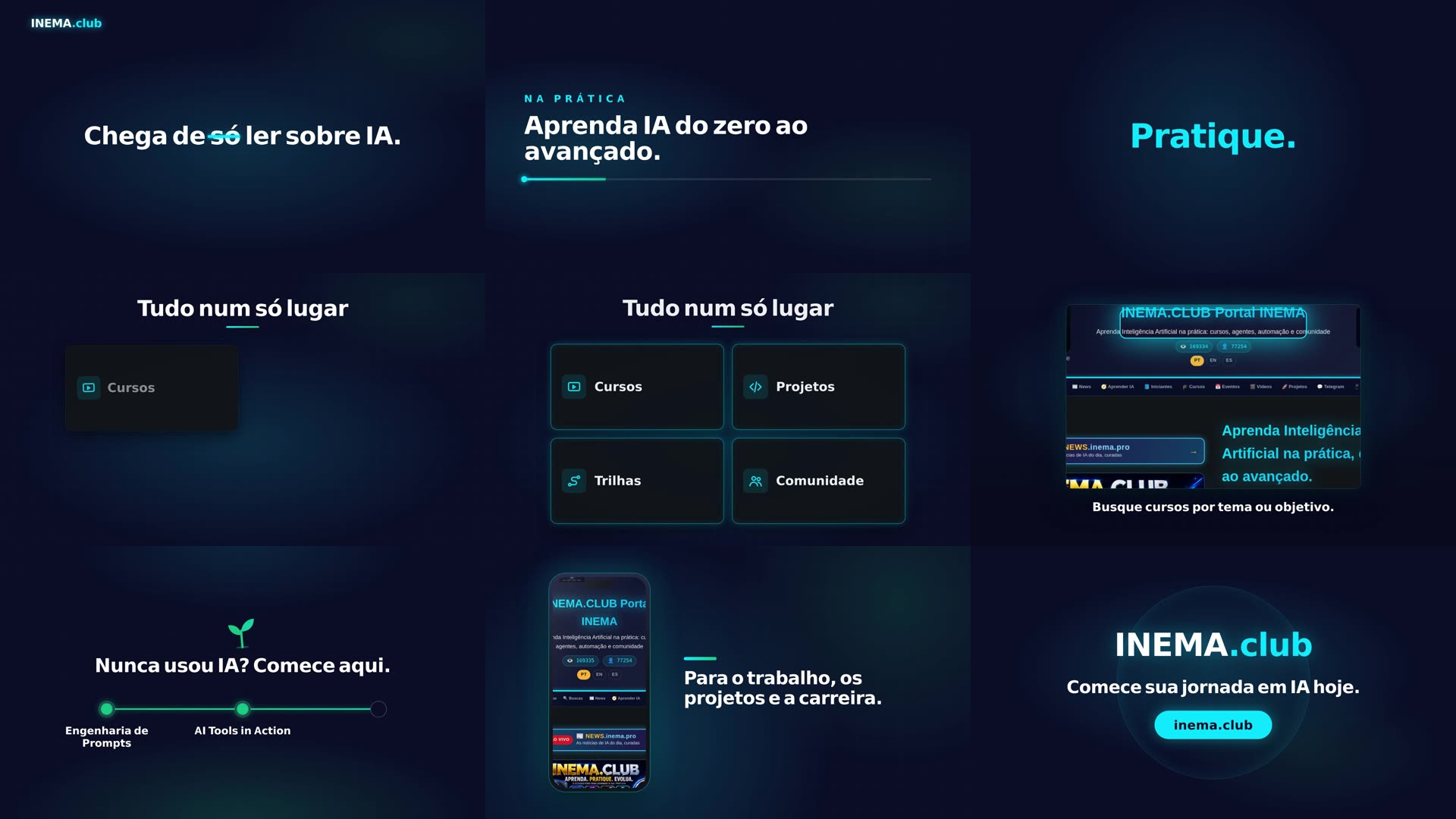
Nothing here was animated by hand: filmarca read inema.club, the AI wrote the 8 scenes and all of them passed the checks. Total draft time: 2.7 minutes.

Nine frames from the inema.club film
Film frames in 16:9: opening, title, swapping words, card list, real site screenshot, step line and final call to action.
The same scene in 16:9, 9:16 and 1:1
The same scene in all three formats. There is only one code: measurements are relative to the frame.
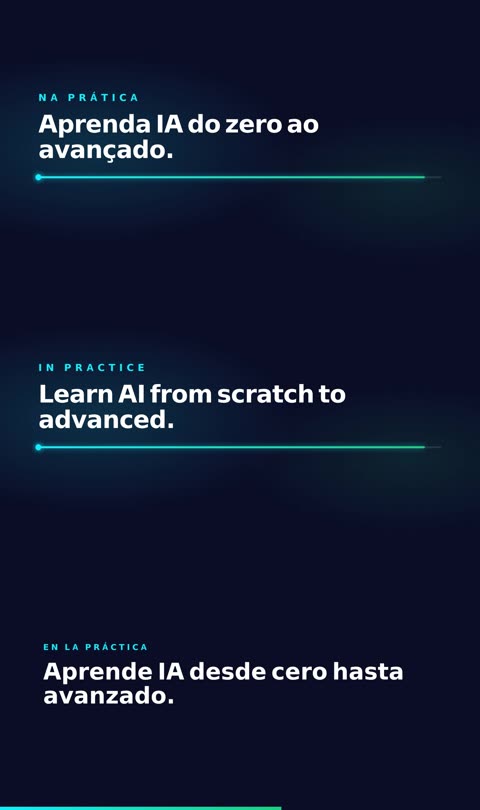
The same scene in Portuguese, English and Spanish
The same scene in PT, EN and ES: translation swaps only the sentences.

Where the idea came from

The method (read the site's design, write a script and animate scene by scene with checks) was inspired by the Motive project. Since it has no license, filmarca was written from scratch, with different choices:

filmarca
AIsubscription (Claude Code or Codex), no key
RenderHyperFrames (HTML + GSAP), no commercial license
Checksbrowser in 3 formats + HyperFrames lint
LanguagesPT, EN and ES from the same scene code
LicenseMIT
filmarca does not copy code or prompts from Motive.
Roadmap

What exists and what's next

Version 0.1 is the complete command line. The next steps are open.

v0.1 โœ“
Complete assembly lineSite DNA, script, validated scenes with repair and fallback, editing with versions, PT/EN/ES translation, 16:9, 9:16 and 1:1 render, optional soundtrack, review page and automated tests.
next
NarrationPer-scene voice with local TTS (inemavox or hyperframes tts), with scene duration following the speech.
next
More sourcesRead a GitHub repository or an HTML brand book, besides the website.
idea
Browser studioPreview with a timeline, click-to-edit scenes and version history.