daily reel Β· GitHub Top 10

What's trending on GitHub, in 2 minutes

Every day at 4 PM a reel goes out on its own with the 10 projects that gained the most stars, from #10 to #1, with a chart, a simple explanation and the avatar of host Nei Maldaner (INEMA). On Sundays there's the weekly one; on the 1st, the monthly one.

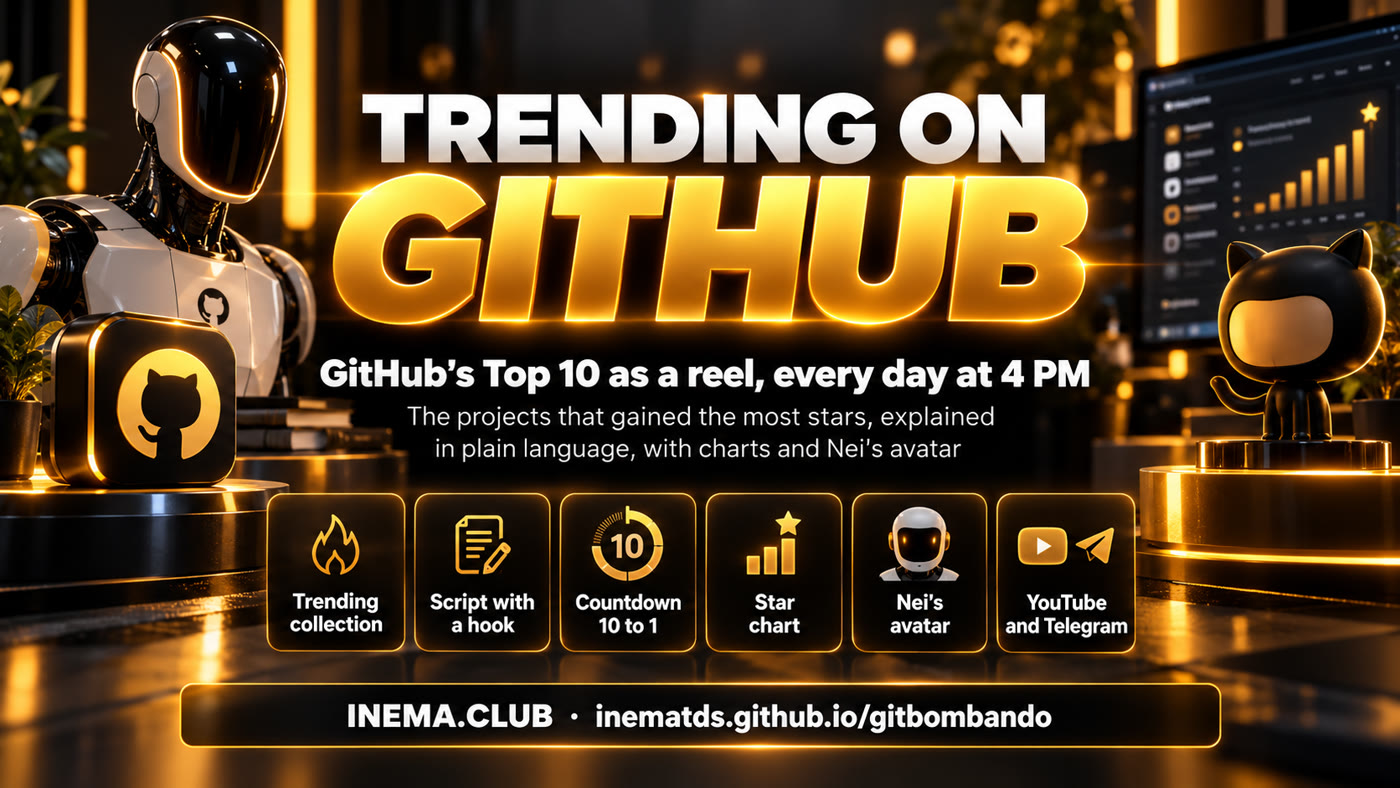
Bombando no GitHub banner: GitHub's Top 10 as a reel, every day at 4 PM
In short

gitbombando is an automatic production line for short videos. Every day at 4 PM it checks GitHub's trending projects page, picks the 10 that gained the most stars and builds a vertical reel explaining each one in plain Portuguese, with a card, a counter and a chart. It's for anyone who wants to know what's hot in tech and AI without reading English or code. The video goes out on its own to YouTube (the INEMA Tec channel, called lives4 in the system), to Nei Maldaner's Telegram bot (the "v3 bot", which reports when a run finished or failed) and to a fixed topic in the INEMA.TOOLS Telegram group. To run it, you need the INEMA machine with Python, Node, Codex, Claude Code and the HeyGen subscription.

What it is

A daily GitHub newscast, made by a machine

It combines the r7ex newscast engine (which came from eventosextremospub) with its own GitHub Trending collector.

The stages of Bombando no GitHub: collection, script, countdown, chart, avatar and publishing

πŸ”₯ A hook that stops the scroll

The opening leads with the day's strongest fact (the #1's number, a big tech company, a controversial project) as a headline drawn on the cover. Opening with a list ("the 10 projects…") is not allowed.

πŸ“Š A chart for every project

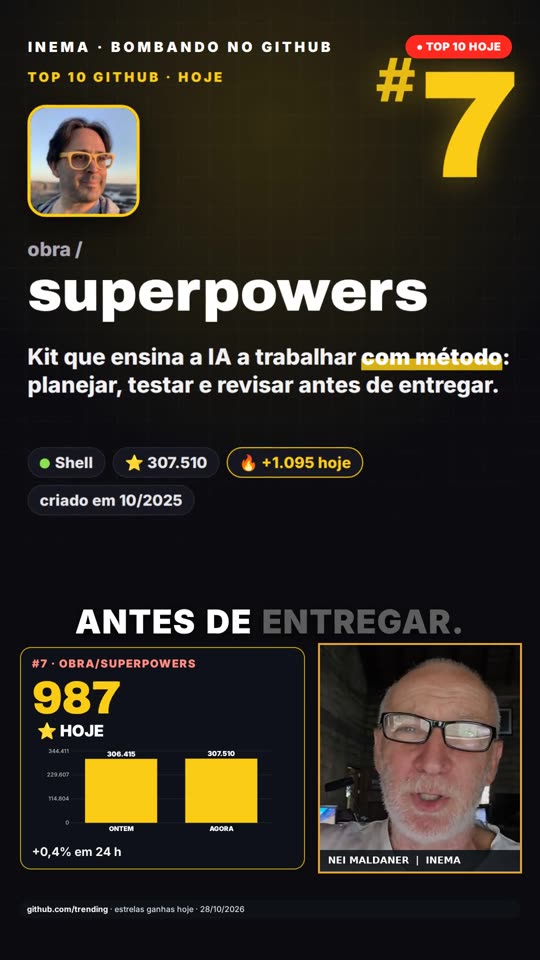
A card with the rank, the owner's photo, what it does in plain words and its stars; below it, the counter reaches the number as it's spoken, and the chart shows the star curve or the "before Γ— now".

βš™οΈ Nobody has to press a button

A timer at 4 PM, script and review by Claude, avatar in the HeyGen studio, publishing on lives4, a notice on the v3 bot and a post in the same Telegram topic.

How it works

From Trending to Telegram, on its own

Each stage saves a file in the edition's folder (edicoes/AAAA-MM-DD-top10-dia/); if one fails, Nei gets a "Failed" message on the bot with the reason.

Star snapshot (every hour)→ Trending collection (4 PM)→ Script (claude -p)→ Gate→ Avatar + cards + cover→ Editing→ Reviewer→ lives4 · v3 · INEMA.TOOLS

πŸ“… Day, week and month

The timer calls auto/rodar.sh at 4 PM: always the Top 10 of the day; on Sundays also the weekly one; on the 1st also the monthly one.

⭐ Ranked by stars

The Top 10 is ranked by stars gained in the period, among the projects on Trending (the page's own order mixes in other signals).

πŸ“– Terms

Trending: GitHub's page with the hottest projects. Snapshot: an hourly record of each project's stars. Gate: an automatic check that blocks a script that doesn't follow the standard. claude -p: Claude running on its own, with no chat. display :99: a virtual screen where HeyGen's browser opens without showing up.

🧾 Reviewer before publishing

A claude -p reads 18 frames of the video. A visible defect (wrong title, empty frame, swapped number) stops everything; suggestions are passed along to Nei.

Prerequisites

What needs to be on the machine

It's the INEMA machine, the same one that already runs the other video systems (r7ex and eventosextremospub). On another machine, every item below has to exist.

The project in the right place

The timers look for the project in ~/projetos/gitbombando.

git clone https://github.com/inematds/gitbombando ~/projetos/gitbombando

Python libraries

Reading the script, cards and image cropping.

pip install pyyaml pillow numpy

GitHub CLI

The collector uses the GitHub API through gh, already logged in.

# check
gh auth status

Claude Code + Codex

Script and review by claude -p; cover by Codex image_gen. Both through the subscription.

# check
claude --version && codex --version

Node + Python + ffmpeg

Rendering in Playwright's Chrome, editing in ffmpeg, inemavox's Whisper for word timing.

# install the engine and the browser
cd ~/projetos/gitbombando && npm install
npx playwright install chromium

HeyGen studio

Logged-in profile in ~/.cache/inemaccbot/perfil-heygen, display :99 (stack99). The avatar is generated by the studio (subscription); only the status check and the download read the API, with the HEYGEN_API_KEY from ~/projetos/openpcbotv2/.env.

# display :99 must be running
systemctl --user status stack99

yt-pubx

Publishes to the lives4 channel (INEMA Tec) with title, description and tags.

~/projetos/yt-pubx/yt-pubx canais | grep lives4

Neighbor projects

~/projetos/inemavox (Whisper, timing of each word) and ~/projetos/openpcbotv3 (sending to the v3 bot).

ls ~/projetos/inemavox ~/projetos/openpcbotv3/dist

Telegram

The telegramtopicosindex session (Nei's account) to post in the fixed INEMA.TOOLS topic.

ls ~/projetos/telegramtopicosindex/telegram_session.session

User guide Β· step by step

Turn it on, test it and keep an eye on it

Once it's on, you don't need to do anything: the video goes out at 4 PM. The steps below are for installing, testing and fixing.

1

Turn on the two timers

The hourly snapshot builds the star curve; the 4 PM one makes and publishes the reel.

mkdir -p ~/.config/systemd/user
cp auto/systemd/gitbombando* ~/.config/systemd/user/
systemctl --user daemon-reload
systemctl --user enable --now gitbombando-retrato.timer gitbombando.timer  # check with: systemctl --user list-timers | grep gitbomb
2

See the Top 10 without making a video

Collection only: it saves edicoes/teste/pesquisa/top10.json with each project's stars, description, README and growth. GB_SEM_HISTORICO=1 keeps the real history untouched.

GB_SEM_HISTORICO=1 python3 coleta/trending.py edicoes/teste dia   # or semana / mes
3

Run a test edition (without publishing)

It does everything in a test folder, without uploading to YouTube, the bot, Telegram or git. Always use ED= with a new folder: without it, the test uses the day's edition folder. With AVATAR_DE= it reuses an already-recorded avatar and doesn't spend a HeyGen generation (without it, it records a new avatar). The log is in rodada.log and the frame sheet in build/folha.jpg.

ED=edicoes/teste-1 AVATAR_DE=<avatar.mp4> \
  SEM_YT=1 SEM_BOT=1 SEM_TG=1 SEM_GIT=1 GB_SEM_HISTORICO=1 auto/rodar.sh 2026-10-28 dia
4

Publish a finished edition

When the reviewer rejects it, the video doesn't go out and the bot lets you know. If you think it's fine, publish it by hand: lives4, the v3 bot and the INEMA.TOOLS topic.

python3 gb.py publicar edicoes/<pasta>
5

Redo just one stage

gb.py has one command per stage; each one reads the folder's ficha.yaml and top10.json.

python3 gb.py fazer   edicoes/<pasta>   # all the stages below, at once
python3 gb.py checar  edicoes/<pasta>   # script gate
python3 gb.py imagens edicoes/<pasta>   # cover, ranking, 10 cards
python3 gb.py avatar  edicoes/<pasta>   # sends the speech to the HeyGen studio and waits
python3 gb.py cena    edicoes/<pasta>   # timings + pacing + cena.js
python3 gb.py render  edicoes/<pasta>   # video.mp4
python3 gb.py revisar edicoes/<pasta>   # frame sheet + reviewer
6

Where to check that it worked

Each edition lives in edicoes/AAAA-MM-DD-top10-dia/: rodada.log (the whole run), revisao.json (the reviewer's verdict) and build/folha.jpg (18 frames). If something fails, the v3 bot gets "Failed:" with the reason; if the reviewer rejects it, the message includes the command to publish it anyway.

tail -20 edicoes/$(date +%F)-top10-dia/rodada.log
7

Skip a day

A line with the date skips everything; with the date and the mode, it skips only that one.

echo "2026-11-02" >> auto/pular.txt          # skips the whole day
echo "2026-11-02 semana" >> auto/pular.txt   # skips only the weekly one
Examples

The first edition: Top 10 of 10/28/2026

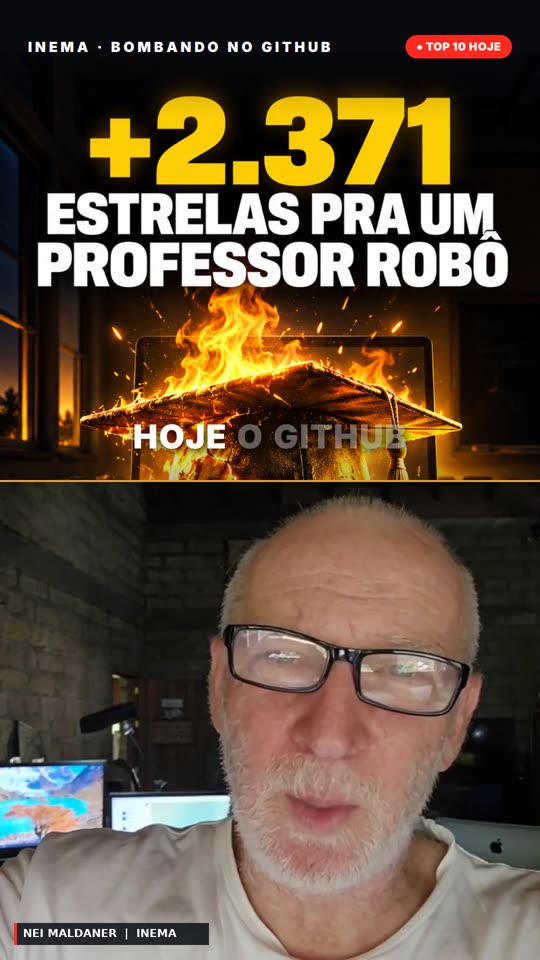
DeepTutor, a personal AI tutor, came in 1st with 2,371 stars that day.

Reel cover with the day's headline
Frame 0: the headline drawn on the cover, with the number in yellow.
A project card with counter and chart
A project in the countdown: a card with the rank, the counter and the chart below, the avatar in the corner.
Roadmap

What's here and what's coming

Version 1.0.0, 10/28/2026.

Phase 1 βœ“
Automatic daily reelCollection, script, avatar, charts, reviewer, YouTube, bot and Telegram, plus weekly and monthly editions.
Phase 2
A real star curveAfter a few days of hourly snapshots, each project's chart becomes the curve per hour (day) or per day (week and month).
Phase 3
"Won't leave the Top 10"Use the history to highlight who shows up several days in a row and who just debuted.