📖 Living glossary (read first — come back whenever you need to)
These are the NEW terms in this module. The core vocabulary (model, prompt, agent, skill, codebase, harness) was already defined in module 1.1 — here we just use it. Learn these:
🤖 What Agent Experience is
🧠 Imagine it this way: A new employee joins your company. If the desk is organized, there’s a manual in the drawer, and everything is labeled, they’re productive on day one. If it’s a mess with no map, they spend the week lost. The agent is this new employee—and the codebase is the company that welcomes them.
You already know DX (Developer Experience): everything that makes a project pleasant for a human programming — clear names, ready-to-run scripts, readable error messages. Matt Pocock introduces its sibling: AX, of Agent Experience — literally, "the agent's experience with the codebase". It’s the same question, just asked from the AI’s point of view: when the agent enters your project, can it find its way around? Understand what does what? Make changes without breaking three other things?
Why does this matter, and why now? Because the agent has become a “collaborator” that works in your codebase for real: it reads files, runs commands, edits code. If the codebase is a maze, the agent gets lost just like a human—except it “gets lost” spending tokens, trying, failing, rereading. Good AX isn’t an aesthetic detail: it’s what helps the agent get it right the first time and keeps it cheap. The common mistake the trap is treating AX as "an AI thing, separate from my dev work"—when, as we'll see, it's almost the same work.
The human and agent enter the same codebase and ask the same questions. AX = this experience, seen from the AI’s side.

⚠️ Common beginner mistake
Think that "improving AX" means buying a better model. No — AX is about the environment that you give the agent. A top model in a chaotic codebase still gets tangled up; a modest model in a clean codebase flies.
In one sentence: AX is the experience the agent has in your codebase — treat AI like a new employee who needs to find their way around.
Going deeper (optional): why "experience," and not just "clean code"?
"Experience" is bigger than "pretty code." It includes the process working there: how long it takes to find the right file, whether an error warns you early or late, whether there’s an obvious path. That’s why AX (like DX) measures the entire work journey—not just the static final result.
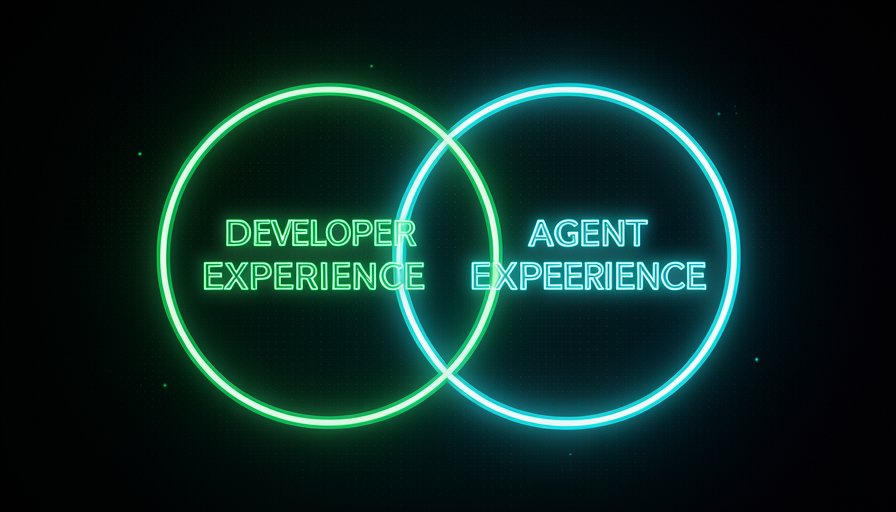
🔵 The DX/AX overlap
🧠 Imagine it this way: an accessibility ramp at the entrance to a building. It was designed with wheelchair users in mind—but anyone pushing a stroller, carrying a suitcase, or with a bad knee benefits too. You didn’t need two construction projects: one served everyone. DX and AX work like that.
Here's the heart of the module, in Pocock's exact words: "Huge overlap between good DX and good AX" — there's a huge overlap between a good developer experience and a good agent experience. Why? Because both run into the same obstacles. A confusing variable name confuses the human e the agent. A test that fails early protects both. An organized folder helps both find what they need. These aren’t two separate jobs—it’s almost the same work paying off twice.
Pocock lists what improves AI's results: better skills, a stronger model, a better harness — and improve the codebase, which he calls “the most frequently forgotten.” And he concludes: "a good senior engineer knows how to build DX that becomes AX". In other words: the skills that make you a good engineer for humans are exactly what make your codebase good for agents. The common mistake is imagining that AI requires an exotic, new set of practices; most of the time, it means doing the basics you should already be doing with care. One honest detail to keep in mind: the overlap is huge, not 100%—there are agent-only adjustments (e.g., an instruction file the agent reads), but the foundation is shared.
Quick recall: why does taking care of DX already improve AX?
In one sentence: there’s a huge overlap between DX and AX — getting the basics right for humans already gives agents a good codebase.
🛡️ Guardrails and navigability
🧠 Imagine it this way: A mountain road. The guardrails (guardrails) keep the car from going over the cliff if it leaves the road; and the signs tell you where to turn. You drive quickly and confidently because you know that if you make a mistake, you’ll be alerted right away—not three turns later.
Two concrete AX levers. The first is guardrails (guardrails): types, automated tests, linter, validations. They turn a silent error (one that only shows up three steps later) into an error noisy and immediate. Pocock directly links this to cost: with guard rails, the model makes fewer mistakes and spends "fewer tokens banging its head against the wall" — fewer tokens banging your head against the wall. Without them, AI tries, breaks something far away, finds out late, and redoes everything — expensive and slow.
The second lever is the navigability: the agent needs find the things. Folders with names that tell you what's inside, files in predictable places, modules with clear boundaries. A navigable codebase is a map; a messy one is a maze. And note: both levers serve humans and agents equally—the overlap from topic 2 in action. The common mistake is turning off the guardrails “to go faster”: you trade a cheap, immediate warning for an expensive, delayed bug.
In one sentence: guardrails flag errors early (fewer tokens), and navigability keeps the agent from getting lost—both serve humans and AI.
🧭 Documentation that shows the way
🧠 Imagine it this way: in a huge mall, what helps you most isn't the 80-page brochure—it's the "YOU ARE HERE" sign with an arrow pointing to the store you want. Good documentation for the agent is the arrow, not the encyclopedia.
Documentation is part of AX—but the right kind. It’s not long, generic text that no one reads: it’s docs that points the way. Think of three things: (1) an entry file that says “this project does X, start here, run this command”; (2) notes that connect the pieces ("if you change this, check that too"); and (3) examples of "how we do things here" (the project's conventions). For the agent, this is gold: it saves dozens of trial-and-error reads.
And there it is again, the overlap: the same sign that guides the agent guides the new person on the team. The golden rule is document the path, not everything — one arrow in the right place is worth more than a thousand pages. The common mistake has two sides: either no docs (the agent guesses and gets the pattern wrong), or docs too much (the agent—and the human—drown and the text grows stale and outdated, becoming a trap that points in the wrong direction). The goal is the middle ground: a few arrows, accurate and up to date.

🔬 Worked example: the same request in two codebases
Task: "add an endpoint that lists a customer's orders". Same AI, two environments (DX/AX):
Poor AX
Folders with vague names (utils2, final), with no types or tests, no docs. → The agent reads 20 files to guess the pattern, invents a format that differs from the rest, breaks another route, and only finds out when you run it manually. Expensive in tokens, slow, and still reviews it incorrectly.
Good AX
Folder routes/ obvious, types for the request/response, an example test alongside it, and a short doc on "how we create routes here." → The agent finds the pattern in one read, copies the format, the type catches the error immediately, and the test confirms it. Gets it right the first time, cheaply.
In one sentence: document the path (well-aimed arrows), not everything—the AI and the new human follow the same arrow.
🏗️ The codebase as the agent’s environment
🧠 Imagine it this way: A professional kitchen. The chef (the AI) is great — but if the counters are dirty, the knives are hidden, and the ingredients are unlabeled, they cook slowly and make mistakes. Organize the kitchen and the same chef triples their output. The codebase is the kitchen.
Go back to module 1.1: the harness is four things—prompts, skills, environment, and codebase. Pocock points out that the codebase is the “most frequently forgotten” piece when people want to improve AI results. People refine the prompt and hunt for skills, but leave the ground messy. Improving the codebase é improve the environment where the agent lives — and as we saw in the glossary, a confusing environment = more tokens banging into walls, which means more cost and more errors.
Here's the bridge to the rest of Track 1, in Pocock's exact words: "Have a codebase that's easier to make changes in → you can employ a stupider/cheaper model to do the same work". In other words, an easy-to-change codebase lets you use a cheaper model for the same work — because the guard rails save attempts. And the reverse: "Hamstring your model from day one → you need a smart model" — if you sabotage the AI with a bad codebase from day one, you’ll need (and pay for) an expensive model just to make up for it. That’s exactly the topic of the next module, 1.5 — Token Economy. The common mistake: treat “refactor the codebase” as an optional luxury; it’s actually the cheapest cost lever you have.
Going deeper (optional): "stupider model" isn't an insult—it's a cost strategy
Simpler models cost less per token and respond faster. When the codebase does the heavy lifting (flags the error, shows the pattern, keeps everything in place), the model doesn’t need to be brilliant—just capable. You trade "expensive model intelligence" for "good, inexpensive architecture you built once." That’s the secret to lowering costs on Path 1.
In one sentence: the codebase is the agent’s environment—making it easier to work in lets a cheaper model do the same job.
📏 Measuring good AX
🧠 Imagine it this way: you don't know whether the kitchen really improved by "guesswork" — you time it: does the dish come out faster? Is it right the first time? It's the same with the codebase: AX is measured by the agent's behavior, not by your impression.
Wrapping up: how do you know if your AX is good? Not by feel—by observable signals in the agent's work. Did it get it right the first time or redo it several times? Did it find the right file quickly or read half the project? Did it break something else or did the guard rails catch it? Did it use few or many tokens? Whenever you "improve the AI," translate that into "improve the AX"—and use the checklist below to diagnose it. Copy and paste this when the agent struggles with your project:
O agente patinou no projeto? Antes de trocar de modelo, cheque a AX:
[ ] NAVEGABILIDADE — pastas/nomes dizem o que contêm? O caminho é óbvio?
[ ] GUARD RAILS — tem tipos + testes + linter avisando o erro CEDO?
[ ] DOCS QUE APONTAM — há "comece aqui", o padrão do projeto, "mude X -> veja Y"?
[ ] CODEBASE LIMPO — fácil de mudar, ou um labirinto que gasta tokens?
Sinais de boa AX: acerta de 1a · acha rápido · não quebra o resto · poucos tokens.
Se 2+ falharam, o problema é a AX (o ambiente) — não o modelo.
Quick retrieval: what is the best sign that your AX is GOOD?
In one sentence: measure AX by the agent’s behavior — first-try success, speed to find things, nothing broken, few tokens.
🧾 Module Summary
Next module:
1.5 — Token efficiency: why a codebase that's easy to change lets you use a cheaper model for the same work.