📖 Living glossary (read first — come back whenever you need to)
This module enters the world of GitHub. If "CI," "Action," and "PR" are new to you, learn these terms first — the rest of the module uses only them:
.yml inside .github/workflows/ saying "when X happens, run these steps." It’s free and lives alongside your repository.tsc in TypeScript). Catches silly errors before running.bug, agent:explore). Besides organizing, it can trigger automations.☁️ Agents in CI
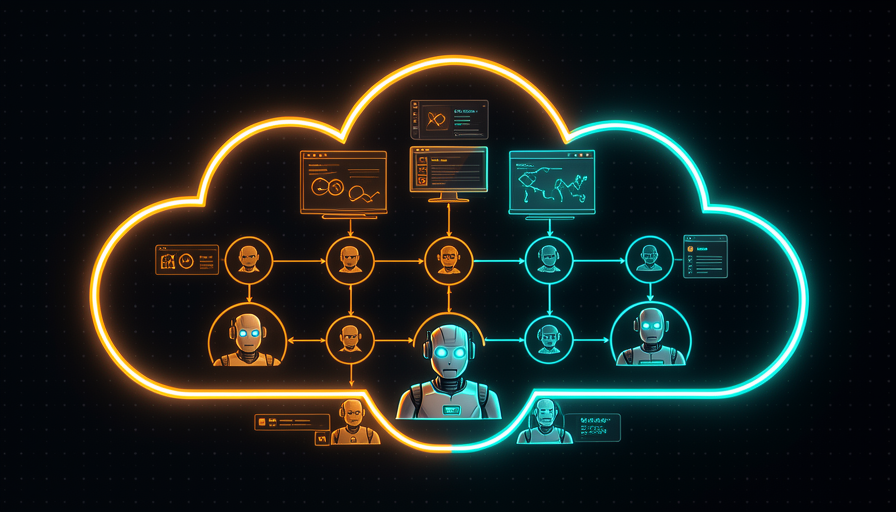
🧠 Imagine it this way: you have a great employee, but they only work when they're sitting at the yours table, using the your computer. Now imagine you give it its own room in the company office (the cloud), which turns on by itself every time an order arrives. It works there, and your desk stays free. That’s what CI does for the agent.
In the previous modules, you ran the agent AFK (away from the keyboard) on your machine, inside a sandbox. The next level is to move the agent off your computer and put it in the CI (continuous integration). CI is simply a robot that lives alongside your repository and runs steps automatically when something happens — someone opens a PR, makes a push, or sticks on a label. On GitHub, this robot is called GitHub Action.
Matt Pocock’s insight is to bring the two together: "Run agents using Sand Castle on GitHub Actions — unreasonably effective, parallelize as much as you want, not worried about local resources." In other words: running agents in the GitHub cloud is extremely effective because you can parallelize as many as you want without worrying about your machine’s resources. The CI becomes the agent’s new home: it wakes up only when a trigger launches, does the task in a disposable virtual machine, and disappears. The reason of this being so powerful: you don’t have to rely on your laptop staying on, and the Action already has access to the project’s code, history, and credentials.
The agent wakes up in the cloud only when an event fires—and your machine stays free.
⚠️ Common beginner mistake
Think that "CI" is a complicated paid tool that only big companies use. It's not: GitHub Actions is free in any repository, and a useful workflow fits in ~20 lines of YAML. The cost of entry is almost zero — the only hard part is the first file.
In one sentence: running the agent in CI gives it a room in the cloud that starts up on its own — your machine stays free and you can parallelize as much as you like.
Going deeper (optional): why "Sand Castle" + Actions and not just Actions?
GitHub Action is the trigger and the machine; the Sand Castle is what runs the agent with isolation inside it. Without a sandbox, an agent running loose could, in Matt’s words, “delete your home directory or exfiltrate env vars.” The Action provides the cloud infrastructure; the sandbox provides containment. Together, they mean safe AFK in the cloud.
🔍 The review action
🧠 Imagine it this way: every time someone submits a report, an experienced reviewer reads it right away and sticks on a note: "looks great" or "take a look at this paragraph." They never sleep, never forget, and do this for free on every report. The review action is this reviewer—only for code.
The concrete example Matt gives is a agent review action: "an agent review action that runs on a PR, does a checkout, type check, runs the review agent (a local prompt), and responds 'looks good'." Breaking this into steps, the Action does four things, in order: (1) it fires when a PR is open; (2) makes the checkout of the code; (3) runs the type check to catch obvious errors; and (4) calls the review agent, which reads the diff and comments.
Notice one important thing: the review agent is "a local prompt" — in other words, the reviewer’s brain is just a prompt stored in the repository itself (an instruction like “review this diff for bugs, security, and clarity; respond in Portuguese”). This is pure harness: the Action is the chassis that takes this prompt to the cloud and runs it on every PR. The reason for this to be worth its weight in gold: you create a quality gate that runs in every PR, without relying on anyone to remember to review it. And the common mistake is asking this agent to approve and merge on your own — at first it only comment; you’re still the one who decides (we’ll come back to this in topic 6 and module 4.6).
Quick recall: in Matt's review action, what is the "review agent"?
In one sentence: the review action is "checkout → type check → agent reads the diff → comments on the PR"—a reviewer who never sleeps.
🏷️ Labels that trigger
🧠 Imagine it this way: in a restaurant kitchen, the server doesn't shout the order—they stick a little slip on the ticket wheel. The cook sees "🟥 dessert" and gets started. The label is that little slip: you stick on a tag and the right agent starts working.
Here's the trick: you don't need to "run a command" to start the agent. Just add a label. Matt shows this by looking at the issues in Sand Castle: after triage, it "adds a label agent:implement and implements on GitHub Actions". The label is the trigger — the Action listens for the "label added" event and starts the corresponding agent. Three labels appear in his actual workflow (issue #795): agent:explore (will investigate and come back with data), agent:in-progress (is working) and agent:implement (tells it to actually implement it).
Why use labels instead of commands? Because, in Matt’s words, "all development is just a queue of tasks: PMs add to the queue, you complete them; multiple nodes pick off the queue." All development is a queue tasks. The label is how the task enters the queue and says what kind work it needs. In his example, the bot github-actions still posts a comment "Triage" with a TL;DR and estimated difficulty—all triggered by the label change. The common mistake the trap is trying to use one giant loop to do everything; that "doesn't match how teams work." Labels separate the phases (explore → implement) and keep you in control of each step. This sets up module 4.4 ("Loops × Queues").
In one sentence: add a label like agent:explore or agent:implement is the trigger—the label activates the right agent.
📤 PR as output
🧠 Imagine it this way: An employee doesn’t publish anything directly to the company website. They hand you a a draft in a folder for you to review and approve. The PR is that folder: the agent never touches the main code on its own — it hands you a proposal.
When the agent finishes a task in the cloud, the its output is a PR — not a direct commit to the main branch. This is essential for two reasons. First, security: the new code goes in a branch separate, so nothing gets into the product without going through a gate. Second, visibility: the PR brings the diff, review action comments, type check results, and discussion together in one place—it becomes the “package” you review.
This is where everything comes together: the agent produces the PR (topic 3 → label → implement), the review action comment in that same PR (topic 2), and you decides the merge. Matt describes the full automation cycle: "telemetry bug (Sentry) → create issue → label explore → the agent returns structured data (can it be fixed now or does it need a human?) → implements → reviews → tags auto-merge or pings the human." Notice the ending: either it marks it for auto-merge, or it calls you. The key idea from module 4.6 already appears: "push human-in-the-loop checkpoints further toward the final output" — push the point where you step in further and further toward the end. The common mistake is letting the agent commit directly to main “to go faster”; you lose the review gate and observability all at once.
🔬 Worked example: from a Sentry bug to a ready PR
An error blows up in the Sentry (monitoring). See the end-to-end path, all in the cloud:
- Issue created automatically from the Sentry error.
- You paste
agent:explore. The agent investigates and comes back with structured data: “likely cause X; can you fix it on your own? yes/no.” - It’s fixable → you paste
agent:implement. The agent runs on GitHub Actions and opens a PR with the fix. - A review action comment on the PR: type check passed, diff looks safe, "looks good".
- Outcome: either it marks auto-merge (trivial change), or pings you (needs a human eye).
You only showed up to paste two labels and give the final approval. The rest ran in the cloud, and everything came together in a reviewable PR.
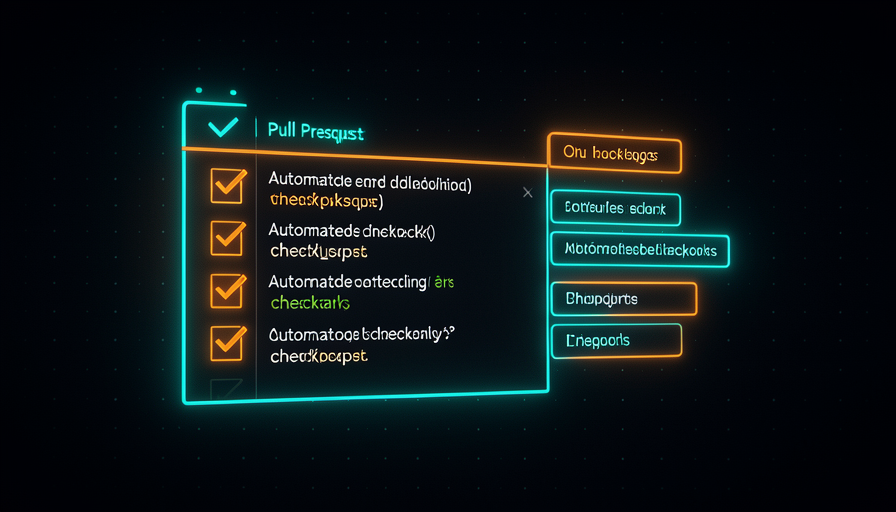
In one sentence: the agent’s output is a PR—a reviewable proposal, never a direct commit to main.
🔋 Without freezing the local machine
🧠 Imagine it this way: you have one oven at home and want to bake ten cakes. At home, you bake one at a time and the kitchen gets hot. If you rent ten ovens in an industrial kitchen, bake all ten at once — and your home stays cool. The cloud is the industrial kitchen.
This is the main practical reason to move agents to CI. Matt’s quote says it all: "parallelize as much as you want, not worried about local resources." Each Action runs in a your own virtual machine and disposable, provided by GitHub. You can have five PRs open at the same time, each with its own agent working in parallel, and your laptop doesn’t even heat up—it could even be turned off. This ties back to module 4.2 (“Parallelize & sandboxes”): there, the parallel agents were competing for the yours CPU; here they run on separate machines in the cloud, so parallelization becomes practically unlimited. There’s a bonus of savings that connects to module 1.5: with a well-built harness (guard rails, type check, clear prompts), you can use a cheaper model to do the same work — fewer tokens “banging their head against the wall.” The common mistake is continuing to run everything locally “because it’s simpler” and freezing the whole machine whenever you launch two or three agents.
In one sentence: in the cloud, each agent gets its own virtual machine—almost unlimited parallelization, and your machine stays free.
🛠️ Build your own
🧠 Imagine it this way: building your first Action is like putting a light switch on the wall: hard work once, magic forever. After that, just “press the button” (open a PR) and the light turns on by itself.
Time to bring it all together in a real file. Create a file in .github/workflows/agent-review.yml in your repository. It does exactly what Matt describes: triggers on: pull_request, does the checkout, run the type check, call the review agent (with the local prompt) and comment on the PR. Read every line—it’s all commented:
# Roda um agente de review em todo Pull Request.
name: Agent Review

# GATILHO: toda vez que um PR e aberto ou recebe novos commits.
on:
  pull_request:
    types: [opened, synchronize, reopened]

# Permissoes minimas: ler o codigo, escrever comentarios no PR.
permissions:
  contents: read
  pull-requests: write

jobs:
  review:
    runs-on: ubuntu-latest          # maquina virtual descartavel na nuvem
    steps:
      # 1) CHECKOUT - baixa o codigo do PR pra dentro da VM
      - name: Checkout
        uses: actions/checkout@v4
        with:
          fetch-depth: 0            # historico completo, pra gerar o diff

      - name: Setup Node
        uses: actions/setup-node@v4
        with:
          node-version: "20"

      - name: Install deps
        run: npm ci

      # 2) TYPE CHECK - pega erros de tipo antes de revisar
      - name: Type check
        run: npx tsc --noEmit

      # 3) REVIEW AGENT - roda o agente com um PROMPT LOCAL
      - name: Run review agent
        id: review
        env:
          ANTHROPIC_API_KEY: ${{ secrets.ANTHROPIC_API_KEY }}
        run: |
          # gera o diff do PR contra a branch base
          git diff origin/${{ github.base_ref }}...HEAD > /tmp/pr.diff
          # o "cerebro" do revisor e so um prompt versionado no repo
          npx @anthropic-ai/claude-code -p \
            "$(cat .github/prompts/review.md)

            Diff a revisar:
            $(cat /tmp/pr.diff)

            Responda em portugues. Se estiver ok, diga 'looks good'.
            Senao, aponte bugs, riscos de seguranca e melhorias." \
            > /tmp/review.md

      # 4) COMENTA NO PR - publica o parecer do agente
      - name: Comment on PR
        uses: actions/github-script@v7
        with:
          script: |
            const fs = require('fs');
            const body = fs.readFileSync('/tmp/review.md', 'utf8');
            await github.rest.issues.createComment({
              owner: context.repo.owner,
              repo: context.repo.repo,
              issue_number: context.issue.number,
              body: "Agent Review\n\n" + body
            });
That’s all. Notice that the reviewer’s “intelligence” lies in .github/prompts/review.md — a local prompt, just as Matt says. Changing the reviewer’s behavior means editing text, not messing with the plumbing. This same skeleton becomes the foundation for everything in the course: change the trigger (of pull_request for schedule) and it becomes the module 4.5 security review cron; change the label that triggers it and it becomes the implementation agent for topic 3. Start simple: only the review that comments. Don’t enable auto-merge for it right away—remember module 4.6, "who reviews the AI that says it's fine?". First watch the agent work (the observability that review gives you); then, as you grow more confident, move the human checkpoint closer to the end.
In the YAML above, where does the review agent’s “brain” (its behavior) live?
Going deeper (optional): what is this secrets.ANTHROPIC_API_KEY?
A secret is a sensitive value — here, the API key that authorizes the agent to call the model. You register it in Settings → Secrets and variables → Actions from the repository, and the Action injects it as an environment variable at runtime. Never paste keys directly into the YAML: the file stays in the repo history, and that’s exactly the kind of leak the review is there to catch.
In one sentence: a ~40-line YAML + a local prompt already gives you a reviewer in the cloud; change the trigger and it becomes any other automation.
🧾 Module Summary
Next module:
4.4 — Loops × Queues: why Matt thinks “queue, not loop,” Huntley’s Ralph loop, and the medieval king analogy.