📖 Living glossary (read first — come back whenever you need to)
This is the final module: here you bring together the review cycle and “where to find it.” These are the new terms for this topic:
🎬 Video walkthrough + TTS
🧠 Imagine it this way: A construction worker finishes a room and, instead of sending you a blueprint covered in scribbles, records a short video walking through the house: “Look, the outlet is here, I opened the window, the door closes properly” — narrating as they show you. In 40 seconds, you understand more than you would from reading 50 pages. That’s exactly what the AI does with every screen change.
Pocock describes what he calls smooth review: in any front-end change, the AI records a video itself moving through the change — it opens the new page, clicks the buttons, and shows the thing actually working. Based on this video, it calls a TTS (text-to-speech) and narrates what's happening. The result: the PR gets to you with a video of it working, with narration.
The reason is straightforward: seeing is faster than reading. Instead of opening 12 code files and trying to imagine how they behave, you press play and see the change running, with someone explaining it to you. In his words: "for any front-end change, the AI records a video of itself walking through the change, calls TTS, and narrates over it—so the PR has a video of the thing working." And it is honest about the stage: "we're scratching the surface" (we’ve barely scratched the surface). The common mistake is thinking this is fluff: in practice, it’s what turns a 20-minute review into a 1-minute one.
AI produces the visual evidence; you just watch and approve.
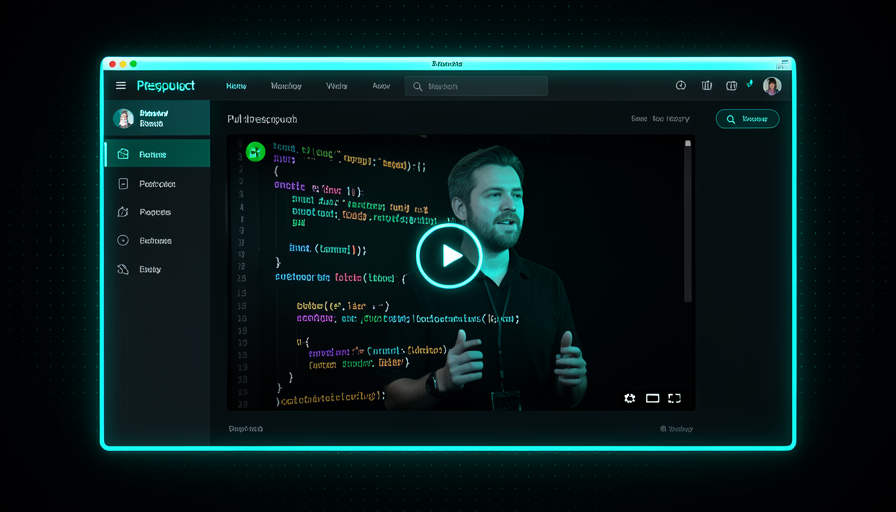
In one sentence: instead of reading the code, you watch a narrated video of the change working inside the PR itself.
Going deeper (optional): why video and not a screenshot?
A screenshot shows a static state; the behavior (the animation, what happens when you click, the error state) disappears. Video captures the interaction — and the TTS narration provides context (“now I’m submitting the empty form to show the validation”). It’s the difference between seeing a photo of a car and seeing the car in motion: only one proves it works.
⚡ Optimize human review
🧠 Imagine it this way: A manager who gets 20 separate reports every morning will go crazy. But if the team puts everything into a one-page summary with the common points, they can decide quickly. The secret isn’t to work harder — it’s to make the review cheaper for the reviewer.
Pocock’s motto here is clear: "optimize for human review, make it faster" (optimize the human review and make it faster). A smooth review is one approach; another is not review 20 small fixes one by one. Instead, it suggests generating a HTML in the style of the teach skill with the common bug patterns — a summary showing what breaks most often. That way, you review the pattern, not each item separately, and you also learn how to improve the system.
There's an important point behind this: "GitHub wasn't built for the agentic era". Review tools were designed for humans reviewing humans, at a human pace. When an agent opens dozens of PRs a day, that workflow gets stuck. That’s why it’s worth invest in what makes review fast — narrated video, pattern summaries, grouping. The common mistake is keeping the old ritual of reviewing everything line by line: you become the bottleneck in your own system.
🔬 Worked example: 18 null-check fixes become 1 review
Scenario: overnight, the agent opened 18 PRs fixing "null value" errors. Two ways to handle it:
Without optimization
You open all 18 PRs, read each diff, and approve them one by one. ~2 hours, your attention fried, and you can't see the pattern behind them.
Optimized review
The agent generates HTML: "all come from optional API fields with no defaults." You read 1 page, see the root cause, approve in a batch, and create 1 skill that prevents the entire class of bugs. ~10 min.
In one sentence: don't review 20 small things — review their pattern, and optimize the review so it's fast.
Quick retrieval: what is the goal of the "fluid review"?
📦 mattpocock/skills
🧠 Imagine it this way: you don't need to invent a cake recipe from scratch — there's a free notebook of tested recipes, already prepared by someone who knows how to cook really well. Taking a ready-made recipe and adapting it to your oven is much smarter than starting with flour and eggs.
The first place to look for "where to find it" is the public repository github.com/mattpocock/skills — Pocock's own skills notebook. That's where the skills he demonstrates in the video come from: the teach skill, a grill-me, the pipeline’s (grill-me → PRD → issues). Since they’re procedures, you install it, use it, and customizes — doesn't have to agree with everything; it adapts to your project.
The reason to start with ready-made skills: they already carry embedded knowledge (teaching principles, adversarial questions, PRD format). You get months of trial and error for free. And because they work across multiple agents (Claude Code, Codex, etc.), you’re not locked into one tool—consistent with Trilha 1’s “agent-agnostic setup.” The common mistake is installing everything at once and clog the context (remember Track 1.6: each skill takes up part of the context window). Bring in only what you’ll use.
In one sentence: github.com/mattpocock/skills is Pocock’s notebook of ready-made procedures—grab them, use them, and adapt them.
🌐 aihero.dev / aihero.dev/skills
🧠 Imagine it this way: besides the recipe book, the chef has a website and a weekly newsletter where they explain the techniques behind each dish and let you know when they invent a new one. Subscribers never fall behind. It’s the repository’s companion.
The runner-up is the aihero.dev (and the section aihero.dev/skills) — Pocock’s content site, with a newsletter. While GitHub stores the code of skills, aihero.dev keeps the context: why each skill exists, how it was designed, and what’s new. That’s where updated skills and explanations appear—think of GitHub as the pantry and aihero.dev as the cookbook that teaches you how to cook.
The reason to follow both: skills evolve quickly. The repository gives you the current version; the newsletter lets you know when something changes and why. Subscribing is the cheap way to keep your harness tuned without having to watch GitHub every day. The common mistake is copying a skill once and never looking at it again—you miss improvements and end up with an old version of something its author has already refined. Keeping up with the source is part of “building equity,” not “renting” (Track 1).
In one sentence: GitHub gives you the code; aihero.dev (and its newsletter) gives you the why and the updates.
⌨️ npx skills latest add
🧠 Imagine it this way: installing a skill is like downloading an app from the store: you type a command, choose the one you want from a list, and that’s it — it’s ready to use. No need to build anything by hand.
You can install it with a single command: npx skills latest add. O npx download and run the installer right away; it shows you a list available skills and you chooses which one to add (for example, the teach skill). That’s exactly how Pocock installed the teach skill in the video. And best of all: "works in Claude Code, Codex, etc." — the same command, multiple agents.
One behind-the-scenes detail Pocock shares: he runs Claude Code with Opus 4.8, medium effort (doesn’t use Fable), and waits about 1 month before adopting a new model — he did this with Opus 4.5. In other words: the command is stable and agnostic; the model choice is a separate, straightforward decision. The common mistake is adding dozens of skills "just in case": each one leaks its description into the context. Add one, use it for real, and only then add the next. Copy the command below:
# 1) INSTALAR uma skill (escolha na lista — ex.: a teach skill)
#    funciona em Claude Code, Codex etc.
npx skills latest add

# 2) ONDE ACHAR skills prontas (o "caderno de receitas" do Pocock):
#    - GitHub (o código):        https://github.com/mattpocock/skills
#    - Site + contexto:          https://aihero.dev
#    - Skills + newsletter:      https://aihero.dev/skills

# Dica: adicione UMA skill, use de verdade, depois a próxima.
# Setup do Matt: Claude Code + Opus 4.8 (medium effort); espera ~1 mês p/ adotar modelo novo.

In one sentence: npx skills latest add opens a list, you choose the skill, and it works in Claude Code, Codex, and the like.
Quick recall: how does Pocock install a skill (e.g., the teach skill)?
🚀 The first 2 steps today
🧠 Imagine it this way: Before redecorating a house full of junk, you empty the room to see the space as it really is—and only then bring back, one piece at a time, what you actually need. Clean first, furnish later.
Pocock’s conclusion is two steps to make today. Step 1 — the reset: delete everything — every skill, plugin, MCP server, your CLAUDE.md, agents.md → go back to absolute zero and observe the agent. "Everyone bloats up their context window with too much stuff" (everyone crams the context window). In basic mode, you see what the agent actually does—and what's missing.
Step 2 — re-assemble with procedures: keep adding on top, and make sure they’re procedures (not abilities), installed in a way that lets you customize and experiment. Bring back only what you miss (e.g., superpowers’ brainstorming). Then it’s the usual cycle: find problems → find solutions → delegate the implementation to an agent AFK. "AFK is just incredible — takes a bit of setup, but then it goes crazy." O common mistake is skipping the reset and piling on more: you never see what you actually need.
PASSO 1 — RESET (volte ao zero e observe):
[ ] deletar TODAS as skills
[ ] deletar plugins e MCP servers
[ ] deletar CLAUDE.md e agents.md
[ ] rodar uma tarefa real e OBSERVAR o agente puro (o que falta?)

PASSO 2 — RECAMADAR (só o necessário, e procedures):
[ ] trazer de volta só o que senti falta (ex.: brainstorming do superpowers)
[ ] instalar como PROCEDURE customizável:  npx skills latest add
[ ] achar problemas → achar soluções → delegar a implementação a um agente AFK
In one sentence: reset to zero and observe; then re-assemble only with customizable procedures — and delegate the rest to AFK.
🎉 Congratulations — you’ve completed HARNESS!
You’ve completed the 5 tracks of the Matt Pocock method: from the fundamentals (engine × chassis) to human skills, from AI skills to advanced techniques, all the way to ready-to-copy solutions. Now you have the vocabulary e the recipes. This final module closed the loop: making human review flow smoothly and knowing exactly where to look for skills to keep improving.
npx skills latest add and choose from the list; it works in Claude Code, Codex, etc.What now?
Do today’s 2 steps in your real project. Return to the solutions in Track 5 whenever you need to copy a recipe—they were made for that. Remember the core thesis: the secret isn’t in the model, it’s in the harness that you control. Enjoy! 🏎️