PTENES
Computer vision in the browser · no cloud

Your webcam becomes the mouse.

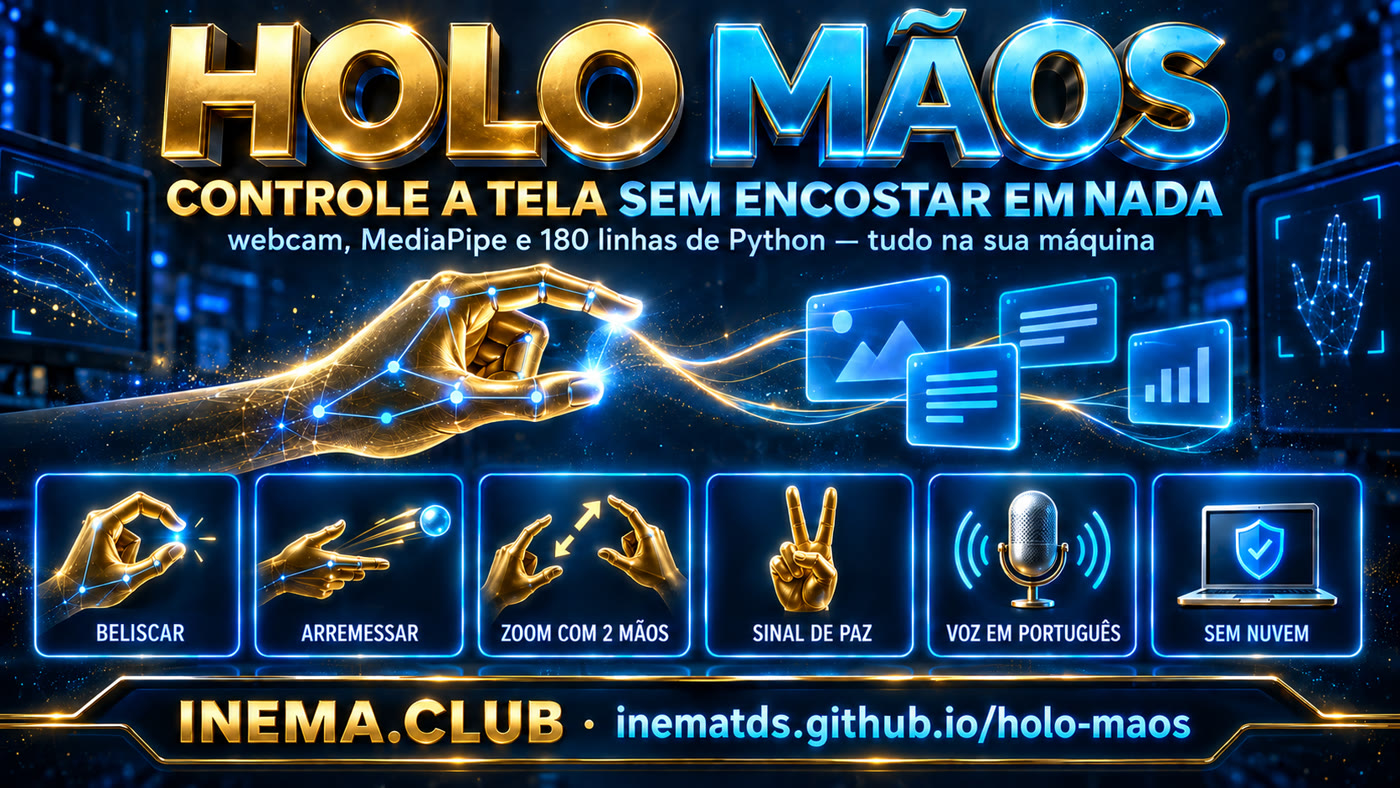
Pinch a card in the air and drag it. Bring both hands together to zoom. Make the peace sign and everything goes back into place. In Portuguese, and nothing leaves your computer.

HOLO Mãos — control your screen without touching anything
What it is

One page, one webcam, no monthly fee

Hand recognition happens right in the browser. There’s no AI server in between, no sign-up, and no API key.

🔒 Nothing leaves your machine

Google’s MediaPipe is included in the project folder — it isn’t downloaded when you use it. It works offline, and the camera images never reach any server.

🇧🇷 All in Portuguese

Captions, camera alerts, and the butler speaking: 25 strings translated with a versioned patch. The voice uses the computer’s own synthesizer, in pt-BR.

⚙️ Two commands and you’re done

Python 3 and Chrome. No pip install, no dependencies: the server is 180 lines and uses only the standard library.

How it works

From gesture to card, in five steps

Everything happens inside the browser tab. The Python server only serves the page and reads your text files.

webcam→ MediaPipe in the browser→ 21 points per hand→ gesture recognized→ the card reacts

What the server does

Serves the page, lists the files .md from the folder you point it to and returns the 3D models. Subfolders become orbs; loose files become cards.

What the page does

It reads your hands, decides whether you pinched, threw, zoomed, or made a peace sign, and applies real physics — inertia, friction, and collisions with the edges.

What the AI DOESN’T do

There’s no language model, no cloud, and no reading of your content. The only “model” is the hand tracker, and it runs locally.

Prerequisites

The entire list fits in three lines

Tested on Linux (Ubuntu) on 21/09/2026. The original author documents Mac and Windows; it runs on all three without any changes.

Python 3

It comes with Mac and Linux. On Windows, download it from python.org. Nothing beyond the standard library.

# check the version
python3 --version

Google Chrome

It’s the browser where tracking works best. You’ll need to allow camera access once.

# no webcam? use demo mode
http://localhost:4890/?sim=1

Git

Only to download the original project, which lives in a separate repository (its code powers the engine).

git --version
User guide · step by step

From zero to hand in the air

Real commands, in order. It takes about two minutes from start to finish.

1

Download this repository

It includes the Portuguese layer, sample notes, and scripts.

git clone https://github.com/inematds/holo-maos.git
cd holo-maos
2

Bring in the original project

The engine is by Zubair Trabzada, licensed under MIT, and lives in his repository. We don’t copy the 77 MB — the script clones it directly from the source.

bash scripts/baixar-upstream.sh  # clone into upstream/
3

Apply the Portuguese layer

There are 25 exact replacements: captions, camera alerts, the butler’s lines, and the pt-BR voice selection. The script saves the original file alongside it (holo.html.original) and lets you know if the author changed any text, instead of translating only part of it.

python3 scripts/aplicar-ptbr.py
# [ptbr] 25 fragments translated, 0 lost
# [ptbr] holo.json pointing to .../notas-inema
4

Start the server

Port 4890. If it’s in use, change it with HOLO_PORT.

cd upstream && python3 server.py
# port busy?  HOLO_PORT=4891 python3 server.py
5

Open it and raise your hand

Allow camera access when Chrome asks. Turn on a light facing you — that helps more than any code adjustment.

http://localhost:4890          # with camera
http://localhost:4890/?sim=1   # without a camera: synthetic hands
6

Point it at YOUR notes

Any folder with files .md or .txt. Subfolders become orbs; loose files become cards on the table.

# upstream/holo.json
{"folder": "/caminho/para/suas/notas"}
7

If the pinch doesn’t register, adjust

The four constants that control sensitivity are at the top of the script, in upstream/holo.html.

// HIGHER number = easier to grab
const PINCH_IN = .30, PINCH_OUT = .42, PINCH_EARN = 2;
const AMP = 1.45;  // arm reach to the edge of the screen
8

The gestures

If you memorize just one, make it the peace sign: it undoes any mess.

BELISCAR          pega o cartão, arrasta, arremessa com inércia
belisco rápido    abre a pasta-orbe ou abre a nota
arremessar        para fora da tela = some (reabra a orbe)
2 beliscos        afasta/junta = zoom · torcendo = gira
esticar 2 mãos    grande = lê · amassado = a voz resume
PAZ ✌ (segurar)   arruma tudo de volta
tecla F           efeitos: puxar, empurrar, desenhar, palma
tecla J           modo mordomo: fica dourado e fala português
tecla H           desliga as mãos e usa só o mouse
Examples

What this is really for

It doesn't work as a mouse replacement for everyday use: holding your arm in the air gets tiring in minutes. The real use is different.

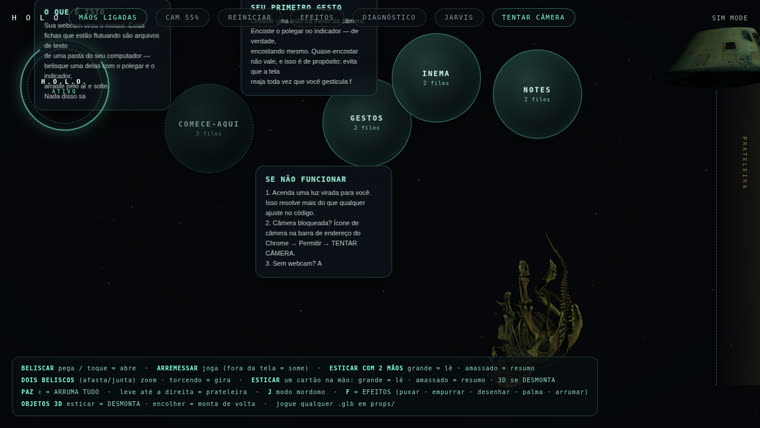
HOLO screen in Portuguese with INEMA notes
The table running here, in Portuguese, with INEMA sample notes and a Smithsonian fossil in the corner. Real capture, not a mockup.

🎤 Presentation without a controller

Advance a slide with a gesture, from a distance, without a pointer in your hand.

🏪 Kiosk and counter

Bakery, clinic, reception: no one touches the screen. Hygiene without an expensive gesture reader.

♿ Accessibility

Anyone with wrist pain or limited mobility can operate the screen without a mouse.

Roadmap

What’s here and what’s coming

No promises about what doesn’t exist: below is the actual status as of 21/09/2026.

Ready
Portuguese layer25 fragments translated in a versioned patch, pt-BR voice, and INEMA sample notes. Can be reapplied after updating the original project.
Ready
Tested on LinuxServer and endpoints responding, page loading the orbs and 3D models. The original documentation only mentions Mac and Windows.
Open
Unstable author self-test outside the real browserThe battery ?probe=1 it passed 26/26 in one run and then started stopping at 2/4 — in the original code too, without our patch. The test touches the card before the camera maps the screen, in a headless browser. With a real camera, it doesn’t get in the way.
Next
Voice via inemaVOXReplace the browser synthesizer with a real Brazilian voice so the butler mode sounds natural.
Next
Presentation modeOne gesture to advance a slide and another to go back — the use that makes the most sense beyond the demo.