A discovery lab for business management

Your company has a research team that never stops

Six agents look for where your business is losing money, test solutions with a control group, and only remember what the numbers confirm. You run it whenever you want, for example every Monday.

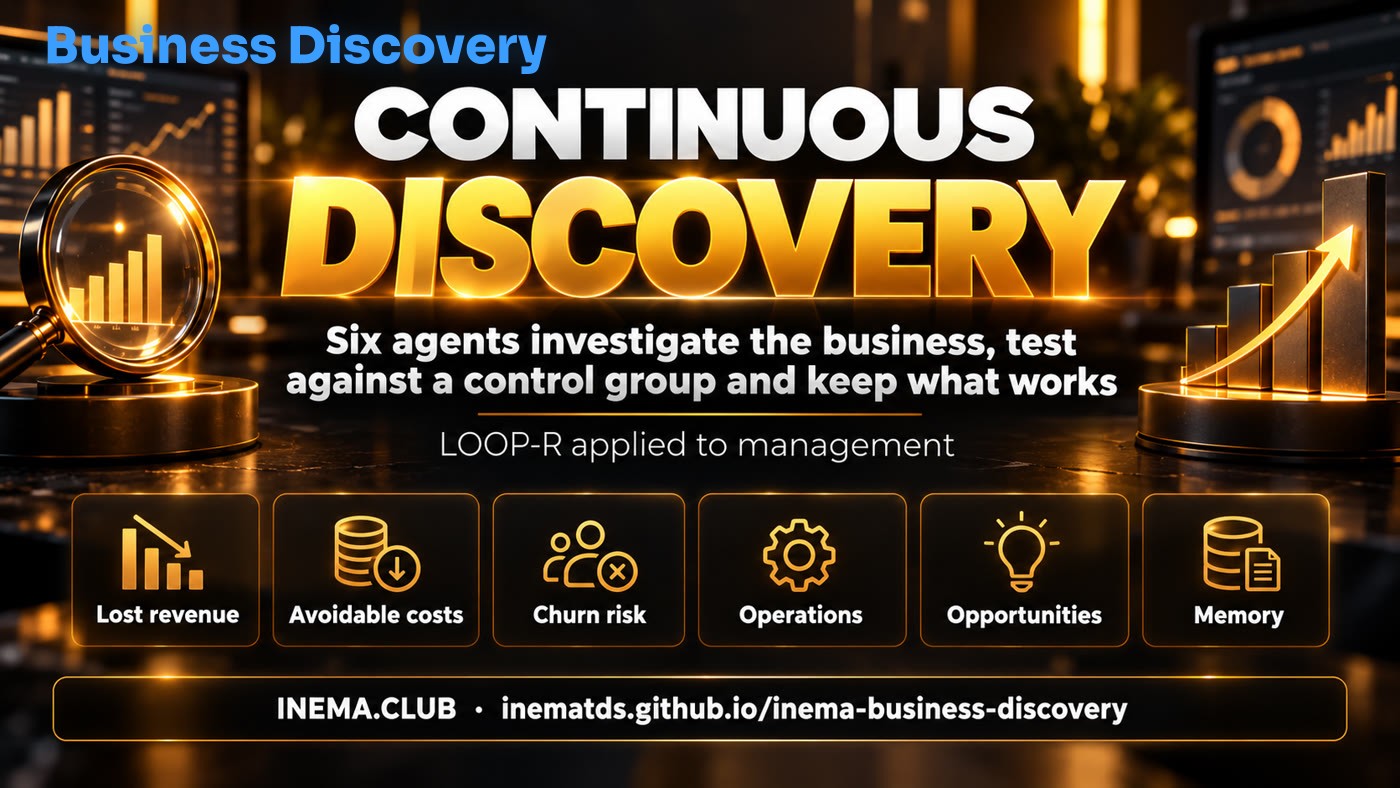
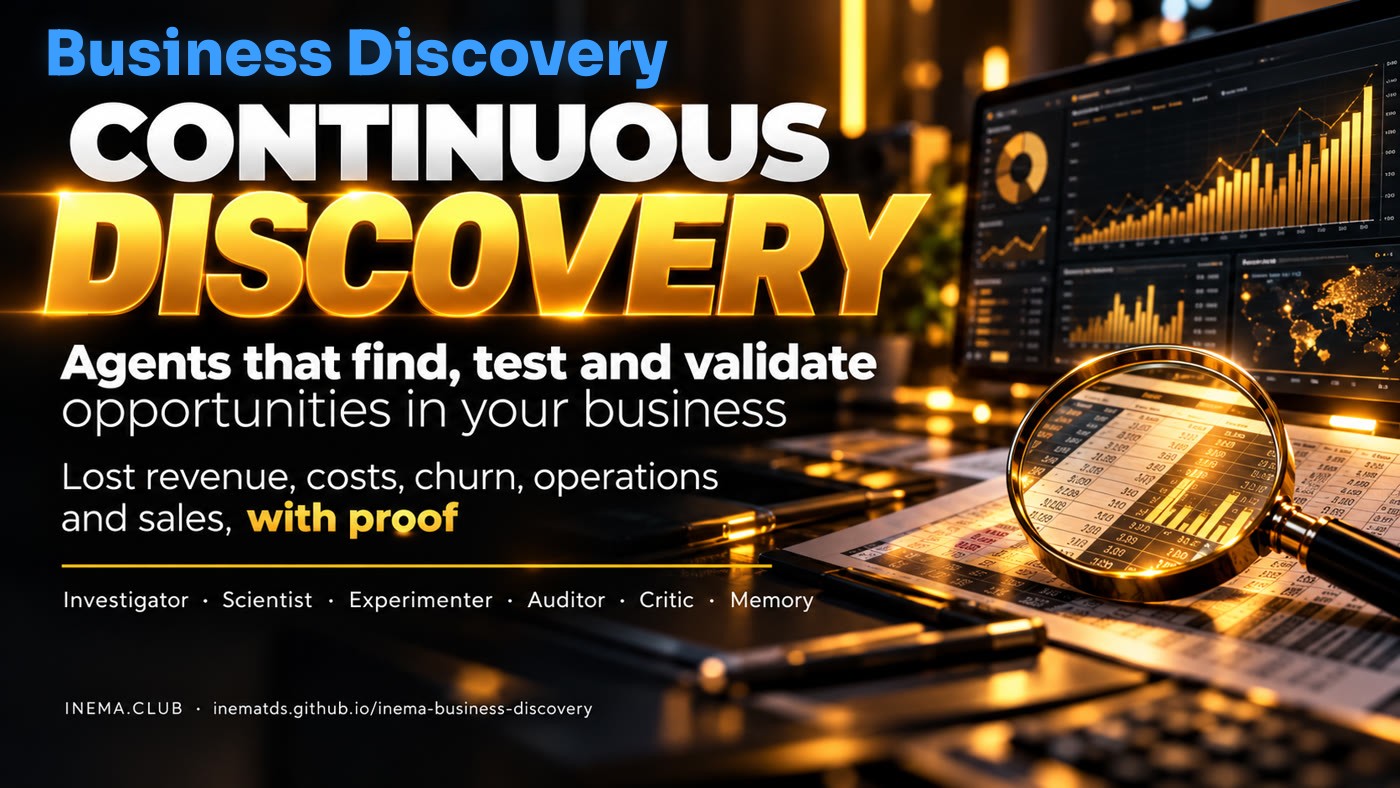
INEMA Business Discovery banner: continuous discovery with AI agents
In short

INEMA Business Discovery is an open source program that reads your company spreadsheets (sales, customers, proposals, expenses, and operations) and points out opportunities: customers who stopped buying, expenses that have climbed too high, rework, and sales you might be missing. It is for small and medium sized business owners and managers who want evidence for their decisions, not guesswork. Each finding includes the calculations, a confidence level, and a test to confirm it. All you need to use it is Python 3 and spreadsheets exported as CSV files.

What it is

It doesn’t answer questions. It uncovers what you haven’t asked yet.

A dashboard displays numbers. This platform investigates, suggests an explanation, plans a test, and measures whether it worked—every round.

The platform’s five areas of discovery and its memory

🔎 Five areas

Lost revenue, avoidable expenses, customer churn risk, operational inefficiencies, and sales opportunities.

⚖️ The person doing the work doesn’t evaluate it

The Investigator does the calculations, the Auditor checks them again, the Critic tries to disprove the conclusion, and a person approves the action.

🧪 Evidence with a control group

Half the customers receive the action and half don’t. Only the additional result—the incremental effect—counts.

How it works

The LOOP-R cycle applied to business management

LOOP-R is INEMA’s open framework for agents that check their own work: Locate, Operate, Observe, Propose, Reinforce. Here, each letter has a responsible agent.

Your CSV files→ Investigator · Locate→ Scientist · Propose→ Experimenter · Operate→ Auditor + Critic→ You approve→ Validator · Observe→ Memory · Reinforce

Investigator

Finds patterns and anomalies using straightforward calculations, without a language model, so everything can be checked.

Scientist

Writes the hypothesis and sets three agents to compete: A Recovery, B Offer, C Relationship. The evaluator scores the proposals without knowing who created each one.

Experimenter

Builds pessimistic, baseline, and optimistic scenarios, then randomly assigns customers to test and control groups.

Auditor

Recalculates every figure from the inputs and checks that the listed customers exist. Rejects anything that doesn’t add up.

Critic

Looks for other explanations (seasonality, reliance on a few customers, a small sample) and lowers confidence.

Memory

Records each decision with a name and timestamp. Strategies that pass the test carry more weight in the next cycle.

Prerequisites

Python and your spreadsheets. That’s it.

No dependencies, external database, or API key. The language model is optional and runs on your machine.

Python 3.10+

It comes with Linux and macOS. On Windows, install it from python.org; there the command is usually python instead of python3.

# check your version
python3 --version

CSV spreadsheets

Export them from your CRM and accounting system. Only vendas.csv is required; each additional file enables another area. Keep file and column names in Portuguese exactly as shown: that is what the tool reads.

# minimum columns
venda_id, data, cliente_id,
produto_id, valor
# quantidade (quantity) is optional

Ollama (optional)

Only if you want a local model to write the explanation of each finding. Large models take up tens of GB; on an ordinary machine, use a smaller one.

# lightweight example
ollama pull llama3.1:8b
User guide · step by step

From spreadsheet to validated opportunity

Start with the demo using a fictional company. Then replace its data folder with your own.

1

Download and run the demo

Creates a fictional company and runs the full cycle: analysis, approval, simulated test, and validation. No git? Download the project ZIP, unzip it, and open a terminal in the folder. On Windows, open the folder in File Explorer, right-click and choose "Open in Terminal".

git clone https://github.com/inematds/inema-business-discovery
cd inema-business-discovery
python3 -m bd demo   # 8 findings across 5 areas
2

Review the example in the document

The demo reproduces an illustrative customer recovery scenario. The numbers are fictional and are not observed results.

# demo output
120 customers × 20% × R$ 3,500.00 = potential revenue of R$ 84,000.00
× 30% margin = potential contribution of R$ 25,200.00
3

Prepare your data

Put the CSV files in a folder. Only vendas.csv is required; the columns of each file are in the README table. Both ; and , separators and values such as 1.234,56 are accepted. Write your assumptions in config.json; anything you leave out uses the default value.

Important: file names, column names, and config keys must stay in Portuguese exactly as shown (vendas.csv, cliente_id, valor, margem_contribuicao…), because that is what the tool reads.

# my-company/config.json  (example)
{
  "margem_contribuicao": 0.30,    # contribution margin: what is left of each 1.00 sold after direct cost
  "conversao_reativacao": 0.20,   # share of inactive customers you expect to come back
  "custo_hora": 45,               # cost of one hour of work, in your currency
  "custo_contato_cliente": 25     # cost of reaching out to one customer, in your currency
}
4

Run the cycle

The agents work in sequence and save the report, test groups, and memory.

python3 -m bd analisar --dados my-company --saida saida
# to include an explanation from the local model: add --llm and "llm": {"provedor": "ollama"} to config
5

Open the dashboard and decide

Sales outreach, discounts, pricing, contracts, and processes move forward only with a person’s name on the decision. An agent can’t approve it. The dashboard occupies the terminal while it is open: approve with its button or run aprovar in another terminal.

python3 -m bd servir --saida saida   # http://127.0.0.1:8765  (port busy? use --porta 8766)
python3 -m bd aprovar RP-REATIVACAO --por "Seu Nome" --saida saida
6

Run a real test

Use the randomly assigned groups in saida/planos/RP-REATIVACAO-grupos.csv: only the customers in the group teste (test) receive the action; the group controle (control) does not. After 30 days, record the results for everyone, in both groups.

# resultado.csv (one line per customer in the groups file)
alvo_id,grupo,converteu,receita
C0002,teste,1,3500.00
C0001,controle,0,0
7

Validate and reinforce

The Validator compares the two groups. The p-value is the chance that the difference was luck: below 0.05 (5%), it counts as a real effect. If, on top of that, the extra profit covered the cost, the strategy becomes a promoted lesson and gains weight in the next rounds; otherwise, it is recorded as discarded. Accuracy compares the forecast gain with the measured one. With few customers in the test, the result is almost always discarded: that is the system being honest.

python3 -m bd validar RP-REATIVACAO --resultados resultado.csv --saida saida
python3 -m bd memoria --saida saida   # metrics, lessons, and history
Examples

The fictional company’s report

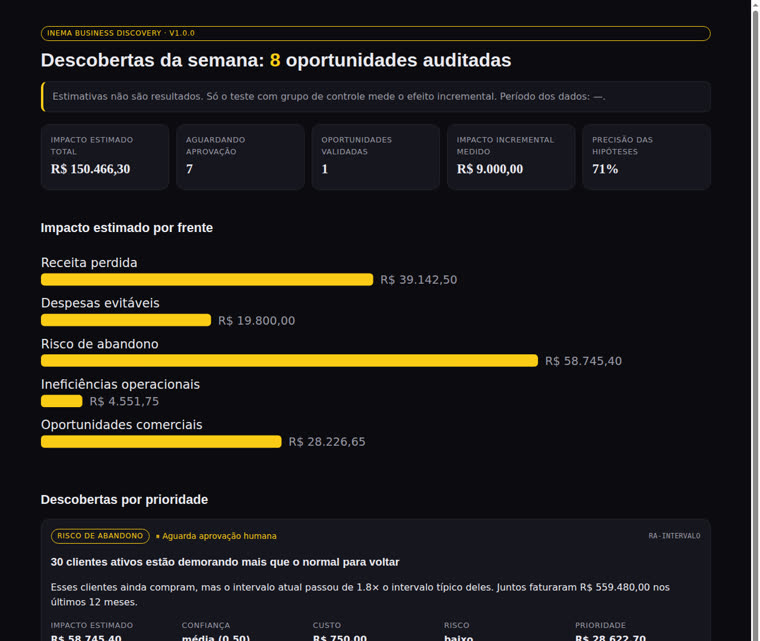
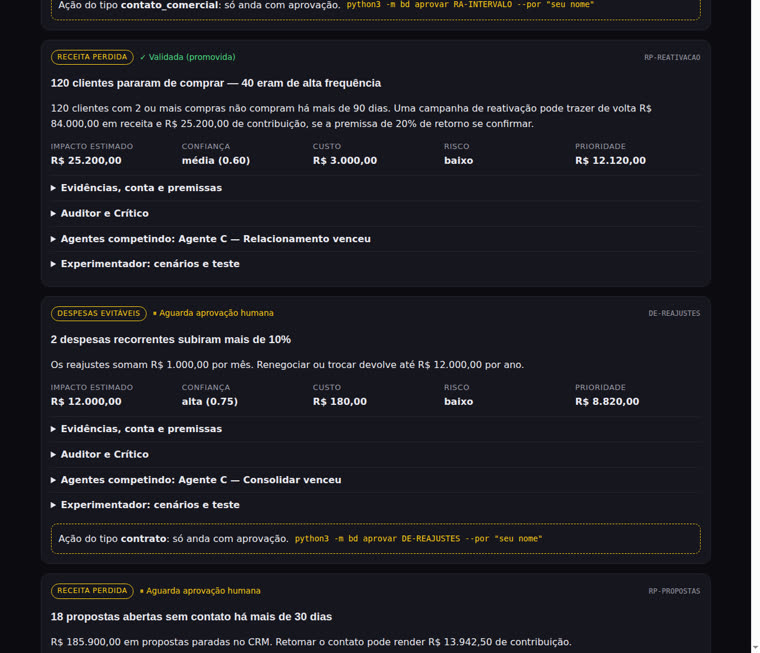
Real screens generated by the demo. The data and test are simulated.

Report showing estimated impact by area and key indicators
Estimated impact by area, validated opportunities, and hypothesis accuracy (71% in the simulated test). (screens in Portuguese)
Discovery cards showing status, confidence, and approval gate
Each finding shows its status, confidence, cost, priority, and human approval gate. (screens in Portuguese)
Roadmap

From a spreadsheet pilot to continuous learning

Start small: three modules (radar, hypothesis lab, and validator) working with CSV files. Add connectors only after proving their value.

Ready
CSV MVPSix agents, five areas, blind competition, human approval gate, control group validation, SQLite memory, local dashboard.
Phase 1
Lost revenue in real businessesCustomer reactivation pilots, with results measured from start to finish.
Phase 2
Costs, margins, and operationsHistory in a cloud database (Supabase; the schema.sql is already in the repo), an automatic round every week with a scheduler (n8n; there is a sample workflow), and a web dashboard for multiple users (Next.js).
Phase 3
Learn across businessesOnly with aggregated, anonymized patterns, a legal basis, a contract, and data protection in line with Brazil’s LGPD.