Content factory · real person
One photo becomes comic book.
I provide a photo (or a description) and a story. The artifacts come out with the same consistent person: character sheet → comic page → narrated motion comic. All local.
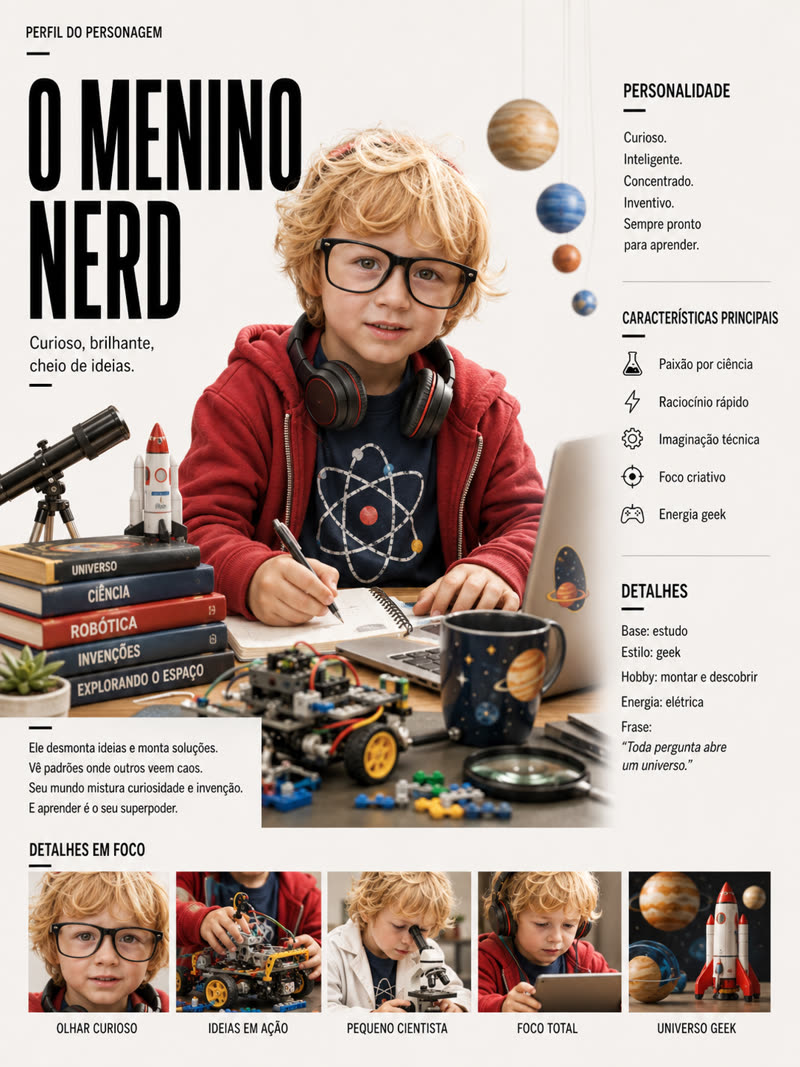
I provide a photo (or a description) and a story. The artifacts come out with the same consistent person: character sheet → comic page → narrated motion comic. All local.
Making comics with real people always runs into the same problem: keeping the character consistent across panels, pages, and episodes. inemaref handles the reference (the person's model sheet) as step 0 that locks everything in — and reuse it in every subsequent artifact.
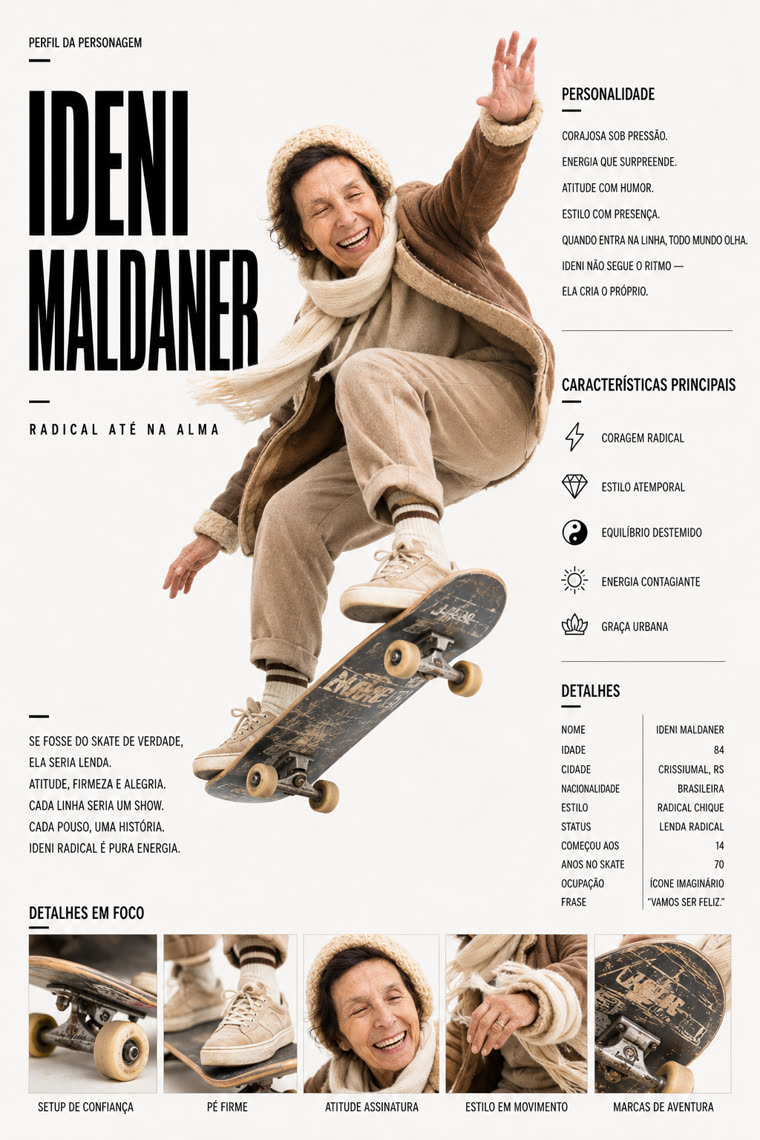
One sheet (portrait + bio + traits + grid) becomes the character’s source of truth across pages, video, and episodes.
The image engine generates artwork without text; narration, speech bubbles, and SFX are rendered as an HTML/CSS layer — editable and crisp.
Image with flux2-klein (inemaimg), voice with inemavox, editing with ffmpeg/Chromium. No cloud, no subscription.
Three skills built so far (folder → comic → motioncomic). Series and film are next, reusing INEMA’s video ecosystem.
Create the reference. The character sheet (portrait + bio + traits + grid) from 1 photo or text. 2 layouts × 2 artworks.
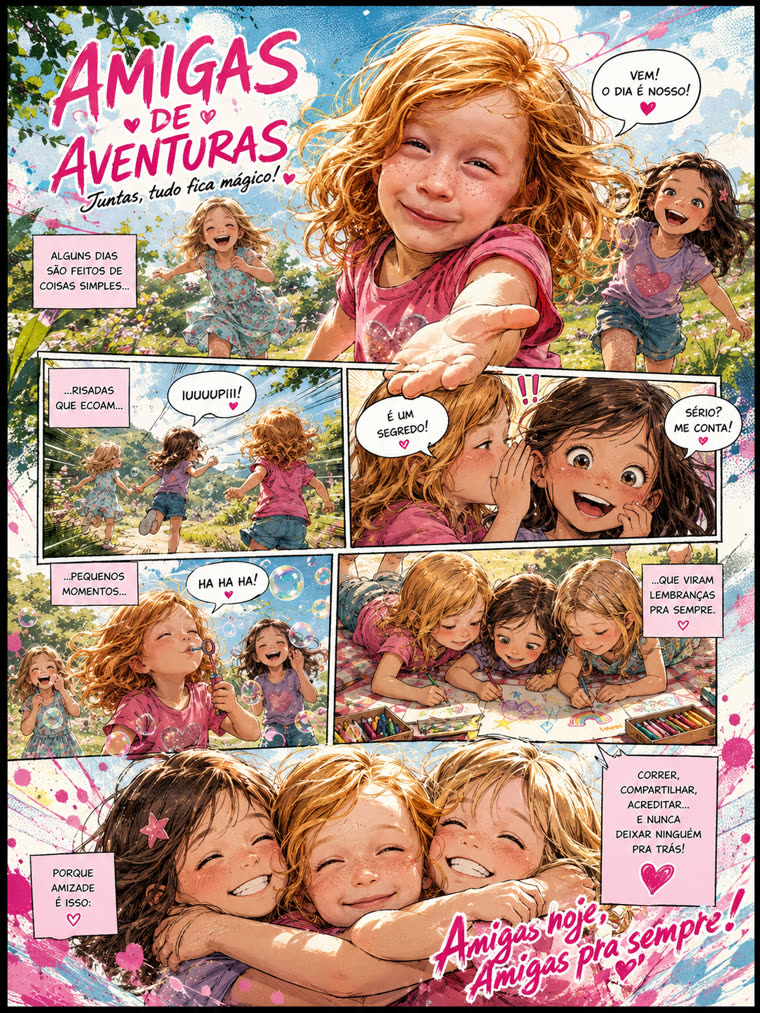
Build the page. 6 textless panels (black-and-white manga) + speech bubbles/SFX/captions on a layer, with careful face-aware placement. 2 grid templates.
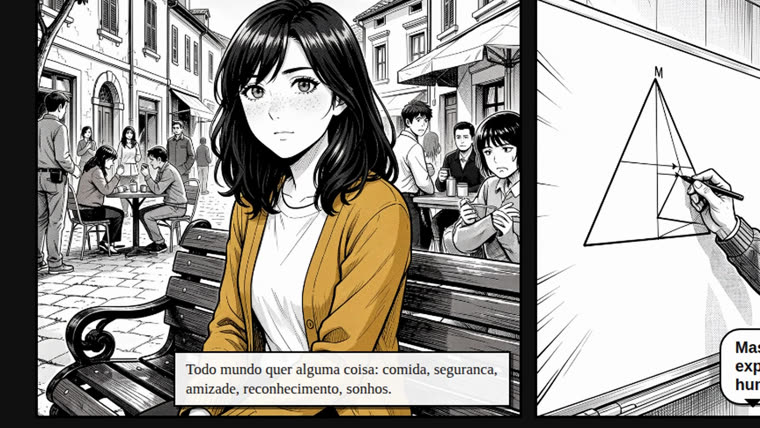
Becomes a video. Form A: narrated slideshow. Form B: the camera films the real paper page, diving into each panel.
Local services in the INEMA ecosystem. The skills communicate with them over HTTP; nothing goes to the cloud.
Image engine, in localhost:8000. Generates textless panels.
# check
curl localhost:8000/health
Local TTS (bella/rachel cloned voice), in 127.0.0.1:7860. Only in the motion comic.
# check
curl 127.0.0.1:7860/health
Render the HTML to PNG and assemble the MP4. Python 3 and OpenCV (face).
# run the tests
for t in skill/*/tests/test_*.py;
do python3 "$t"; done
Each skill is a Python pipeline you run from the repo root. The output goes to
output/<id>/ (gitignored).
Build a ficha.json (name, reusable appearance, 5 focal points) and generate the character sheet.
python3 - <<'PY'
import sys, json
sys.path.insert(0, "skill/folder/scripts")
from build_folder import build_folder
ficha = json.load(open("CAMINHO/ficha.json"))
build_folder(ficha,
    template_dir="skill/folder/templates/editorial-revista",
    arte="cartoon", modo="texto")   # output: output/<id>/folder.png + referencia.json
PY
One roteiro.json with exactly 6 panels (textless scene + optional narration/dialogue/SFX).
Reuse a aparência from the reference to keep the person.
python3 - <<'PY'
import sys, json
sys.path.insert(0, "skill/quadrinho/scripts")
from build_pagina import build_pagina
rot = json.load(open("CAMINHO/roteiro.json"))
build_pagina(rot,
    template_dir="skill/quadrinho/templates/grade-uniforme",  # or manga-dinamico
    arte="manga")                                    # output: output/<id>/pagina.png
PY
Script with pages of 6 panels. The camera opens on the page, dives into each panel during the narration, pulls back, and moves into the next one. Requires inemavox to be running.
python3 - <<'PY'
import sys, json
sys.path.insert(0, "skill/motioncomic/scripts")
from build_travel import build_video_travel
rot = json.load(open("CAMINHO/roteiro.json"))
build_video_travel(rot, voice="bella", arte="manga")   # output: output/<id>/<id>-travel.mp4
PY
When you don’t need the assembled page: one image at a time, with zoom and voice-over narration.
from build_motion import build_video
build_video(rot, voice="bella")             # output: output/<id>/<id>.mp4
Sheets and pages generated in the pipeline; the motion comic frame shows the camera diving into a panel on the paper page.
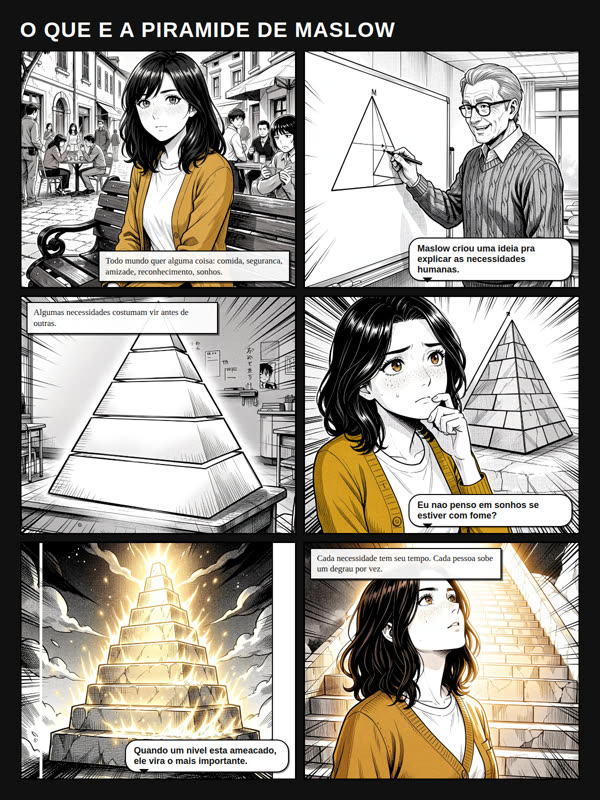
The foundation (reference → page → video) is ready and tested. What comes next reuses the existing video ecosystem.