🔄 The turning point
Peter Steinberger sums up the shift to the advanced level in one sentence: "you should no longer be prompting your coding agents—you should be designing loops that prompt your agents." The person writing each instruction steps out of the picture; a system comes in and writes the instructions in their place.
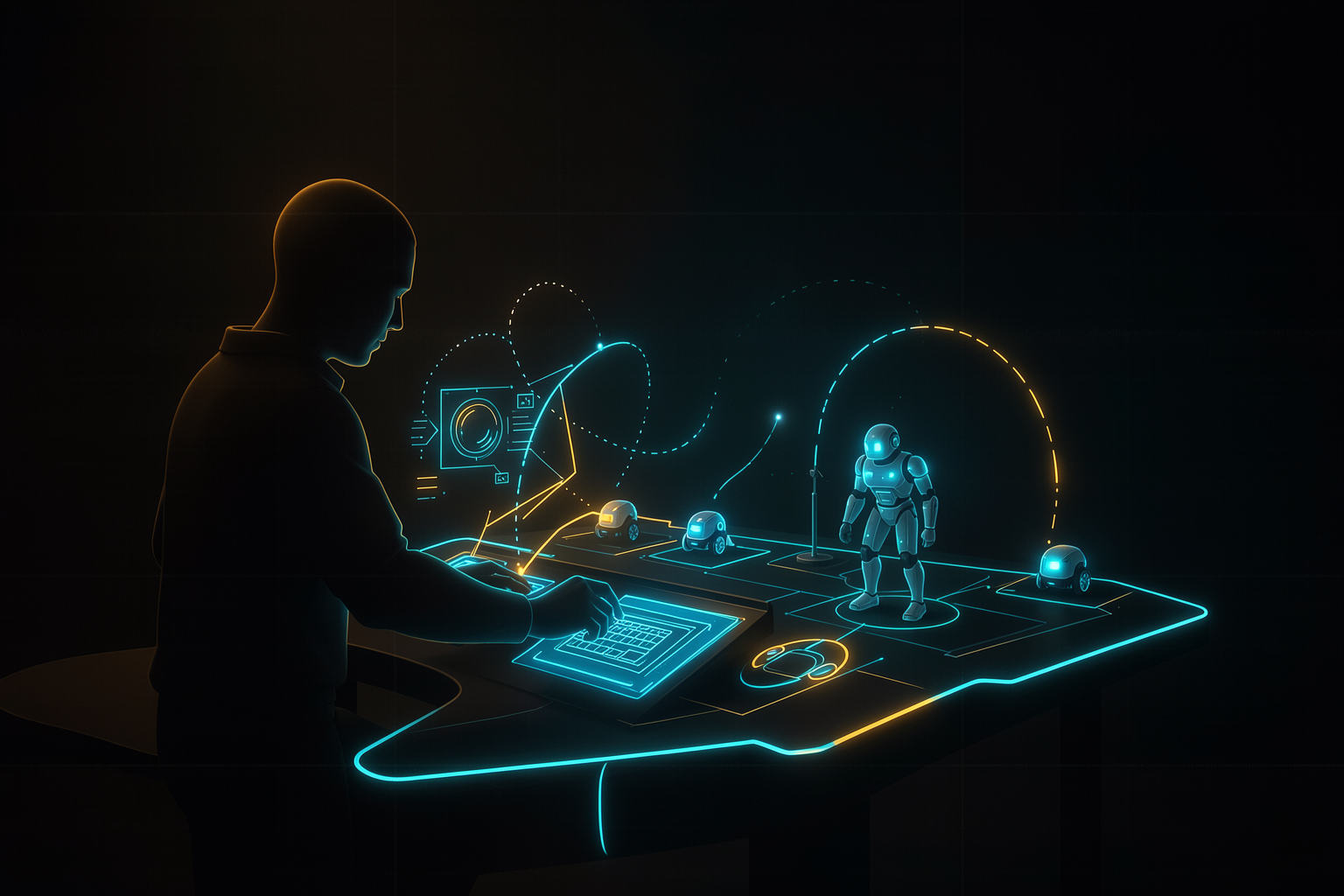
What to look at: the human no longer has their hand on the prompt—they have their hand on the blueprint. They design the machine that prompts; the machine is the one talking to the agent, round after round.
Read the diagram: before, your attention went into every turn. Afterward, your attention goes in once — when designing the loop — and the loop carries the conversation with the agent.
🗣️ The same idea, in someone else’s words
Boris Cherny is quoted saying something similar: "I don’t prompt Claude anymore—I have loops running, and they’re the ones prompting Claude." The engineer's role shifts from operator to designer.
Honesty: this quote from Cherny is making the rounds cited by third parties, not as a phrase verified in the primary source. Treat it as an illustration of the spirit of the shift, not as a confirmed literal quote.
🏛️ The human as architect
The shift has a name: loop engineering. The move is deliberate — you replaces as the person who prompts the agent. Instead of typing the next instruction, you design the SYSTEM that decides and types that instruction for you.
✗ Operator (you in the loop)
You read the output, think of the next step, write the prompt, wait, repeat. Your time scales linearly with the number of turns — you’re the bottleneck.
✓ Architect (you outside the loop)
You define the goal, verification, and limits once. The loop runs its turns on its own. Your time goes into the drawing, not in every iteration.
💡 Why this changes the scale
As an operator, you handle one conversation at a time. As an architect, you can have several loops running — because your work has become the design, not the typing. It is the mental prerequisite for everything in this track: fleets, scheduled loops, adversarial checkers.
🤖 The meta-agent
If you're designing loops, a provocative idea comes up: what if an agent designed the loops for you? That's the meta-agent — an agent that INFERS, from the way you work (your “vibe”), which loops you’d want, and writes them.
The abstraction ladder: each step takes you one step further from typing. The meta-agent is the highest and most speculative step — and requires even stronger guardrails (you'll see why in 4.3).
🧠 Why this is a provocation, not a recipe
The higher up the ladder you go, the less you see what’s happening—and the more an error spreads without review. The meta-agent is a tempting direction for those who’ve mastered the lower rungs; it’s a trap for those who skip steps. Keep the tension in mind: abstraction scales up and visibility goes down.
♻️ Loop = recursive objective
Addy Osmani gives the definition that organizes the entire path: a loop is a recursive objective — you define a purpose, and the AI iterates until it’s complete. Underneath it all, every solid loop has two pillars.
The two pillars: o OBJECTIVE (what you want) and the VERIFICATION (how AI knows it’s finished). Without the goal, it has no target; without verification, it doesn’t know when to stop—and recursion never ends (or ends too soon).
🧩 Where this meets Track 1
It's the same reason→act→observe skeleton you saw at the beginning, just described from the perspective of someone who DESIGNS. “Goal + verification” is the invariant core; loop engineering is simply what you do with it when you stop operating and start designing.
💾 Externalized state
A real loop runs beyond a single conversation. To survive across multiple context windows, you need to take the state out of the agent’s head and put it into the world: git + progress files. It’s the Anthropic harness recipe.
The loop for each session: reads the state → makes incremental progress on ONE feature → self-checks → commits → leaves the repository clean. The next session picks up where the previous one left off, even if the context window has been reset.
🧠 The golden rule
One feature per session, always committed, always leaving things clean. This turns one giant problem (that doesn’t fit in a window) into a queue of small problems (each one fits). The disk becomes the long-term memory the model doesn’t have.
Objective of the prompt below
Give the agent the externalized state protocol: read from disk, advance ONE feature, self-verify, commit, and leave things clean—so the next session can pick up on its own even after the context window resets.
# Cole no Claude Code, na raiz do projeto (mantenha um PROGRESS.md no repo)

A cada sessão, siga ESTE protocolo, nesta ordem:
1. Leia PROGRESS.md e o git log para entender o que já foi feito.
2. Escolha UMA única feature pendente — a próxima da lista.
3. Implemente só essa feature. Não comece outra.
4. Autoverifique: rode os testes e confirme que passam.
5. Commite com uma mensagem clara e atualize PROGRESS.md (marque feita).
6. Deixe o repositório limpo (git status sem pendências) e pare.

Objetivo final: .
How to verify: run the prompt, close the session, and open a NEW one from scratch with the same prompt. If the second session knows exactly where the first one stopped (by reading PROGRESS.md + git log) and move on to the next feature, the state is truly externalized. If it starts over from scratch or repeats work, the protocol isn't being followed.
🧭 It’s not for everyone
Time for a reality check. Nate Herk makes the most useful caveat in the track: that Steinberger — a hardcore coder who works with agents all day — do loop engineering doesn't mean this applies to you. The right tool depends on your use case.
| Loop type | What triggers it | For whom |
|---|---|---|
| By cadence | a clock: runs every X (hour, day) | predictable recurring tasks |
| By event | something happens: a PR, a ticket, a webhook | react to workflow |
| 24/7 (always on) | never stops: a fleet running all the time | a few high-volume cases |
🚨 The status error
Not everyone needs 24/7. Running a fleet all the time “because that’s what the hardcore folks do” is a status mistake, not an engineering one. Most cases are handled by a cadence-based or event-driven loop—and 4.3 will show the cost of choosing wrong.
📒 Glossary for this section (carry it through the rest of the track)
- •Loop engineering — designing the loop instead of operating the agent by hand.
- •Meta-agent — an agent that designs loops/agents instead of doing the final task.
- •Recursive objective — a target the AI pursues by iterating until the check passes.
- •Externalized state — progress saved in git + files, outside the model window.
You saw a famous coder running fleets of agents 24/7. What should you do with that?
🧾 Module Summary
Next:
4.2 — Advanced patterns (Ralph loop, fleets, guardrails, adversarial verification)