Turn one photo into four neon editorial styles. Learn to keep the face recognizable while controlling the color, direction and intensity of the trails.
New AI-generated images for this guide. Fictional people and adapted prompts; these are not the original examples or a demonstration of identity preservation.
The face is the anchor. Motion surrounds it.
Motion Echo Portraits is the name of this collection of visual directions for portraits. The supplied material describes a creative technique, not an application you need to install.
The result combines a sharp main expression with trails suggesting an earlier action. A good echo feels part of the same movement; a disconnected duplicate looks like another person in the scene.
Make three decisions: which face to preserve, where the movement goes and which color dominates. Only then add texture. The four English blocks below reproduce the original prompts supplied by the user from the AVCC · AI Video Creators guide. The explanations and exercises are educational additions by INEMA.
Before opening the generator
Choose a sharp portrait with visible eyes, nose and mouth. Favor simple clothing, few accessories and a background without distractions.
Use a photo of yourself or someone who has authorized this use.
Open an image tool that accepts a reference photo and editing instructions. Check whether it supports identity preservation; results vary between tools.
Start with a single photo and a single style. Mixing several references makes it harder to identify what caused a change in the face.
Button names vary. Look for the option to attach an image or edit an existing image. A style-only reference field may copy the look without preserving identity.
This guide does not generate images or send your photo to a service. Copy the prompt and practice in your chosen tool.
Use the same photo, framing and expression for all four styles. This lets you compare the effect instead of comparing four different people or poses.
Your first portrait, step by step
1
Attach the reference
Open the editing or reference-based generation feature. Attach only your chosen portrait. Visually confirm it is the right photo before generating.
2
Choose your direction
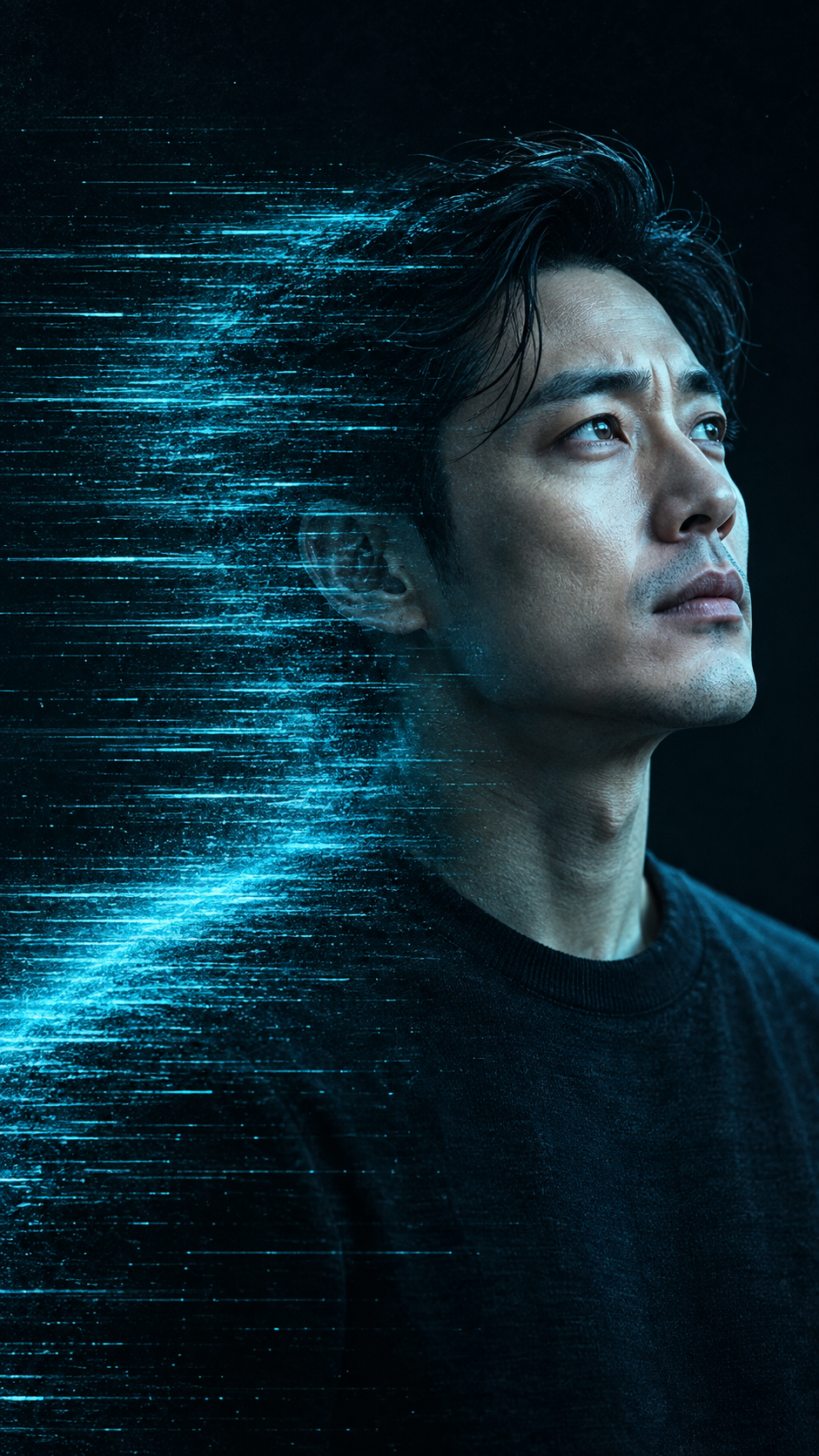
For a first test, use cyan dissolve: a trail around the edges is easier to assess than multiple face positions. If you prefer another style, use only its corresponding prompt.
3
Copy a complete recipe
Each recipe below includes identity reference instructions and visual direction. Paste the entire text. In the fourth prompt, replace the two bracketed choices with one color and one outfit. Add the negative guardrails at the end; if there is a dedicated negative prompt field, put those restrictions there.
4
Generate and examine the face first
Compare the eyes, nose, mouth, apparent age and hairstyle with the reference. If anything changed, return to the original photo and ask for a weaker effect. Do not use the altered face as a new reference.
5
Correct only what failed
If the identity is correct, adjust only the position or strength of the echo. For example: “Keep the main face and color of this version. Reduce the trail intensity and limit it to the edge of the hair.”
6
Save the version and prompt
Download the approved result and keep the text you used. Record the tool, date and adjustment. Before using it on a cover or poster, check the crop and dimensions required for that use.
Four recipes to copy
Original English prompts, as supplied. The illustrations use new fictional people and adaptations of these styles; the original prompts were not run verbatim. Review the result: preservation instructions do not guarantee perfect identity.
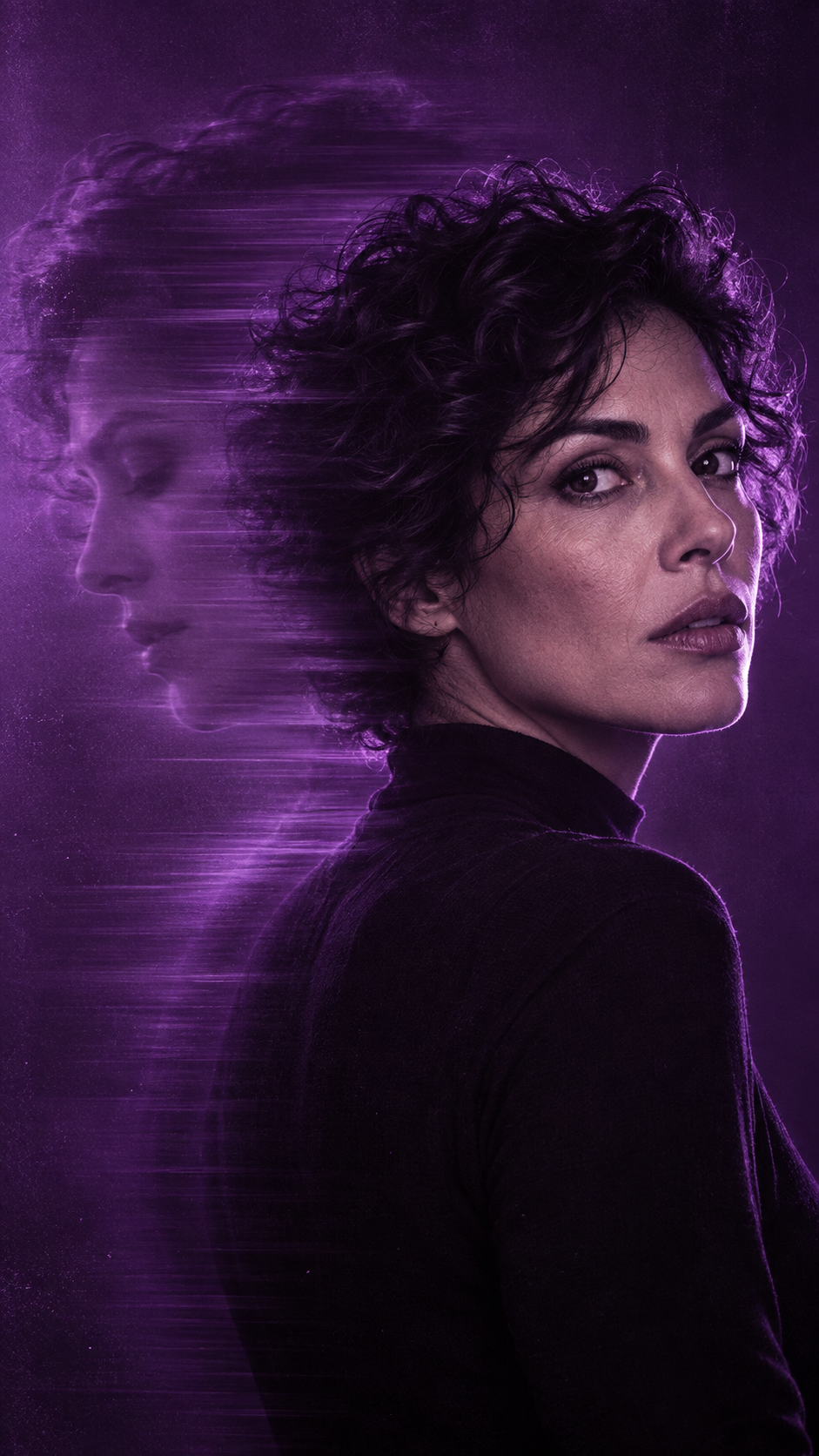
Violet ghost echo
A broad, soft residual profile behind the person, with the main face kept sharp.
Maintain the exact facial structure, bone features, skin tone, eye shape, and identity of the person from the uploaded reference photo without alteration.

An artistic avant-garde portrait of the subject rendered in a stark, saturated monochromatic violet-purple color grading.

The subject turns their head over their shoulder, looking toward the camera with an intense, melancholic gaze. Behind the primary subject is a faint, enlarged double-exposure ghost silhouette of their profile looking downward, seamlessly integrated into the background.

The portrait transitions into heavy horizontal pixel motion blur and digital scanline smearing running sideways across the frame, creating an echo trail of facial features.

High-contrast studio rim lighting edges the jawline and hair against deep violet-black negative space. Textured CRT television monitor scanlines, subtle chromatic aberration along the motion edges, fine film grain, moody synthwave aesthetic.
How to review: Does the secondary profile look like another person? Reduce its opacity and ask for just a residual echo.
Cyan dissolve
Subtle horizontal trails at the edges, with the center of the face preserved.
Maintain the exact facial structure, bone features, skin tone, eye shape, and identity of the person from the uploaded reference photo without alteration.

A cinematic high-concept portrait of the subject in an electric cyan-blue monochromatic wash.

Framed in a medium close-up, the subject looks upward and to the side with an ethereal, lost expression. The front half of the face is rendered in crystal-clear detail, revealing natural skin texture and iris highlights, while the rear half of the head and shoulders dissolve horizontally into fine, long motion blur trails and digital speed lines.

Illuminated by a bright directional cyan key light from the front, with rich deep sapphire shadows. Overlay of subtle VHS tape tracking lines and fine analog grain across the frame. Minimalist styling with a dark crewneck collar. Contemporary music single cover art look, 50mm f/1.8 lens, high dynamic range.
How to review: Did the trail cross the mouth? Restrict the dissolve to the hair silhouette and shoulder.
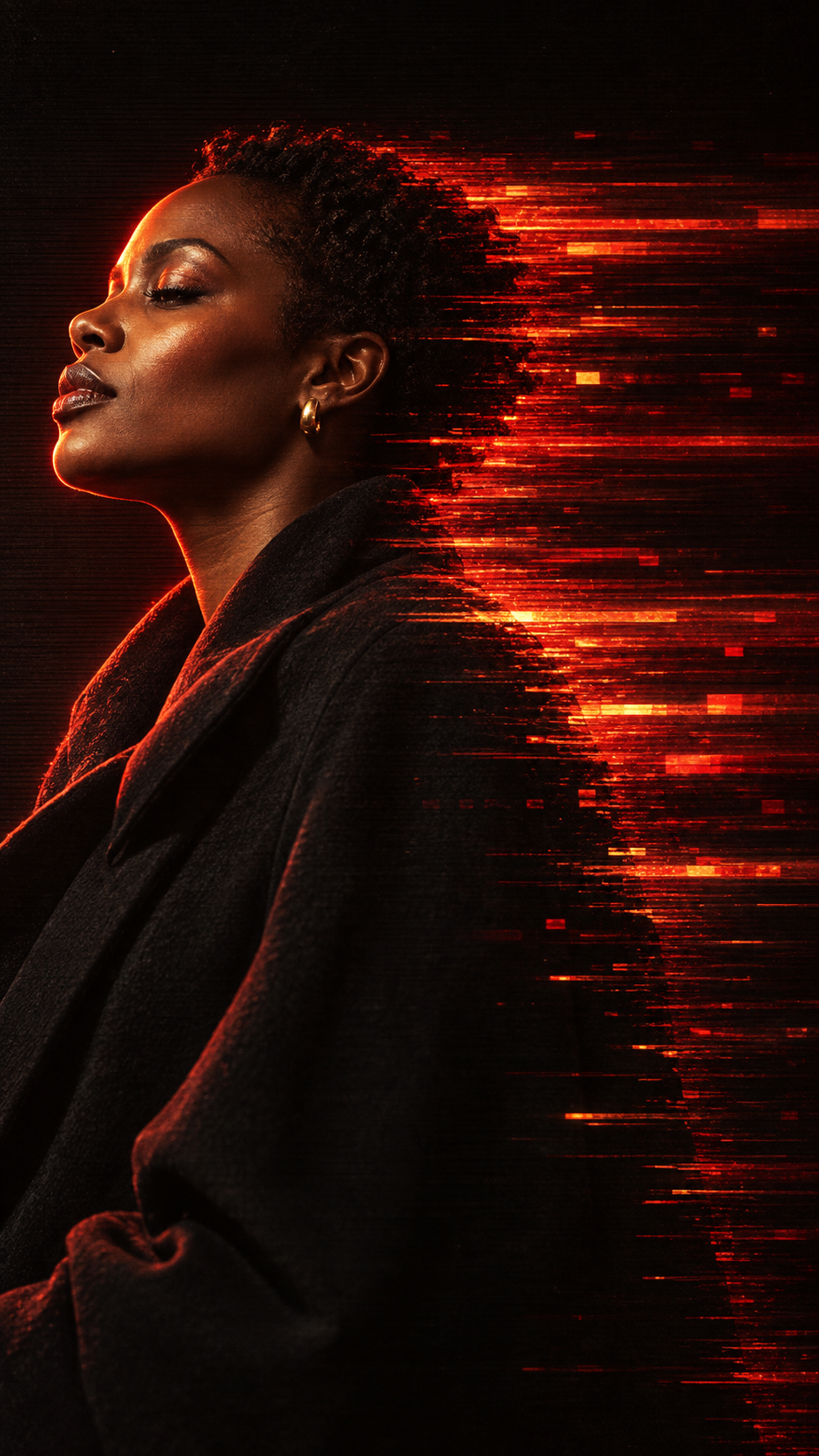
Scarlet pixel drag
Warm lighting and stronger digital smearing around the edges of the portrait.
Maintain the exact facial structure, bone features, skin tone, eye shape, and identity of the person from the uploaded reference photo without alteration.

An experimental, cinematic editorial portrait of the subject captured in an intense monochromatic scarlet-red and amber color palette.

The subject is shown in profile with head tilted back and chin raised upward, with eyes partially closed in deep introspection and lips parted softly. Dressed in a dark oversized jacket that fades into deep shadow. Messy, textured hair falls across the forehead and cheek.

The left side of the portrait features sharp, cinematic facial lighting illuminated by a glowing warm backlight, while the right side of the figure dissolves into horizontal pixel-drag streaks, high-speed shutter smear, and glitchy motion trails stretching across the dark canvas.

Subtle horizontal CRT scanlines, fine analog video grain, high micro-contrast, vibrant red-orange luminescence contrasting against deep black shadows. Shot on an 85mm lens.
How to review: Did the texture turn into noise across the whole image? Reduce the number of fragments and concentrate them along one edge.
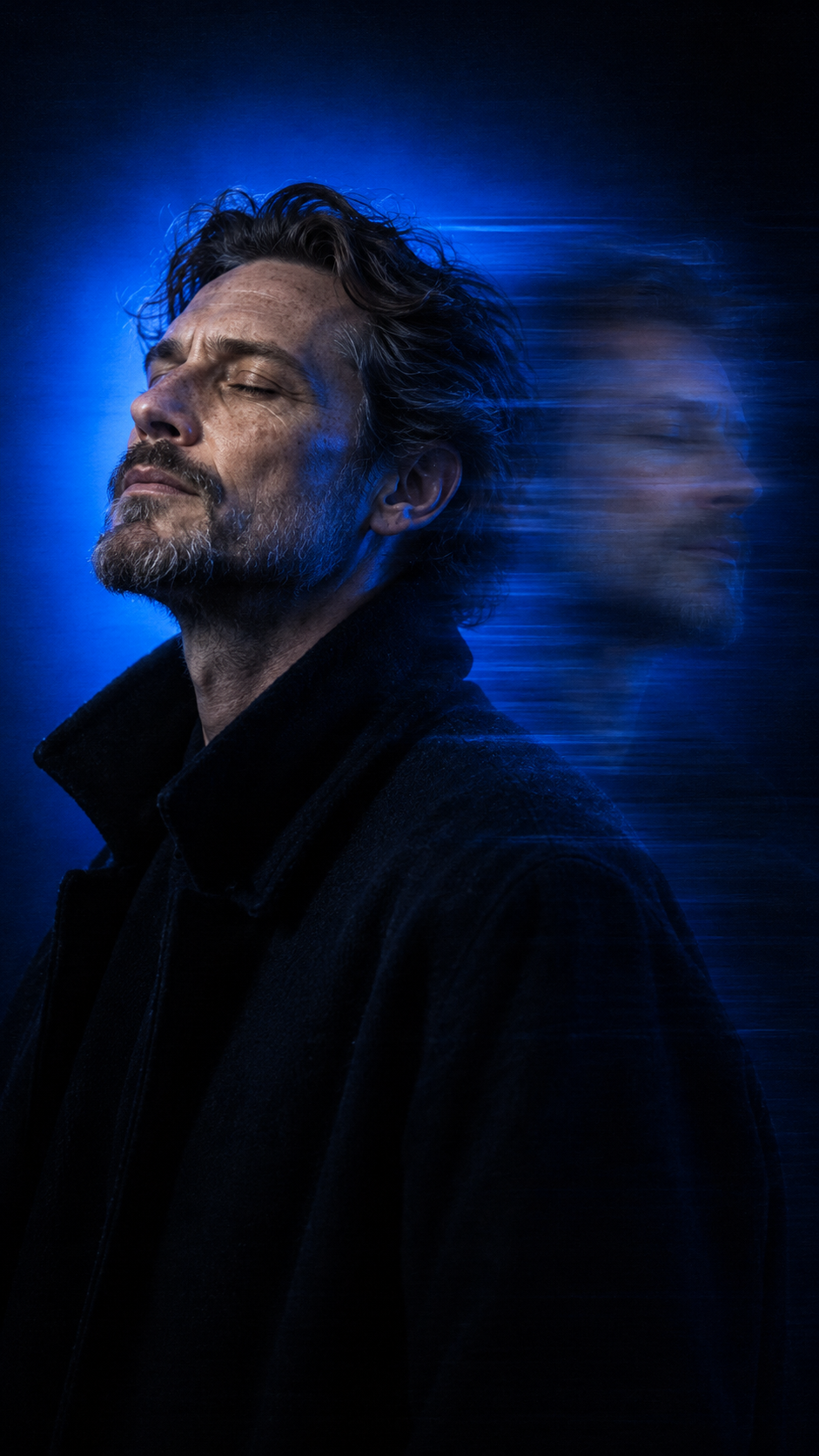
Long-exposure shutter turn
Residual face positions that suggest a single continuous turn.
Use the uploaded photo as the face reference. Keep the face, features and hairstyle exactly the same.

Cinematic motion blur portrait, vertical 9:16. The person is turned three-quarters, chin slightly up, eyes closed or looking past the camera. Long-exposure effect: the face stays sharp while a ghosted, horizontally smeared copy of the head and shoulders trails to one side, as if the shutter stayed open while they turned.

Background: one saturated color field in [ELECTRIC BLUE / BLOOD ORANGE], glowing brighter behind the head like a soft halo and fading to black at the edges. Dark oversized [COAT / HOODIE] melting into shadow.

Analog film look: heavy grain, faint horizontal scan lines, slight color bleed, deep crushed blacks. Moody editorial album-cover mood. No text, no logos.
How to review: Do the faces look pasted on? Ask for fewer echoes, lower opacity and alignment with the arc of the same rotation.
Customize the 9:16 template
In the fourth prompt, replace [ELECTRIC BLUE / BLOOD ORANGE] with ELECTRIC BLUE for electric blue or BLOOD ORANGE for blood orange. Replace [COAT / HOODIE] with COAT for a coat or HOODIE for a hooded sweatshirt. Remove the brackets and the option you did not choose.
In the tool, select vertical 9:16 format when available. In the first three prompts, add Vertical portrait, 9:16 composition. if you want to keep the same format across the series. 9:16 is an aspect ratio, not a required resolution.
Understand the intent behind camera terms
“Rim lighting” highlights the outline. “Scanlines” are horizontal scanning lines. “Pixel drag” means stretched pixels. “50mm f/1.8” and “85mm” are aesthetic cues in the prompt; they do not prove that a real lens, aperture or photographic capture was used.
Resolve conflicts with your reference
The scarlet prompt asks for messy hair; if that changes the person’s hairstyle, replace that sentence with Preserve the exact hairstyle from the reference photo. Red and amber form a warm color family here: avoid adding blue, green and violet in the same generation. The template asks for heavy grain; reduce it if it obscures the skin.
Guardrails to add
Keep the eyes, nose and lips of the main face sharp. Preserve the person's facial features, age and hairstyle. Use one dominant color family plus black. No busy background, props, bright accessories, text, logos or watermarks. Avoid flat, evenly lit beauty lighting; keep deep shadows.
What to fix before saving
Sign in the result
Adjustment for the next attempt
Different eyes, nose or mouth
Return to the original photo. Reduce the effect and reinforce facial feature preservation.
A second person seems to appear
Ask for a less opaque echo behind the face, connected to the same rotation.
All the neon colors compete
Choose a single saturated color and keep everything else dark or neutral.
A trail with no direction
Describe the movement and the side where the residue remains. Specify the left or right side of the image.
Skin disappears into texture
Remove texture from the face. Keep grain or scanlines only in the background.
The image looks flat
Ask for side lighting and deep shadows while keeping the features readable.
Practice: build a series of four
Use the same reference for all four recipes. Keep the crop and compare results side by side. A series can vary the trail style while keeping the person and editorial intent recognizable.
Start with cyan and approve the face.
Return to the original reference to test violet, scarlet and blue.
Choose the best result from each direction.
Reject any image with altered facial features, even if the effect looks beautiful.
Choose a use: an artist portrait, personal identity, poster or editorial study. Add text later in a layout editor.
Completion criteria
You are finished when every version keeps the face recognizable, uses one dominant color, has a directional trail and leaves the eyes, nose and mouth readable. If one version fails, correct that version; there is no need to remake the whole series.
Notes are saved only in this browser. Do not include sensitive data. Clearing browser data deletes the record.
Source and limitations of this guide
Editorial basis: “Motion echo portraits: turn a face into a neon editorial series,” a Markdown file supplied by the user. The full text of the Motion Echo Portraits guide, AVCC · AI Video Creators was supplied by the user after automated access was blocked. The English prompts have been preserved. The explanations, exercises and review instructions were organized for this INEMA guide.
References to VHS, digital dissolve and long exposure describe visual appearances. Simulating these effects with AI does not mean the image was captured with a camera using a long exposure.
Use the recipes as a starting point. Identity fidelity and interpretation of movement depend on the tool, the reference and human review.