Data from public pages read on 06/11/2026. “conflicting” = sources disagree; “not confirmed” = no source found.
VIDEOSeedance 2.5
ByteDanceUse when the scene needs a long shot, sound, and the same character as in the references.
Long shot (up to 30 s) with sound and many references.
Limits: resolution is conflicting across sources (720p to 1080p); automatic duration can double the cost.
Max duration: 30 s · Audio: yes
VIDEOMovieFlow 2.0 Ultra
MovieFlowUse when you want to test an idea or storyboard quickly before spending on an expensive model.
The site's fastest and cheapest: 5 s of video in 10 s, US$0.008 per second.
Limits: resolution, audio, and maximum duration are not published outside the site.
Max duration: not confirmed · Audio: not confirmed
VIDEOMiniMax H3
MiniMax (Hailuo)Use when you need a sharp image, a character that sticks to the references, or a way to fix a detail in a finished clip.
Native 2K video, multiple references, and edits to a detail without remaking the clip.
Limits: maximum duration is cited by only one source.
Max duration: ~15 s (not confirmed) · Audio: yes
VIDEOKling 3.0
KuaishouUse when the scene has cuts (shot and reverse shot, action sequence) and strong movement, with synchronized speech.
Multi-shot: 2 to 6 connected shots in one generation, with the same character.
Limits: resolution is conflicting (1080p to 4K); Portuguese audio not confirmed.
Max duration: 15 s · Audio: yes, with lip-sync
VIDEOSeedance 2.0
ByteDanceUse when you want to copy the movement or style of a reference video and keep the character consistent across multiple clips.
Up to 9 images + 3 videos + 3 audio references, called in the prompt (@Image1, @Video1).
Limits: resolution is conflicting (480p to 4K); audio references up to 15 s and must be paired with an image or video.
Max duration: 15 s · Audio: yes
VIDEOVidu Q3 Pro
ShengShuUse when there is a conversation between two or more characters, or the style is anime/animation.
Dialogue with multiple speakers, automatic cuts, good at anime.
Limits: duration range and resolutions are conflicting; Portuguese audio not confirmed.
Max duration: 16 s · Audio: yes
VIDEOVeo 3
Google DeepMindUse when you need a short, realistic shot with speech and ambient sound (interview, commercial).
Strong realism and physics, with speech and ambient sound in the same step.
Limits: short clip (8 s); Google has already replaced Veo 3 with 3.1 for developers.
Max duration: 8 s · Audio: yes, with lip-sync
VIDEOSeedance Fast
ByteDanceUse when you want to test several versions of the same scene before making the final one with Seedance 2.0 or 2.5.
A faster, cheaper version of Seedance 2.0.
Limits: capped at 720p; not always cheaper—it depends on the pricing table.
Max duration: 15 s (likely) · Audio: yes
VIDEOKling 2.6
KuaishouUse when you need a simple 5 to 10 s scene, or want to copy a reference dance or gesture for less than with 3.0.
Motion Control: copies movement from a reference video.
Limits: 5 or 10 s clips; no multi-shot; voices only in Chinese and English.
Max duration: 10 s · Audio: yes (Chinese and English)
IMAGENano Banana Pro
Google DeepMindUse when the image has text (poster, cover, sign) or you need a polished keyframe of a character.
Readable text in images and fine detail, up to 4K.
Limits: slower than Nano Banana 2.
Image
IMAGENano Banana 2
GoogleUse when you need lots of scene images or a quick storyboard.
Fast and cheap, with quality close to Pro.
Limits: a little behind Pro in text and fine detail.
Image
IMAGEGPT Image 2
OpenAIUse when the frame has lots of text, is a diagram or comic/storyboard grid, or you need to retouch an image.
Dense text, diagrams, and comic panels; edits without changing the rest.
Limits: 4K is still in beta; text accuracy rates are conflicting across sources.
Image
IMAGESeedream 5.0
ByteDanceUse when you want an affordable 4K image or to adjust just one part of a frame.
Affordable 4K and region editing (change just one part).
Limits: which version (Lite or Pro) MovieFlow uses is not published.
Image
Lip-sync — the character's mouth moves with the speech.
Multi-shot — several shots (camera cuts) generated at once with the same character.
Shot and reverse shot — the camera alternates between two people talking.
Keyframe — the main image that defines what a character or scene will look like.
Storyboard — a sequence of scene drawings made before the film.
Reference — a photo, video, or audio file you send the model to copy a face, style, or movement.
720p, 1080p, 2K, 4K — resolution: the higher it is, the sharper the image (and generally the more expensive).
Motion Control — the model copies movement from one of your videos (dance, gesture).
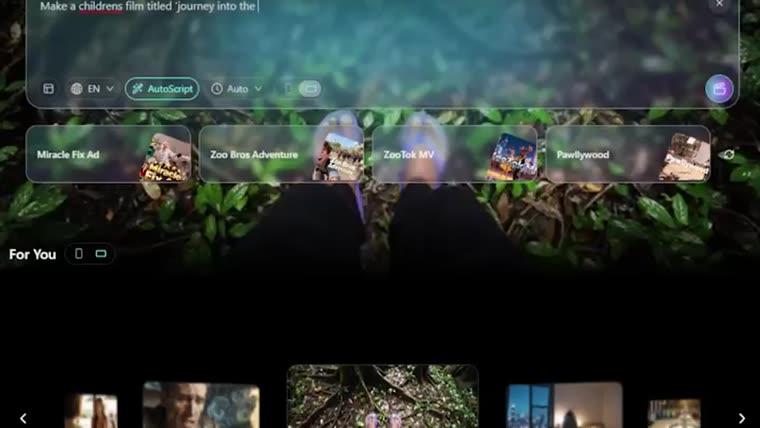
Agent V2 — MovieFlow mode where AI builds the entire film from your idea.
On a phone, swipe the table sideways to see all the columns.