Script template + video engine

An idea becomes a reel in 7 trigger steps

Hook, desire, fear, ease, discovery, benefit and comment — each step lands on the right word of the speech, with its own image, headline and panel. It ends with a "COMMENT <WORD>".

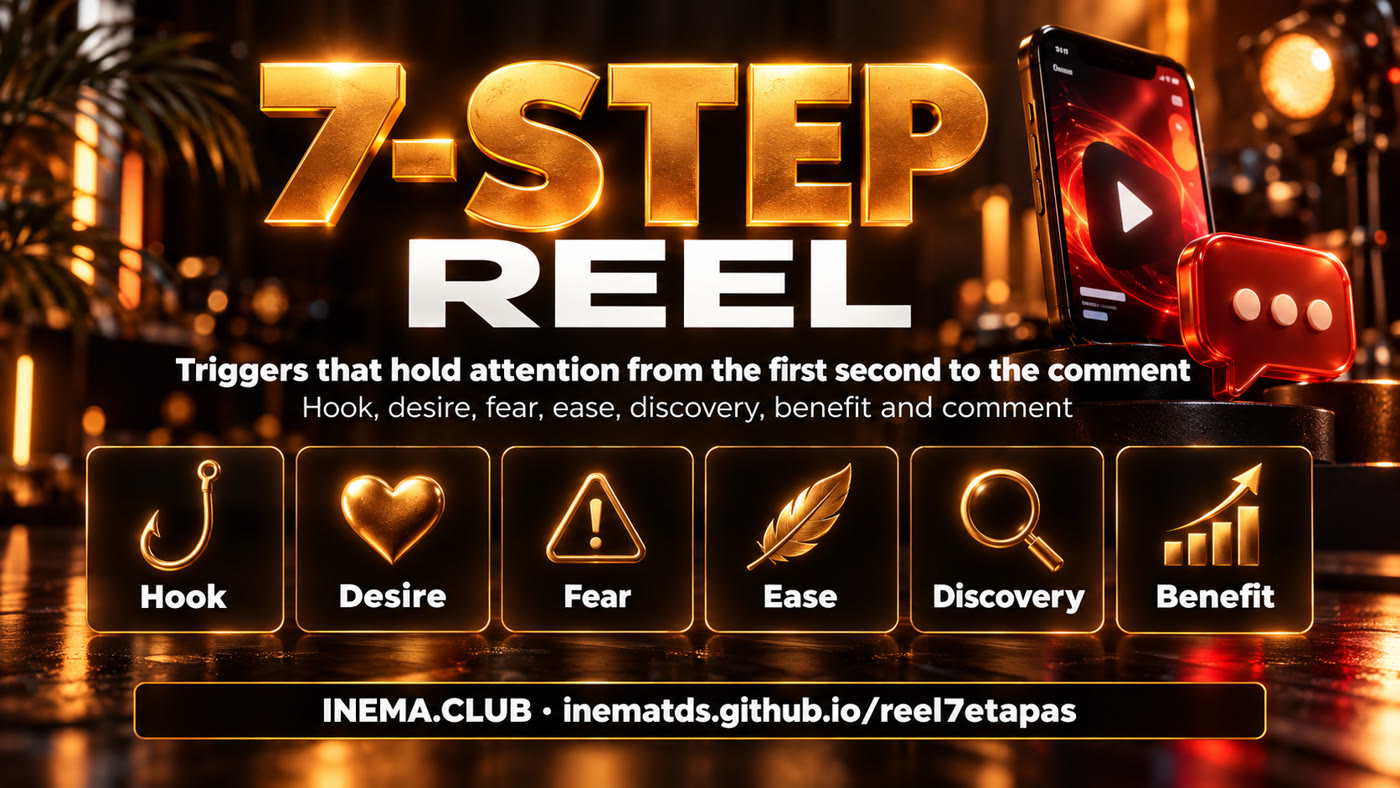
Banner: reel in 7 trigger steps
In short

reel7etapas is a template for writing short videos (Reels, Shorts, TikTok) and a tool that assembles those videos on its own. The script always follows the same 7-step order, designed to hold someone who is scrolling and to end with a simple ask: comment one word. It is for creators who want a repeatable path instead of starting from scratch with every video. To just use the template, reading the 7-step table is enough; to generate the video, the tool uses Nei's avatar in HeyGen, images generated by Codex and a Python script.

What it is

A fixed way to hold attention

Show the result before explaining the technology. People grasp the benefit in 2 seconds and stay to learn how to get it.

The template's steps on cards

🧭 Ordered script

Seven steps, always in the same sequence. You change the topic, the structure stays.

🎞️ Assembled video

Talking avatar, one image per step with camera movement, headline and highlight that land on the exact word, and a short caption, all inside the 9:16 safe zone.

🗺️ Map for teaching

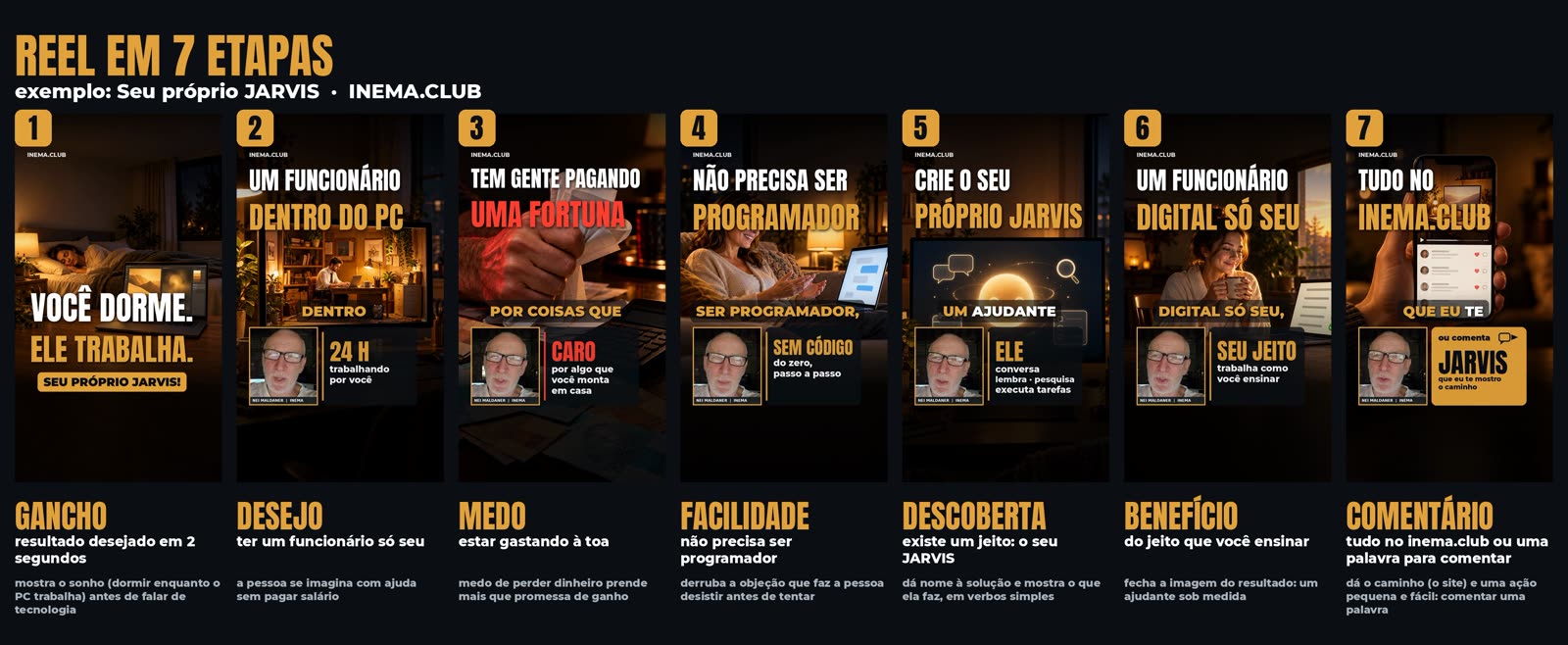
The mapa command generates a sheet with the 7 steps side by side: the video frame, the trigger and the why.

The 7 steps

The order that makes people comment

Desire → fear of wasting money → ease → discovery → benefit → comment, opened by a visual hook. The examples come from the reel "Your own JARVIS" (Seu próprio JARVIS).

1 Hook→2 Desire→3 Fear→4 Ease→5 Discovery→6 Benefit→7 Comment

1 · Hook

The result anyone wants, in 2 seconds, in one huge sentence. "VOCÊ DORME. ELE TRABALHA." (YOU SLEEP. HE WORKS.) and the spoken line "Você sabia que o seu computador já pode trabalhar enquanto você dorme?" (Did you know your computer can already work while you sleep?)

2 · Desire

The person pictures themselves with what they want. "Já pensou em ter um funcionário dentro do seu computador?" (Ever thought about having an employee inside your computer?)

3 · Fear

The risk of losing money holds people more than the promise of gain. "Tem gente pagando uma fortuna por coisas que você já pode montar em casa." (Some people are paying a fortune for things you can already build at home.)

4 · Ease

Knock down the objection that makes people give up before trying. "E o melhor: não precisa ser programador!" (And the best part: you don't need to be a programmer!)

5 · Discovery

Name the solution and say what it does, in simple verbs. "Você pode criar o seu próprio JARVIS… conversa, lembra, pesquisa e executa." (You can create your own JARVIS… it talks, remembers, researches and executes.)

6 · Benefit

Close the picture of how life looks afterwards. "Um funcionário digital só seu, trabalhando do jeito que você ensinar." (A digital employee that's all yours, working the way you teach it.)

7 · Comment

One small, easy action: comment a word. "No inema.club tem vídeos e material… Comenta JARVIS que eu te mostro o caminho." (On inema.club there are videos and material… Comment JARVIS and I'll show you the way.)

🎨 Visual

Dark background, golden light, the computer front and center, yellow and white lettering. No futuristic robots, no sci-fi look.

🚫 Avoid

Jargon (AI, agent, model) before step 5, two theses in the same video, and a long CTA. One word to comment is enough.

Prerequisites

What needs to be up and running

To use only the template, nothing: it is the script. To generate the video with the tool:

reelcomenta + makeshorts

The engine reuses reelcomenta's transcription, face crop, HeyGen studio and Telegram delivery, and makeshorts' qa_short.py quality gate.

git clone https://github.com/inematds/reelcomenta ~/projetos/reelcomenta

Codex CLI

The images come from Codex's image generator (image_gen), through the subscription. If it fails, the local FLUX.2 klein server steps in as a fallback.

codex --version

Python + ffmpeg

Pillow, OpenCV, PyYAML and ffmpeg. The avatar comes out of the HeyGen studio through the subscription, with a recorded approval.

pip install pillow opencv-python pyyaml
User guide · step by step

From text to published reel

Everything runs through reel7etapas.py. Each edition lives in edicoes/<date>-<topic>/. No step asks for approval: the engine has gates that fail and explain what went wrong.

1

Create the edition

Copies the JARVIS example script into a new folder. Rewrite the speech (550–700 characters, about 40 s), ending with "Tá tudo no inema ponto club. Ou comenta <PALAVRA> que eu te mando o link." (It's all on inema dot club. Or comment <WORD> and I'll send you the link.)

python3 reel7etapas.py novo meu-assunto  # edicoes/2026-10-11-meu-assunto/roteiro.yaml
2

Write the 7 steps

Each step has the ancora (anchor: the word in the speech that makes the step come in), the headline, an optional destaque (highlight: a card next to the avatar), the camera and the image cena (scene). gatilho (trigger) and por_que (why) only show up on the map. The cta closes with the word to comment.

  - id: medo
    ancora: gente
    linha1: "TEM GENTE PAGANDO"
    linha2: "UMA FORTUNA"
    destaque: {titulo: "CARO", texto: "por algo que\nvocê monta\nem casa"}
    camera: pan_dir
    cena: "Mesa escura com notas de real, faturas e uma calculadora..."
3

Do everything at once

Generates the 7 images in Codex, records the avatar if it does not exist yet, assembles, validates and makes the map. An image that is too dark, the wrong orientation or too similar to another is redone automatically.

python3 reel7etapas.py fazer edicoes/<pasta>
4

The gates

Nothing outside the Reels/Shorts safe zone (top 10%, bottom 20%, button column), captions of at most 3 words and a font of 64 px or more, an image change at least every 3.5 s, speech identical to the script, −14 LUFS and makeshorts' qa_short.py passed.

python3 reel7etapas.py validar edicoes/<pasta>  # + build/revisao/folha-*.jpg at full size
5

Run by parts (whenever you want)

Each stage also runs on its own. imagens accepts the step numbers to redo only those.

python3 reel7etapas.py imagens edicoes/<pasta> 3 7  # redoes images 3 and 7
python3 reel7etapas.py avatar edicoes/<pasta>       # requires avatar/APROVADO_HEYGEN
python3 reel7etapas.py montar edicoes/<pasta>
python3 reel7etapas.py mapa edicoes/<pasta>         # mapa.jpg + capa.jpg
6

Publish

Sends the video through the Telegram bot and publishes it as a YouTube Short through yt-pubx (the script's channel; default lives1). It only runs if validar passed after the last assembly.

python3 reel7etapas.py publicar edicoes/<pasta>
Example

Your own JARVIS

The first reel made with the template. Full script at edicoes/2026-10-11-jarvis/roteiro.yaml. ▶ Watch on YouTube

Map of the 7 steps in the JARVIS reel
Reel cover: Você dorme. Ele trabalha. (You sleep. He works.)
Step 1 — the hook: the result before the technology.
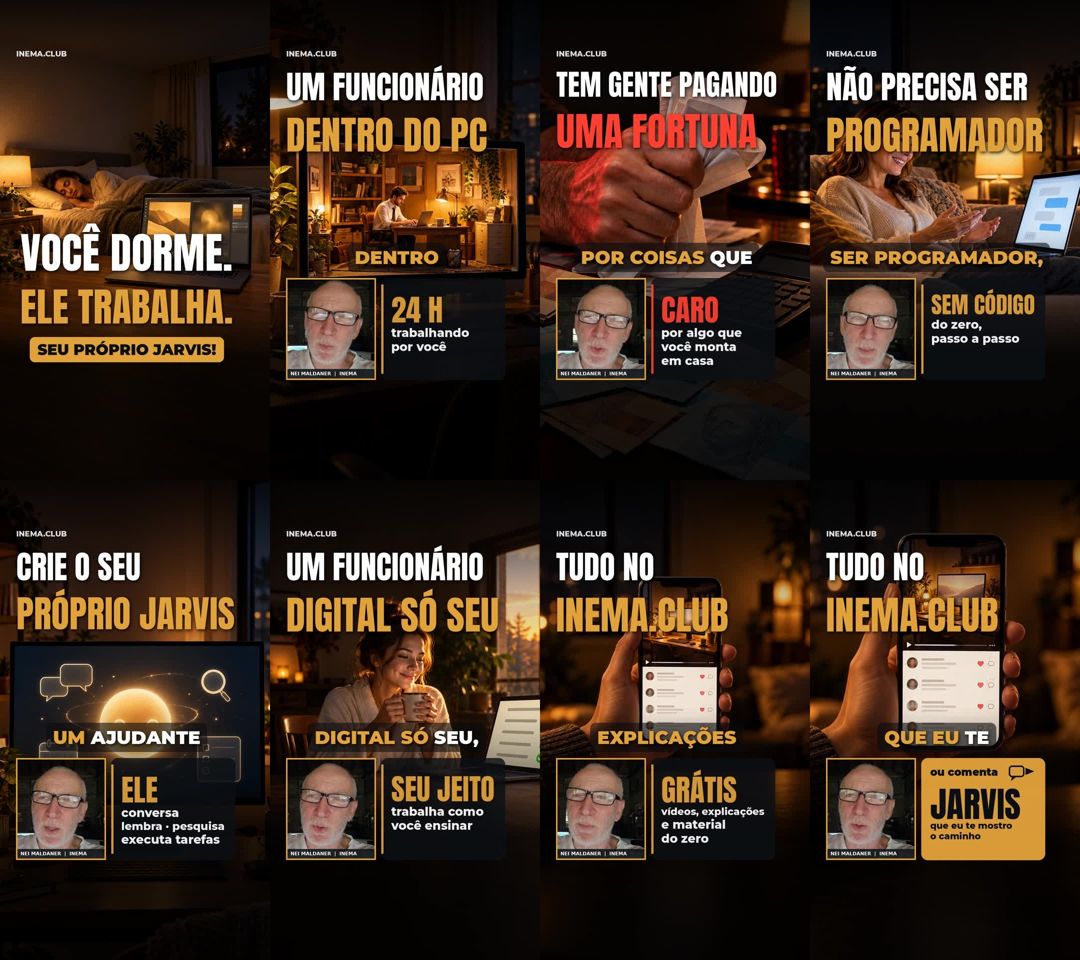
Frames of the final video
Frames of the final video, from the hook to the "ou comenta JARVIS" (or comment JARVIS).
Roadmap

Next steps

What exists today and what's coming.

Done
Template + engine7 steps, images in Codex, camera per step, safe zone, caption per phrase, quality gates, map, bot and YouTube.
Next
More examplesNew editions on other topics, to compare which hooks generate more comments.
Later
Reply to the commentLink the "COMMENT <WORD>" to an automatic message with the link to the material.