Open kit · weekly community post

Your community doesn’t need more content. It needs to know what to do.

One post a week with the one thing to do, members’ wins, and what they can ignore. The kit puts together the Telegram post, email, and page. You choose and paste.

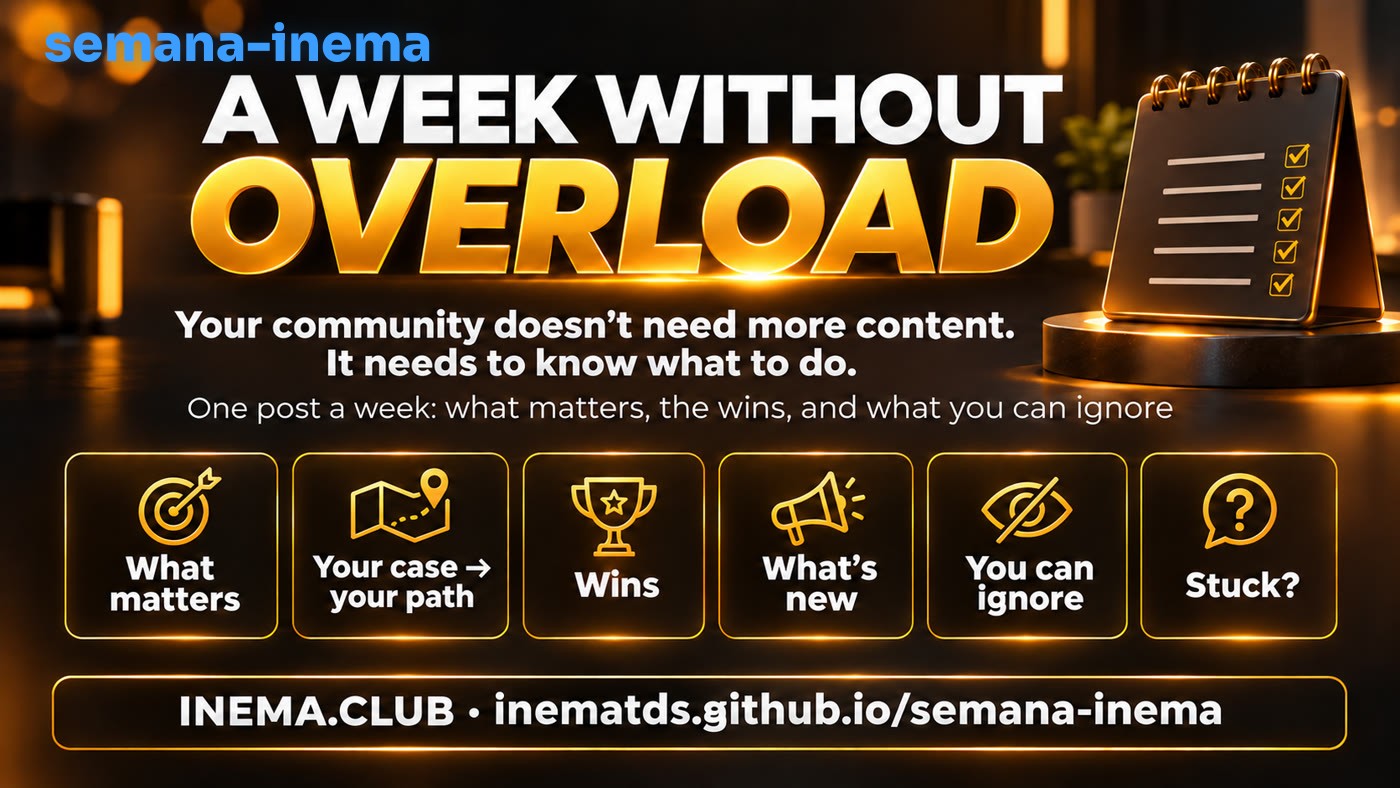
Banner: a week without overload — your community doesn’t need more content, it needs to know what to do
In short

semana-inema is a free kit for people who manage a community (a Telegram group, WhatsApp group, class, or email list). Every week, it reads what’s new in your sources and puts together a short edition with seven sections: the one thing to do, the path for each case, members’ wins, what’s new, what you can ignore, where to ask for help, and who helped the most. It comes in three formats: a Telegram message, an email, and a page. You only need Python on your computer; nothing is published automatically.

Video

The kit in two and a half minutes (in Portuguese)

Watch on YouTube · Shorts 9:16

The method

A week without overload, in seven parts

A new tool comes out every day. People who try to keep up with everything get overwhelmed and finish nothing. The weekly edition does the opposite: it chooses for you and gives you permission to ignore the rest.

The six fixed parts of the edition: The one thing, your case and your path, wins, what arrived, you can ignore, and stuck?
1

The one thing

Just one task, ending with a working result in the person’s hands: a test completed, an agent running, a backup made. “I watched the video” doesn’t count. One thing done is worth more than ten started.

2

Your case → your path

A short table: “use ChatGPT every day → see this,” “serve customers on WhatsApp → see that.” Everyone finds their own row without reading the whole list.

3

Community wins

Name, what made it work, and the link. Seeing someone like you get there is more convincing than any promise. Ask permission before mentioning someone by name.

4

What arrived

A list of what came out that week, gathered from your sources, with dates and links. It’s at the end on purpose: it’s for reference, not a task.

5

You can ignore

Two to four updates that can wait, with a reason why. This takes away the guilt of not seeing everything, which is what makes so many people give up.

6 · 7

Stuck? · Who helped the most

Where and how to ask for help (with a screenshot of the error and the command you ran), plus a manual ranking of people who answered questions. Helpers get recognized, and the group learns to help one another.

A relaxed person having coffee by the window
The goal isn’t to know everything that came out. It’s to end the week with one thing working.

Why it works

Someone joining an AI community sees dozens of updates each week. Without someone saying “start here,” they save everything for later and do nothing.

The edition replaces “more content” with “one decision”: the moderator (or an agent, using the kit’s ready-made prompt) chooses the one thing using a consistent set of criteria, shows who has already succeeded, and says what can be set aside.

The kit doesn’t make decisions on its own or publish anything. It gathers the material and prepares the three formats; the choice and sending are still up to you.

How it works

From the week's sources to a ready-to-publish post

Two commands and one choice in between. Everything runs on your computer, offline and without any keys.

Your sources→ semana.py draft→ rascunho.md→ you or the agent chooses→ edicao.md→ semana.py generate→ telegram.md · email.html · pagina.html→ you publish

Sources for “What’s new”

Three types, configured in config.json: a Markdown table of what was published (reads only rows marked as published), the commit history of your repositories (git log), or a feed saved on disk (JSON or RSS). Only items that fall within the week’s window are included. If you only have the table, you can leave the other two turned off: git log is the list of changes in a project tracked in git, and a feed is a list of updates that websites and blogs publish (RSS).

Files you maintain

vitorias.md (name — what they did — link), ajudantes.md (name — number of replies), and edicao.md (the one thing, the case table, and what you can ignore). These are simple text files that any editor can open.

Telegram without overflowing

A Telegram message accepts up to 4,096 characters. The kit counts characters the same way Telegram does (an emoji counts as 2) and, if the limit is exceeded, splits the post into telegram.md, telegram-2.md… cutting at the start of a section.

Prerequisites

Python 3 and git. That’s all.

The kit uses only what comes with Python (nothing to install with pip). Claude Code or Codex are optional: they help you choose the one thing with the ready-made prompt; you can choose it yourself.

Ubuntu / Linux

Python 3 is already installed. Check and install git if it’s missing.

python3 --version
sudo apt install -y git

Mac

The command below installs Apple’s tools, which include python3 and git.

xcode-select --install
python3 --version

Windows

Install Python from python.org and Git from git-scm.com. In the commands in this guide, replace python3 with py.

py --version
git --version
User guide · step by step

Your first edition in eight steps

The commands are the same on Ubuntu and Mac. Run each one in the terminal, inside the kit folder.

1

Download the kit

Creates the semana-inema folder with everything inside and enters it.

git clone https://github.com/inematds/semana-inema.git
cd semana-inema
2

Check that everything works

Run the kit's tests (they don't use the internet). They should finish with OK.

python3 -m unittest discover -s tests
3

See the finished example in action

config.exemplo.json reads a copy of an INEMA week included in the kit (exemplos/2026-11-08/publicados.md). This lets you see all three outputs before changing anything. The files go in saida-exemplo/2026-11-08/, separate from your edition.

python3 semana.py gerar --config config.exemplo.json --de 2026-11-01 --ate 2026-11-08
4

Build your table of published items

Create a publicados.md file in the kit folder and record what the community received (video, lesson, guide, live stream), one line at a time. The Status column starts with "published" and includes the date in day/month/year format and the link. Lines without "published" (for example, "in production") are left out.

| Topic | Date | Status |
|---|---|---|
| Lesson: the first agent | 05/11/2026 | publicado 05/11/2026 — https://exemplo.com/aula |
| Q&A live stream | 07/11/2026 | publicado 07/11/2026 — https://exemplo.com/live |
| Backup guide | 06/11/2026 | em produção |

On Mac, create and edit these files in a plain-text editor (such as VS Code); if you use TextEdit, choose Format → Make Plain Text and turn off smart quotes, or the file will break.

5

Replace INEMA with your community

The config.json included in the kit is set up for INEMA. Switch to the generic template, which already reads your publicados.md (on Windows, use copy instead of cp):

cp config.modelo.json config.json

Then open config.json in a text editor and change only these three lines: the community name, the link, and the help text (the text shown in the "Need help?" section). Keep the quotation marks and commas as they are; if something breaks, the kit tells you which line contains the error.

"comunidade": "My Community",
"link": "https://minhacomunidade.com",
"plantao": {"texto": "Post the question in the group with 3 things: a screenshot of the error, the command you ran, and what you expected to see.", "link": "https://t.me/meugrupo"},
6

Record wins and helpers during the week

Open vitorias.md and ajudantes.md, delete the INEMA example lines, and write one line per person. Ask permission before naming anyone. The helper ranking is optional; if empty, it appears empty.

- Member name — published their first AI-built website — https://link-do-site
- Member name — 12 replies — helped 3 people open the terminal

The first line is the format for vitorias.md; the second is for ajudantes.md (the first number on the line determines the ranking order).

7

Build the draft and choose the one thing

The draft reads the sources from the last 7 days (through today) and saves saida/<data>/rascunho.md. For another week, use --ate (last day) and, if you want, --de (first day).

python3 semana.py rascunho

Then write edicao.md. The kit includes the INEMA example; your edition will overwrite it. With an agent: open Claude Code or Codex (AI assistants that work in your computer's folder) inside the kit folder and paste in the text from prompts/escolher-a-unica-coisa.md; it reads the draft and chooses based on the criterion "1 working result." Without an agent: fill it in by hand using this format (the same template is at the end of the draft). Read the result before proceeding: the decision is yours.

# Weekly edition

## The one thing
semana: 2026-11-15
title: Build your first agent
why: Once you have an agent running, the rest of the news makes sense.
result: The agent answers one of your questions in the terminal.
link: https://exemplo.com/aula

## Your case → your path
| Your case | See |
|---|---|
| Uses ChatGPT every day | [ChatGPT lesson](https://exemplo.com/chatgpt) |

## You can ignore
- News X — interesting, but it doesn't change what you do this week.

Replace 2026-11-15 with the last day of the week you’re going to generate (the same as --ate; without --ate, today’s date). If the semana: line has a different date, the kit stops with the message "O edicao.md é da semana …" (The edicao.md is from the week of …) to avoid accidentally publishing an old edition: correct the date or, if that’s intentional, use --forcar. These are optional: ## Abertura (the first sentence of the post), tempo: (how long it takes), and ## Travou? (if empty, it uses the help text from config.json).

8

Generate the three formats and publish them yourself

Saves telegram.md (and telegram-2.md if it exceeds the limit), email.html, and pagina.html in saida/<data>/. Paste the Telegram text into the group, open the email in a browser to copy it, and put the page on your website. If you used --de/--ate for the draft, use the same options here.

python3 semana.py gerar
Real example

The INEMA week, November 1–8, 2026

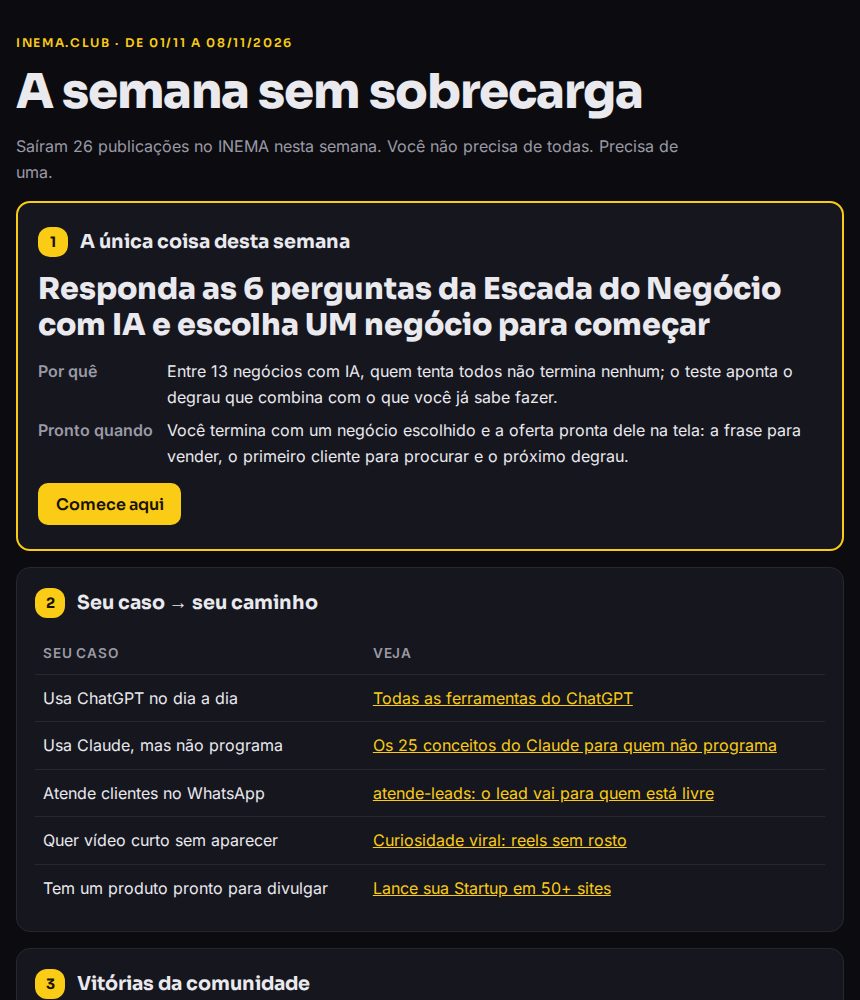
The kit ran against INEMA’s production table. Of the table’s 90 rows, 50 were marked as published and dated; 26 fell within the week and became “What arrived.” The one thing chosen was: answer the 6 questions in the AI Business Ladder (“Escada do Negócio com IA”) and choose a business to get started. The Telegram post was 3,671 characters long and fit in a single message. The example’s wins are INEMA’s own deliverables, marked as examples, and the helpers ranking was left empty: the kit doesn’t make up names. To recreate this example on your computer, use step 3 of the guide.

Week page on a computer: the one thing, your case and your path, wins
The week page on a computer (1440 px). Complete files at exemplos/2026-11-08.
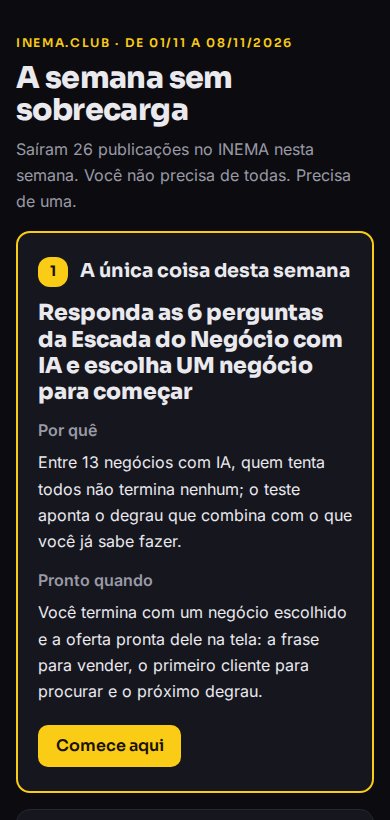
The same page on a phone, with no horizontal scrolling
The same page on a phone (390 px): the table becomes a list and nothing overflows horizontally.
What it includes and what it doesn’t

Made to fit your routine

The kit handles the tedious work (gathering, counting, formatting). Decisions and sending stay with the people who know the community.

Includes
Three outputs, three sources, testsTelegram split at the limit, simple email, mobile-friendly page; Markdown table, git log, and local feed; 22 tests that run offline.
Doesn’t do
Doesn’t publish, read conversations, or make things upIt doesn’t send messages or email, read the group history, or create wins or helpers: anything not recorded appears as empty.
You can
Run it every week on the same daySet aside a regular time (for example, Sunday evening): draft, choose, generate, paste. Consistency matters more than perfect editing.
Language
The post comes out in PortugueseThe section titles of the post (A ÚNICA COISA, PODE IGNORAR…) are written in semana.py, in the functions texto_telegram, html_pagina and html_email. If your community speaks another language, translate them there. The edicao.md can already be written in English.