AI conversation simulator · open source

Charisma isn't watched. It's rehearsed.

Talk with a coach, step into real scenes and get one correction at a time, until it feels natural. By text or by voice.

The app interface is in Portuguese for now.

Charisma Coach banner: Charisma isn't watched, it's rehearsed
In short

Charisma Coach is an app where you practice conversations with an artificial intelligence. It plays another person (a colleague who is running late, a demanding boss, someone at a café), you talk and, at the end, an evaluator tells you what worked and gives you a single correction so you can redo the scene. It is for anyone who wants to communicate better at work (Charisma mode) or in relationships (Dating mode). It opens right in the browser, or runs on your PC with Ollama or with your ChatGPT (Codex), Claude or Gemini subscription.

What it is

A real rehearsal, not one more lesson

Watching videos about charisma doesn't change how you speak. What changes it is practicing, getting feedback and repeating, and that is what the app does.

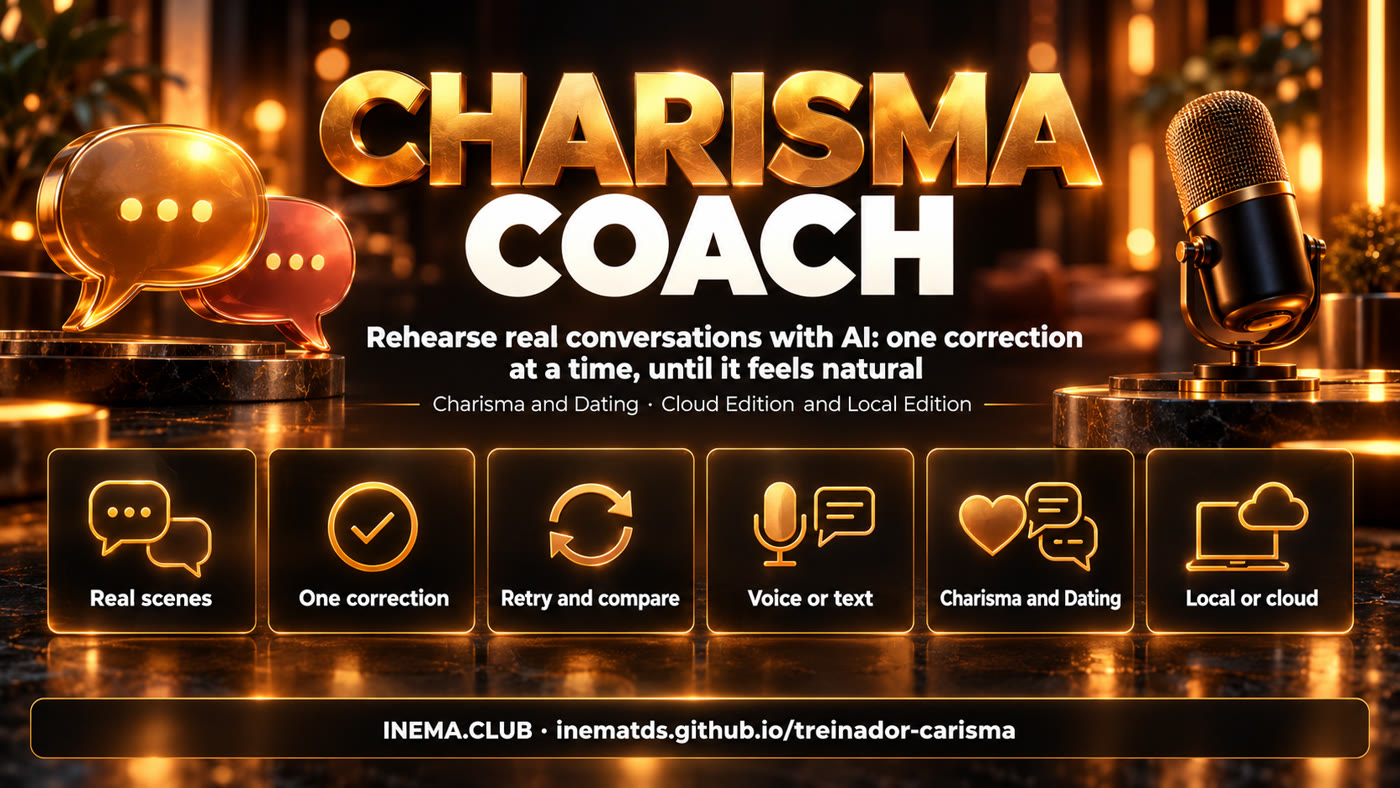
Real scenes, one correction, redo and compare, voice or text, Charisma and Dating, local or cloud

🎭 Characters with a will of their own

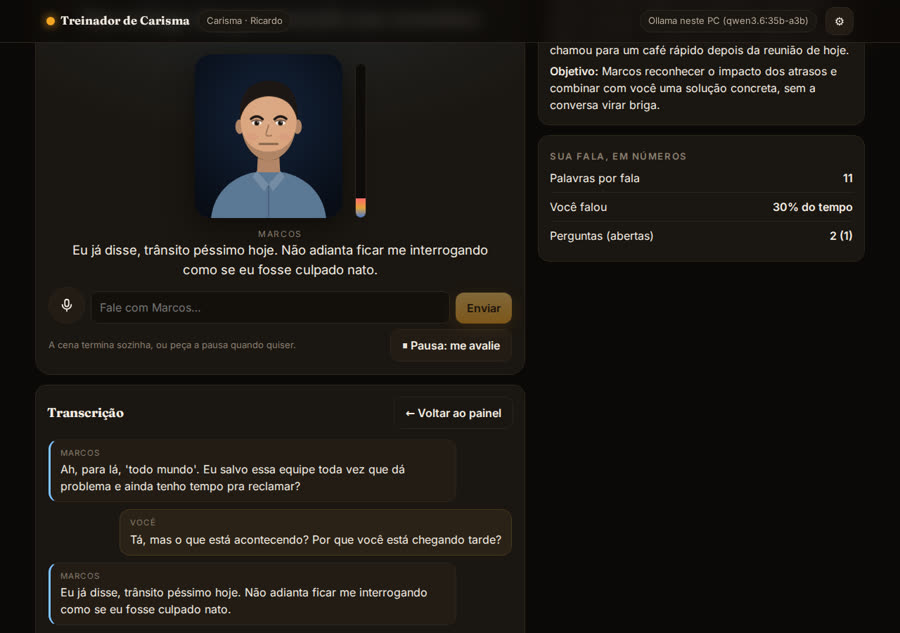
Each scene has a person with a mood, a hurry and a hidden state (openness, patience, trust). They can close up, get annoyed or say no, and a thermometer shows the connection rising or falling.

🎯 One correction at a time

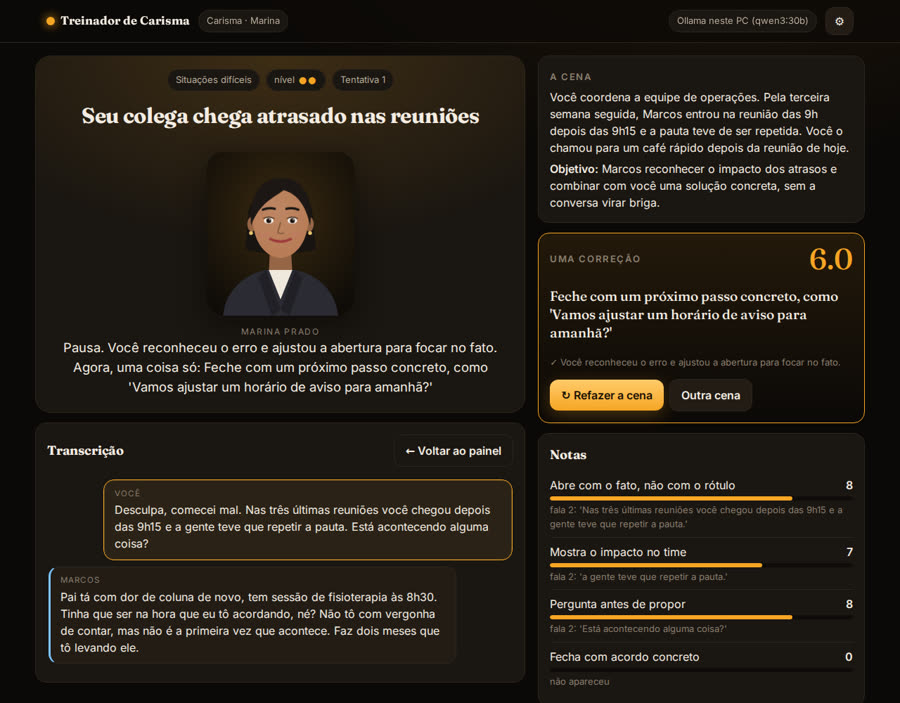
The evaluator scores each criterion of the scene and quotes the line that justifies each score. Then it picks a single thing for you to change on the next attempt.

↻ Redo and compare

You redo the same scene, with the person in the same initial state, and see the scores side by side with arrows. Progress per skill is stored in your browser.

💼 Charisma mode

With Executive Marina or Executive Ricardo: tough feedback, saying no to your boss, networking, a one-minute pitch, telling a story in a job interview, opening a presentation, interrupting gracefully. That's 10 scenes across 5 skills.

🌹 Dating mode

With Valentina or Henrique: starting a conversation at a café, flirting lightly, reading mixed signals, asking someone out without pressure, handling a "no" and getting back in touch. You choose whether you talk with a woman or with a man. Insisting or pressuring costs points.

How it works

The rehearsal cycle

Three AI roles work separately: the coach guides, the character talks and the evaluator gives the scores. None of them plays another's role.

Pick the scene→ Coach explains→ Talk with the character→ Pause→ Scores + one correction→ Redo→ Compare

🧑‍🏫 Coach

Talks freely with you: answers questions, suggests the right scene for where you are and explains the correction in a few sentences.

🎭 Character

Short, natural lines, reacts to what you say and updates its own state. Hides a secret it only tells if you ask well.

📏 Evaluator

Uses the scene's criteria and a calibration scale (one line scored 3 and another scored 8). A score without a quoted line is discarded.

Two editions, one core

Serverless or on your PC

It's the same app in both editions. Only where the AI and the voice come from changes. Whatever improves in the core applies to both.

☁️ Cloud Edition

Opens from the link, with nothing to install. The AI comes from: a small model running in the browser itself (free, needs a graphics card with WebGPU), signing in with your OpenRouter account, your OpenAI or Anthropic key, or the Ollama on your PC. Keys stay only in your browser. The voice is the browser's; in continuous conversation the microphone pauses while the character speaks.

🖥️ Local Edition

Runs on your PC (or on a VPS) with deploy/iniciar.sh. The AI can be Ollama, with no API and no internet, or your ChatGPT (Codex), Claude or Gemini subscription, through the command-line tools you're already logged into. The voice runs locally: Whisper to listen, Kokoro (female and male voices) or Piper to speak. In continuous conversation you can interrupt the character by talking over them.

Prerequisites

What you need

For the Cloud Edition, just a browser. For the Local Edition, Python 3 and at least one AI engine.

Python 3 + git

The local server is in Python (FastAPI). iniciar.sh sets up the environment by itself.

python3 --version
git --version

An AI engine

Ollama with an 8B-or-larger model, or the Codex/Claude CLI logged in with your subscription.

ollama pull qwen3:30b
# or
codex login

Voice (optional)

Whisper to listen and Kokoro or Piper to speak (Kokoro has a female Portuguese voice). The voice models download on first use. Without them, the app uses the browser's voice.

TC_INSTALAR_VOZ=1 deploy/iniciar.sh
Usage guide · step by step

From zero to your first rehearsal

Use it from the link (Cloud Edition) or install it on your PC (Local Edition). Training is the same in both.

1

Open the app

Online, open the link below. To try it without AI, the "Demonstração" (demo) mode answers with simulated lines.

https://inematds.github.io/treinador-carisma/treinar/

On your PC (Local Edition):

git clone https://github.com/inematds/treinador-carisma
cd treinador-carisma
deploy/iniciar.sh          # opens at http://127.0.0.1:8787
TC_PORTA=8790 deploy/iniciar.sh   # if port 8787 is busy
2

Choose where the AI runs

In the ⚙ at the top. In the Local Edition, the app detects Ollama and the logged-in subscriptions by itself and shows what's ready. In the Cloud, pick the in-browser model, sign in with your OpenRouter account or paste your key.

# Ollama straight from the web page: allow the origin
OLLAMA_ORIGINS=https://inematds.github.io ollama serve
3

Choose the mode and who coaches you

Charisma (Executive Marina or Executive Ricardo) or Dating (Valentina or Henrique). In Dating mode, say whether you'll talk with a woman or with a man. You can change it later, at the top.

4

Talk with the coach or go straight to a scene

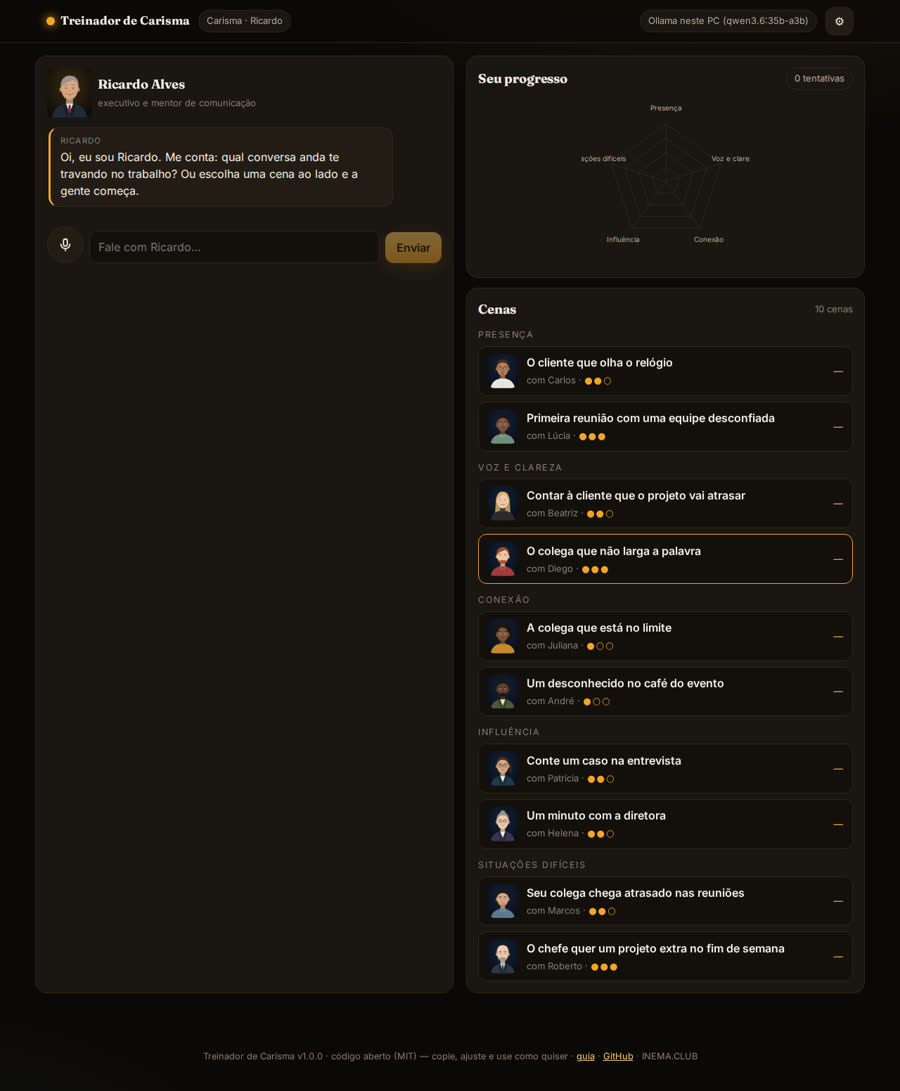
On the dashboard, tell the coach what's been holding you back. The coach suggests a scene and shows the "Ensaiar" (Rehearse) button. Or pick from the list, grouped by skill, with the level (●●○) and your best score.

5

Rehearse, ask for the pause and redo

Speak into the microphone or type. Tick "Conversa contínua (mãos-livres)" (continuous conversation, hands-free) to talk without a button: the microphone stays open, your turn ends after a moment of silence and the character answers out loud, sentence by sentence. In the Local Edition, talking over the character interrupts them. The scene ends by itself (success, failure or line limit), the coach pauses on their own when the conversation goes off track, or you click "Pausa: me avalie" (Pause: evaluate me). Read the correction, click "Refazer a cena" (Redo the scene) and compare the scores.

6

Create your own scenes, and sell them if you like

Each scene is a YAML file. Copy one, change the context, the character and the criteria, validate and build the app. The license is MIT: you can copy, adapt and sell.

cp cenas/carisma/conexao/networking-evento.yaml cenas/carisma/conexao/minha-cena.yaml
cd app && npm install
npm run cenas        # validates the scenes
npm test             # core tests
npm run build        # builds ../treinar
npx vite-node scripts/calibrar.ts -- --gateway http://127.0.0.1:8787 --motor ollama --modelo qwen3:30b
Real screens

What it looks like in practice

Screenshots of the Local Edition running with Ollama on this PC.

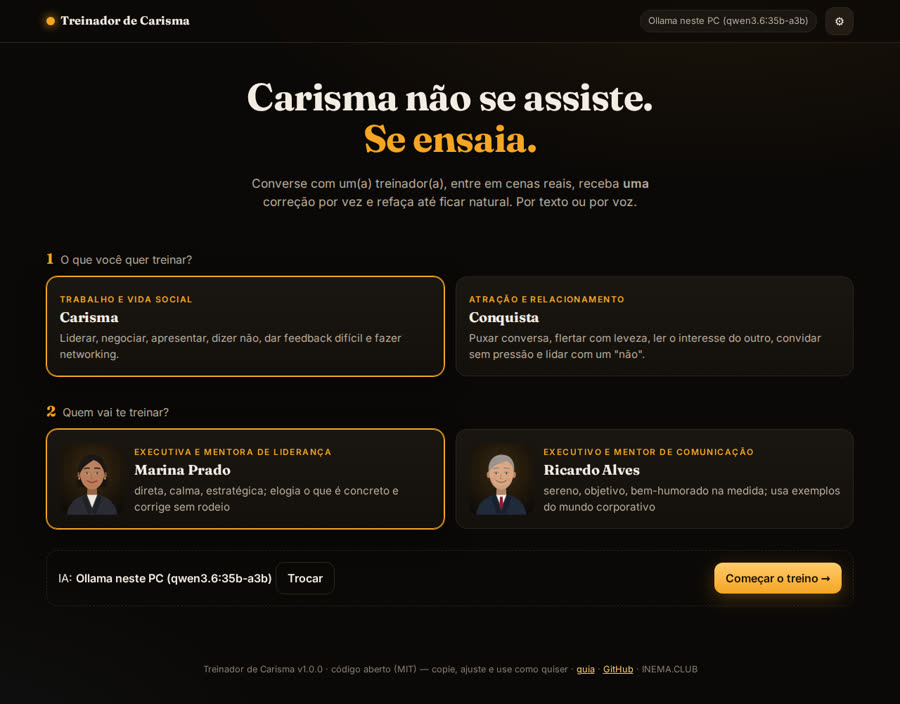
Home screen with the Charisma and Dating modes and the coach choice
Home: choose the mode and who coaches you.
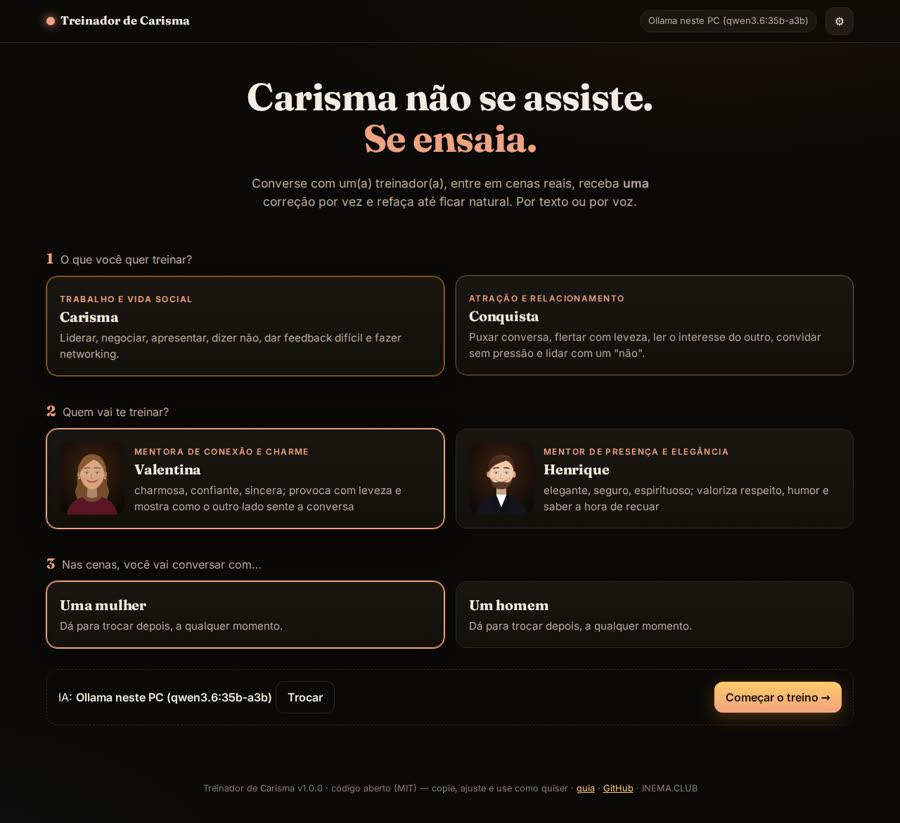
Dating mode with Valentina and Henrique and the choice of who to talk with
Dating mode: the coach and who you'll talk with in the scenes.
Scene with Marcos, connection thermometer and transcript
In the scene, the character reacts and the thermometer shows the connection.
Pause with score, one correction and per-criterion scores with the quoted line
At the pause: one correction, the strong point and the scores with the line that justifies them.
Dashboard with the coach conversation, progress radar and scene list
Dashboard: conversation with the coach, skills radar and the scenes.
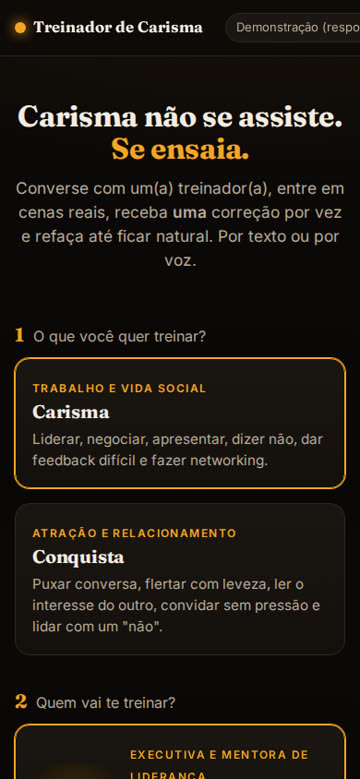
App on a phone
Works on your phone.
Roadmap

All the way to talking with a real-time avatar

Each phase ships in both editions at the same time. The full plan is in PLANO.md (in Portuguese).

Phase 1 ✓
Complete base (v1.0.0)Both modes, the 4 coaches, 16 scenes, calibrated evaluator, turn-based text and voice, Cloud Edition and Local Edition.
Phase 2 ✓
Natural conversation (v1.1.0)Continuous conversation with no button, spoken reply sentence by sentence while the AI is still writing, interrupting by talking over the character (Local Edition), automatic pause when the conversation goes off track, a local female voice (Kokoro) and metrics for response time, pauses and interruptions. Measured on local Ollama: about 1.3 s from the end of your speech to the character's voice, not counting the moment of silence that marks the end of your turn.
Phase 3 · roadmap
FaceFrom the current illustrated faces to a 3D avatar with lips synced to speech.
Phase 4 · roadmap
Real-time avatarA realistic face talking with you live: through an avatar service in the Cloud, or through a model on the graphics card in the Local Edition.