PTENES
Motivational channel · local automation · zero cost

A topic becomes a video ready

An original story, scene-by-scene narration, consistent stick-figure illustrations, and a 16:9 MP4 assembled with FFmpeg. No need to pay for an image or video generator.

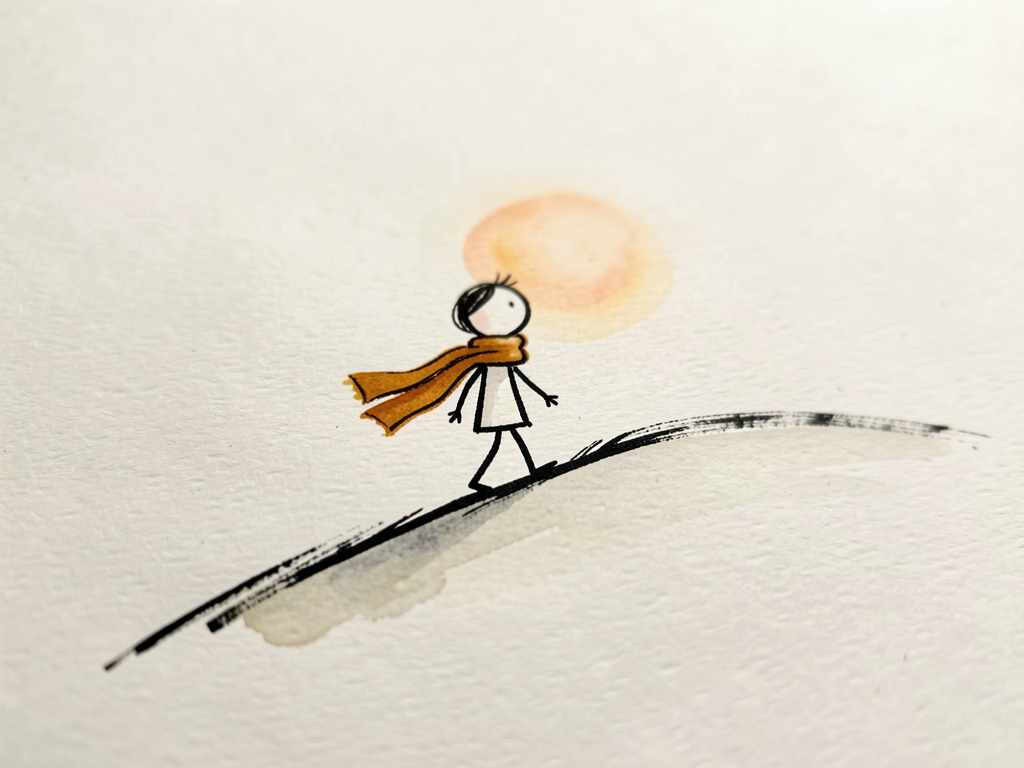
Hand-painted illustration of a stick figure wearing an ochre scarf and climbing a hill on textured paper
What it is

The video factory behind the "Productive Peter" channel, only it's yours and free

A simple, repeatable format: one motivational story, one voice, illustrations that change as the narration progresses. videomotival automates the whole format, from idea to MP4, with everything running on your machine.

✍️ Write the story

An LLM (OpenRouter, Groq, or local Ollama) writes an original story with a six-part arc and divides it into scenes: narration, visual description, and image prompt.

🎙️ Narrate scene by scene

Each scene becomes a separate MP3 (inemavox, cloned rachel voice). The audio duration controls how long the image stays on screen—no Whisper, no timestamps.

🖼️ Illustrate and assemble

flux2-klein on the local GPU generates one 16:9 illustration per scene in the same style and with the same character. FFmpeg applies a slow zoom, adds the title, and concatenates the final video.

How it works

Seven steps, one command

The pipeline is deterministic and resumable: each step saves its files in the run folder and skips anything that already exists. You can stop to review the script before using GPU resources, or run everything at once.

Topic→ Story + scenes→ Voice per scene→ ffprobe measures→ Illustrations→ FFmpeg scenes→ Final MP4

Three entry points

Local web interface (visual scene review, regenerate an illustration, redo voice), CLI for each step, and a Claude Code skill that orchestrates everything from “make a 90 s video about X.”

Style locked in code

The pipeline appends the visual style, character bible, and "no text" block to every prompt—not the model. Only scene 1 gets a title, rendered by FFmpeg with the exact text.

Run structure

~/projetos/output/videomotival/<run>/
├── final.mp4
├── manifest.json
└── work/
    ├── story.md · transcript.md · scenes.json
    ├── audio/001.mp3 …
    ├── images/001.png …
    └── video/001.mp4 …
Prerequisites

What needs to be running

Everything runs locally. No keys go into the repository: LLM keys are read at runtime from the machine’s secret files.

FFmpeg + Python 3.12

ffmpeg/ffprobe to measure, render, and concatenate; Pillow for the title; FastAPI only for the web interface.

pip install -r requirements.txt
python3 -m videomotival check

inemavox (voice)

TTS daemon at localhost:8010. Default: chatterbox engine with the cloned rachel voice. For quick tests without a GPU, use the edge engine.

# test voice, no GPU
--engine edge --voice pt-BR-FranciscaNeural

inemaimg (images)

Server at localhost:8000 with the flux2-klein model loaded. Generates 1920x1080 in about 12 seconds per scene.

# story providers, in order
STORY_PROVIDER=auto  # openrouter → groq → ollama
User guide · step by step

From topic to MP4

The same workflow as the original tutorial, step by step, so you can review anything along the way. At the end, one step does it all.

1

Check your environment

Checks for ffmpeg, both local services, and which story provider has an available key. Never prints secrets.

cd ~/projetos/videomotival
python3 -m videomotival check  # OK ffmpeg · history: auto · inemavox ok · inemaimg ok
2

Create a run and generate the script

Writes the story, splits it into scenes, and stops at "review". The files are saved in work/ inside the run folder.

python3 -m videomotival create --topic "Pare de esperar a motivação" --duration 75
# → ~/projetos/output/videomotival/<run-id>/work/{story.md, transcript.md, scenes.json}
3

Review the scenes (optional)

Edit the narration or visual description directly in scenes.json. O recompose rebuilds the prompts and invalidates only the changed scenes.

python3 -m videomotival recompose --run <run-id>
4

Generate narration for each scene

One MP3 per scene (001.mp3, 002.mp3…), measured with ffprobe. The actual pace in words per minute is recorded and feeds back into the scriptwriter on future runs.

python3 -m videomotival tts --run <run-id>  # [probe] 5 narrations: 58.3s measured against a 60s target
5

Generate the illustrations

One 16:9 image per scene, with the same seed and character bible in every prompt. Did a scene turn out badly? Regenerate just that one with a different seed.

python3 -m videomotival images --run <run-id>
python3 -m videomotival regen-image --run <run-id> --scene 3  # new seed for scene 3 only
6

Render the video

Each image + audio pair becomes a clip with alternating slow zooms; scene 1 gets the title; the clips are concatenated and the result is verified (1920x1080, audio, duration).

python3 -m videomotival render --run <run-id> [--music trilha.mp3]
# → ~/projetos/output/videomotival/<run-id>/final.mp4 + manifest.json
7

Or do it all at once

Once the format is dialed in, only the topic changes. This command runs all seven steps without stopping.

python3 -m videomotival create --topic "Por que o progresso pequeno vence a motivação grande" --duration 90 --auto
8

Web interface or Claude Code

The web interface shows the steps and scenes with audio and images, and lets you edit the script and regenerate. The Claude Code skill does the same through conversation.

./run.sh web   # → http://127.0.0.1:8030
# in Claude Code, inside the project:
"Use a skill motivational-story-video: vídeo de 90 s sobre 'Como parar de se comparar'"
Examples

A real 60-second run

Topic “Why small progress beats big motivation”: 5 scenes, rachel voice, 58 seconds measured, produced from start to finish in about four minutes.

First frame of the video, with the title The Tiny Habit Wins over the illustration
Scene 1: FFmpeg renders the exact text in a paper-colored box over the illustration.
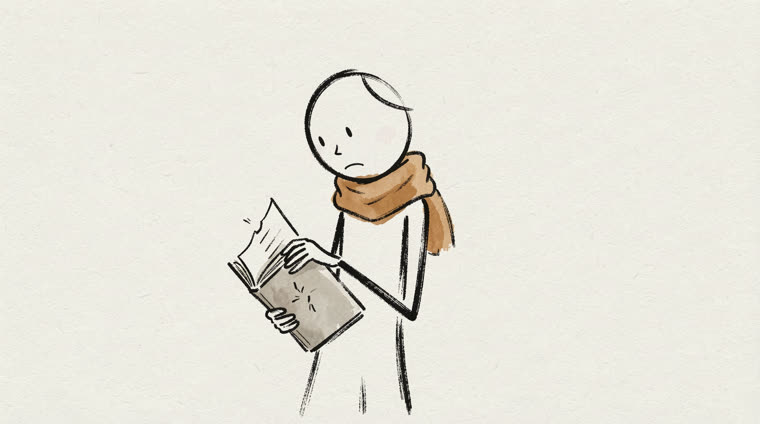
Stick figure with an ochre scarf holding a notebook as if about to tear it
Scene 3: the same character (ochre scarf, notebook) at the story's moment of doubt.
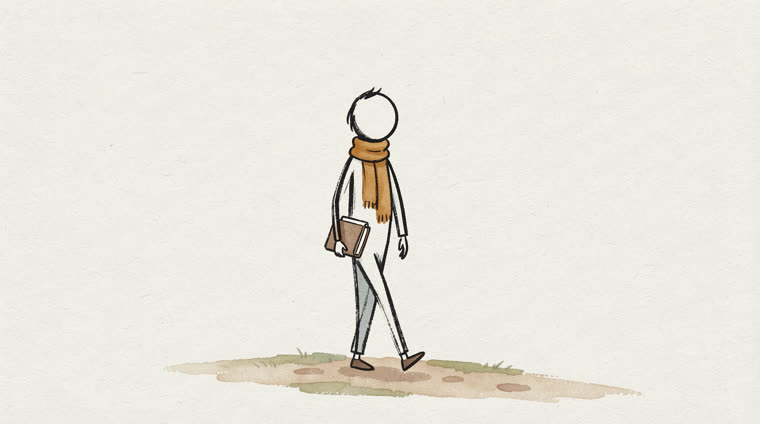
Stick figure walking with a notebook under its arm
Scene 5: the resolution. No scene other than the first contains text.
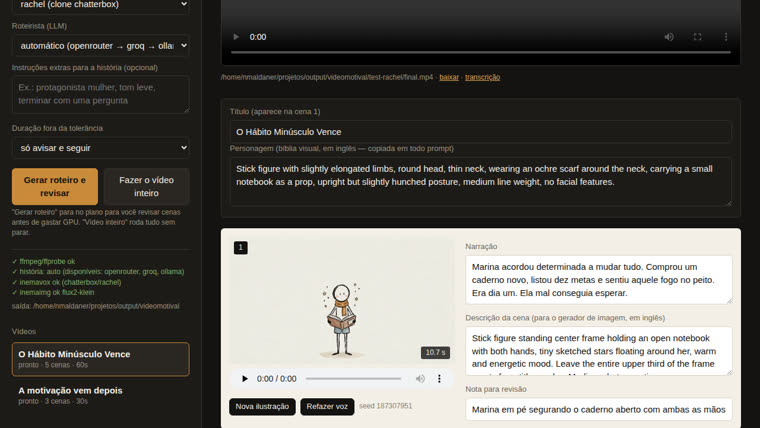
Videomotival web interface showing the final video, the character bible, and editable scene 1
Web interface: steps, final video, editable scenes with audio, and buttons to create a new illustration or redo the voice.
Roadmap

Where it is and where it goes

The architecture is the same for any niche: business stories, children's tales, historical facts. The scriptwriter and visual style change.

v1.0
Complete pipeline, web, CLI, and skillTopic → verified MP4. Providers: OpenRouter/Groq/Ollama for the story, inemavox for voice, flux2-klein for images. Fish Audio implemented as an alternative.
next
Character consistency through reference imagesFor now, it uses a prompt + fixed seed. Use scene 1 as a reference image when the image server supports guided editing.
after
Other formats and publishing9:16 version for Shorts, music and effects through inemavox, and direct upload to the channel.