PTENES
Product image + video factory · 100% local

A folder or a link becomes a images and video promotional

Point to the photo folder or store URL. Videoprodutos finds the products, removes the backgrounds, applies the style preset (or picks one automatically based on the product type), and renders the video in 16:9 and 9:16—in a queue, through the web page. No paid API, no credits.

Illustration of products being transformed into stylized images and video
What It Is

From raw product to finished ad, in batches

A Node server with a web page and persistent queue. Each task (folder or link) becomes a project saved to disk with originals, images for each preset in three aspect ratios, and videos ready for YouTube and Reels.

🔎 Finds the products automatically

Folder (subfolder = product, or loose photos) or URL: Shopify, WooCommerce, JSON-LD, OpenGraph, and, as a last resort, the page’s large images. Retrieves the name, description, and price when available.

🎨 9 image presets + automatic

White studio, premium dark, vibrant, minimal, warm/vintage, neon, natural, original, and AI-generated setting. Background removal with local rembg; 1:1, 16:9, and 9:16 output, clean and with title/price.

🎬 6 video styles + automatic

Dynamic, elegant, tech, natural, promotional, and cinematic: zoom/pan, transitions, color grading, CC0 music (Freesound via inemavox) or a synthetic track, optional narration, and a catalog with all products.
How it works

Product Assembly Line

The detected category (technology, fashion, food, home, pets, jewelry…) determines the preset and style when you leave it on "automatic." The copy (title, tagline, 3 benefits, CTA) comes from local Ollama—or from a template if there’s no LLM.

Folder / URL→ Products + Photos→ Category + copy→ Background Removal (rembg)→ Preset Images→ Scenes (zoompan + text)→ xfade + music + voice→ MP4 16:9 + 9:16→ projeto.json

Image Presets

presetwhen to use
estudio-brancoe-commerce, courses, books
dark-premiumtechnology, jewelry, automotive
vibrantsports, kids
minimalfashion, beauty
quente-vintagefood and beverages
neongames
naturalhome, pets, eco
originaljust correct the lighting/color and frame it
cenario-iagenerated photographic background (inemaimg / Agnes / API)

Video Styles

stylerhythm
dynamic2.2 s cuts, punch zoom, slide
elegant3.6 s per scene, long fades
techblue/cyan color grade, wipe, subtle rgbashift
naturalwarm, soft, acoustic guitar
promofeatured price, strong CTA
cinematicostinger, contrast, epic soundtrack
Prerequisites

Free tools only, all on your machine

Required: Node 20+ and ffmpeg. Recommended: Python with rembg (background removal). Optional and can be turned off: Ollama (copy), inemavox (music/voiceover), and inemaimg or a compatible API (AI-generated setting).

Node + ffmpeg

Server, composition (sharp), and rendering (h264_nvenc when an NVIDIA GPU is available, otherwise libx264).

# check
node -v   # >= 20
ffmpeg -version | head -1

rembg (recommended)

Local background removal with ONNX models. Without it, the product is added without background removal.

python3 -m venv .venv
.venv/bin/pip install rembg onnxruntime pillow numpy

Optional services

If they’re online, the app uses them; otherwise, it falls back to local mode without breaking.

curl localhost:11434/api/tags     # Ollama → copy
curl localhost:8010/api/system/status # inemavox → music/voice
curl localhost:8000/health         # inemaimg → AI setting
User Guide · Step by Step

From clone to first video

Five steps. The third is the only one you’ll repeat.

1

Install and Run

Clones the repository, installs the Node dependencies, and opens the web page on port 3080.

git clone https://github.com/inematds/videoprodutos && cd videoprodutos
npm install
npm start        # → http://localhost:3080
2

Organize the folder (or get the link)

Subfolder for each product with the photos and a produto.json or produto.md optional (name, price, description, category). Loose photos in the root folder each become a product. Or simply use the store URL.

produtos/
  fone-x1/               ← one product, multiple photos
    1.jpg 2.jpg
    produto.json         ← {"name":"Fone X1","price":"R$ 199","desc":"…","category":"tecnologia"}
  caneca-azul/
    foto.png
    produto.md           ← 1st line = name, rest = description
  camiseta.jpg           ← a standalone photo = one product
3

Add to queue

In the tab New Task: paste the folder (or use "Browse") or the URL, choose a preset and style (or leave it on "Automatic"), select 16:9 and/or 9:16, and click Add to queue. The tab Queue shows progress and the live log. From the CLI, it works the same way:

node cli.js ~/produtos --preset dark-premium --estilo tech --marca "MINHA LOJA"
node cli.js https://loja.com.br --max 5 --formato 9:16
node cli.js ~/produtos/cafes                       # fully automatic
4

Queue a batch

In the tab New Task → Batch (or --lote lista.txt): one source per line, optional fields separated by |. The queue processes jobs in sequence and survives server restarts.

# source | preset | style | format | max=N | brand=Name | no-video
~/produtos/cafes | quente-vintage | natural
https://minhaloja.com.br | auto | promo | 9:16 | max=5
~/produtos/fones | dark-premium | tech | ambos | marca=SOUNDX
~/produtos/camisetas | minimal | | | sem-video   # images only
5

Get the Result

Tab Projects: video players, all preset images and the originals, with downloads. Everything is stored in a self-contained folder on disk:

~/projetos/output/videoprodutos/<id>/
  projeto.json           ← manifest: products, copy, category, preset, style, files
  originais/             ← input photos
  imagens/<preset>/      ← 1:1, 16:9, 9:16 · clean and with text
  videos/                ← <produto>-<estilo>-16x9.mp4, -9x16.mp4, _catalogo-*.mp4
+

Configure LLM / AI images (optional)

Tab Settings (writes to .env) or edit the file. Each provider can be none; the app keeps working with local templates and presets.

LLM_PROVIDER=ollama          # none | ollama | openai (any compatible API: Groq, OpenRouter…)
OLLAMA_MODEL=qwen3.8:27b
IMG_PROVIDER=inemaimg        # none | inemaimg (flux2-klein local) | agnes (US$ 0) | openai
TTS_ENGINE=edge              # none | edge | chatterbox   (via inemavox)
MUSIC=freesound              # none | freesound | freesound-api | synth
VIDEO_ENGINE=ffmpeg           # ffmpeg (local) | agnes (AI camera clips, US$ 0) | kie (reserved)
APP_PASSWORD=                 # HTTP Basic password — required on a VPS
☁

Run on a VPS without a GPU

Profile ready at deploy/: Agnes for copy, setting, and video; edge-tts for voice; rembg on CPU; libx264 for rendering; password protection. Tested on 2 vCPU / 4 GB.

git clone https://github.com/inematds/videoprodutos /root/projetos/videoprodutos
cd /root/projetos/videoprodutos && bash deploy/deploy.sh   # deps, venv, fonts, systemd
nano .env        # AGNES_API_KEY and APP_PASSWORD (template in deploy/env.vps.example)
systemctl restart videoprodutos                    # → http://IP:3080
Examples

Generated in the first test, with no retouching

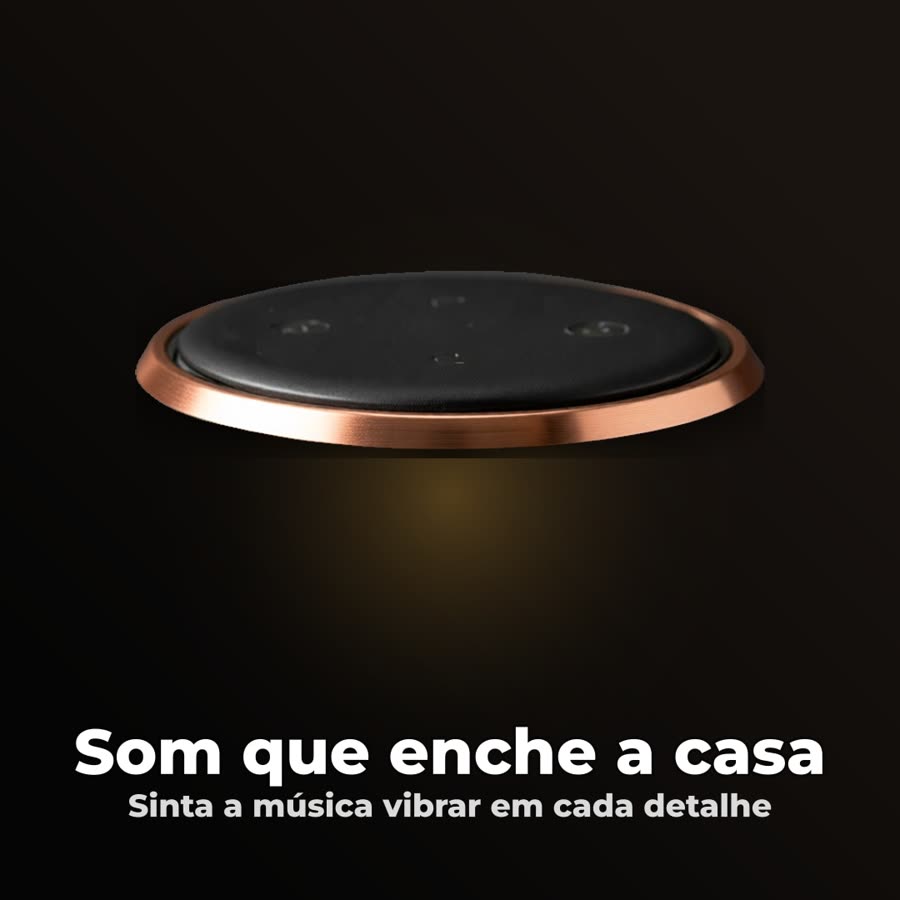
Two product photos in a folder, everything automated: the dog landed in "pet" (natural preset, natural style) and the speaker in "technology" (dark premium, tech style). Copy via local Ollama, background removal via rembg, narration via Edge TTS.

1:1 image generated with the premium dark preset, title, and price
1:1 “post” image — dark-premium preset, title and tagline written by the LLM, automatic background removal.
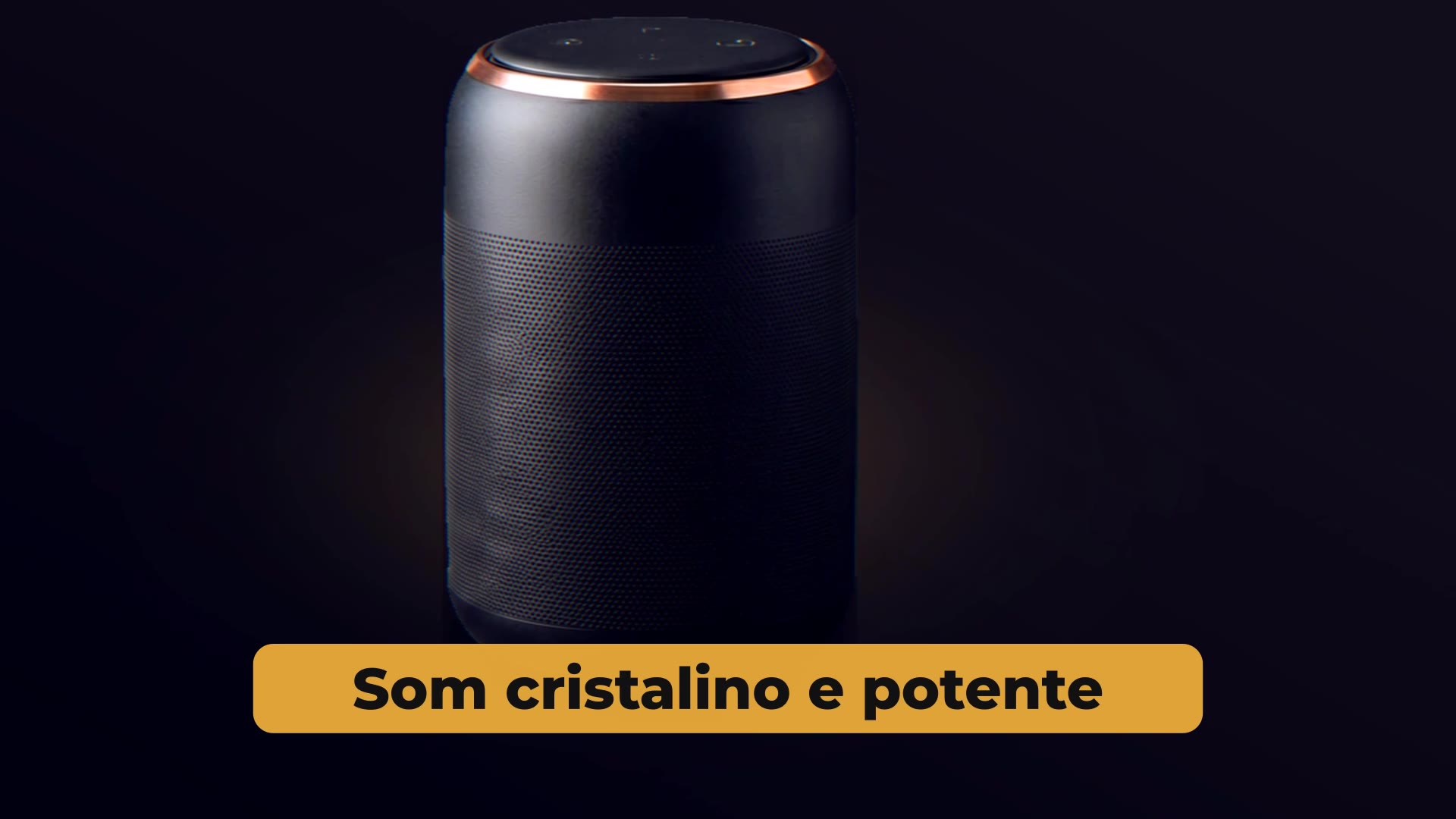
16:9 tech-style video frame with the benefit highlighted
16:9 video frame — benefit scene, “tech” color grade, rendered SVG overlay.
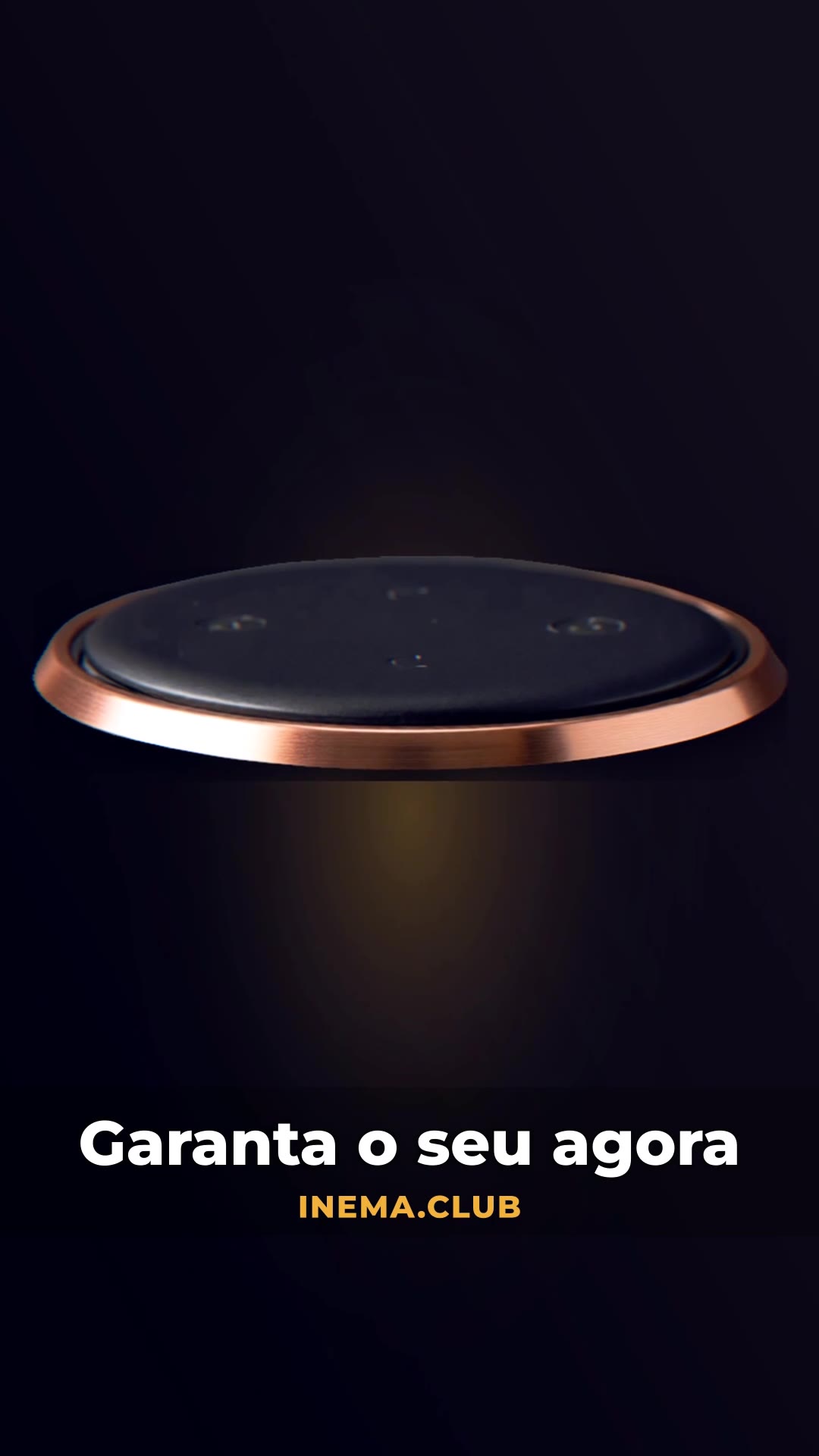
9:16 video frame with CTA and price
9:16 video — final scene with a CTA and brand signature (the price appears as a badge when the product has a price).
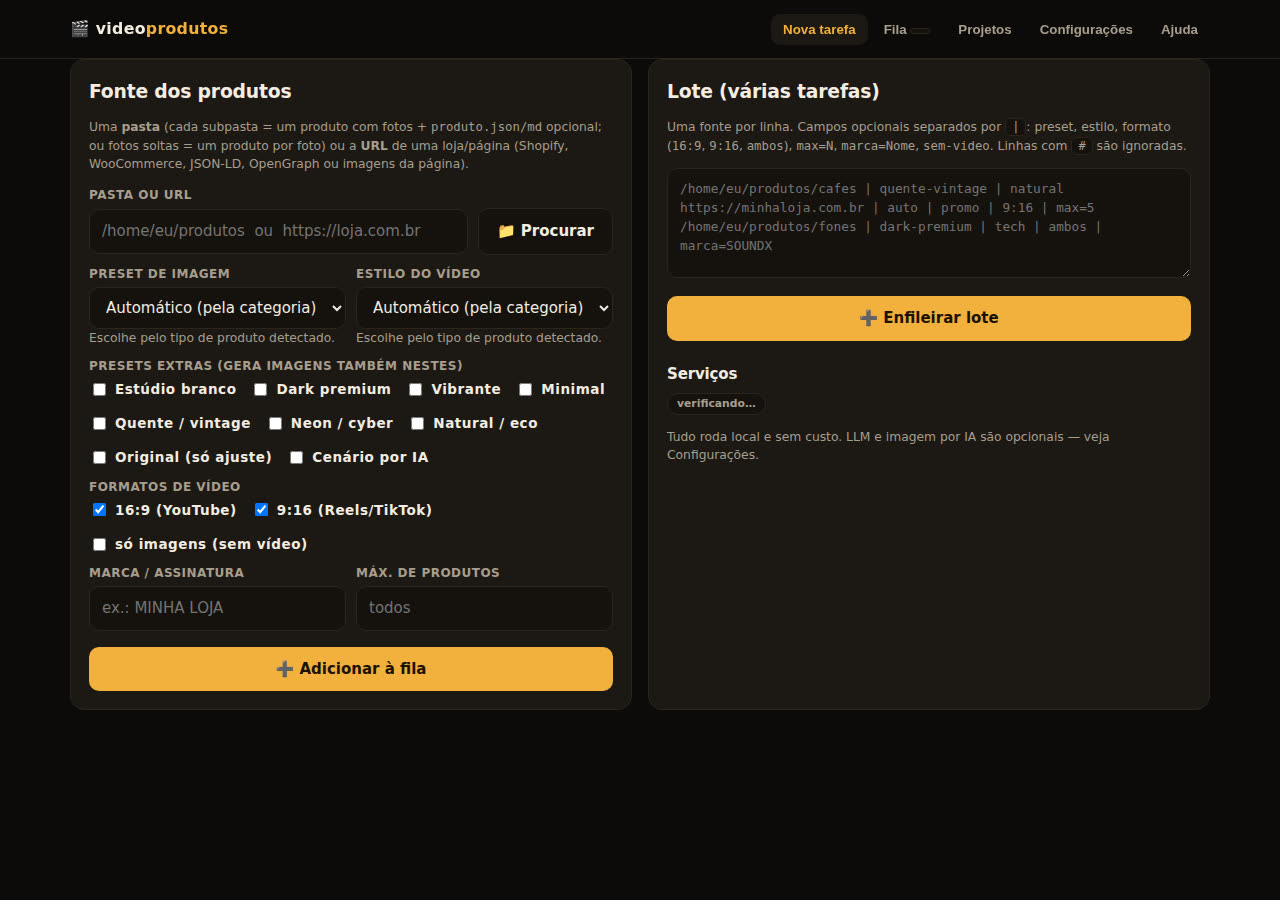
Videoprodutos web page with the production queue
The web page: new task, batch, queue with live log, projects, and settings.
Roadmap

Where It Goes

The core (discovery → images → video → queue) is ready. What remains is refinement and integration.

v1.0
Local CoreFolder/URL, 9 presets, 6 styles, automatic by category, persistent queue, web page, CLI, optional LLM/image configuration.
v1.1
AI Video Engine + VPSCamera clips through Agnes (pluggable: kie and others in lib/videoai.js), a deploy profile without a GPU, with a password, edge-tts, and direct Freesound access.
v1.2
Edit the copy before renderingReview the title, benefits, and price in the queue before generating the video; re-render only the video.
v1.3
Captions and Cloned VoiceoverBurned-in captions synced with the narration; cloned voice (chatterbox/rachel) as the default option when the GPU is available.
v2
HyperFrames Export and PublishingEditable HTML composition for anyone who wants to adjust the motion, plus direct sending to Metricool/post scheduler.