Self-hosted CRM · WhatsApp Business API
Your own CRM for WhatsApp, your way
Self-hostable template — shared inbox, sales pipelines, broadcasts, and no-code automations. Fork it, brand it, host it: your code, your Supabase, your domain.
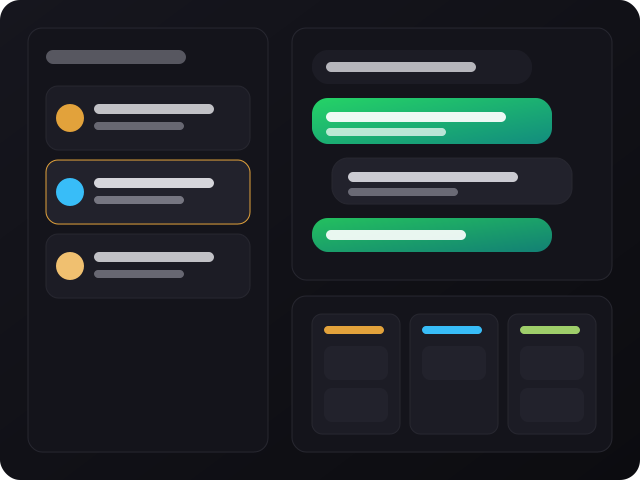
Self-hostable template — shared inbox, sales pipelines, broadcasts, and no-code automations. Fork it, brand it, host it: your code, your Supabase, your domain.
wacrm is a template — you fork it, host it, and own everything: the code, database (Supabase), and domain. No seat pricing, no lock-in.
Shared inbox using the official WhatsApp Business API (multiple agents on one number) with Kanban sales pipelines linked to conversations.
No-code automations (triggers, conditions, webhooks) and an AI assistant (your own OpenAI/Anthropic key) that responds based on your own knowledge base.
Public REST API with revocable keys, plus an MCP server to control the CRM directly from Claude, Cursor, and other AI assistants.
The recommended workflow is fork → configure credentials → deploy — no infrastructure of your own to maintain.
Stack: Next.js 16 (App Router), React 19, TypeScript, Tailwind v4, Supabase, and the Meta Cloud API.
To run locally and install dependencies.
# check version
node -vPostgres + Auth + Storage + RLS. You create your own and enter the keys in .env.local.
# main variables
NEXT_PUBLIC_SUPABASE_URL
NEXT_PUBLIC_SUPABASE_ANON_KEY
SUPABASE_SERVICE_ROLE_KEYMeta app with Cloud API configured, plus a 64-character encryption key for tokens.
# variables
META_APP_SECRET
ENCRYPTION_KEYReal steps to get your own instance running in development.
Fork this repo on GitHub and clone your fork.
git clone https://github.com/<seu-usuario>/wacrm.git  # your fork
cd wacrm
Standard installation via npm.
npm install
Copy the example and fill in your Supabase and Meta credentials.
cp .env.local.example .env.local # edit with your keys
Starts the local server — you'll be redirected to /login (or /dashboard if you're already authenticated).
npm run dev # http://localhost:3000
The same commands that run in the project's CI.
npm run typecheck
npm run lint
npm run test
Recommended: Hostinger (managed Node.js, connects to the fork and builds on push to main). But it runs anywhere with Node.js — Vercel, Railway, your own VPS.
wacrm is a template — the maintainers define the roadmap; complete self-hosting documentation is available on the official site.
/api/v1) and an MCP server for automations and integrations with AI assistants.