🗿 Claymation Character
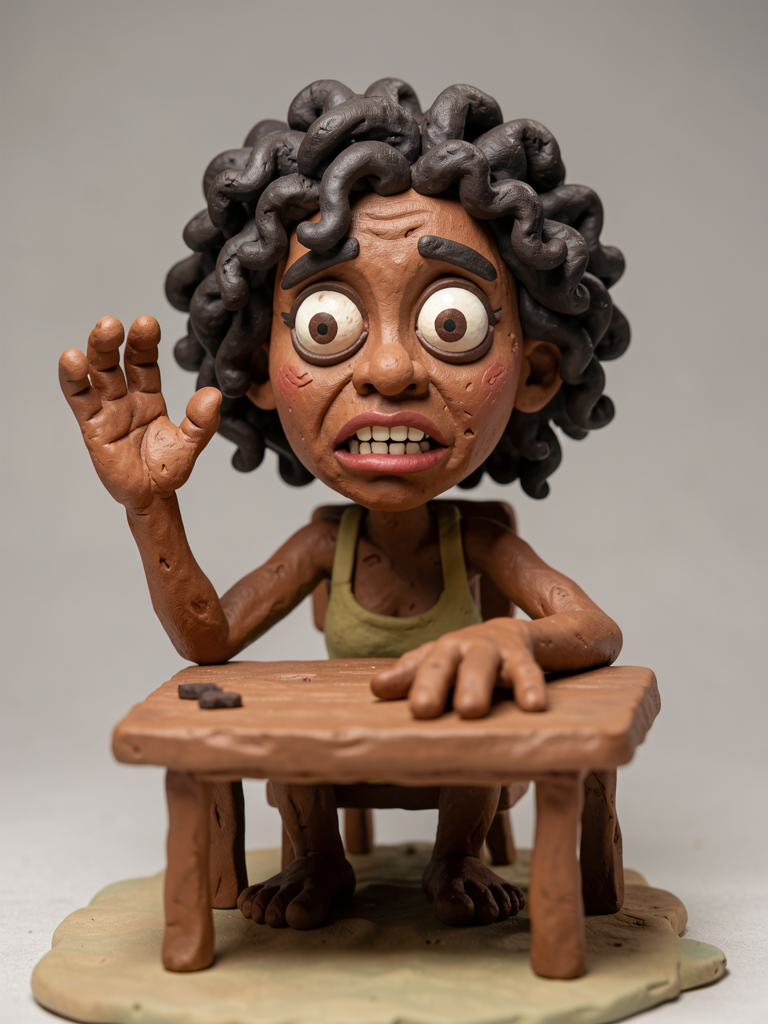
The first of the three extra variations shows that the system also stretches to more bizarre styles. The grotesque clay figure pushes the identity lock to its limits: exaggerated features, but still “the person.”
Why it works here
The style language (handmade clay, noodle-like limbs) is strong enough to dominate the aesthetic without erasing Reference 1's identity.
Reuse the claymation prompt from module 1.2 and only change the pose and props in the miniature scene.
🃏 Fake Cartoon ID Card
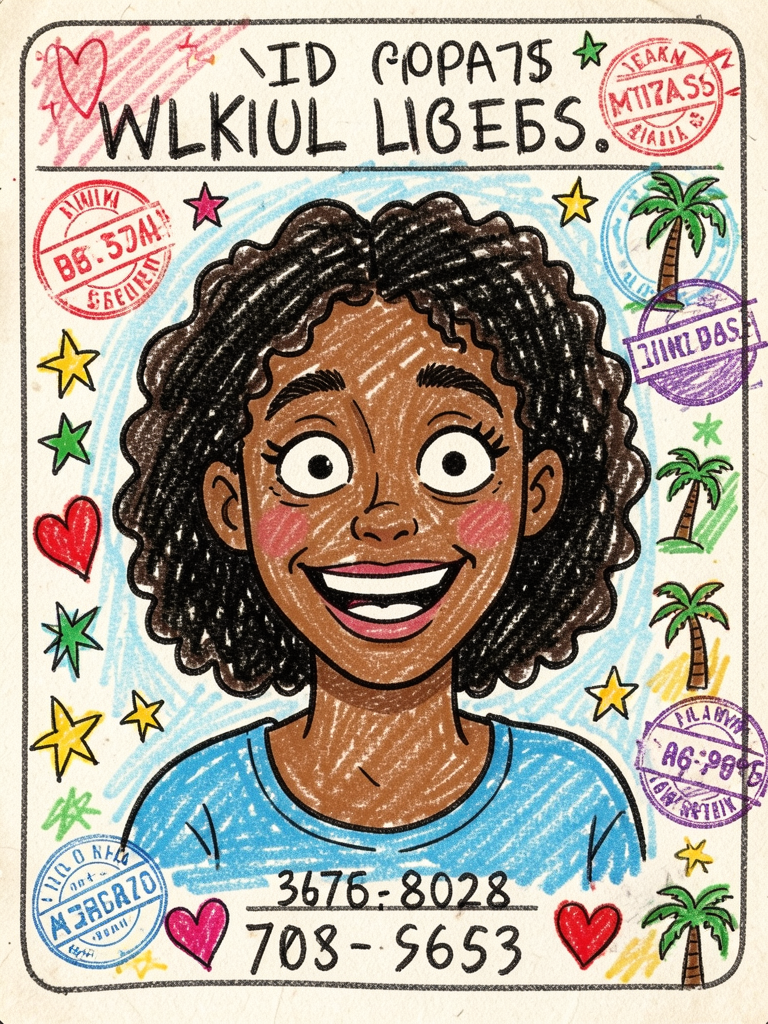
The second variation proves that rigid layout + chaotic execution coexist. A fake, heavily scribbled ID card with silly details—and still recognizable.
📊 The trick
The document provides the structure (portrait + fields + stamps), and the doodle style adds the humor. “Must NOT look like a real document” in the prompt is what keeps the result from feeling too serious.
🖌️ Grotesque Fashion Sketch
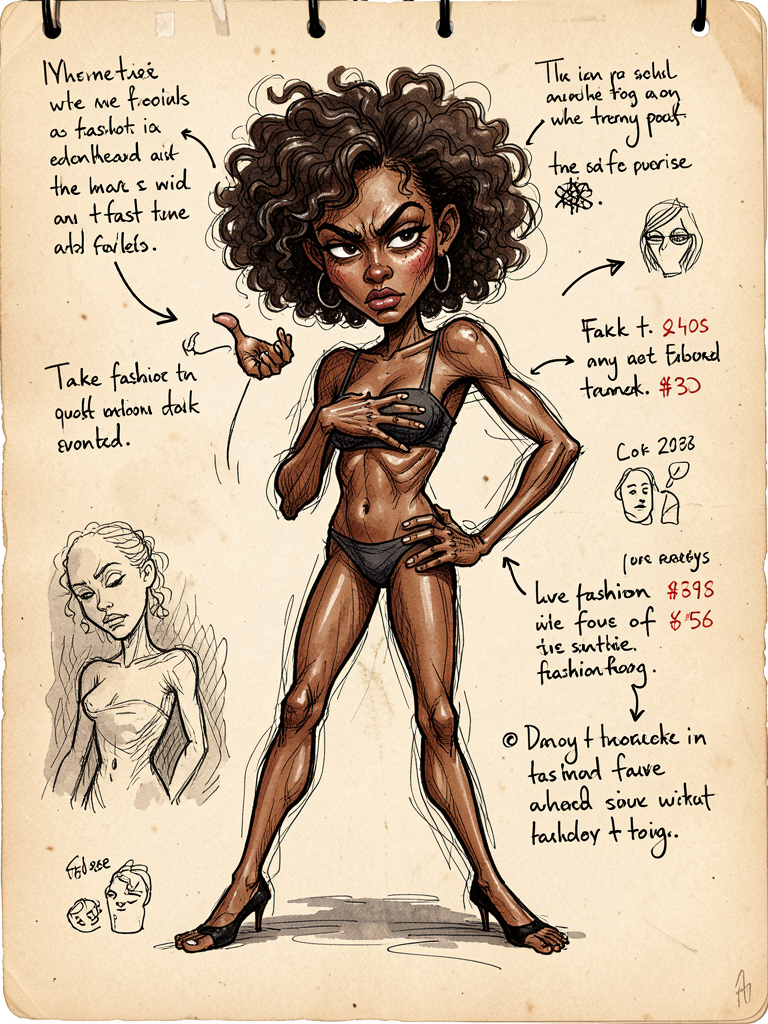
The third variation stretches the language of fashion sketch to the max—exaggerated anatomy, sarcastic notes, a weird sketchbook page. It works because the identity lock is strong enough to withstand the exaggeration.
💡 Practical tip
When a style exaggerates anatomy heavily, reinforce the identity anchors in the prompt (hairstyle, skin tone, eye shape)—so the exaggeration affects the clothing and pose, not the face.
🎯 Intentional Separation
Why all of this stays consistent: identity and styling are deliberately separated. The face comes from one reference and the fashion from another—which keeps the result recognizable without locking it into a single pose.
✓ With Separation
- ✓Recognizable in any style
- ✓Free pose, free world
✗ No Separation
- ✗Character changes with each generation
- ✗Random, unpredictable result
Key concepts
fixed (Ref 1)
movable (Ref 2)
always new
strong genre
🌐 Each World, a Strong Genre
Variety comes from clearly defined visual genres. Oil painting, doodle, game render, anime poster, open-world promo, sentai editorial, claymation, fake ID, grotesque sketch, and toy CGI—each produces an output radically different from the same person.
Polished & cinematic
Surreal oil painting, GTA poster, sentai editorial, CGI toy — high production value and dramatic lighting.
Absurd & meme
Ugly doodle, fake ID, grotesque plasticine, fashion sketch — humor and imperfection by design.
Collectibles & gaming
Fortnite card, Pokémon poster—interface layout and game character.
⚙️ Reproduction Workflow
From concept to practice. To recreate these styles — in Nano Banana 2 or on a local server like the inemaimg — follow four steps and choose the right model for the task.
🧩 The right model for each use case
- Two references (identity + outfit): use a model edit-capable that accepts input images (e.g., Qwen-Edit).
- Single style / no reference: a pure text-to-image model is enough (e.g., flux2-klein) — that’s how the images in this guide were made.
- Quick iteration: lower the resolution and steps; only render at high resolution on the approved take.
-H "Content-Type: application/json" \
-d '{"model":"flux2-klein","prompt":"3D designer toy portrait ...","width":768,"height":1024,"steps":4}'
🔑 The step-by-step
- Lock the face — define the identity (Ref 1 or a fixed character description).
- Change the gender — choose one of the 10 worlds from module 1.2.
- New pose — describe a specific pose that fits the scene.
- Generate and iterate — generate cheaply, refine the prompt, finalize at high quality.
📝 Module Summary
You’ve reached the end of the path 🎉
Now it's time to grab the prompts and move your character through ten worlds.