🎥 The Three Things in Every Shot
AI doesn’t "make something cinematic" on its own—it executes what you tell it. Before generating any shot, think of it as a combination of just three things. If this is clear, the result will work.
Where the camera is
The position and framing—low angle, wide shot, close-up. It defines scale and power dynamics.
How it moves
Movement — dolly, tracking, orbit, pan/tilt. It’s the main driver of emotion.
What the subject does
The action that gives movement meaning. Without it, the camera moves for no reason.
⚠️ The source of weak results
Most bad videos don’t come from bad ideas—they come from unclear camera direction. You don’t need complex prompts. You need clear direction.
🎞️ Camera Movement — The Main Driver
This is the most important part of your prompt. Use one clear movement per shot. Every movement carries an inherent emotion—choose what serves the scene.
| Movement | What makes | Emotion that adds |
|---|---|---|
| dolly in | Moves the camera closer to the subject | Tension, intimacy |
| tracking shot | Follows the subject’s movement | Fluidity |
| orbit | Circles around the subject | Depth |
| pan / tilt | Simple directional movement | Directional reveal |
💡 Start with these three
You don’t need to memorize 25 movements to get started. Master this trio first:
This already covers most cinematic shots.
✓ One movement per shot
- ✓Clear intent: you can tell what the shot does
- ✓AI has one direction to execute
- ✓Stable, cinematic result
✗ Stack movements
- ✗orbit + dolly + pan + zoom…
- ✗The camera fights itself
- ✗Unstable, chaotic result
📏 Distance and Framing
Camera distance defines how close the viewer feels. Before choosing, ask: what should the viewer feel at this moment?
Close-up
Emotion and detail. The viewer steps into the character’s shoes.
Medium shot
Focus on the character and their action within the frame.
Wide shot
Setting and scale. Establishes where the scene takes place.
🌫️ Depth, Atmosphere, and Parallax
Cinematic shots look real because of the depth. The scene feels realistic when distinct layers move in different ways—that's what the eye reads as "real space".
Foreground
Objects, cables, elements close to the camera. They provide reference and frame the scene.
Background
Fog, distance, light. Creates context and a sense of vastness.
Parallax
Layers moving at different speeds. That’s what separates a “flat image” from “real space.”
🔎 How to enhance depth
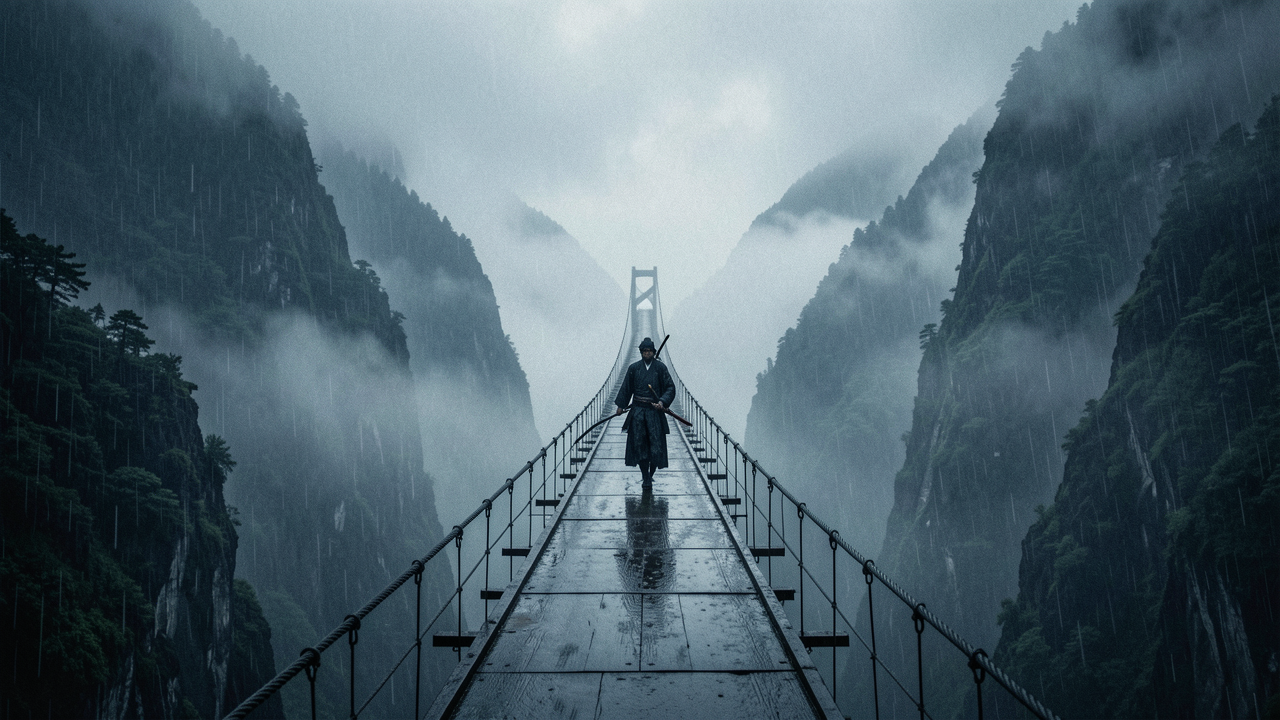
Movements like tracking e orbit naturally enhance parallax: as you move the camera, the foreground and background move at different speeds, and depth emerges on its own. On the samurai bridge, the foreground cables and the fog in the background do exactly that.
🎚️ Movement Style
The style defines the feeling of the shot — the emotional texture of the movement. Keep it simple: one style is enough.
steadycam
Smooth, controlled. A sense of mastery and elegance.
handheld
Raw, shaky. Urgency, realism, documentary energy.
slow motion
Heavy, dramatic. Expands time and the weight of the moment.
💡 Practical tip
Don’t combine styles. A steadicam shot and slow motion at the same time dilute both intentions. Choose the scene’s dominant feeling and commit to it.
🧱 The Prompt Structure
Bring everything together in one clean formula. This is the structure that turns intent into direction AI understands:
Real example — the samurai scene
samurai solitário caminhando por uma ponte chuvosa, tracking shot lento, steadycam, iluminação cinematográfica
✓ One shot = one clear idea
- ✓Subject, setting, one movement, one style
- ✓Intentional direction → looks cinematic
- ✓Easy to iterate shot by shot
✗ The common mistake
- ✗Too many movements in a single prompt
- ✗orbit + dolly + pan + zoom…
- ✗Unstable, chaotic video
📝 Task — Animate with Clear Direction
Write a prompt for a single shot using the structure subject + setting + movement + style, and prove that it is intentional.
- 🎥Choose just one movement: dolly in, tracking, or orbit — and justify the emotion it adds.
- 📏Set the distance: close-up, medium, or wide — answering what the viewer should feel.
- 🎚️Just one style: steadycam, handheld, or slow motion.
- ✅Objective: focus on continuity, movement, and cinematic flow — without piling on movements.
📌 Module Summary
Next Module:
1.3 — What Makes Something Cinematic