
🎞️ Overcranking: 120/240fps → 24fps
Slow motion is created by recording images at high frame rates — like 120fps or 240fps — and playing it back in 24fps. This stretches time and makes the movement feel more emotional, dramatic, and cinematic.
⚙️ Always specify the FPS
Always write 120fps → 24fps e 5x slow motion. This helps the AI simulate realistic cinematic overcranking.
⏩ Fast → Slow → Fast
The secret to good slow motion is the contrast. If everything is slow, nothing feels cinematic. The power comes from breaking up the pace with dramatic time dilation.
🎞️ Create rhythm
Use different shots — wide, medium, close-up, handheld, orbiting. Changing shots every ~2 seconds creates cinematic rhythm and prevents a flat AI result.
🎭 Microacting & Lighting Continuity
Describe subtle emotions and movements to avoid “dead AI faces,” and keep the lighting consistent across shots.
🎭 Microacting
- •Blinking and Breathing
- •Eye movement
- •Smiles and tension
🌅 Lighting Continuity
- •Same direction of sunlight
- •Same color temperature
- •Same atmosphere and shadows
✨ Particles: The Secret Tool
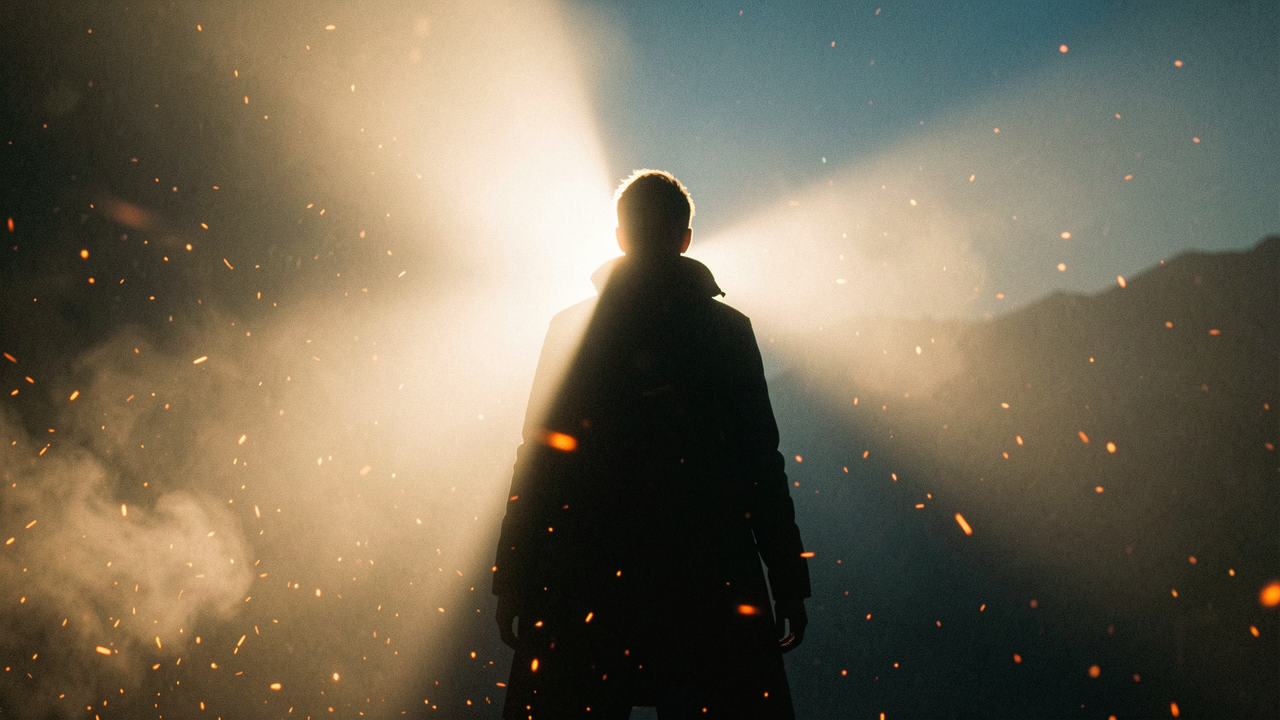
Particles transform a sterile digital screen into a living, breathing frame. Without particles, scenes feel flat—because the real world is never perfectly still.
🌫️ Hiding Morphing Artifacts
AI generation still struggles with unpredictable morphing, anatomical inconsistencies, and edge instability. Instead of aiming for a mathematically perfect transformation, use physics to fool the eye.
Transitional occlusion
A burst of particles masks abrupt transformation artifacts.
Volumetric integration
Particles naturally capture and scatter light in the environment.
Temporal smoothing
Continuous movement (snow, dust) fights AI flicker.
Kinetic layers
Multiple systems (fog + sparks) build depth.
🪄 How particles fool the eye
- •Hide the topology: dense smoke hides the exact moment when the shape changes.
- •Soften edges: the fog diffuses trembling outlines.
- •Break up silhouettes: dissolving particles make the artifact feel intentional.
- •Redirect attention: the turbulence draws the eye to the environment.
🐈 Case: Woman → Black Cat
A seamless transition from human to feline form works very well in AI not because the anatomy is perfect, but because the scene uses atmosphere.
particles:
  volumetric_light: "god rays through smoke"
  density: "heavy embers + drifting dust"
  turbulence: "wind from frame left"
  micro_motion: "slow float, temporal smoothing"
  backlight: "strong rim to fragment silhouette"
⚡ Final principle
In modern AI filmmaking, particles aren’t decoration. They’re a functional tool which replaces expensive, complex CGI with cinematic atmosphere and movement.
📝 Task — Slow Motion + Transformation
Create a 5- to 10-second cinematic slow-motion scene in Seedance 2.0 using:
- 🏃Dynamic action and 3 different shots
- ⚡A slow-motion moment: 120fps → 24fps
- 💡Cinematic lighting and fast → slow → fast pacing
Then create a 10s transformation (e.g., human into smoke) incorporating heavy particles—embers, dust, fog—and strong backlight, using them to hide morphing artifacts.
📌 Module Summary
Next Module:
5.6 — Integration with Luma and Runway