Clinic patient service · open source

The front desk that keeps your schedule from falling apart

Online scheduling, automatic confirmation, waitlist and scheduled recall. Patients chat on WhatsApp (Evolution) or on the website chat, and the team steps in on Telegram when needed. Everything runs in one Docker container, with Brazil's LGPD privacy rules and the Brazilian professional councils' rules already built in.

Atende Clínica banner: scheduling, WhatsApp and the team on Telegram
What it is

Fewer no-shows, fewer ringing phones, more returning patients

Unannounced no-shows are a clinic's number one leak: 5 to 12% on a well-run schedule, close to 25% on average. Atende Clínica tackles this with the pieces of the "Full schedule" recipe from the Raio-X de Margem and sends the month's numbers back to the recovery dashboard.

Online scheduling, automatic confirmation, waitlist, WhatsApp Evolution, team on Telegram, LGPD and professional councils

📅 A schedule that defends itself

Hours per professional, days off and vacations, confirmation 48 h ahead with "1 confirms / 2 cancels". Whoever cancels frees the slot for the waitlist right away, and recall (e.g. a cleaning every 180 days) is reminded automatically.

💬 WhatsApp and chat, one brain

Patients book, reschedule and get answers from the clinic's FAQ. The bot never makes up prices or diagnoses. A request for a person, an emergency (it tells the patient to call 192, Brazil's emergency number) or two unanswered questions go to the team.

🛡️ Health rules out of the box

Campaigns go only to people who opted in, and the text passes the professional-council guard (the Brazilian medical, dental and physiotherapy councils: CFM, CFO, COFFITO): price, installments, raffles, "before and after", "guaranteed result". Patients can reply "PARAR" (stop), export their own data or request deletion (Brazil's LGPD privacy law).

How it works

From a "hi" on WhatsApp to a confirmed appointment

A dependency-free Python server, with a SQLite database on a Docker volume. Evolution and Telegram are plugged in through environment variables; without them, the system runs with a simulated outbox.

WhatsApp (Evolution) or website chat→ Conversation: FAQ, book, confirm→ Schedule + waitlist→ Reminders and recalls→ Team on Telegram / front desk→ Month's numbers to Raio-X

Patient

WhatsApp or website chat. Books among the first 3 free slots, answers the confirmation, joins the waitlist, gets the recall reminder.

Team

Telegram group: receives each conversation as #id, replies on top of the message or with /responder (reply), and uses /fila (queue), /agenda (schedule) and /encerrar (close).

Front desk (web)

A /recepcao page with a token: schedule by period, records for patients, professionals, services and FAQ, blocks, human queue, campaigns and indicators.

Prerequisites

What you need

To try it on your computer, Python is enough. For production, a VPS with Docker and, if you want the channels, your own Evolution API and a Telegram bot.

Python 3.10+

Standard library only: no pip install.

# check
python3 --version

Docker + Compose (VPS)

Image python:3.12-slim, port bound to 127.0.0.1 only, behind an HTTPS proxy (Nginx, Caddy).

# check
docker compose version

Evolution API and Telegram bot (optional)

An Evolution instance connected to the clinic's WhatsApp and a bot (BotFather) in a team group. Credentials live only in .env.

# variables template
cp .env.exemplo .env
User guide · step by step

From clone to WhatsApp answering

The commands below are the repository's own. Start locally, without integrations; connect Evolution and Telegram last.

1

Download and configure the clinic

Copy the example and edit dados/clinica.json: name, council (cfm, cfo, coffito or estetica; the Brazilian medical, dental, physiotherapy councils, or aesthetics), your own token, hours, holidays, professionals, services (with retorno_dias) and FAQ.

git clone https://github.com/inematds/atende-clinica && cd atende-clinica
mkdir -p dados && cp exemplos/clinica.json dados/clinica.json
2

Run it locally and test the chat

Open http://127.0.0.1:8080/ for the patient chat and /recepcao for the team (it asks for the token from clinica.json).

./atende serve --porta 8080 --dados dados   # 1st line: PORTA=8080
3

Turn on the reminders

Confirmations, recalls and retries go out when /api/tarefas/rodar is called. Put a call in cron every 5 minutes (the operation is idempotent).

# crontab -e
*/5 * * * * curl -s -X POST -H "X-Token: YOUR_TOKEN" http://127.0.0.1:8080/api/tarefas/rodar
4

Deploy to a VPS with Docker

The ./dados volume holds the database; the service restarts by itself and publishes only 127.0.0.1:8080. Point the HTTPS proxy at that port, including /api/ and /webhook/.

cp .env.exemplo .env && chmod 600 .env
docker compose up -d --build
docker compose ps   # healthy = /api/saude responding
5

Connect WhatsApp through Evolution

Fill in EVOLUTION_URL, EVOLUTION_API_KEY, EVOLUTION_INSTANCIA and WEBHOOK_SEGREDO. In the instance, point the webhook to your public URL and enable the MESSAGES_UPSERT event. Groups, the clinic's own messages and retries are ignored.

# Evolution instance webhook
https://YOUR-DOMAIN/webhook/evolution/<WEBHOOK_SEGREDO>
docker compose up -d --force-recreate
6

Put the team on Telegram

Create the bot, add it to the team group and fill in TELEGRAM_API_URL, TELEGRAM_TOKEN, TELEGRAM_CHAT_ID and TELEGRAM_SEGREDO. Register the webhook with the same secret.

curl -X POST "https://api.telegram.org/bot<TOKEN>/setWebhook" \
  -H "Content-Type: application/json" \
  -d '{"url":"https://YOUR-DOMAIN/webhook/telegram","secret_token":"<TELEGRAM_SEGREDO>"}'
# in the group: /fila · /agenda 2026-10-07 · /responder 3 I'll call you · /encerrar 3
7

Daily backup and the month's numbers

The backup is a consistent snapshot (it can run while the server is up) and contains personal data: keep it under restricted access. raiox writes the month into the tracking file of the Recovery Dashboard.

./atende backup --dados dados --saida backups/clinica.zip
./atende restaurar --dados dados --entrada backups/clinica.zip   # with the service stopped
./atende raiox --dados dados --mes 2026-10 --acompanhamento acompanhamento.json
Examples

Real screens from the system

Captured from Atende Clínica itself running with the sample clinic (dentistry, Dr. Ana and Dr. Bruno). The interface in these screenshots is in Portuguese.

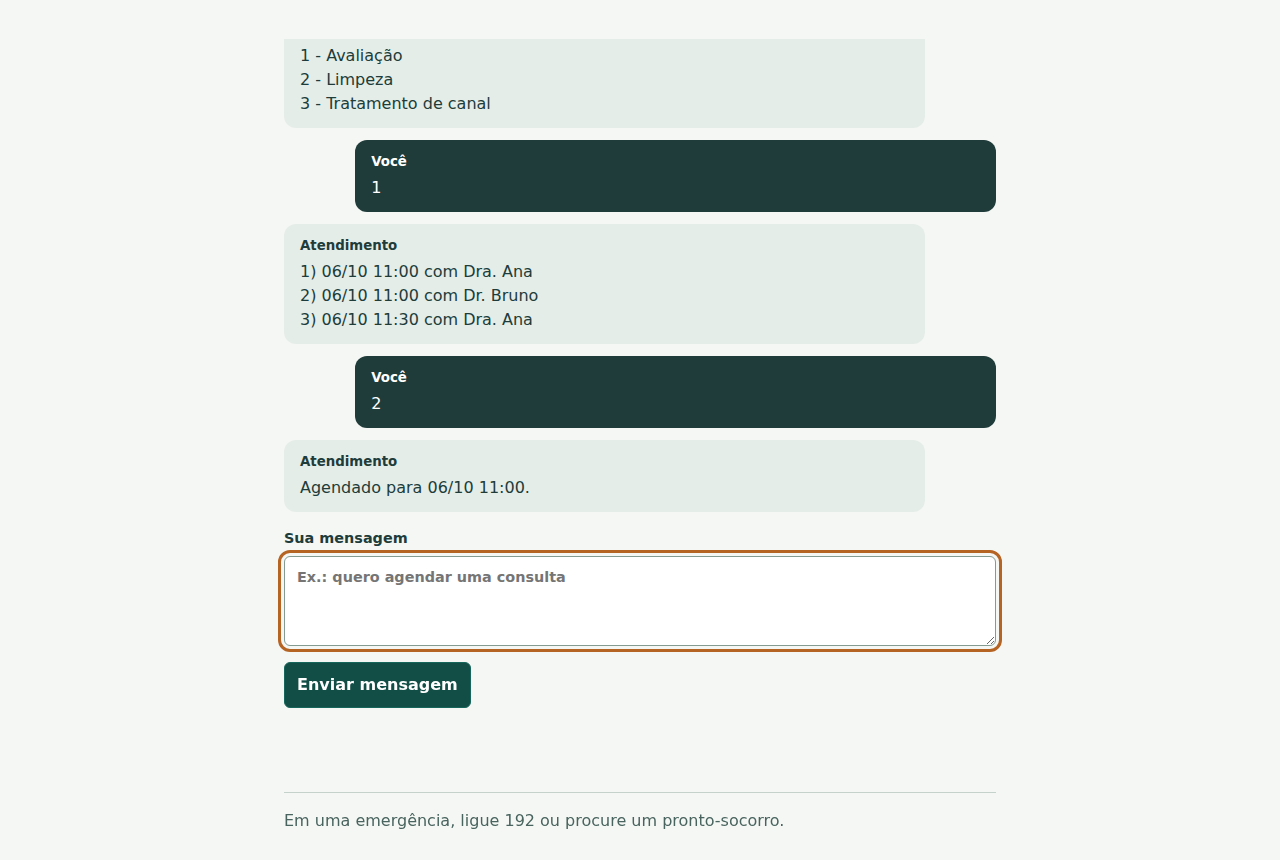
Patient chat (interface in Portuguese) offering three time slots and confirming the booking
Patient chat (interface in Portuguese): picks the service, gets the first 3 free slots and books with two replies. The same dialogue happens on WhatsApp.
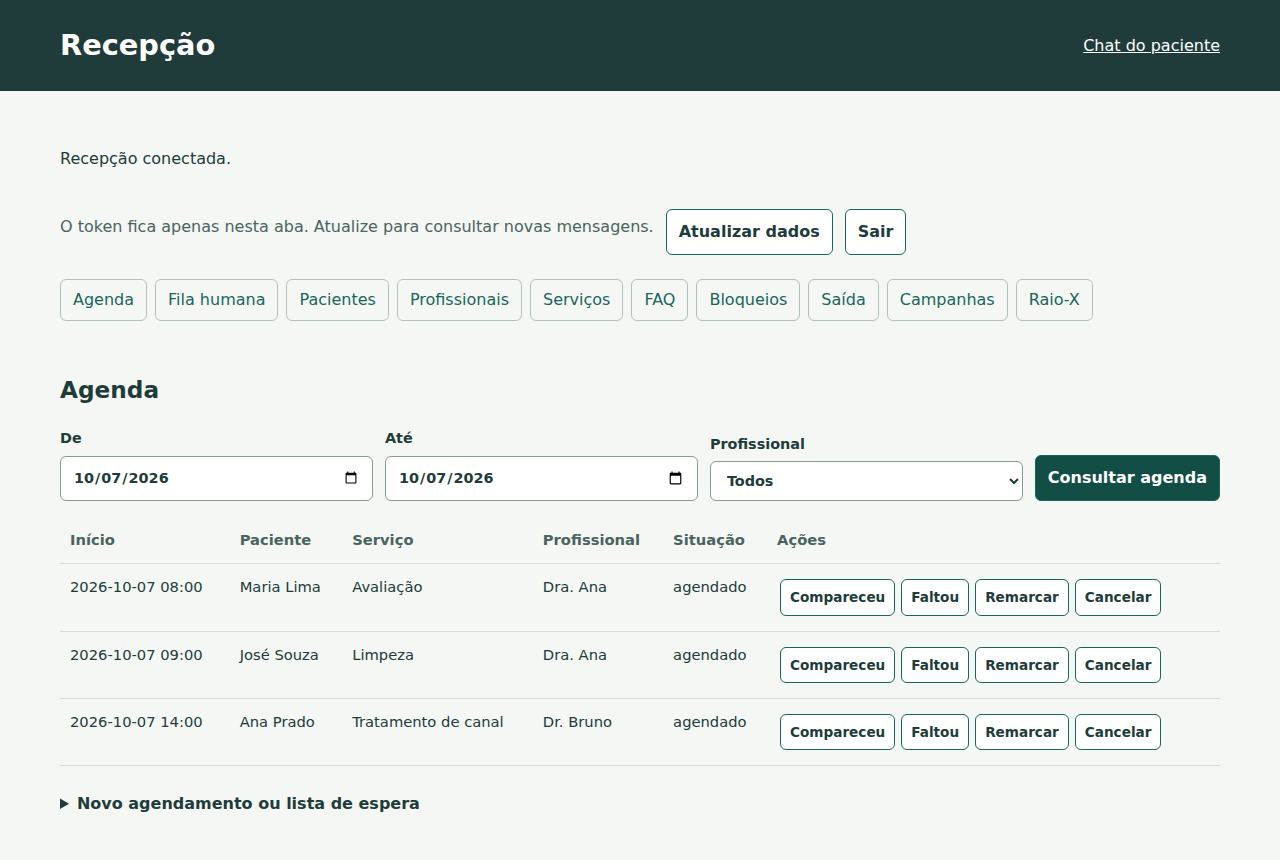
Front desk page (interface in Portuguese) with the day's schedule and buttons for attended, no-show, reschedule and cancel
Front desk (interface in Portuguese): schedule by period and professional, attendance and no-show in one click, plus human queue, records, campaigns and Raio-X.
Roadmap

Where it stands and where it's going

v1 was built in a long agent run (the execucao-longa method) against 93 frozen acceptance tests, then checked on a clinic the agent had never seen and in a real docker build.

v1 ✅
Complete patient serviceScheduling, confirmation, waitlist, recall, FAQ, human queue, emergency, campaigns with a professional-council guard, LGPD, records, blocks, backup, Evolution, Telegram, Docker and export to Raio-X.
Next
Pilot in a real clinicSet up real hours, services and FAQ, measure 4 weeks of no-shows (the "before") and track them in the Recovery Dashboard.
Later
More channels and repliesAI replies behind an option that is off by default, Pix deposits and plans (they require a payment integration) and an interface in English and Spanish.