Automatic captions, AI voice, background removal and 4K export. Everything runs on your computer, with no account, no subscription and no watermark.
Official download: concatenate.pages.dev


Concat is a free program for editing video, built as an alternative to CapCut. It is for anyone who makes Reels, Shorts, TikToks, YouTube videos, tutorials and podcast clips. It does what people usually open CapCut for (cutting, captioning, narrating with an AI voice, removing the background, animating), but without charging, without asking for an account and without sending your videos to the internet. Just install it on Windows, Mac, Linux or Android; the AI models are downloaded once and then work offline.
Open-source project by developer Jareer (jub0t/Concat, AGPL-3.0 license), with over 5,000 stars on GitHub. This repository is INEMA's copy (fork) for study, with the guide in three languages.
Free forever: no subscription, no login and no feature locked behind payment.
Nothing is sent to the cloud. Captions (Whisper), voices and background cutout run on your machine, even offline.
It has a JSON-RPC, gRPC and MCP API, plus a command line. A script or AI agent can cut video with it.
Local Whisper: you pick the model size and the captions land on the timeline already styled.
Free local voices, or any voice from a few seconds of recording.
People, objects, or paint the mask yourself.
Position, scale, rotation, opacity, volume and effect parameters, with a curve editor.
Filters, transitions and text animations rendered on the GPU, live in the preview.
H.264, HEVC and AV1, with 10-bit color. Voice cleanup for audio in one button.
A native Rust engine with a GPU compositor does the heavy lifting: proxies, hardware decoding and a smooth preview even in 4K. The editor window is built with Slint.
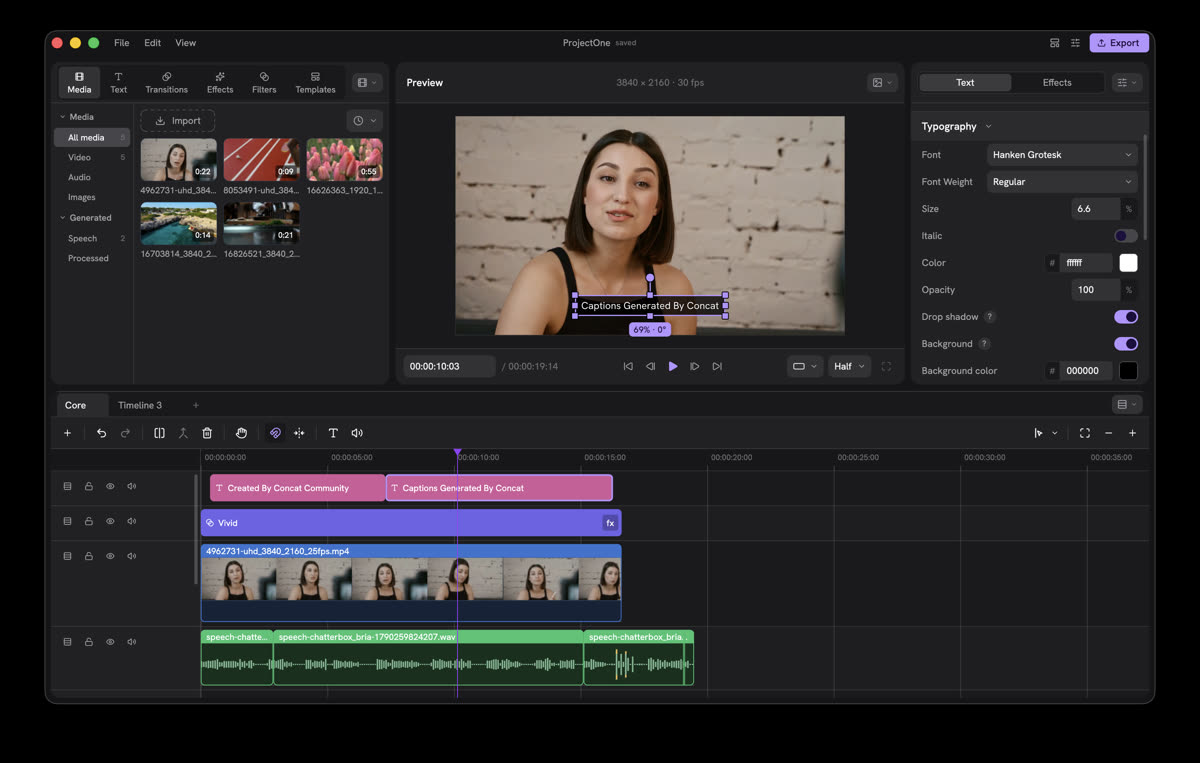
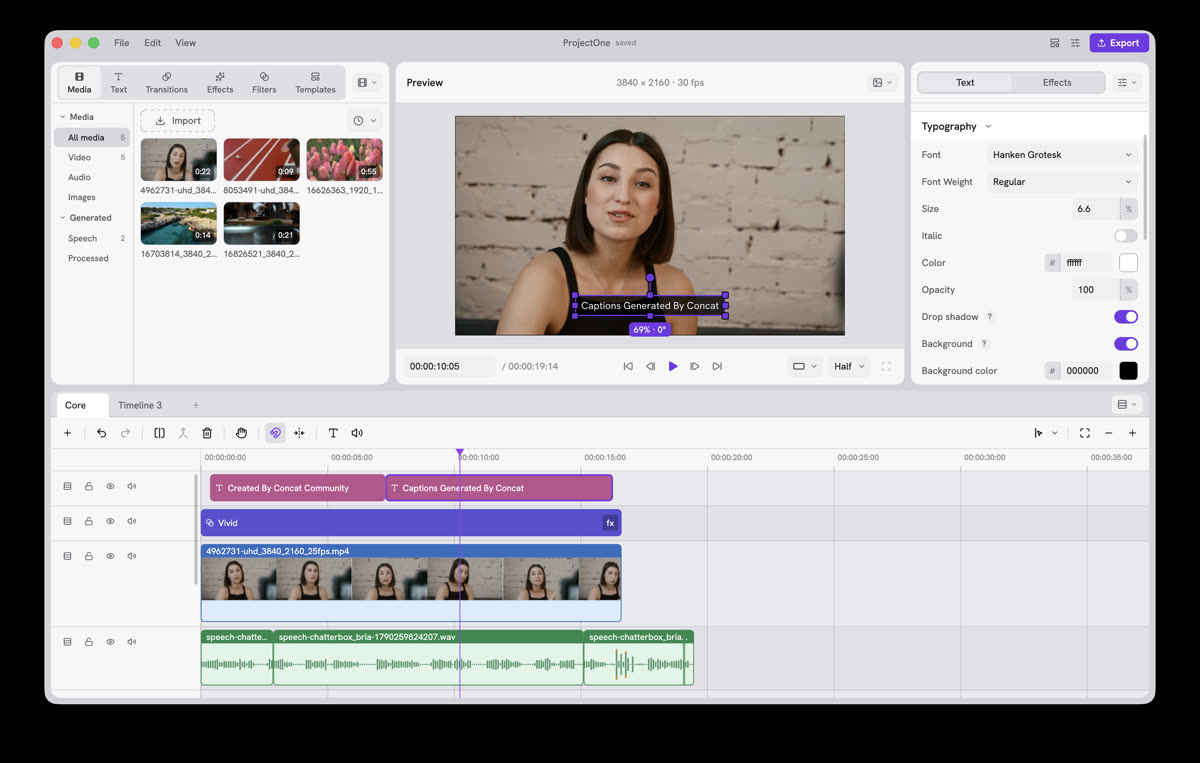
The editor, with a magnetic timeline, multiple tracks and multiple timelines in the same project. In 25 languages, including Portuguese.
concat-cli with probe, render, api (JSON-RPC over standard input) and serve (the same API on a socket at 127.0.0.1:7420). MCP is covered in the author's documentation.
Most people only need the installer. Building from source is for those who want to study the engine or use the command line.
Windows (x86 and ARM), macOS (Intel and Apple), Linux (x86_64 and ARM), Android and iOS. Machine requirements are on the author's site.
# official download concatenate.pages.dev
Rust (version in src/Cargo.toml), FFmpeg 7+ development libraries, cmake and a C++ compiler.
# macOS brew install ffmpeg cmake
Captions, voices and cutout use models downloaded once from the Settings menu. After that they work offline.
# in the app
Settings โบ ModelsCurrent version: 0.2.7 (beta, October 2026). It works, but still has rough edges.
The easiest way: open the official site concatenate.pages.dev and click Download. It gives you the right file for your machine. On Linux you can also download from the terminal.
# official site (Windows, Mac, Linux, Android) https://concatenate.pages.dev/ # Linux ARM (e.g. DGX Spark), from the terminal gh release download v0.2.7 -R jub0t/Concat -p '*linux-aarch64.deb' sudo apt install ./Concat-0.2.7-linux-aarch64.deb # Linux x86_64: swap aarch64 for x86_64 (.deb, .rpm and .AppImage are available)
The releases are not signed yet. On Windows, in the SmartScreen warning click More info โบ Run anyway. On Mac:
xattr -dr com.apple.quarantine /Applications/Concat.app
In Settings, choose the size of the captions model (Whisper) and the voices. A bigger model is more accurate and needs a stronger machine.
# in the app
Settings โบ Models โบ Download
Drop the file into the project and onto the timeline. Split, trim, ripple, join, freeze a frame and change speed. Turn on the magnetic timeline if you like.
Generate the automatic captions and adjust the style; create a narration with a local voice or clone a voice from a few seconds of audio; remove the background from a person or object. For sound, one button cleans up the voice and levels the volume.
Choose H.264 (most compatible), HEVC or AV1, up to 4K 60 with 10-bit color. No watermark.
To study the engine or let an agent edit. Commands from the repository itself:
git clone https://github.com/inematds/concat && cd concat/src cargo run -p concat # the editor (debug mode) cargo run -p concat-cli -- probe video.mp4 # reads the file info cargo run -p concat-cli -- render video.mp4 out.mp4 --frames 120 cargo run -p concat-cli -- api '{"method":"catalogue.list","kind":"filter"}' cargo run -p concat-cli -- serve # API JSON-RPC em 127.0.0.1:7420
API and MCP documentation: concatenate.pages.dev/docs.
Screenshots from the project itself: media library, preview, properties panel and a multi-track timeline.


Status checked on 10/15/2026 in the original repository.
.github/workflows-upstream/, disabled; only the guide publishing runs here.