Kit Luz de Rua
Source image and plan for building your four pieces.
save only the PNG image · save the plan
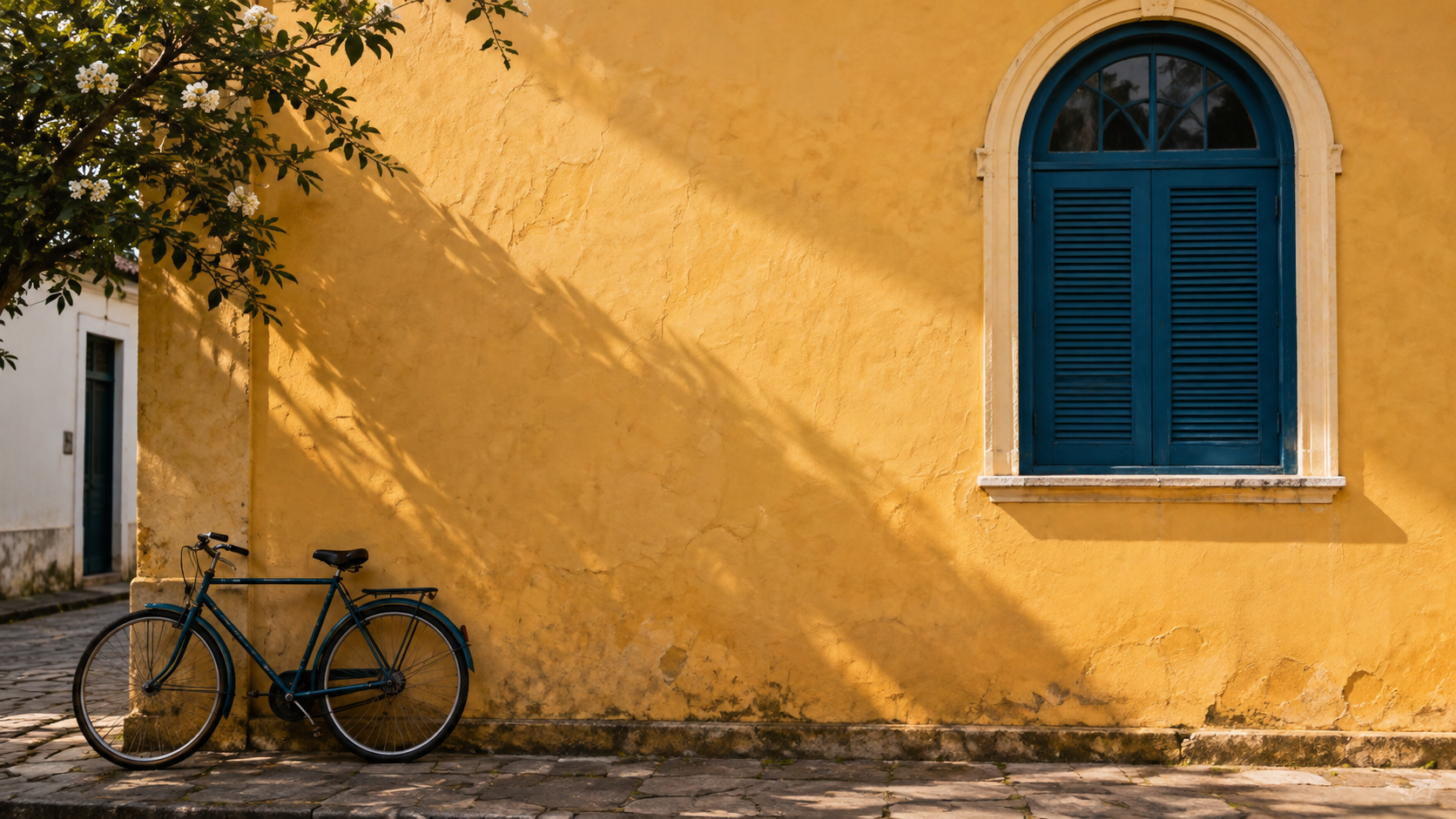
If your browser opens the image, choose Save image as. Then in Figma, choose File → Place image or drag the saved file into the frame.
Plan for reference
LUZ DE RUA — EDUCATIONAL KIT
Fictional case, with no real address, date, or registration.
Source image: fachada.png, created with Codex’s native image feature.
It does not depict a documented place or tour.

One Figma page, four 1080 by 1350 frames.
Starting margin: 64. Starting gap between text items: 24. Adjust for readability.
Title: Inter Bold, 64, line height 72.
Subtitle: Inter Regular, 32. Signature: Inter Regular, 28.
Light background #F7F1E6; deep teal #173B46; ochre accent #C58B35.
The accent is not automatically approved for text. Check each combination.

00-Capa: Luz de Rua
Subtitle: Learn to observe the city.
01-Luz: Look at the light
Subtitle: Notice where the shadow ends and the light begins.
02-Detalhe: Choose a detail
Subtitle: Look closely at a texture, shape, or contrast.
03-Serie: Build your series
Subtitle: Bring together three records with one visual choice in common.
Signature on all four pieces: Educational example.

Use the same source image with different crops. Keep the arch on the cover.
Save versions before testing effects. Export four PNGs at 1x.
Check each PNG outside the editor. Also save a .fig copy of your file,
the source image, and a note with the date and address of the online file.
This kit does not include a .fig file or a finished series made in Figma.