📖 Living glossary (read first — come back whenever you need to)
This is the learning path Advanced. You already know model, agent, skill, and harness (Track 1). Here are the new terms about how you position yourself in relation to the agent—memorize these:
🤝 Human-in-the-loop
🧠 Imagine it this way: you’re teaching someone to drive. At first, you sit in the passenger seat with your foot near the brake: at every turn, you check, comment, and correct. You are inside of the process, together, ready to step in. This is the "human in the loop" mode.
When you use an AI agent to code, the most common approach—and the one every beginner tries first—is the human-in-the-loop (human in the loop). You stay together of the agent: it proposes a change, you read it, approve or correct it; it runs a command, you confirm; it edits a file, you review it. You’re part of the loop of execution, in charge the whole time.
This mode is right at many points—it’s not “wrong,” it’s one of the two gears. Pocock is clear about when it makes sense: planning, complex implementations, and unscoped work (that is, when it’s not yet clear exactly what to do). In those moments, you want to be there, giving direction, because the agent still doesn’t have what it needs to get it right on its own. The reason is simple: while the task is ambiguous, your presence in the loop is what keeps the agent from confidently building the wrong thing. The common mistake is the opposite: staying in the loop for everything, including well-defined, repetitive tasks—you become the bottleneck in your own work.
With a human in the loop, each step passes by you before the agent continues.

⚠️ Common beginner mistake
Think that human-in-the-loop is "the safe and only way" to work. It's necessary when things are uncertain — but if you never leave the loop, your speed is capped by how fast you click to approve. You never reap the agent's real advantage.
In one sentence: human-in-the-loop is you in the passenger seat, approving every turn — essential when the road ahead is still unclear.
Going deeper (optional): why "loop"?
An agent works in cycles: it thinks, acts (edits a file, runs a test), observes the result, and repeats—that’s the agent’s “loop.” “Human in the loop” literally means inserting you into that cycle as one more check between “act” and “repeat.” “AFK” is the same loop running without this human step. The advanced question isn’t "loop or no loop," but "how much of you does the loop need?"
🛰️ What AFK is
🧠 Imagine it this way: back to driving — the time comes when you get out of the car, give them the address, and let them go get the bread on their own. You don't follow every traffic light. You give them a task clear and go do something else. When you come back, the bread is on the table.
AFK means Away From Keyboard — "away from keyboard." It's the opposite of human-in-the-loop: instead of approving each step, you launches the agent on a specific task and goes away. As Pocock describes it, AFK "remove yourself from the equation": the agent takes the task and simply does it from start to finish without interrupting you.
The condition for this to work is for the task to be well-scoped — defined well enough that it doesn’t need you in the middle. That’s why he says he doesn’t think so much about “running it as an infinite loop,” but rather about "I just need the agent to pick up a specific task AFK and do it". O reason of AFK being so powerful: while the agent works without you, your time is free—for planning the next thing, reviewing something else, or launching another agent. The common mistake is trying to send a vague task AFK ("improve the app"): without scope, the agent wanders, and you only discover the damage when you get back. AFK isn’t magic — Pocock warns that "takes a little work to set up, but then it goes a long way".
Quick recall: what does AFK mean in the context of agents?
In one sentence: AFK = give it a clear task, step away from the keyboard, and come back to find it done.
🔓 Unblocking AFK
🧠 Imagine it this way: imagine hiring your first trusted employee. Before, everything went through you. Afterward, you delegate and discover you can run three projects at once. You didn’t get smarter — you got past the bottleneck. AFK is that moment.
This is the module’s central sentence, straight from Pocock: "the moment I discovered AFK was the moment I really got into AI programming." Notice the force of this — he doesn't say "when I switched models" or "when I learned how to prompt." The unblocking didn't come from the engine (the model); it came from a change in the harness and in the way you work: getting yourself out of the way.
Why does this unlock so much? Because while you’re human-in-the-loop, you are the speed limit. Every approval from you is a toll. No matter how fast the agent is, it moves at the speed of your clicks. The moment the agent starts handling scoped tasks on its own, that toll disappears — and, more importantly, sets you free to trigger another agent. This is where “two, three, four of you” comes from (topic 6). The common mistake is confusing getting unstuck with “buying a better model”: Pocock’s gains didn’t come from raw intelligence, but from positioning — it stopped being the bottleneck. Remember Track 1: the leap is in the chassis, not the engine.
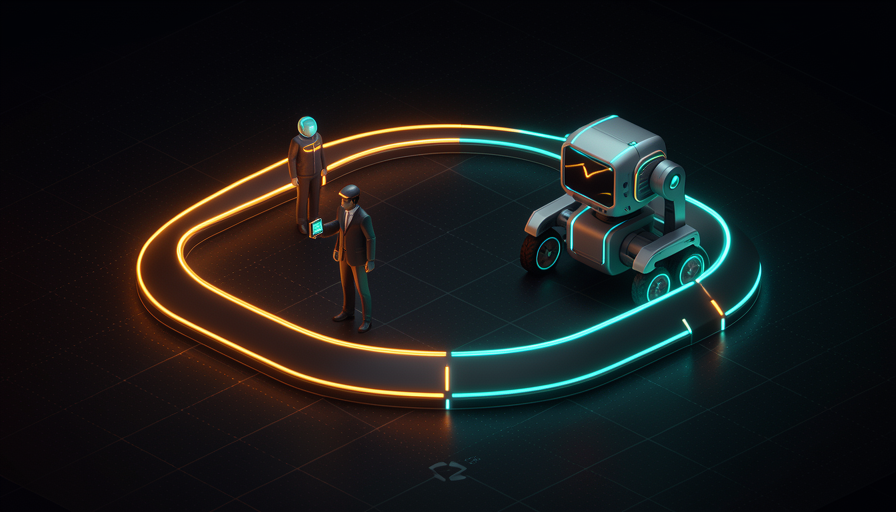
The unlock isn't a better model—it's you no longer being the bottleneck.
In one sentence: AFK frees you up because you stop being the speed limit on your own work.
🎚️ When it gets stuck in a loop
🧠 Imagine it this way: a surgeon delegates the dressing and transport of the patient — but makes the main incision with their own hand. Knowing what delegating and knowing what to hold onto isn’t weakness: it’s what separates the professional from the amateur.
AFK isn’t “handing everything over to AI forever.” It’s a gear that you bring in at the right time — and human-in-the-loop is the other one. Pocock’s rule is straightforward. You stay in the loop when the work is: planning (deciding what and why), complex implementations (where an early wrong decision contaminates everything) and unscopeable work (still poorly defined, where your direction is what gives it shape). You tell AFK when the task is already clear, well-scoped, and you can verify the result.
O reason of this split is the same logic as delegating to a junior (Track 2): you design the hard parts and the interface, and delegate scoped execution. The strategic move—which you’ll revisit in "Checkpoints & smooth review" (4.6)—is "push the human-in-the-loop checkpoints closer and closer to the final output": instead of approving every little step, you approve only at the end, when it matters. The common mistake here, people take an all-or-nothing approach: either they stay glued to the loop for everything, or they leave things AFK before they’re properly scoped. The skill is knowing how to strike a balance.
🔬 Worked example: one feature, two gears
Real task: "add PDF report export to the app". See how Pocock would divide this between the two modes:
- In the loop (working alongside you): sit down with the agent and decide what which PDF to use, which library to choose, what the layout should look like, where it fits in the menu. Unscoped and design work—your direction shapes everything.
- AFK (you step away): now the task is clear — “implement the Export PDF button using lib X, following the project’s auth pattern, with tests.” You kick it off and go to lunch.
- Checkpoint at the end (loop, on exit): When you return, you review the PR—not every commit, just the result. Checkpoint pushed “closer to the final output.”
Result: you spent your time only where your judgment mattered (decision + final review) and let the scoped execution run on its own.
In one sentence: stay in the loop to decide and design; send it AFK to execute what’s already clear — and review only at the end.
🔐 Permissions and friction
🧠 Imagine it this way: giving someone the car keys. If they have to call you at every corner to ask "can I turn?", the trip doesn't move forward. But if you give them the keys to a car in a closed parking lot, you can let it run—the potential damage is small. Permissions and a safe environment go together.
For an agent to work AFK, it can’t keep stopping at every step to ask for permission. Each of those pauses is friction, and friction keeps you at the keyboard—the opposite of AFK. The solution is to give permissions broader, so it can act on its own. But that's where a real danger lies.
Pocock is explicit about the risk: an agent left running without an isolated environment can "delete your home directory or exfiltrate your environment variables" (leak your passwords and keys). That's why broad permissions are hand in hand with the sandbox (you'll see this in module 4.2): you let the agent inside an isolated environment (Docker/Podman or cloud sandboxes), where, even if something goes wrong, the damage stays contained. The reason: AFK requires less friction (more permissions), and less friction is safe only with more isolation. O common mistake, and dangerous, is doing only half the job: giving the agent full permission on your machine real, without a sandbox. Then you’ve traded friction for the risk of catastrophe.
Antes de dar mais PERMISSAO e soltar o agente AFK, cheque:
[ ] ESCOPO    -- a tarefa esta clara o bastante pra rodar sem mim?
[ ] SANDBOX   -- o agente esta num ambiente isolado (Docker/Podman/nuvem)?
[ ] SEGREDOS  -- minhas chaves e .env estao fora do alcance dele?
[ ] VERIFICACAO -- existe teste/check que diz se ele acertou?
[ ] SAIDA     -- o resultado sai como PR/branch (nao direto no main)?
Se algum [ ] esta vazio, NAO solte na maquina real. Sandbox primeiro.
In one sentence: reduce friction by granting broad permissions — but only inside a sandbox, never loose on the actual machine.
👥 Two, three, four of you
🧠 Imagine it this way: A conductor doesn’t play the instruments — they conduct several at once. Each musician (agent) performs their part alone; the conductor (you) makes sure everything sounds together. It’s not one person doing everything; it’s one person multiplied.
This is where AFK has its biggest impact. When you don’t need to stay in the loop for every agent, you can run several at the same time — is what Pocock calls having "two, three, four, five of me". Each AFK agent picks up a scoped task and runs in parallel; you stop being one person doing one thing and become one person orchestrating several. That’s exactly why unblocking topic 3 matters so much: getting yourself out of the bottleneck is what allows the multiplication. As Pocock puts it, AFK "it's simply incredible — takes a little work to set up, but then it goes a long way". The "setup" part is the sandbox and task queue — exactly what the next modules in this track break down (4.2 sandboxes, 4.3 GitHub Actions, 4.4 queues). You don't become the bottleneck for your agents; you become their conductor.
"Two, three, four of me"—you orchestrate several agents in parallel, each on its own task.

Quick recall: what makes it possible to have "two, three, four of you"?
In one sentence: getting out of the loop multiplies your impact—from one person doing one thing to a conductor directing several agents.
🧾 Module Summary
Next module:
4.2 — Parallelize & sandboxes: the “how” of safe AFK — Docker/Podman, Sand Castle, and running a fleet of isolated agents.