📖 Living glossary (read first — come back whenever you need to)
You’ve already learned the core terms (model, agent, harness, skill) in Tracks 1–3. Here are the terms new from this module — all infrastructure terms. Don’t memorize them; understand the idea behind each one:
⚡ Why parallelize
🧠 Imagine it this way: you’re the head chef of a kitchen. You can cook one dish at a time, by yourself — or have five cooks, each at a station, making five dishes at once. You just pass along the orders and taste the results. The same evening produces five times as much.
In module 4.1, you learned about the AFK (away from keyboard): instead of approving every step, you launch the agent and let it run. Pocock describes this as the moment when he "really got into" programming with AI, because it "removes you from the equation" and opens a new door: if the agent doesn't need you beside it, you don't need to run a agent — you can run it several. It’s called parallelize.
The image he uses is literal: "two, three, four, five of me"—two, three, four, five copies of you, each handling a different task. While one agent refactors a module, another writes tests, and a third fixes a bug. The bottleneck stops being "how much code can I write" and becomes "how many well-scoped tasks can I dispatch". The reason is straightforward: agent time is cheap and abundant; yours is expensive and scarce. Parallelizing trades the scarce resource (you) for the abundant one (agents). The common mistake the trap is trying to parallelize vague tasks or tasks that depend on each other—the agents end up getting in each other’s way. Parallelize only independent tasks with a clear scope (you practiced this in Track 2, "delegation").
In serial, tasks wait in line. In parallel, each agent works in its own box, simultaneously.
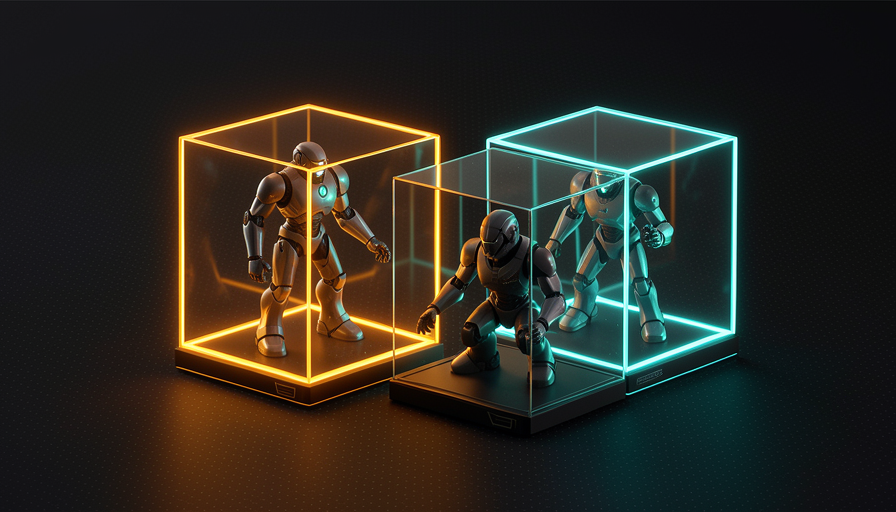
In one sentence: if the agent works alone (AFK), you don’t run one—you run a fleet, and your time stops being the bottleneck.
☢️ The risk of running without a sandbox
🧠 Imagine it this way: you give the key to your entire house to a very fast, very confident intern — and leave. Most of the time, he gets the job done. But if he misunderstands "clean up the mess," he might throw away things you can never get back. Worse, he might write down the safe’s combination and take it with him.
Here's the reason for everything that follows. When the agent works AFK, nobody is watching while it runs commands. If it runs directly on your machine, it has your power: it can delete files, install things, read secrets. Pocock is explicit about what can go wrong without isolation: the agent can "delete your home directory" (delete your home folder — the famous rm -rf that clears everything) or "exfiltrate env vars" — do exfiltration of your env vars (your API keys and passwords).
It’s not that the model is “evil.” The problem is probability: an agent that runs thousands of commands without supervision will eventually misinterpret an instruction, follow a dangerous command copied from a README, or fall into a prompt injection hidden in a file. The more you parallelize (topic 1), the more commands run without anyone watching — so the risk grows together with productivity. The common mistake is thinking “it’s never happened to me, so it’s safe.” The golden rule of AFK is: never give an unsupervised agent power you wouldn’t be willing to lose. The answer to that is topic 3: the sandbox.
⚠️ Common beginner mistake
Enable "accept everything / don't ask me" (mode without confirmations) in an agent that runs on your machine, without isolation. This is exactly the combination Pocock points to as dangerous: AFK + no sandbox = you trust a process 100% that runs commands without anyone reviewing them.
In one sentence: an AFK agent on your bare machine can delete your personal folder or leak your keys — the risk is real, not theoretical.
🏰 Sand Castle
🧠 Imagine it this way: a sandcastle on the beach. The kids build, knock it down, rebuild — and none of it affects your house. If a wave washes it all away, nobody cares: it was meant to be disposable. The sandbox is exactly that for the agent.
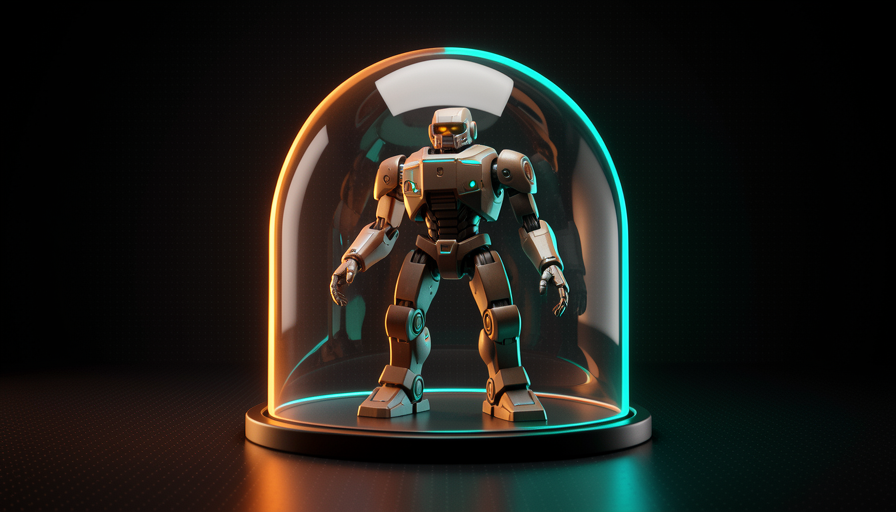
The solution to topic 2 is to give the agent a sandbox — an isolated sandbox where it can do whatever it wants without touching your machine. The tool Pocock uses for this is called Sand Castle (sand castle): it "runs agents in sandboxes" and orchestrates them. It's the heart of his AFK setup — "most of my work is AFK," and that work happens inside the Sand Castle, not on the bare machine. The central idea: each agent gets its own isolated, disposable environment.
Why does this unlock everything? Because it solves both problems at once. (1) Security: if the agent tries to rm -rf or read your env vars, it can only access what's inside the box — your personal folder and actual keys stay out. (2) Parallelism: since each box is independent, you can open ten of them without one agent getting in another’s way. Pocock combines Sand Castle with GitHub Actions (you’ll see this in module 4.3) and says it’s "unreasonably effective" — absurdly effective—because you can “parallelize as much as you want without worrying about local resources.” The common mistake: treat the sandbox as optional (“I’ll configure it later”). It’s a prerequisite for parallel AFK, not a luxury.
🔬 Worked example: the same dangerous task, with and without a sandbox
AFK task: "clean up the project's temporary files and run the build". The agent mistakenly puts together a command that's too broad: rm -rf ~/ (delete the entire home folder). See the two outcomes:
Without a sandbox (on the bare machine)
The command runs as your user. Your home folder disappears—photos, configs, SSH keys. There’s no "undo." You find out when you return to the keyboard, hours later.
With sandboxing (Sand Castle)
O ~/ of the box is empty and isolated. The command deletes only the contents of its own sandbox. You throw the box away, read the log, adjust the prompt, and run it again. Real damage: zero.
Going deeper (optional): why the name "Sand Castle"?
The metaphor connects to “sandbox” (box of sand). If the sandbox is the box where the agent plays, the Sand Castle is what you build with multiple boxes: it creates, manages, and parallelizes many sandboxes at the same time, like a castle made from lots of sand buckets. And, like a real sandcastle, each box is ephemeral — made to be torn down and rebuilt at no cost.
In one sentence: Sand Castle gives each agent its own sand castle—it can tear everything down inside without ever touching your home.
🐳 Docker / Podman
🧠 Imagine it this way: a shipping container. It doesn't matter what's inside — electronics, fruit, furniture — the box has the same shape, closes the same way, and is sealed. You can stack as many as you want, and what's in one doesn't leak into another. Containers software are the same idea.
Under the hood, the sandbox is usually a container. The two most common tools for creating containers on your own machine are Docker e Podman — Pocock cites these exact tools as the basis for local sandboxes. You describe the box in a recipe file (which system, which libraries, which code goes in), and the tool builds an isolated environment from it. The agent runs inside with access only to what you put in the box—nothing else on the machine.
The practical difference between the two is small for our use: Docker is the most popular and has a “daemon” (a service running all the time) with elevated privileges; Podman does almost the same thing, but without a daemon and with the option to run “rootless” (without administrator privileges), which many people prefer for security. For the agent, both deliver what matters: isolation (what happens in the box stays in the box) and disposability (once it's done or something goes wrong, you delete the container and open a clean one in seconds). The common mistake is confusing a container with a virtual machine: a container is much lighter and faster to start, so you can open dozens to parallelize—something that’s impractical with heavy VMs.
Lightweight containers stack on a single machine — each isolated, each with an agent. That's how the fleet parallelizes.
# Rodar um agente DENTRO de uma sandbox (container Docker ou Podman).
# Troque "docker" por "podman" — os comandos são compatíveis.

docker run --rm -it \
  --name agente-1 \                 # nome da caixa; --rm = some ao terminar
  --network none \                  # SEM rede: bloqueia exfiltração de chaves
  --memory 4g --cpus 2 \            # limites de recurso por agente
  -v "$PWD":/work -w /work \        # monta SÓ esta pasta (não a home inteira)
  agent-sandbox:latest \           # imagem com Node, git e o CLI do agente
  claude --dangerously-skip-permissions \
         -p "Implemente a issue #795 e rode os testes"

# Frota: rode em paralelo, um container por tarefa (cada um isolado).
for n in 1 2 3 4; do
  docker run --rm -d --name "agente-$n" --network none \
    -v "$PWD/worktree-$n":/work -w /work agent-sandbox:latest \
    claude --dangerously-skip-permissions -p "$(cat tarefas/$n.md)"
done

# Alternativa pronta: deixe o Sand Castle orquestrar as sandboxes por você.
# npx sandcastle run --parallel 4 --queue ./tarefas
In one sentence: Docker and Podman create lightweight, disposable containers on your machine—the local way to give each agent an isolated box.
☁️ Vercel sandboxes
🧠 Imagine it this way: instead of cooking everything in your own kitchen (which gets hot, messy, and has limited space), you rent commercial kitchens by the hour around town. Each cook uses one; when they’re done, they return it. Your home is never used—and you can rent ten at once.
Local containers (topic 4) use the resources of the yours machine: CPU, memory, disk. If you open ten heavy agents, your laptop heats up. The alternative Pocock mentions is Vercel sandboxes — sandboxes that run in the cloud, in Vercel’s infrastructure. The isolation is the same (each agent in its own box), but their computer takes the hit, not yours.
That’s exactly what he sums up when combining everything with GitHub Actions: you “parallelize as much as you want, without worrying about local resources". That’s the main benefit of a cloud sandbox—you decouple agent scale from your hardware’s power. Want to run 1 or 50 agents? Your laptop stays cool and free for you to work. The trade-off (e o common mistake of ignoring it): the cloud costs money for execution time, and secrets pass through third-party servers—so you still configure which env vars go into the box and follow the principle from topic 2 (give it only what's necessary). Local (Docker/Podman) is free and private, but limited by your hardware; cloud (Vercel) scales without limits, but charges you and requires care with secrets.
Quick retrieval: what is the main advantage of a cloud sandbox (Vercel) over a local one (Docker)?
In one sentence: Vercel sandboxes move the boxes to the cloud—you scale the fleet without frying (or tying up) your own computer.
🛰️ Parallel fleet
🧠 Imagine it this way: an air traffic controller. They don't fly any planes — they dispatch several, each on its own route and at its own altitude, and intervene only when a decision is needed. The more organized the airspace, the more planes can fly at the same time, safely.
Putting it all together: sandbox (isolation) + parallelize (multiple agents) = one fleet that works for you. The mental model is a ladder: (1) you kick off AFK instead of approving each step; (2) each agent goes into its own sandbox (Sand Castle, built on Docker/Podman or Vercel), so none of them can delete your home folder or leak your keys; (3) because the boxes are isolated, you can open as many as you want. Pocock calls this "unreasonably effective": combined with GitHub Actions (module 4.3), you “parallelize as much as you want without worrying about local resources.” Your role changes—from someone who types code to someone who delegates and reviews A fleet. Before sending out the fleet, run this checklist:
Antes de soltar a frota de agentes AFK em paralelo:
[ ] SANDBOX — cada agente roda numa caixa isolada (Sand Castle / Docker / Podman / Vercel)?
[ ] SEGREDOS — só as env vars mínimas entram na caixa? (rede off ou restrita?)
[ ] ESCOPO — cada tarefa é independente e bem-escopada (não dependem uma da outra)?
[ ] DESCARTÁVEL — se uma caixa der ruim, eu jogo fora sem perder nada real?
[ ] SAÍDA — o resultado sai como PR/commit pra eu revisar (não direto na main)?
Se algum falhar: NÃO paralelize ainda. Conserte o harness primeiro.
Quick recall: why is the sandbox what unblocks run many agents in parallel?
In one sentence: sandbox isolates risk, and isolation enables scale—that’s what turns “one agent” into a fleet you just dispatch and review.
🧾 Module Summary
Next module:
4.3 — GitHub Actions + agents: AFK in the cloud, agents that run on a PR and deliver the work as a pull request.