PTENES
Planning prompt

Stop burning tokens on happy path

A ready-to-use prompt that turns any project brief into a war game: phases with optimistic/pessimistic assumptions, failure modes, verifiable exit criteria, and a master risk table — all before writing the first line of code.

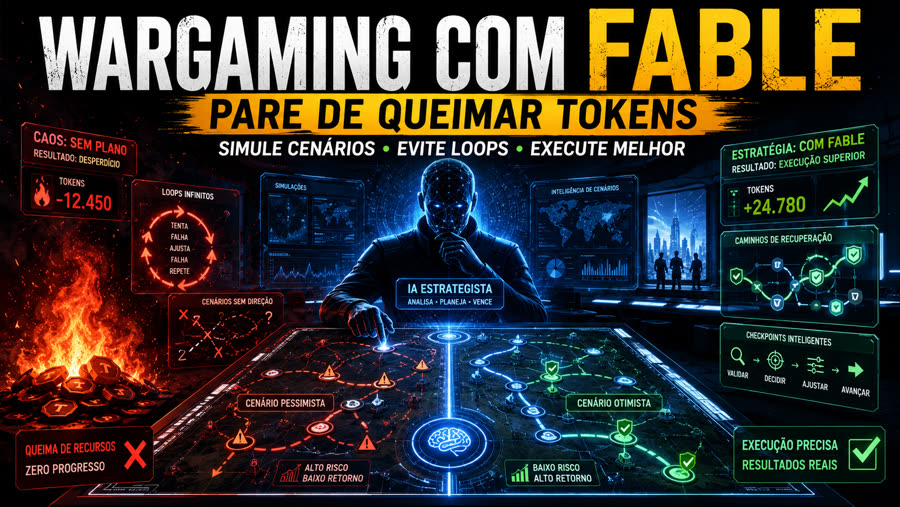
AI wargaming: high-risk pessimistic scenario on the left, low-risk optimistic scenario and precise execution on the right
What it is

A prompt, not a tool

It's a single text — in EN and PT-BR — that you paste at the start of a conversation with your planning AI before asking it to execute anything. There's nothing to install.

🎯 No happy path

Each phase must state its objective, optimistic assumption, pessimistic assumption, failure modes and fixes, verifiable exit criteria, alternative path, and stop condition—before any code exists.

📋 Master risk table

A single table covering infrastructure, model API specifics, frontend, conversation quality, security, and the learning loop, with detection and recovery for each scenario.

🔁 Self-improvement loop

Design a weekly review that scans conversations for prompt injection and adjusts the agent's style within strict limits—no changes go to production without regression evaluation and explicit approval.

How it works

Plan with a strong model, execute one phase at a time

The logic behind the prompt: investing significant reasoning in planning buys low-to-medium effort—and much more predictable—execution.

Copy the prompt→ Fill in the [brackets]→ Paste as the first message→ Phased plan + master table→ Visual dossier in HTML→ Execute phase by phase
Prerequisites

What you need before you start

Nothing beyond a briefing and a model capable of long-term planning — no installation, dependencies, or build.

A real brief

A description of what you want to build—the more concrete (stack, integrations, project owner), the better the plan.

# what we're building
"Um agente de chat com tour guiado + qualificação de lead..."

One of the two prompts

Choose the language and copy the corresponding file from the repo.

# EN
cat doc/war-game-prompt.md
# PT-BR
cat doc/prompt-war-game-portugues.md

A planning AI

A model with strong reasoning (e.g., Claude Opus/Fable in "high" mode), preferably with access to research tools.

# paste the completed prompt
como a 1ª mensagem # without prior context
User guide · step by step

From prompt to plan in 5 steps

The prompt was designed for a "cold-start agent" — it works best as the first message in a new conversation, with no prior project context.

1

Choose the language and open the prompt

The two files are equivalent — choose the one in the language you'll use to talk with the AI.

cat doc/prompt-war-game-portugues.md  # or doc/war-game-prompt.md (EN)
2

Fill in the bracketed fields

Replace each [PROJETO], [Claude Haiku], [Supabase Edge Functions], [workshops/serviços] etc. with your project's actual details — model, infrastructure, stack, expected deliverables.

# before
Plan a full build of [PROJECT], but do it as a war game.
# after
Plan a full build of the Prompt Advisers website chat agent, but do it as a war game.
3

Paste as the first message

No preamble, no extra context — the prompt already asks for everything the AI needs to know to plan from scratch.

nova conversa → colar o prompt preenchido  # First message, no history
4

Covers both deliverables

If the AI stops before delivering both formats requested in the prompt, explicitly ask for both.

1. plano em Markdown (preâmbulo, caminho crítico, stack, estrutura, metodologia)
2. versão visual em HTML com diagramas da arquitetura e de cada fase
5

Execute one phase at a time, without skipping

Stop after each phase, check the exit criteria, and only then move on to the next. If you hit a stop condition, really stop: record the blocker instead of letting the AI improvise a way out.

fase 0 → checar critérios de saída → fase 1 → ...
Batch mode

When the problem isn't one project, but twelve

The prompt above opens one project in depth. There is a second mode in the same repo for when the question is different: I have several stalled projects — which should I do first, which should I simplify, and which should I abandon?

⚔️ War Game

One project, in depth. Answers "how do I build this without taking a beating along the way?" Delivers a phased plan, a master failure table, and a visual dossier in HTML.

🗂️ Mass War Game

Multiple projects, compared. Answers "where do I start?" Delivers an analysis for each project, a ranking by impact/effort/risk, and a 30- and 90-day plan.

Both use the same logic — action → reaction → counteraction — and the same rule: anticipate the obstacle before the first line of code. The difference is where the expensive model is used.

One file per project→ Context + shared criteria→ Master prompt (strong model)→ Review round→ Ranking + 30/90 days→ Execute 1 project (low-cost model)
1

Set up the structure and write one file per project

Never combine several into one file — that mixes context and ruins the comparison. Start with the 5-question minimum briefing; whatever you don't know, leave blank, don't guess.

analise-projetos/
├── projetos/          # project-01.md, project-02.md, ...
├── resultados/        # the AI writes here
├── contexto-geral.md  # what applies to everyone
├── criterios.md       # the same criteria for everyone
├── ledger.md          # blockers
└── assumptions.md     # assumptions, with the impact if they're wrong
2

Fill in the general context and criteria

These two files are what make different projects comparable. Shared criteria make ranking possible — project-specific criteria don't.

# criteria.md — the same for everyone
substância  clareza · problema real · público · valor · diferencial
execução   viabilidade · complexidade · gargalo · simplificação · automação
risco      o que impede · segurança · manutenção · escala
retorno    receita · custo
3

Run the master prompt with the most capable model

It generates a first version of all the projects — without polishing any of them. Polishing project 01 before looking at the rest burns the budget on the first in line, which is rarely the most important.

cat doc/war-game-massa-portugues.md  # or doc/mass-war-game.md (EN)
4

Run the review round

The first round almost always comes out generic. The second is what removes the generic parts: look for contradictions, overlooked risks, steps without validation, and actions without stop conditions.

revisar /resultados → aprofundar war-game → atualizar ledger + suposições
5

Choose ONE project and give it to the low-cost model

Analysis can be done at scale. Execution can't. Read the resumo-geral.md, choose the top priority and deliver its war game with the execution prompt.

modelo avançado pensa e antecipa
modelo intermediário organiza
modelo barato executa  # following the plan that's already laid out

O ledger.md e o assumptions.md are what keep the analysis from turning into fiction: without them, the model makes up whatever is missing so it can continue. Missing information becomes [PRECISA_DEFINIR: x] at the exact point where it would be needed.

Want to see where this leads? The sample output includes a fictional portfolio of 4 projects analyzed from start to finish — a complete individual analysis, o overall summary with ranking and a 30/90-day plan, plus the ledger and assumptions. This is the definition of "done" for this mode.
Examples

Two dossiers generated from this prompt

The two HTML files below (doc/war-game.html in EN and doc/war-game-portugues.html in PT-BR) are the actual output of the prompt applied to the PA-CHAT-V0 case — a chat agent with Claude Haiku + Supabase — and serve as a reference for what "done" looks like.

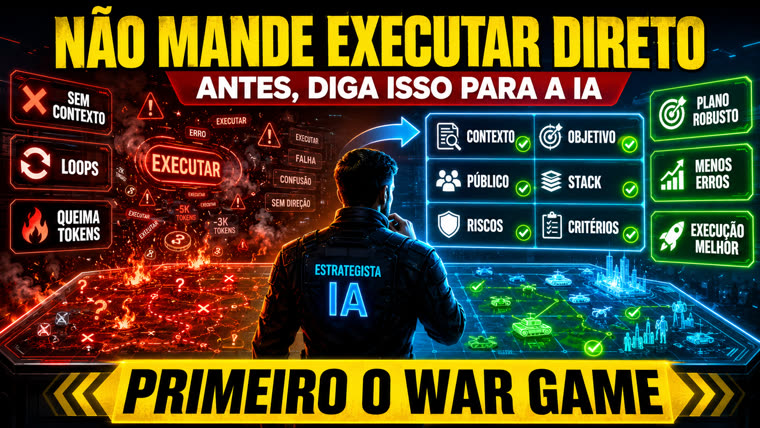
Infographic: don't tell it to execute directly; run the war game first — context, objective, audience, stack, risks, and criteria before any plan
Before asking it to execute: start with context, objective, stack, and risks.
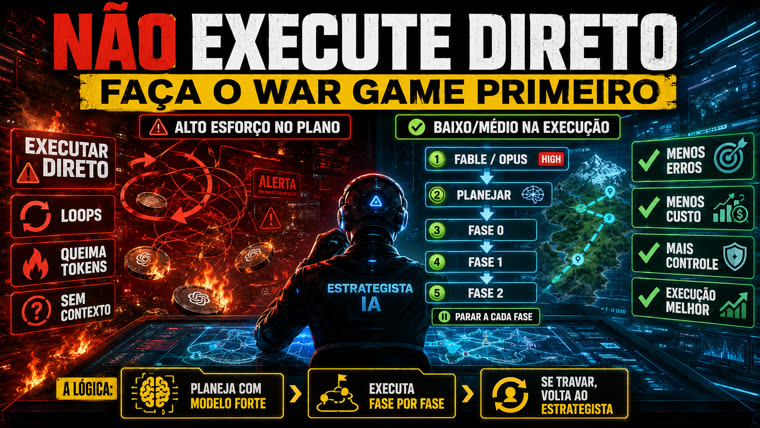
Infographic: don't execute directly; run the war game first — plan with a strong model, phase 0, phase 1, phase 2, stopping after each phase
Plan with a strong model → execute one phase at a time → if you get stuck, go back to the strategist.

Open example dossier (EN) →
Open example dossier (PT-BR) →

Roadmap

Where this could go next

The prompt is stable in both languages. Possible next steps, with no deadline commitment.

v1
Prompt EN + PT-BRThe two ready-to-use prompts, plus two example dossiers (PA-CHAT-V0) showing the expected output.
v1.1
Landing page + guideThis page: what it is, how it works, step-by-step instructions and examples, published on GitHub Pages.
v1.2
Stop condition + large-scale modeEach phase now states an alternative path and a stop condition. The second mode is here too: large-scale analysis of multiple projects, with a blocker ledger, assumptions log, ranking, and a 30/90-day plan.
next
Domain-specific variantsPrompt versions tailored to specific project types (chat agent, data pipeline, n8n automation).