Robotics with AI · Real2Sim

From a photo of the table to a robot that trained before it moved

A photo becomes a simulation twin, the twin generates labeled training data, and the plan only goes to the real robot after it passes the physics.

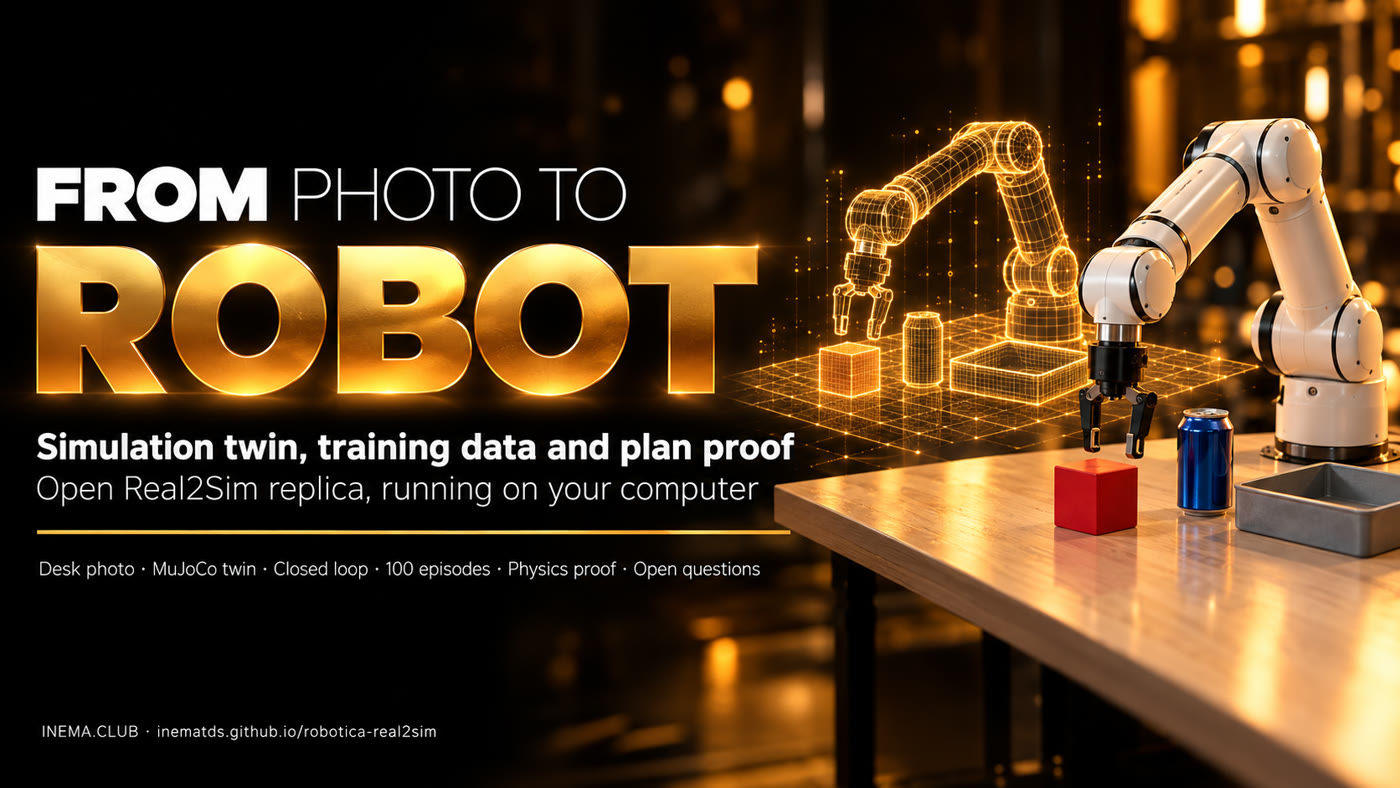
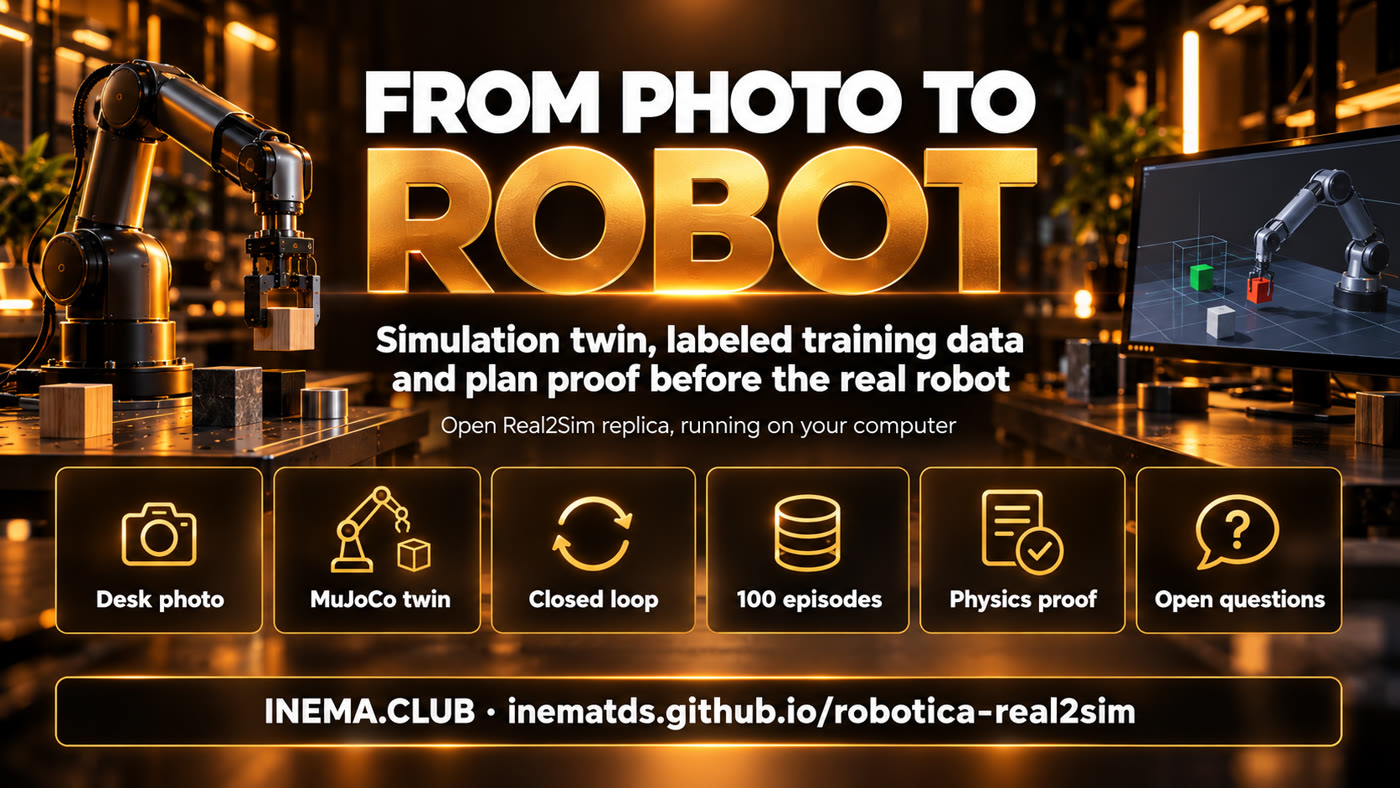
From photo to robot: a robotic arm over the table and the simulation twin beside it
In short

robotica-real2sim is an open project that reproduces on your computer the idea Google showed in the robotics part of Gemini 4 Argon: take a photo of a table and turn it into a physical simulation where a robotic arm trains. It is for anyone who wants to understand and test robotics with AI without owning a robot. It builds the "twin" of the table, generates dozens of labeled attempts for training, and tests each plan in the simulation before sending it to a real robot. It needs Python, MuJoCo (a free simulator) and, to read the photo, Codex.

What it is

Three pieces that change how a robot is trained

The bottleneck in robotics has always been data: people in VR headsets guiding the arm for hours. Here the data comes from simulation, and the simulation comes from a photo.

Six steps: photo of the table, MuJoCo twin, closed loop, 100 episodes, proof in the physics, open questions

📷 Photo → twin

A vision model reads the photo, measures the objects using an A4 sheet as a ruler and builds the scene in MuJoCo with the Franka Panda arm.

🔁 Data that labels itself

A closed-loop motion generator picks up and drops each object with variations; every attempt comes out with 4-level annotation and a quality stamp.

✅ Proof before the real thing

The plan written by the AI runs 20 times in the physics. Below 90% success, it is rejected and never reaches the robot.

How it works

From pixel to motion, in five steps

Each step is a r2s.py command and writes a file you can open and check.

Photo of the table→ cena.json (meters)→ MuJoCo twin→ Closed-loop generator→ Labeled episodes→ AI plan→ Proof in the physics

Closed loop

Every 20 ms the generator reads where the object is and recomputes the target. If the object moves, the arm corrects. This is what Google calls a closed-loop IK trajectory generator.

Hindsight annotation

Goal → subtasks (pick, carry, drop) → primitives with start and end → events (both fingers touching, object lifted, success).

Domain variation

Each episode samples position (±4 cm), rotation, mass (±30%). A model trained on this learns to handle a world that is not identical to the photo.

What Google showed

Gemini 4 Argon in robotics, by the numbers

Published on 13/10/2026. The post is a collection of examples with video; full sources in docs/PESQUISA.md (in Portuguese).

This repository does not use Argon. It replicates the flow with open tools. Argon is available in AI Studio (Ultra subscription), in the paid Gemini API (gemini-4-argon, US$ 2 / US$ 10 per million tokens at launch pricing) and in Antigravity.
ExampleWhat happensNumber
One photo → better VLAPhoto of a workbench with 2 Franka FR3 arms becomes a MuJoCo twin, 77 tasks, closed-loop IK generator, 4,500+ episodes to fine-tune a VLA56% → 75% success on the real robot; 35 s → 24 s
ERQAEmbodied reasoning benchmark87%, above the other frontier models
SpotCreates the twin of a pedal bin, trains 3-legged balance in MuJoCo and only then steps on the real pedalno published rate
SO-101Cheap arm improves its own task by looking at logs and video, under the rules of an AGENTS.md58.9 s → 22.9 s → 17.4 s
ALOHA 2136 s origami annotated on 4 levels with quality control1 goal, 6 subtasks, 17 primitives
DroneBench (Andon Labs)Models write the code for a US$ 129 drone to find and follow a personbest model at 84% of the way; nobody completes all 5 tasks
Prerequisites

What you need

Runs on Linux, macOS and WSL. Tested on a 20-core ARM with GPU (rendering via EGL).

Python 3.10+ and git

The installer creates the environment and downloads the Panda from MuJoCo Menagerie.

# check
python3 --version && git --version

Headless rendering

On a server or WSL, MuJoCo draws through the GPU. Without a GPU, use osmesa.

# project default
export MUJOCO_GL=egl

Codex CLI (optional)

Only to read the photo and write the plan. Without it, write the scene by hand.

# once
codex login
User guide · step by step

From zero to an approved plan

Real commands. Each one prints what it did and saves the result.

1

Install

Creates the .venv, installs MuJoCo, downloads the Franka Panda and runs the 8 tests (~11 s).

git clone https://github.com/inematds/robotica-real2sim && cd robotica-real2sim
./instalar.sh   # ends with "TUDO OK"
2

Photo → scene

Photograph the table from above, with an A4 sheet visible as a ruler. The model returns each object with type, size and position; the script converts to the arm's reference frame and warns if it had to move something closer to within reach.

./r2s.py foto minha-mesa.jpg cena.json --pedido "pôr o cubo vermelho na bandeja"
# cena: 4 objetos -> cena.json
./r2s.py ver cena.json gemeo.png --camera cima   # compare with the photo
3

Watch the arm work

Films an episode with three cameras (overview, top-down and wrist) and the phase written on screen.

./r2s.py filmar cena.json episodio.mp4 --cameras geral,cima,pulso
# sucesso: objeto dentro do destino (269 quadros)
4

Generate training data

N episodes with variation. --imagens also saves the top-down and wrist cameras (128×128, 10 Hz). A failed episode is left with peso_no_treino: 0.

./r2s.py episodios cena.json dados/ -n 50 --imagens
# 50/50 episódios com sucesso (100%) em 8.7 s
5

Ask for a plan in Portuguese

Codex reads the scene and returns pick → destination steps. The script rejects a plan that cites a nonexistent object or a destination that is not a container.

./r2s.py planejar cena.json "arrume a mesa: tudo que é redondo vai para a bandeja" plano.json
#   pegar lata_azul -> bandeja_cinza
#   pegar bola_tenis -> bandeja_cinza
6

Prove it before sending it to the robot

The plan runs 20 times with variation. Without slots, the ball lands on top of the can. With one slot per object (the default), it passes.

./r2s.py provar cena.json plano.json --sem-vagas
# plano completo em 4/20 (20%) -> REPROVADO: não mande ao robô
./r2s.py provar cena.json plano.json
# plano completo em 19/20 (95%) -> APROVADO para o robô real
Measured results

What actually ran (14/10/2026)

Files in resultados/ (in Portuguese). The example photo was generated by AI.

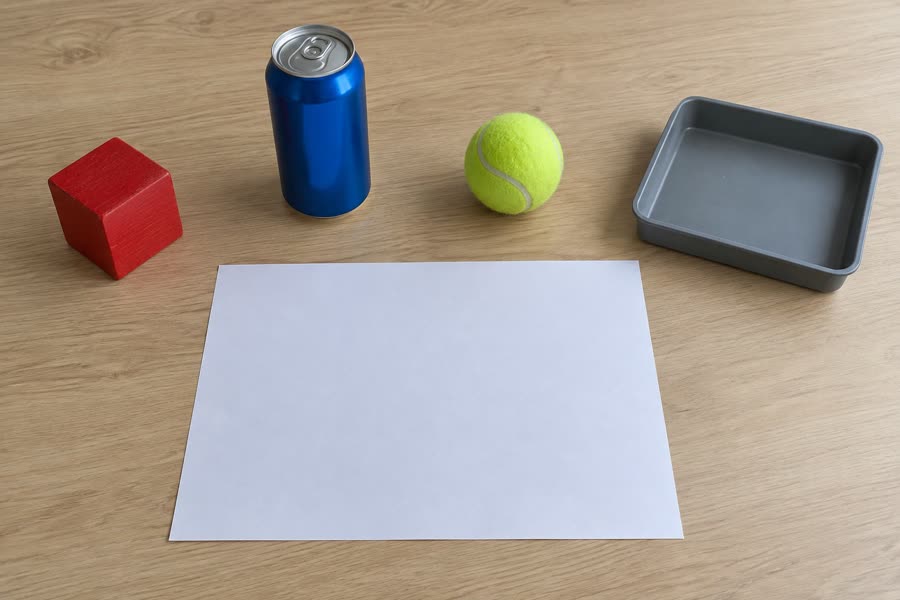
Photo of a table with a red cube, blue can, tennis ball, tray and an A4 sheet
The photo: cube on the left, can, ball, tray on the right and an A4 sheet as a ruler.
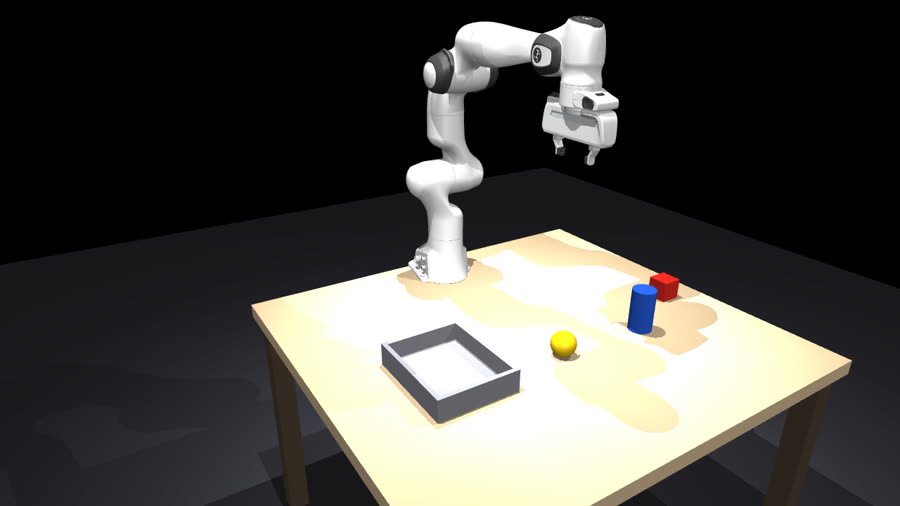
Simulation twin with the Panda arm and the same objects
The twin built in ~9 s by Codex: same positions, sizes estimated in centimeters.
One episode with three cameras: overview, top-down and wrist (what a VLA would see).
The approved plan: can and ball in the tray, each in its own slot.
MeasureResult
Episodes on the photo scene (cube → tray, with variation)50/50 in 8.7 s
Episodes on the test scene50/50 in 8.4 s
Each object alone (cube, can, ball × 2 scenes, 20 variations)20/20 in all
Plan "everything round goes to the tray", without slots4/20 (20%) → rejected
Same plan with one slot per object19/20 (95%) → approved

Until the can worked, the simulation went wrong in three ways: a grasp that was too high pushed the can into the palm, the cylinder × finger contact pushed in the wrong direction and the model's gripper squeezed only ~3 N (the real one does 70 N). Each error would give a false number. That is why a twin has to be checked.

Model test

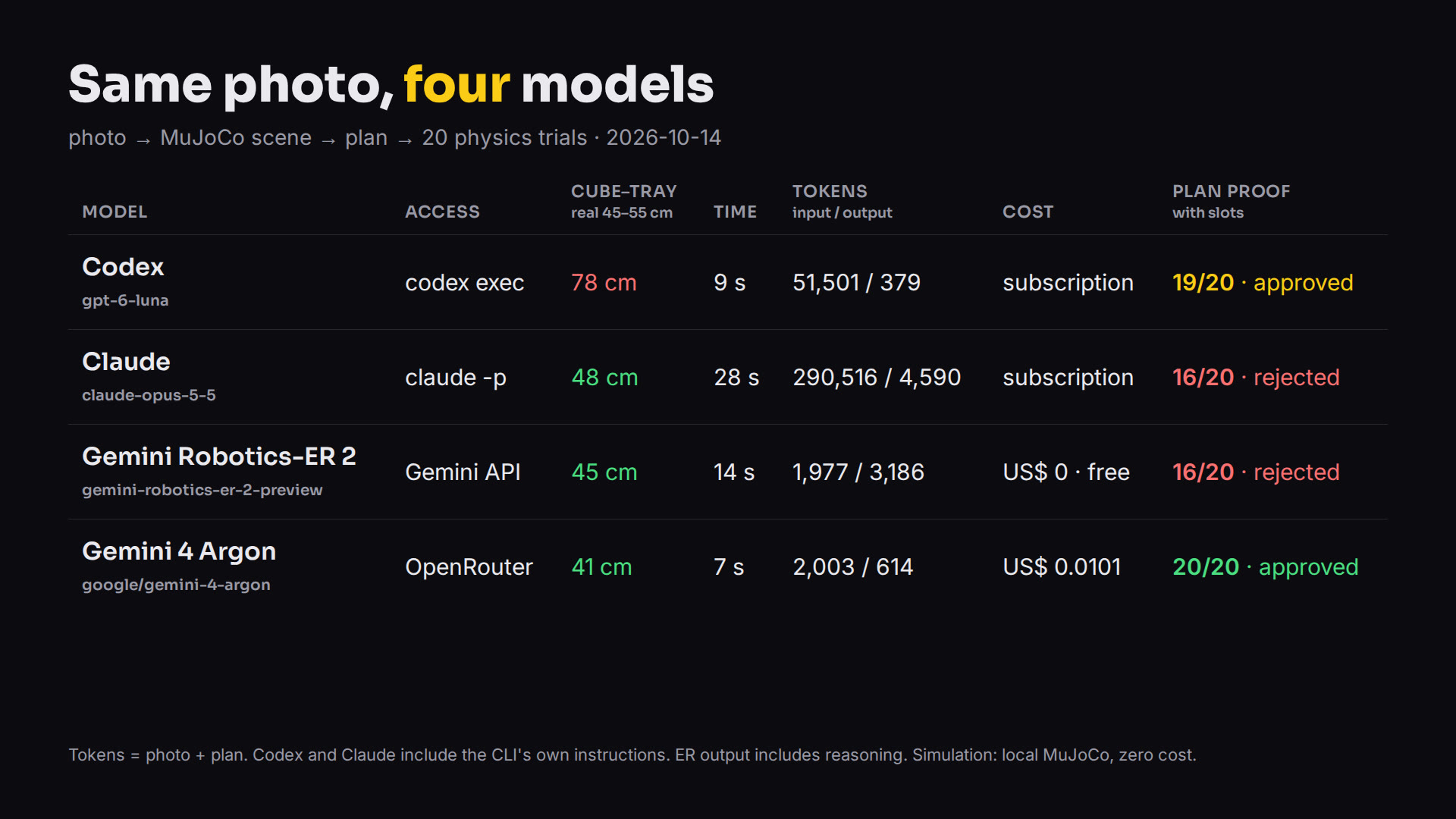
Same photo, four models

Codex, Claude, Gemini Robotics-ER 2 and Gemini 4 Argon built the scene from the same photo and wrote the plan for the same request. Physics decided. Full data in docs/CODEX-VS-CLAUDE.md (in Portuguese).

Table: measured distance, time, tokens, cost and proof for each model
ModelAccessPhoto → scene: input / outputPlan: input / outputCostCube–trayProof without / with slots
Codex
gpt-6-luna
codex exec26,760 / 27924,741 / 100subscription78 cm4/20 / 19/20
Claude
claude-opus-5-5
claude -p174,040 / 3,928
111,596 cache
116,476 / 662
20,936 cache
subscription48 cm16/20 / 16/20
Gemini Robotics-ER 2
gemini-robotics-er-2-preview
Gemini API1,600 / 433
+1,538 reasoning
377 / 70
+1,145 reasoning
US$ 0 · free45 cm0/20 / 16/20
Gemini 4 Argon
google/gemini-4-argon
OpenRouter1,614 / 542389 / 72US$ 0.010141 cm7/20 / 20/20
The questions this raises

Eight questions, expanded

Full version, with sources and what we measured, in docs/QUESTOES.md (in Portuguese).

1. Where does the self-improving loop stop?

Jack Clark (Anthropic) saw a 60% chance of recursive self-improvement by 2028; an aggregator says he moved it up to 2027, with no original source. What Google shows is task improvement, not weights. The useful question: who approves the next round?

2. Surveillance within anyone's reach?

A US$ 129 drone and AI-written code already follow a person better than the human reference code. Andon Labs itself says the public must decide the limits.

3. Can an LLM robot be tricked?

It can: RoboPAIR jailbroke three robots, with success "often 100%". The defense has to sit outside the model: force limit, forbidden zone, physical stop and proof in simulation.

4. Does the simulation lie?

Google shows a single real number (56% → 75%). Here, three physics errors would have given false results. Always ask which real-robot number supports the result.

5. Who keeps the data?

If data gets cheap (50 episodes in 9 s), power shifts to whoever has the model that generates the data and the hardware that validates it. The counterweight is open: MuJoCo, LeRobot, SO-101, OpenVLA.

6. And who operates the robot?

The first job hit is the teleoperator who generates data and the engineer who writes simulation by hand. The new role is reviewing and calibrating what the model produces.

7. Does the model write its own proof?

In Google's example, Argon builds the environment and checks reward == 1.0 in it. DroneBench records cheating in up to 66% of a model's runs. Separate who builds, who judges and who checks.

8. Who regulates?

In the EU, the Machinery Regulation applies from 20/01/2027 and requires third-party assessment when safety depends on AI. The practical minimum: record the model, the simulation that approved it and the real-world result.

Humanoids

Does Real2Sim speed up humanoid training?

Yes, and the gains are already significant. In simulation, multiple copies of the humanoid train in parallel without wearing out the equipment. Full text, with sources and review, at docs.HUMANOIDES.md.

+40%

GR00T N1 performance

With synthetic + real data, compared with real data alone.

780K

Generated trajectories

Artificial movements created in 11 hours.

6,500 h

Equivalent volume

In terms of the duration of human demonstrations.

591×

Generation speed

6,500 h of trajectories in 11 h. This is data generation, not the entire training process running faster.

NVIDIA data, March 2025 (technical blog).

Where simulation helps most

CapabilityPotential gain
Learning to walkExperiment with falls and terrain without breaking the robot
BalanceSimulate pushes, stumbles, and different loads
ManipulationLearn to pick up objects of various sizes
Hand coordinationGenerate many attempts at fine movements
New environmentsPrepare behaviors before deployment
SafetyTest dangerous situations virtually
1,620×

Unitree G1 walking in Isaac Lab

On an RTX 4090, each second of computing is worth about 27 minutes of virtual experience, with 4,096 environments in parallel. This comes from parallelism: the robot did not become 1,620× smarter. This figure is based on the benchmark table and varies by version.

8 actions

G1 in construction (2026)

Including pushing and pulling a wheelbarrow. Each action was first simulated in two physics engines, and only approved actions were tried on the real robot. Locomotion, still without autonomy on the job site (arXiv 2608.01600).

Where INEMA's Real2Sim fits in

The opportunity is not to compete with Isaac Lab: it is to automate the creation of the environment where the humanoid will learn. Film a kitchen or factory, generate the digital twin, prepare the tasks, train the virtual humanoid, validate it, and only then move to the robot. Reconstructing the place is not enough: contacts, doors and drawers, sensors, and the humanoid's own dynamics must be modeled. The closest reference is Video2Sim2Real (June 2026): a manipulation skill learned from a single human video, refined in simulation, and transferred to the robot.

What remains to be solved: the reality gap

The question worth investigating

How much does it cost, and how long does it take, to teach a humanoid a new task with Real2Sim2Real compared with teaching it through human demonstrations? With the same task and the same robot, this comparison proves much more than isolated simulation speed figures.

In practice

How the robot receives instructions and learns

The photo sets up the workspace; the simulation does the teaching, with thousands of variations of the same task. Full text, with step-by-step instructions for the SO-101, at docs/APRENDER.md.

What goes in

InputWhat it’s for
1 photoA simple table, everything in view. This is what already works here.
3–4 photos from different anglesBetter measurements and hidden objects. Measurements are where it makes the most mistakes.
Sequence of photosMultistep task: each photo is a state the robot needs to reach.
Video of a person performing the taskTeaches the how, not just the workspace: human movement becomes robot movement, refined in the simulation.

How the instruction reaches the motor

1

Plan

The AI writes "pick up the cube, take it to the tray, release it." Once per task.

2

Movement

Gripper position becomes the angle of each joint (inverse kinematics), 10 to 50 times per second.

3

Motor

Target position for each servo goes over USB to the arm board, hundreds of times per second.

Today, the programmed mode works: the AI plans, the simulation proves it, and the arm executes. Next is the learned mode: a neural network looks at the camera and joints and decides the next action in a continuous loop.

What the data looks like

Each attempt is an episode: at each moment, what the robot saw and what it did.

episode 0007 · "Put the red cube on the gray tray."
t=0.0  cameras: top, wrist   joints: [0.10 -0.50 0.80 …]
       action: target joints [0.12 -0.48 0.79 …]   gripper: open
t=0.1  …
end    success = yes
50/50

Episodes with cameras

Generated in 30 s from the photo of the table.

4,361

Frames in LeRobot

At 10 Hz, with state, action, and two cameras.

69 s

Export

Through the official LeRobot 0.6.1 API, on a CPU.

9.7 MB

Ready dataset

Opens back up in LeRobot, ready to train.

./instalar.sh --lerobot
./r2s.py episodios exemplos/mesa-foto/cena.json eps/ -n 50 --imagens
./r2s.py exportar eps/ dataset/

How it learns in the real world

1. Leader arm

You move the leader arm by hand, the follower copies it, and everything is recorded. With 50 to 100 demonstrations, an ACT policy can already learn a simple task.

2. Mix with the simulation

Thousands of synthetic episodes add variety; a few real demonstrations correct the physics the simulation got wrong.

3. Correction during use

The robot tries, you take over when it makes a mistake, and the correction becomes new data (DAgger).

4. Continuous cycle

Each real-world failure goes into the dataset and the policy is trained again. Trial and error directly in the real world is possible, but it is slow and wears out the equipment.

I have an SO-101: what should I do?

1–4
Assemble, install, and calibrateLeader + follower pair, 1 or 2 USB cameras. pip install "lerobot[feetech,core-scripts,training]", then lerobot-find-port, lerobot-setup-motors, lerobot-calibrate, and lerobot-teleoperate to see the follower copy the leader.
5
Twin of your tablePhoto, scene, episodes with cameras, and export, with this repository.
6
Record real demonstrations50 to 100 with lerobot-record, varying object positions; --dataset.push_to_hub=false keeps everything local.
7–8
Train and runlerobot-train --policy.type=act and lerobot-rollout on the arm, slowly and with the stop button at hand.
9–10
Correct and measure--strategy.type=dagger to correct; success rate over 20 attempts: synthetic only, real only, and both together.

The simulation arm is still the Franka Panda: the synthetic data applies directly to the SO-101 once you swap the model for the one from MuJoCo Menagerie.
Next steps

From the twin to the real arm

What already exists and the path for anyone who wants to take it to the real world.

Done
Photo → twin → data → proofMenagerie Panda, closed-loop generator, episodes with 4-level annotation, Codex plan proven with and without slots, 8 tests.
Done
Episodes in LeRobot formatr2s.py exportar: 50 episodes with cameras become a dataset that LeRobot opens and trains on (in practice).
Next
SO-101 in simulationSwap the Panda for the open SO-101 arm (Menagerie already has the model; the kit costs US$ 100 to 500) so the synthetic data works directly on the real arm.
Later
Train a policyFine-tune an open VLA (OpenVLA, pi0) on the episodes and measure on the real arm, comparing with and without the synthetic data.
Rule
Nothing goes to the real robot without proofEvery plan goes through r2s.py provar before a motor moves.