
The path through track 1: from the mindset to the ecosystem map, ending with the glossary that anchors everything else in the course.
Learning path map
Detailed content
🧠 The Vibe Coding Mindset
The shift: building by describing the result in natural language. Determinism vs. non-determinism, “trust but verify,” iterating in layers, AI as a learning tool, and who does what (you manage, AI develops).
Build software and automations by talking with AI in natural language—you describe the result, and AI handles the implementation.
Removes the technical overhead; focus on the problem, not the mechanics of each node. Speed and rapid iteration.
Natural language drives the build; AI does the “heavy lifting”; just ask to iterate.
Say what should happen (“identify technical questions”) instead of dictating how (“use an IF node with regex”).
Let the AI choose the best approach; you don't need to know the nodes.
Outcome > instruction; specify the output; let the AI propose the structure.
Traditional automation is predictable; generative AI is nondeterministic—the same instruction can generate different names, structures, and layouts.
Prevents confusing normal variation with an error; you don't compare screen by screen.
"Boring is beautiful" in traditional automation; variation is expected in AI; focus on the result.
AI makes mistakes — always test what was created and check the output against what you expected, even when there’s no apparent error.
A “green” workflow may be wrong; verification is part of the work.
Trust and verify; green ≠ correct; test as a real user.
Improve in steps (stair-step): make one improvement at a time, testing after each change.
Isolated changes are easy to test, revert, and diagnose.
Layers; increment; measure before and after; back up before changing.
Ask the AI to explain why it chose a node or configuration so the knowledge sticks.
You move beyond “set it and forget it” and develop an intuition for the system.
Ask why; watch the build early; learn as you build.
Treat AI as a specialist: you define the goal and approve; it executes, like an experienced developer.
Dividing roles prevents micromanagement and frees the AI to solve problems.
Manager vs. developer; delegate; give feedback instead of corrections.
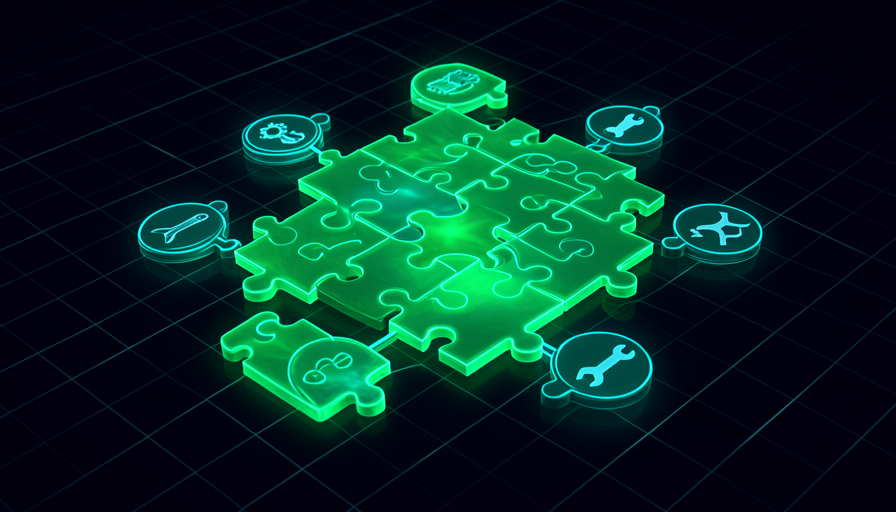
🧩 The Ecosystem: How the Pieces Fit Together
The lay of the land: the coding assistant, n8n (visual builder), MCP (external tools), skills & workflows, agents, and the difference between running locally and being hosted.
The engine that turns your conversation into actions: reads project files, writes/edits code, runs commands, and connects tools via MCP.
It's the centerpiece — understanding what it does (and doesn't do) guides everything.
Runs in the editor; four capabilities; one folder per project.
A visual, node-based workflow builder that connects apps, data, AI, and external APIs.
It’s where automations “live”; the assistant builds in it for you.
Nodes; trigger → logic → action; visual and low/no-code.
The protocol (Model Context Protocol) that exposes a set of external tools for the agent to use on its own.
It's how AI gets "arms" — connecting to n8n, scraping the web, reading databases.
One connection, many tools; the agent decides when to use each one.
Markdown files with reusable instructions — an “SOP” the agent follows, callable on demand.
They stop you from re-explaining tasks and provide consistency while saving context.
Workflow = instruction; skill = callable workflow; markdown.
A system that reasons, adapts, and decides the steps on its own based on the result you asked for.
It’s the leap from “wire everything by hand” to “describe the result.”
Reasons and adapts; describes the result; non-deterministic.
Run on your machine (you trigger it) vs. run on its own in the cloud (on a schedule or in response to an event, without you present).
Defines the course arc: starts locally and ends in production.
Manual vs. automatic trigger; scale; the “agentic gap.”
📖 Essential Glossary — Part 1 (AI, Claude Code, n8n)
Seven term clusters defined with a concrete example: AI concepts, assistant modes, key files, MCP, basic n8n, n8n with AI, and data (vector store, embeddings).
The core vocabulary: LLM, prompt, system prompt, context window, token, and context rot.
Without these terms, everything else becomes orphaned jargon.
Each term with a concrete example; context window; cost per token.
The modes and commands: plan mode, bypass permissions, permission modes, /clear e /compact.
Control how much the AI does on its own and how you manage the session.
Plan before acting; clear vs. compact; balance speed and safety.
The files that structure a project: CLAUDE.md, .env, .gitignore, .mcp.json, and SKILL.md.
Knowing everyone’s role keeps you from leaking secrets and losing configuration.
System prompt; secrets; what goes into the repository and what doesn’t.
MCP terms: the protocol, the MCP server, the tool, and server discovery.
It’s how you give the agent new capabilities.
Protocol; server; tool; where to find servers.
The n8n building blocks: node, trigger, workflow, credential, and OAuth2.
Lets you read what the AI built and discuss adjustments.
The trigger starts the flow; credentials connect apps; OAuth2 authorizes.
The n8n AI nodes: AI agent node, text classifier, code node, and IF node.
Are the building blocks of practical projects (support, classification, branches).
Classify before acting; branch with IF; custom logic in the code node.
Data/RAG terms: vector store, embeddings, document loader, and text splitter.
Are the foundation for AI to answer based on your documents.
Index docs; search by meaning; split text into chunks.
📖 Essential Glossary — Part 2 (Agentic, RAG, Deploy, Security)
The second half of the glossary: agentic terms (WAT, self-improvement loop, agentic gap), RAG, versioning/cloud, hosted execution, app/frontend, and security & payment.
Agentic terms: agent, agentic, WAT (Workflows/Agent/Tools), self-improvement loop, and agentic gap.
Are the backbone of tracks 2 and 4.
Decides on its own; self-heals; what's missing in production (gap).
RAG (retrieval-augmented generation): knowledge base, retrieval, and confidence score.
It's how AI responds based on your data, without making things up.
Search before responding; knowledge base; score confidence.
Git/cloud basics: GitHub, repo, commit, push, and the gh CLI.
It’s where the code lives in the cloud and where deploy pulls from.
Snapshot (commit); send (push); history/rollback.
Production terms: Trigger.dev, cron, webhook, payload, dev vs prod, trace, retry, and alert.
Are the vocabulary of track 6 (hosting and reliability).
Schedule vs. event; trace = step by step; retry vs. bug.
The app model: frontend, backend, request/response cycle, Vercel, and env var.
Fundamentals for building interfaces that other people use.
What the user sees vs. the server; request → response; secret in an env var.
Security/monetization terms: Supabase, RLS, migration, Stripe, checkout, price ID, webhook secret, and freemium.
It’s what turns an open, risky app into a secure, paid product.
Isolate data (RLS); database migration; checkout; freemium model.