The path through track 2: from the instruction file (the project’s "constitution") to the WAT architecture, MCP protocol, context efficiency, and RAG — the internal layers that separate a prototype from a reliable system.
Learning path map
📜 CLAUDE.md Engineering
The project’s persistent system prompt
🔠 The WAT Framework
Workflows + Agent + Tools, in depth
🔌 MCP Under the Hood
How the agent gets external tools
🧠 Context & Tokens
Don't let the agent “rot”
🗂️ RAG & Data
Give the agent memory and sources
How to navigate
The modules are independent, but the order 2.1 → 2.5 builds layer upon layer: instructions, architecture, tools, efficiency, and data.
Detailed content
📜 CLAUDE.md Engineering
CLAUDE.md is the project’s persistent system prompt — the "constitution" the agent rereads every session. Its anatomy, operating rules, how to trim it to under ~500 lines, what belongs in CLAUDE.md vs. skills, and how to iterate on the file through conversation.
A Markdown file at the project root that defines role, context, and preferences — and that the agent reads at the start of each session, without you having to explain them again.
It’s what keeps things consistent across sessions; if it’s poorly written, the agent forgets the rules every time.
Persistent; markdown; read every session; role + context + rules.
Typical sections: who the agent is, what is being built, operating rules, communication style, and the project's folder structure.
A clear skeleton prevents confusing files and lost rules.
Role; context; rules; style; structure.
Behavioral directives: look for an existing tool before creating a new one, learn and adapt when something fails, and keep the files up to date.
Are the rules that activate the agent’s self-improvement loop.
Reuse before creating; learn from failures; keep it up to date.
Limit the file (target: under ~500 lines) because it enters the context every session; long files dilute the important rules.
If the agent keeps getting the same rule wrong even though it’s written down, the file may be too long and the rule may “get lost.”
Under ~500 lines; only content for every session; concise.
CLAUDE.md stores only what applies to every session (purpose, rules, framework); instructions for specific tasks go in skills, loaded on demand.
Putting everything in CLAUDE.md overflows the context window; skills save space.
Every session → CLAUDE.md; on demand → skills.
CLAUDE.md isn’t written once and then forgotten — you ask the agent to add or change sections ("add a rule to keep explanations short").
The file evolves with the project; iteration is how it gets sharper.
Always editable; ask in natural language; living document.
🔠 The WAT Framework in Depth
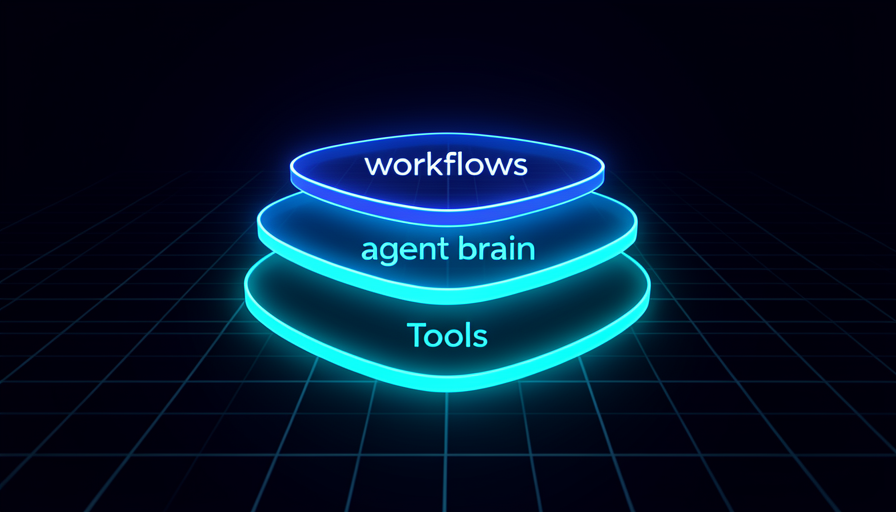
The structure behind every agentic workflow: W = Workflows (Markdown instructions = SOP), A = Agent (the coordinator that makes decisions), T = Tools (scripts, one task each). Plus the self-improvement loop, the folder structure, and when NOT to use WAT.
A three-layer pattern — Workflows, Agent, Tools — that gives the agent a "manual + brain + hands." Most agentic builds fit this model.
It gives you a shared vocabulary and a repeatable way to structure any project.
W + A + T; manual + brain + hands; repeatable.
Natural-language Markdown files (with headings, bullets, and bold text) that work like a job description or SOP, telling the agent what to do.
It's the layer you edit most; a good workflow is half the result.
Markdown; SOP; objective + input + output + steps.
The coding assistant itself: the coordinating brain that reads workflows, sees the available tools, and decides which one to use and when — like a project manager delegating tasks.
Understanding that the agent makes decisions (it isn’t a fixed script) changes how you write instructions.
Coordinator; reads and decides; delegates to tools.
Scripts (usually Python) that do the actual work, ideally one per task (scrape a site, generate a PDF, analyze data). The agent writes and fixes them—you don’t need to code.
Small, focused tools are easy to test, reuse, and fix.
One task each; auto-generated; reusable.
The agent runs a workflow, encounters an error, diagnoses it, fixes the tool, and updates the workflow file so the error doesn’t happen again — runs get smoother and faster over time.
It’s WAT’s superpower: the system improves itself while it runs.
Error → diagnosis → fix → updated workflow.
The recommended organization: a workflows folder, a tools folder, a temporary folder (intermediate/output files), the environment file (.env, secrets), and CLAUDE.md.
A clear structure helps the agent find what it needs and keep secrets separate from the code.
workflows; tools; temporary; .env; CLAUDE.md.
For one-off tasks, initial experimentation, or instructions that fit in one sentence, setting up the WAT structure is overkill — just type the request.
Knowing when NOT to use it avoids bureaucracy and wasted context.
One-off task; one-off; don’t force the structure.
🔌 MCP Under the Hood
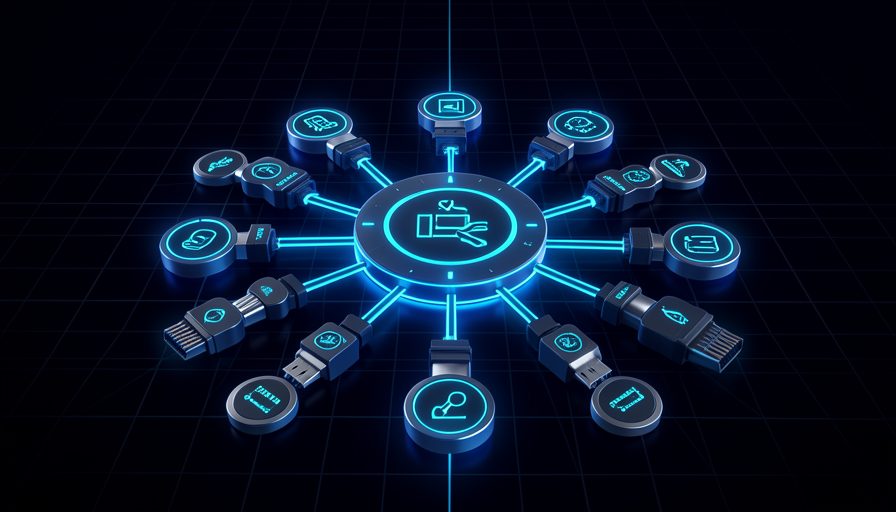
The protocol that gives the agent external tools. What it solves, how the agent discovers and chooses tools, the .mcp.json and manual key (never in chat), project-level vs global, where to find servers, how to verify/diagnose, and the context cost.
MCP (Model Context Protocol) lets a single connection expose multiple tools/actions — like Gmail exposing send, draft, and search emails all at once.
It's how AI gets "arms" without you integrating every action by hand.
Protocol; one connection = many tools; exposed actions.
As soon as the agent and server connect, the agent knows all the available tools and decides on its own which one to call, when, and with which parameters.
You describe the outcome; it chooses the tool.
Discovery; autonomous decision-making; parameters.
When installing a server, the agent generates a .mcp.json with the configuration and a space for the API key; you paste the key into the file manually—never into the chat.
It's the basic MCP security rule: keep secrets out of the conversation.
.mcp.json; placeholder; key manually; never in chat.
The MCP config can be global (the whole machine) or at the project level; the project level is recommended to keep secrets and context isolated.
Global config can trigger security warnings on every restart; project-level config fixes this.
Project-level; isolation; move to the project folder.
Servers live in dedicated directories (e.g., mcp.so) or on GitHub (search for "MCP server" + service name). Common categories: scraping (Firecrawl), databases (Postgres, Supabase), documents, communication.
Knowing where to look greatly speeds up the build.
Directories; GitHub; server categories.
The /mcp command lists installed servers and their status; if a new server doesn’t appear, restarting the assistant fixes it most of the time.
It’s the first step in troubleshooting any MCP issue.
/mcp; status; restart first.
Each active server injects its tool definitions into the context, which consumes tokens. Turning off the ones you don’t use frees up context.
Less noise in context = fewer errors and lower cost.
Tool definitions = tokens; turn off unused ones.
🧠 Context & Tokens
Don't let the agent “rot.” Context rot and degradation after ~60%, the thresholds (0-50 / 50-70 / 70-85 / 85%+), /clear vs /compact, one task per session, defining “done” to avoid loops, and cost-saving strategies.
Quality gradually declines as the session gets longer; errors become more common after ~60% of the context is used, when noisy history drowns out the core rules.
Knowing this keeps you from arguing with an agent that’s just “tired.”
Degradation; ~60%; noise drowns out rules.
A guideline: 0-50% is safe; 50-70% is yellow (consider compacting); 70-85% is orange (run /compact); above 85%, run /clear and start over.
Turns abstract “context rot” into concrete action by threshold range.
Green / yellow / orange / red.
/clear resets the entire conversation (use it when switching tasks or when quality drops); /compact creates a smart summary that keeps the essentials and compresses the rest (use it in the middle of a long task).
Choosing the wrong option loses useful context or keeps junk.
clear = reset; compact = summary; when to use each.
Keep each session focused on one task and clear it before starting the next, instead of reusing a bloated conversation for something unrelated.
Clean context = more accuracy and fewer tokens spent.
One task; clear first; focus.
Give the agent an explicit completion criterion (e.g., "exactly 75 profiles") so it stops instead of researching endlessly.
Without a "done" condition, the agent can get stuck in a loop and burn through tokens.
Definition of done; criteria; prevents loops.
Cost-saving levers: use skills (loaded on demand), turn off unused MCPs, keep CLAUDE.md lean, and focus on one task per session.
Brings everything in the module together into a “context hygiene” routine.
Skills; turn off MCP; keep CLAUDE.md concise.

🗂️ RAG & Data
Give the agent memory and sources. The problem (AI doesn't know what's outside the context), system prompt vs vector store, embeddings & vector store in plain language, the indexer, the classifier that routes before spending agent tokens, and confidence score & fallback.
A model only answers about what’s in its context or training. To answer questions about your documents (policies, FAQ), you need to make that information available to it.
It’s the “why” behind RAG: without a source, AI makes things up or gets them wrong.
Outside the context = invisible; ground it in a source.
A system prompt embeds the text directly (simple and inexpensive for a few documents); a vector store retrieves only the relevant passages (scalable and better as you grow).
Choosing the wrong option uses up context or limits growth.
Embed vs. search; small vs. scalable.
Embeddings turn text into numbers that capture meaning; the vector store saves those numbers and finds matches by similarity of meaning, not exact words.
It’s the engine that makes search “understand” the question.
Meaning in numbers; similarity search.
A separate workflow that reads the documents, splits them into chunks, generates embeddings, and populates the vector store — run once (or when updating the knowledge base).
Separating indexing from querying is the standard RAG architecture pattern.
Manual trigger; loader/splitter; populate the store.
A classifier node decides early whether the input is relevant (e.g., a support question or not) and routes it — only what matters reaches the expensive agent.
Low-cost triage before the agent saves tokens and prevents out-of-scope responses.
Triage; routing; only relevant items get through.
When the search doesn't find anything relevant, the agent emits a "not found" marker and falls back (e.g., "let's research and get back to you") instead of making things up.
An honest agent that refuses to make things up is a desired outcome, not a bug.
Confidence marker; fallback; don't hallucinate.