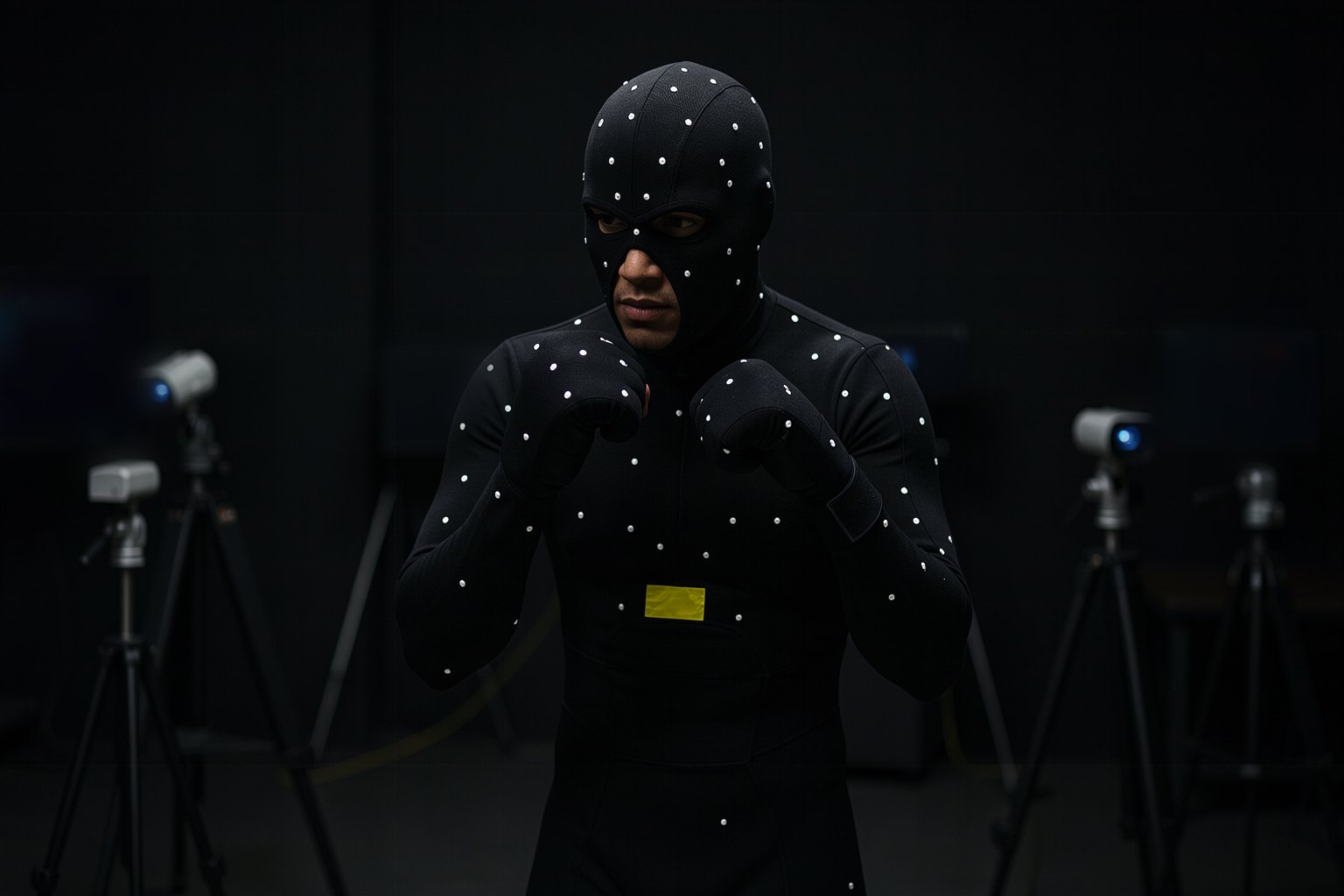
2026 whole-body policies learn from hours of human motion. Before using that data, you need to know how to read it and whether you are allowed to use it. In this lesson you open a BVH clip, count frames, fps and joints, write a clip of your own, and understand why the course does not redistribute any public dataset.
1Where human motion comes from: mocap, video and VR
2The BVH format inside: a skeleton and one line per frame
3AMASS, LAFAN1 and the license question
4How to catch a truncated clip before it ruins the retargeting
Goal: read a motion capture clip (BVH) and report frames, fps and joints, knowing where the data comes from and under what license.
01 · From a person's movement to a file
Click each block.
Click each block of the diagram to see what it does.
Motion data is training input: license and integrity come before quantity.
02 · The datasets you will run into
Click each one.
1. AMASS
A collection of many captures converted to the same parametric body (SMPL-X). It is the most common input for GMR and for several motion tracking works.
Requires registration on the site. The terms for an open course were not checked: read them before using it and before publishing anything derived from it.
2. LAFAN1
An animation dataset in BVH used in many retargeting examples (GMR has a ready-made configuration for it).
Same license caveat: not confirmed by the training's research on 10/19/2026.
3. Your data
The cleanest path for a course, a product or an article: capture your own motion (inertial suit, cameras, VR) or generate a synthetic clip.
The kit's bvh_minimo.py writes a BVH from scratch: a 5-joint skeleton and a wave. It is not a real human, but it shows the format and the license is yours.
ReportedThe README of GR00T-WholeBodyControl cites the BONES-SEED dataset (03/16/2026, more than 142 thousand motions, about 288 h, with G1 trajectories in MuJoCo). The license was not checked: read it before using it.
03 · Download only the GMR test clip and read it
The GMR repository has 1.2 GB in the assets folder, because of the robot meshes. The sparse-checkout downloads only the clip's folder, 2.9 MB (measured on 10/19/2026, commit bb1bbe4). ler_clipe.py uses no extra library: it reads the BVH text.
GMR bb1bbe4 (2026-04-02)
arquivo: 251021_04_boxing_120Hz_cm_3DsMax.bvh
raiz: Hips · juntas: 23 · pontas (End Site): 5 · canais por quadro: 72
ordem de rotação: Yrotation Xrotation Zrotation · unidade provável: cm (maior OFFSET 43.3)
quadros: 4249 · fps: 120 · duração: 35.4 s
linhas de movimento conferidas: 4249/4249
saída: 0
23 joints with 3 rotation channels, plus 3 extra position channels on the root: 72 numbers per frame. Frame Time of 0.008333 s = 120 frames per second.
arquivo: cortado.bvh
raiz: Hips · juntas: 23 · pontas (End Site): 5 · canais por quadro: 72
ordem de rotação: Yrotation Xrotation Zrotation · unidade provável: cm (maior OFFSET 43.3)
quadros: 4249 · fps: 120 · duração: 35.4 s
linhas de movimento conferidas: 4000/4249
saída: 1
The header promises 4249 frames and the file has only 4000 lines (interrupted download, partial copy). The script exits with code 1 instead of letting retargeting run with the end missing.
gravado: ~/fth/movimentos/aceno.bvh (90 quadros a 30 Hz)
quadros: 90 · fps: 30 · duração: 3.0 s
90 frames at 30 Hz = 3 s.
04 · A BVH of your own, made from scratch
Five joints (hips, spine, head, right arm and right forearm), 60 frames at 30 Hz: the arm rises in 0.5 s and the forearm waves.
For a clip you want to use (AMASS, LAFAN1 or another), write three lines in ~/fth/movimentos/licenca.md: Fonte, Licença (with the link) and Pode redistribuir.
Why doesn't this course copy AMASS or LAFAN1 clips into the repository?
Correct
AMASS requires sign-up, and the terms for AMASS and LAFAN1 were not confirmed on Oct 19, 2026. Without a clear license, the course uses the clip that GMR publishes and a synthetic clip of its own. GMR reads both datasets.
Not that one
AMASS requires sign-up, and the terms for AMASS and LAFAN1 were not confirmed on Oct 19, 2026. Without a clear license, the course uses the clip that GMR publishes and a synthetic clip of its own. GMR reads both datasets.Review: From a person's movement to a file
Question 3 of 3
ler_clipe.py says 4000/4249 lines checked. What do you do?
Correct
The header promises 4249 frames and there are only 4000. Retargeting doesn't know that, and the end of the motion vanishes without a warning. Integrity first.
Not that one
The header promises 4249 frames and there are only 4000. Retargeting doesn't know that, and the end of the motion vanishes without a warning. Integrity first.Review: Download only the GMR test clip and read it
Quiz complete
You got {a} of {n} right. If you get them all right, the lesson is marked as complete.
Choose an option. The explanation appears after you try.
07 · In three sentences
FormatBVH = skeleton + one frame per line; frames, fps and channels come from the text.
LicenseWithout clear terms, don't redistribute: use your own data or data that ships with a license.
IntegrityCheck frames × lines before any retargeting.