🕸️ Graph Engineering
Of isolated loops a agent graphs. The course starts from scratch—what a node is, what an edge is—and ends with you drawing, running, and debugging a real agent graph. With an antidote to the hype along the way.
Your course progress
Your progress, questions, and notes are saved in your own browser. Nothing is uploaded to any server.
The sentence that holds up through the hype
“A loop already is a graph — a graph whose path returns to a previous node.”
You don't if condition from loops to graphs. You composes loops in graphs when one loop is no longer enough—and pays for it in prompts, in state schema and new failure modes. Get the loop right first; build the graph when the work calls for it.
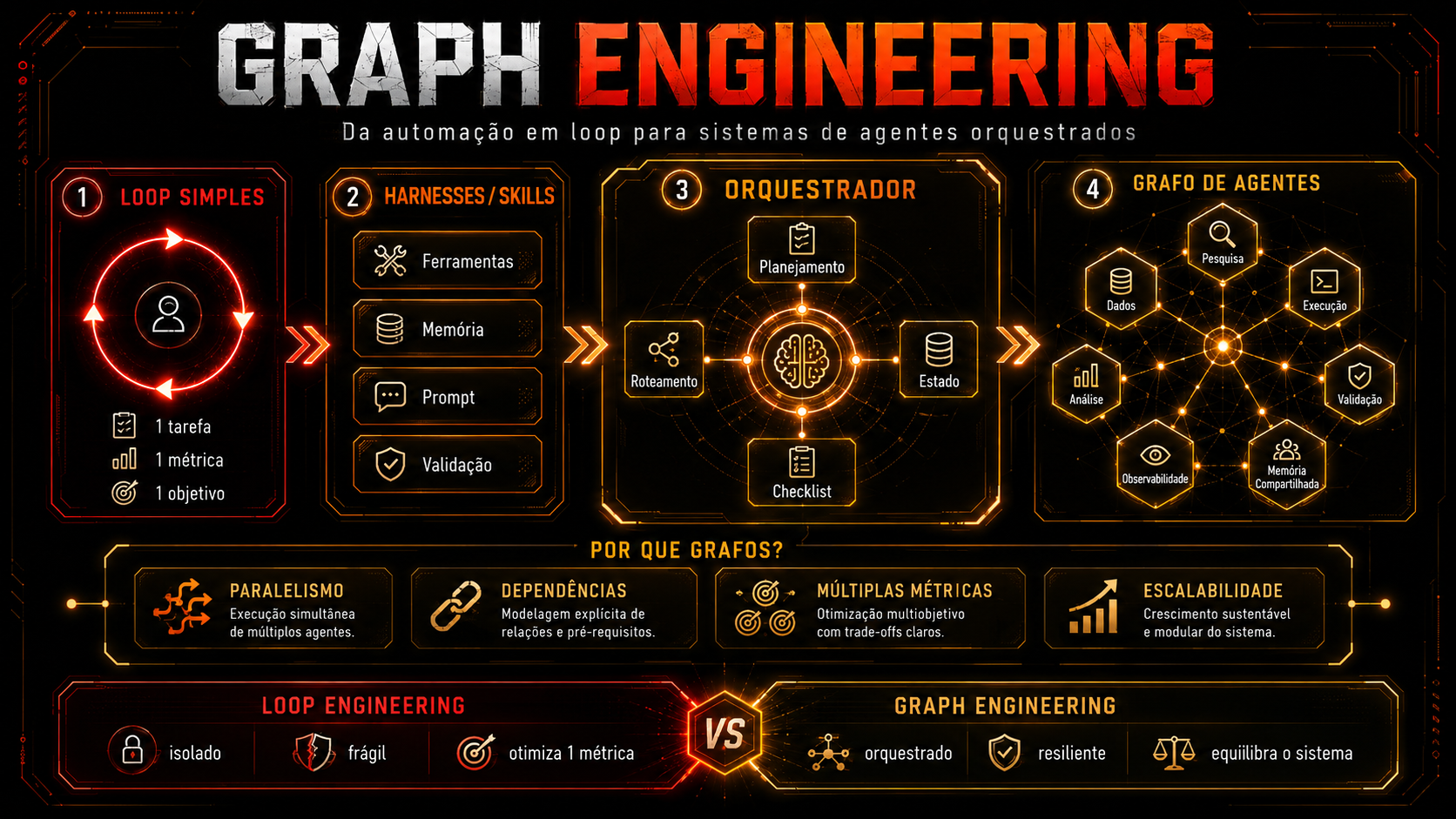
What to look at: the two diagrams have in nodes e edges — the difference isn’t conceptual; it’s in the structure. On the left, a single edge that loops back to the same node: everything happens in one context, one step at a time. On the right, the same work split into four nodes that run at the same time, each with its own clean context, plus a red edge going back (the reviewer rejected it). Each light-blue box inside is still a loop.
What you will know how to do by the end
✓ You'll leave here able to
- ✓Read and draw a graph (nodes, edges, direction, weight) without getting overwhelmed
- ✓Design a loop with a stopping condition and a verifier that works
- ✓Decide, based on clear criteria, between a standalone agent, a loop, and a graph
- ✓Break a task into nodes with clean context, then fan out / fan in
- ✓Write the state schema between nodes and predict new failure modes
- ✓Use ready-made prompts to design the graph and turn it into executable code
✗ What this course does NOT do
- ✗It doesn’t claim that “the loop is dead.” The loop isn’t dead—it’s become the graph’s node
- ✗It doesn’t force you to adopt any framework to learn the concept
- ✗Don't repeat marketing numbers without a source (there's a whole module for that)
- ✗Don't confuse them knowledge graph / GraphRAG with graph engineering
- ✗It doesn't mean you should turn every agent into a distributed system
The 5 tracks
🔵 Fundamentals: the graph
Starting from absolute zero. Node, edge, weight, direction, cycle — and why your coffee routine is already a graph.
🔁 Loop Engineering
The cycle that made AI stop needing a babysitter—and the four structural ways it can betray you.
⚖️ Agentic × Loop × Graph
The five layers, the three-column comparison, and the myth × fact table that will save you from the next tweet.
🕸️ Graph Engineering in practice
Org graph × work graph, zone defense, fan-out/fan-in, state schema, and failure modes unique to the graph.
🛠️ Hands-on practice
Migrate a real loop case to a graph, model your business and backlog graphs—and use the copy-and-paste prompt library.
Who it’s for (and what you need to know first)
Prerequisites
No knowledge of graph theory required. If you’ve used an AI agent (Claude Code, Codex, any bot) and know what a prompt is, you’re ready. Track 1 defines each technical term the first time it appears.
Who it’s for
Anyone building with agents who has already hit the ceiling of a single agent: developer, PM, founder, automation builder. And anyone who saw “graph engineering” in a tweet and wants to understand it before dropping everything.
💡 How to study
Mark each section as read—that’s how your progress moves forward. Select a passage to highlight or annotate. Mark “I have a question” without hesitation: it all comes back in the panel My journey.