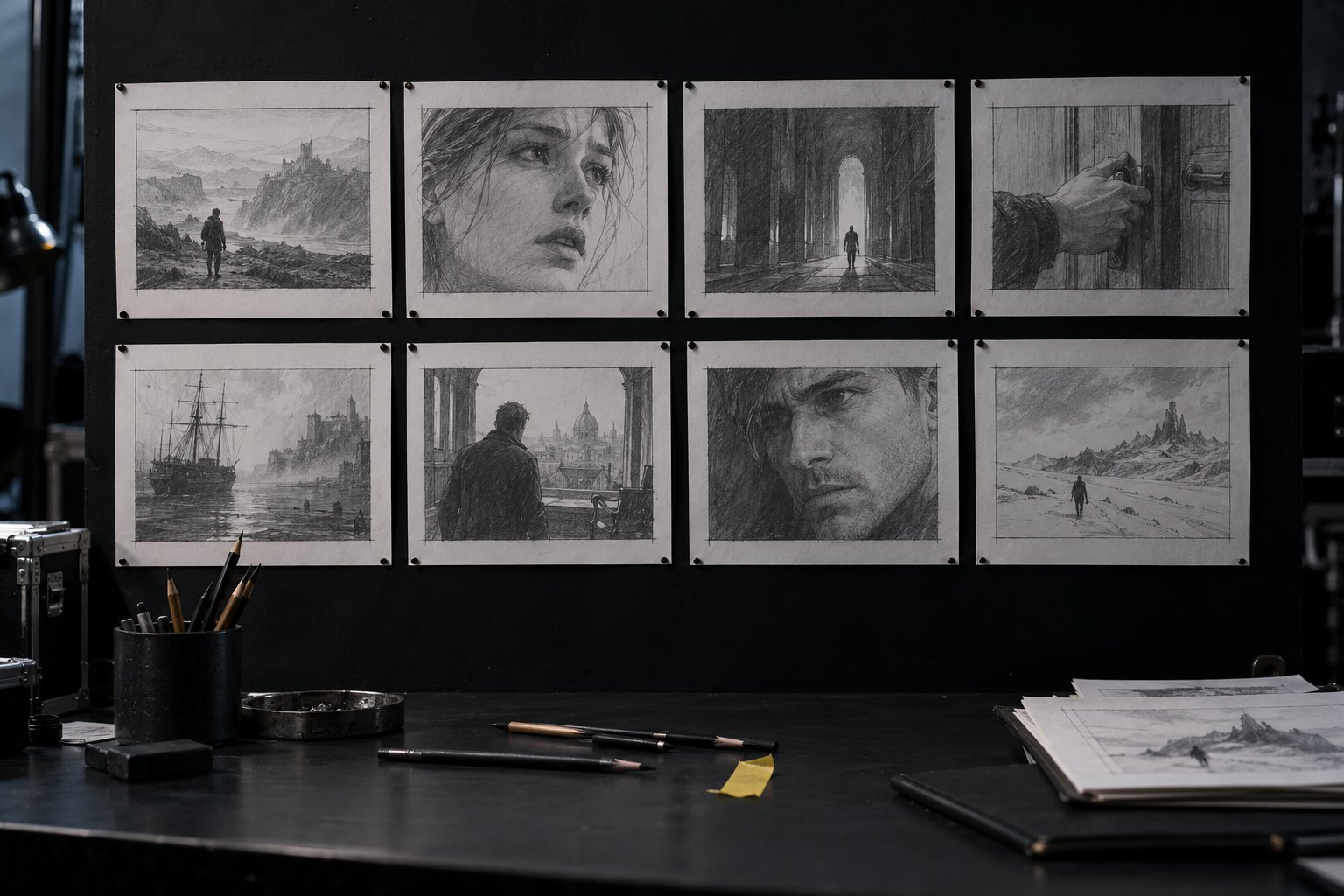
Your storyboard: a 30 s scene broken into shots and checked
Time to put it all together: the director's card, the character sheet, the look and the shot list become a 30-second storyboard, checked by the page. It's the package you take to any generator, and it's where course 1 starts.
At the end of the courseA folder with the card, character sheet, look and a 30 s storyboard, ready for any generator.
8 files
Click an exercise to see what to do and the "done when".
1/5
Card
What the audience should feel, the anchor, and why you chose the angle, movement, duration and light. It is the header of the storyboard.
1/5
Card
What the audience should feel, the anchor, and why you chose the angle, movement, duration and light. It is the header of the storyboard.
2/5
Camera
Size, angle and one movement per shot, each choice made for its effect on the audience.
3/5
Sheet
Fixed light and palette, layered composition and a locked character. This is what holds continuity together.
4/5
Shot list
The scene cut into numbered shots, with camera, sound and timing. This lesson's storyboard comes from here.
5/5
The whole course
Four steps, each with its file checked by the page. This lesson's storyboard brings them all together.
Suggested order: each step uses what the previous one decided.
02 · How to build the storyboard
A header with the fixed decisions and one line per shot.
1. Header
Scene, anchor and emotion come from the card. The character sheet and the look go in one line each, summarized: this is the snippet that repeats in every prompt.
If a line in the header changes midway, every shot changes with it.
2. The shots
The shot list from lesson 7 grows to 30 seconds: 6 to 10 shots, each with size, angle, one movement, duration, action and sound.
Vary it: at least 3 sizes, 2 angles and 3 movements. Open by setting the scene, move in closer at the turn, and close on an image that works as a still.
3. Check before you generate
The page checks the whole package in seconds. Fixing a line of text costs nothing; redoing a generation costs time and credits.
Only take to the generator the storyboard that has already answered OK.
4. The bridge to course 1
In course 1, each line of this storyboard becomes a prompt, with the character sheet as a reference and the look as a fixed block.
Keep the project folder: it is the one you open in the first lesson there.
03 · Template to copy
The complete storyboard: header and shots.
storyboard.txt (template)
Scene: <scene name> (30 s)
Anchor: <character, product or rhythm>
Emotion: <what the audience should feel>
Sheet: <name and the Never changes line from the sheet>
Look: <the light sentence and the palette>
# n | size | angle | movement | duration | what happens | sound: ambience, effect, dialogue
1 | <size> | <angle> | <one movement> | <n> s | <action> | sound: <what you hear>
04 · Check your storyboard
A header with five lines, 6 to 10 complete shots, camera variety, and a total between 27 and 33 s.
storyboard.txt
05 · Final practice
Your scene, from start to finish.
Storyboard · your 30 s scene
40 min
Build the storyboard for your scene: a header with Scene, Anchor, Emotion, Sheet and Look, and 6 to 10 shots adding up to 30 s. Check it until the page answers OK, then download storyboard.txt.
Done when: the page answers OK: storyboard with [n] shots checked · [s] s to your text, with the total between 27 and 33 s.
Folder · the complete direction package
5 min
Check the project folder: it needs to have the files that go into course 1.
Done when: the folder has cartao.txt, look.txt, ficha.txt and storyboard.txt, and each one, pasted again into your lesson's page, answers OK: ….
06 · Generate your plan with dates
Choose when you start and how much time you have each week. The plan lists the exercises from the eight lessons.
plano.md
07 · Final quiz
Five questions about the whole course.
Question 1 of 5
What goes in the storyboard header?
Correct
The header holds what applies to every shot and repeats in every prompt. The generator and the final prompt are from course 1; the duration stays on each line.
Not this one
The header holds what applies to every shot and repeats in every prompt. The generator and the final prompt are from course 1; the duration stays on each line.Review: How to build the storyboard
Question 2 of 5
Why check the storyboard before generating any video?
Correct
The paper rehearsal is free. A direction mistake found after generation costs time and credits to redo.
A shot in your storyboard says "orbit and zoom." What does the page answer?
Correct
One movement per shot (lesson 3). The page points out the shot and asks you to keep just one; if the scene needs both, it needs two shots.
Not this one
One movement per shot (lesson 3). The page points out the shot and asks you to keep just one; if the scene needs both, it needs two shots.Review: Check your storyboard
Question 4 of 5
Which of these keeps the same character in every shot?
Correct
The character sheet with the "Never changes" line, repeated in every prompt and backed by the reference images, is what holds the face, clothes and prop steady (lesson 6).
Not this one
The character sheet with the "Never changes" line, repeated in every prompt and backed by the reference images, is what holds the face, clothes and prop steady (lesson 6).Review: How to build the storyboard
Question 5 of 5
Which shot usually closes a short scene well?
Correct
The last frame is what the audience takes away. Paused on the last second, it has to work as an image: the pull-back that gives the place back, the transformed face.
Not this one
The last frame is what the audience takes away. Paused on the last second, it has to work as an image: the pull-back that gives the place back, the transformed face.Review: How to build the storyboard
Quiz complete
You got {a} of {n} right. Get them all right and the lesson is marked as complete.
Pick an answer. The explanation appears after you try.
08 · The course in three sentences
Direction is decisionThe generator executes; shot, movement, light, composition and sound are your choices, with a reason behind each.
Everything in textCard, character sheet, look and storyboard in a folder of your own, checked by the page.
Next stepIn course 1, each storyboard line becomes a prompt in the generator you choose.