FTH 4 · Operating a real humanoid|INEMA.CLUB-PRO

Lesson 1 · 15 min

Before powering on: gantry, area and emergency stop

An industrial arm stays where it is when it loses power; a humanoid falls. That is why the first lesson in operating a real robot has no control code: it has a 12-item checklist that you fill in, sign, and check by script before any session. Lessons 2 to 7 rehearse each item in the simulator.

Start the lesson
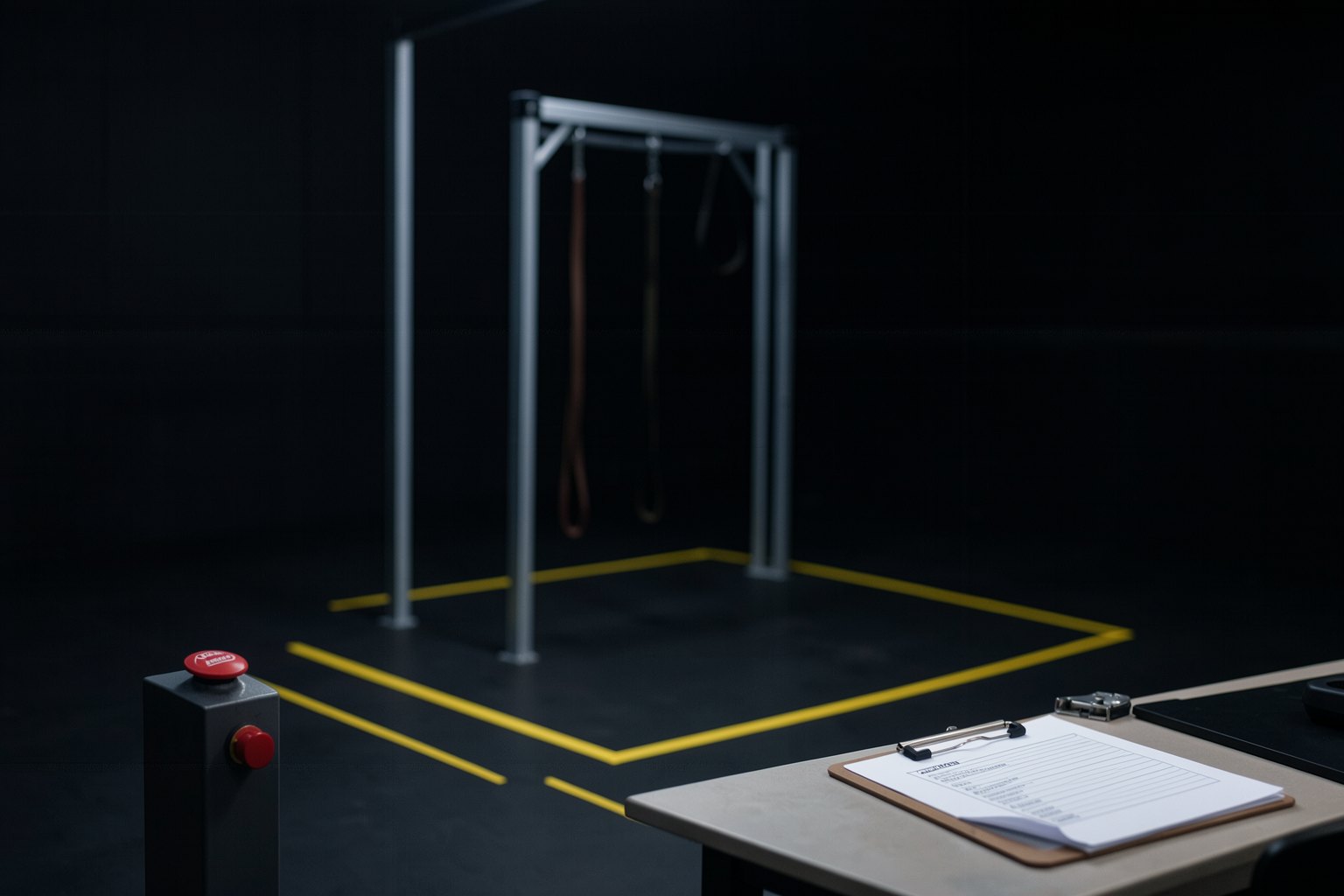
A lab test area with a square of yellow tape on the floor, an empty steel gantry with straps, a red stop button on a pedestal, and a clipboard with a checklist.

In this lesson you will

  1. 1Why a humanoid's stop is to damp, not to cut the power
  2. 2Gantry and elastic band on the first test, feet off the ground
  3. 3The 12 checklist items and who signs each one
  4. 4What the standard says in Oct/2026, and what it still doesn't say

Goal: fill in the 12-item checklist before powering on a humanoid: area, people, gantry, stop, fall, software, and robot.

01From the empty lab to the powered-on robot

Click each step. You only move up once the previous one is checked.

Click each block in the diagram to see what it does.

You rehearse items 8 to 11 in the simulator in lessons 4, 5, and 7; item 5 is the ladder in lesson 8.

02Three ideas before the checklist

Click each one.

1. It falls

A humanoid stays upright because the controller corrects its balance all the time. With no power or no control, it falls.

That is why the stop can't be just cutting the power without thinking about the fall. At the low level, the safe stop is damping: zero stiffness and a little damping in the motors, with the robot suspended or in a prepared area.

In the G1 SDKHigh level: LocoClient.Damp() and ZeroTorque(). Low level: each motor with kp = 0 and kd > 0 (lesson 4).

03The checklist and the checker

The checker only looks at what has been filled in: whoever signs decides whether the item is done. It runs with the system Python, with nothing to install.

Terminal · download the template and check
F=${FTH:-$HOME/fth}; mkdir -p $F && cd $F
[ -d operar ] || git clone -q --depth 1 https://github.com/inematds/formacao-fth-operar-v72 operar
[ -f checklist.yaml ] || cp operar/kit/checklist-modelo.yaml checklist.yaml
python3 operar/kit/conferir_checklist.py checklist.yaml; echo "saída: $?"
File · kit/checklist-modelo.yaml
# Checklist antes de ligar um humanoide — FTH 4 · Operar um humanoide real (19/10/2026)
# Copie para ~/fth/checklist.yaml e preencha "conferido" de cada item com quem conferiu e quando
# (ex.: "Ana, 20/10/2026"). Item que não se aplica: escreva "não se aplica: <motivo>".
# Este arquivo NÃO é certificação. A ISO 25785-1 (humanoides) segue em rascunho em out/2026;
# a análise de risco do seu laboratório é sua (normas: curso vla-v72, aula 8).
- id: 1
  grupo: área
  item: Zona de exclusão marcada no chão; a distância foi decidida pelo responsável e está escrita
  conferido: ""
- id: 2
  grupo: área
  item: Piso plano e seco, sem cabos soltos nem objetos dentro da zona
  conferido: ""
- id: 3
  grupo: pessoas
  item: Ninguém dentro da zona com o robô ligado; quem está na sala conhece o procedimento
  conferido: ""
- id: 4
  grupo: pórtico
  item: Primeiro teste com o robô suspenso no pórtico ou elástico, pés fora do chão
  conferido: ""
- id: 5
  grupo: pórtico
  item: Passagem para o chão só depois do degrau suspenso aprovado (escada da aula 8)
  conferido: ""
- id: 6
  grupo: parada
  item: Parada de emergência ao alcance do operador e testada antes de cada sessão
  conferido: ""
- id: 7
  grupo: parada
  item: Está escrito o que a parada faz (amortecimento, não corte seco) e quem pode acioná-la
  conferido: ""
- id: 8
  grupo: queda
  item: Detector de queda pela IMU ligado, com o limiar anotado, levando a amortecimento
  conferido: ""
- id: 9
  grupo: software
  item: Watchdog do comando ligado (comando velho leva a amortecimento)
  conferido: ""
- id: 10
  grupo: software
  item: Limites de posição e de torque aplicados e rampa no primeiro comando
  conferido: ""
- id: 11
  grupo: software
  item: Mesmo código e mesmo commit já testados no simulador do fabricante, com o registro (MCAP) ligado
  conferido: ""
- id: 12
  grupo: robô
  item: Bateria carregada e temperatura dos motores lida antes de começar
  conferido: ""
Terminal · check after filling in
F=${FTH:-$HOME/fth}; cd $F
python3 operar/kit/conferir_checklist.py checklist.yaml; echo "saída: $?"
Example from the repository
12 itens, 0 em branco
saída: 0

With all 12 items signed, the checker exits with code 0. An item that does not apply is not deleted: write "não se aplica" and the reason.

04Practice

Write, sign, and check.

E1 · Fill in the checklist

15 min

Run the first block, open ~/fth/checklist.yaml, and fill in "conferido" for each item with who checked it and the date. No lab? Fill it in as the plan for the lab you would use, and write "plano" in front.

Done when: python3 operar/kit/conferir_checklist.py checklist.yaml; echo "saída: $?" → 12 itens, 0 em branco and saída: 0.

E2 · What your stop does

10 min

In item 7, write in one line what the stop does on your robot (damp, not a hard cut) and who can trigger it. Then erase the "conferido" of any one item and run the checker again.

Done when: the checker stops showing 0 em branco and exits with saída: 1; filled in again, it goes back to saída: 0.

05Lesson quiz

The explanation appears after your answer.

Question 1 of 4

Why should a humanoid's emergency stop not be just cutting the power?skill

06In three sentences

It fallsWithout control, a humanoid falls: the stop damps, it does not cut off abruptly.
SuspendedNew code starts with the robot on the gantry, feet off the floor.
Checklist12 items signed and checked by script before every session.

Going further

Next lesson